System Administration
System-wide administration guide for providers, billing, provisioning, global configuration, PBX nodes, tenants, users, security, reporting, themes, defaults, and admin settings.
- Providers
- Overview
- Shared Provider Fields
- SIP Provider
- PJSIP Provider
- IAX2 Provider
- DAHDI Provider
- LOCAL Provider
- SMS Provider
- Billing
- Provisioning
- Phone Models
- Button Layout Templates
- Custom Files
- Variables
- Provisioned Phones
- Phone Model Examples
- Grandstream GXP2130
- SNOM 710
- Cisco SPA504G
- Yealink T28P
- AAstra/Mitel 6869i
- Htek UC903
- Yealink pre v.72
- Yealink v.72
- Yealink v.72 - directory request
- Digium D40/D45 - MAC request
- Digium D40/D45 - directory request
- Polycom VVX - MAC request
- Polycom VVX - directory request
- Cisco 7940/60 - MAC request
- Cisco SPA5xx - MAC request
- AAstra/Mitel 6869i - MAC request
- AAstra/Mitel 6869i - MAC request (separate button layout)
- Grandstream GXP2130 - MAC request
- Grandstream GXP2130 with VPK - MAC request
- Grandstream - directory request
- Grandstream HT812 / HT814 - MAC request
- Grandstream GS Wave
- Htek UC903 - MAC request
- SNOM 7xx
- Sangoma S300 - MAC request
- Zoiper - QR Code
- Fanvil X4U
- Fanvil X4U - Reference XML
- Global Configurations
- Media Files
- Custom Destinations
- Feature Codes
- Email Templates
- Email Template Profiles
- Do Not and Only Allow Call Lists
- Music on Hold
- Conditions
- Short Numbers
- Conduits
- Reserved Numbers
- Caller ID Blacklist
- AGI Scripts
- System Cronjobs
- PBX Nodes
- Routing Profiles
- Caller ID and DID Modifications
- Tenants
- Users
- User Profiles
- Global Lists
- Security
- Admin Stats
- Translations
- Themes
- New Items Defaults
- Settings
Providers
Providers administration tasks.
Overview
Providers are global carrier trunks or external services used by routing profiles, inbound DIDs, SMS delivery, and cost handling. Use Admin > Providers to create SIP, PJSIP, IAX2, DAHDI, LOCAL, or SMS providers and to review live channel counters.

Technology Selection
| Technology | Use for | Typical fictional example |
|---|---|---|
SIP | Legacy chan_sip carrier trunks or IP-authenticated SIP gateways. | Docs Telecom SIP Trunk at 203.0.113.20 |
PJSIP | Modern res_pjsip carrier trunks with endpoint, AOR, auth, and identify rows. | Docs Telecom PJSIP Trunk with TLS/SRTP |
IAX2 | IAX2 gateways or legacy interconnects. | Docs IAX2 Gateway on port 4569 |
DAHDI | Analog, PRI, or hardware channel-group routing controlled outside SIP/PJSIP realtime. | Docs Analog Gateway |
LOCAL | Local PBX routing targets that should be selected like a provider. | Docs Local Route |
SMS | SMS delivery via HTTP, JSON, SOAP, SIP MESSAGE, SMSPortal, or AGI script. | Docs SMS JSON Gateway |
Configuration Workflow
- Create or open a provider from Admin > Providers.
- Complete the shared identity, outbound, and inbound fields that apply to the selected technology.
- For SIP, PJSIP, or IAX2, enable Use Realtime Account when MiRTA PBX should maintain the Asterisk realtime rows.
- Save the provider only after replacing the fictional documentation values with carrier-supplied production values.
- Assign providers to routing profiles and test inbound DID matching, outbound dialing, caller ID presentation, and SMS delivery.
Operational Notes
- Provider changes are global and can affect multiple tenants, routing profiles, DIDs, and SMS routes.
- Use documentation-reserved IP addresses and example domains only for training material; never use them in production trunks.
- Provider-level CallerID and CallerID Name override extension-derived caller ID for every call through the provider.
- Max outbound channels prevents a trunk from being overused. When the limit is reached, routing can continue to another provider.
Shared Provider Fields
These fields appear on the provider page before technology-specific realtime options. Some fields are hidden when they do not apply to the selected provider technology.
Information

| Field | Applies to | Purpose | Fictional example |
|---|---|---|---|
| Name | All technologies | Friendly provider name shown in provider lists, route choices, reports, and provider-cost screens. | Docs Telecom SIP Trunk |
| Peer Name | All technologies | Stable technical identifier used by routing and, for realtime accounts, by Asterisk peer or endpoint rows. Keep it unique and avoid spaces. | docs_telecom_sip |
| Technology | All technologies | Selects the provider driver or service type. It controls which realtime and SMS fields are visible. | SIP, PJSIP, IAX2, DAHDI, LOCAL, or SMS |
| Status | All technologies | Controls whether the provider is usable. Enabled allows inbound and outbound use, Disabled removes it from routing, Only Inbound keeps inbound handling only. | Enabled |
| Provider Costs | Existing providers | Opens the provider-cost editor for rating or cost data associated with the provider. | Open costs for Docs Telecom SIP Trunk |
Outbound Calls

| Field | Applies to | Purpose | Fictional example |
|---|---|---|---|
| Additional Header 1-6 | SIP, PJSIP, IAX2, SMS | Adds SIP headers or SMS HTTP headers. Use one header per field in Header-Name: value format. | X-Account-Code: docs-demo |
| CallerID Presentation | SIP, PJSIP, IAX2, DAHDI, LOCAL | Controls privacy and screening information sent when routing calls through the provider. | Auto Privacy, CallerID not screened |
| Digits to Add | All outbound providers | Prepends digits to the called number before the call or SMS is sent to the provider. | +1 |
| Number of digits to Remove | All outbound providers | Removes leading digits from the called number before adding any outbound prefix. | 1 |
| CallerID Modifications | Voice providers | Optional outbound caller ID modification rule applied before the call leaves through this provider. | No Modifications or Docs US E164 CallerID |
| CallerID | Voice providers | Forces a caller ID number for every call using the provider. Leave blank to use extension-derived caller ID. | +15551230000 |
| CallerID Name | Voice providers | Forces a caller ID name for every call using the provider. Leave blank to use extension-derived caller ID name. | Docs Main |
| CallerID allowed regex | Voice providers | Validates caller ID numbers accepted by the carrier. If the current caller ID does not match, MiRTA PBX falls back to DID, extension, or tenant defaults. | ^\+1555[0-9]{7}$ |
| Max outbound channels | All outbound providers | Limits concurrent outbound channels. When the limit is reached, routing skips to another provider. Use Unlimited for no limit. | 12 |
| Penalty | All outbound providers | Provider selection weight used by routing and round-robin choices. Lower penalty is preferred. | 10 |
| Ignore SIP Cause codes | Voice providers | Continues to another provider even when this provider returns a SIP failure cause. | checked for fallback routing |
| Ignore BUSY | Voice providers | Continues to another provider when this provider returns BUSY and the route should keep searching. | checked for multi-carrier routes |
Inbound Calls

| Field | Applies to | Purpose | Fictional example |
|---|---|---|---|
| Inbound Digits to Add | Inbound voice providers | Prepends digits to the inbound DID or called number before destination matching. | +1 |
| Inbound Number of digits to Remove | Inbound voice providers | Removes leading digits from the inbound DID or called number before adding any inbound prefix. | 0 |
| DID Modifications | Inbound voice providers | Optional modification rule applied to inbound called numbers before DID matching. | Docs US DID Normalize |
| Same provider IN and OUT | Inbound and forwarded voice calls | Controls whether calls entering from the provider may also be sent out through the same provider. | Yes |
| Allow custom extensions | Inbound voice providers | Allows inbound calls from the provider to match custom extensions. Use only for trusted providers. | unchecked |
| Normalize number | Inbound voice providers | Removes URI or signaling decoration before matching the number to PBX destinations. | checked |
| Get number from | Inbound SIP/PJSIP-style signaling | Chooses where the inbound called number is read from: standard Request-URI, SIP To header, or a fixed value. | SIP To: Header |
| Set to | When Get number from is Set to | Fixed DID or destination number used instead of a number from signaling. | +15551239999 |
| Variable name 1-3 | Inbound voice providers | Custom inbound channel variable name stored with the USR- prefix for routing or dialplan logic. | ProviderName |
| Variable value 1-3 | Inbound voice providers | Value assigned to the matching custom inbound channel variable. | Docs Telecom SIP Trunk |
Save, Delete, and Back
| Field | Applies to | Purpose | Fictional example |
|---|---|---|---|
| Save | All providers | Stores the provider and creates, updates, or removes realtime account rows as required by the selected technology and Use Realtime Account. | Save after replacing all fictional values. |
| Delete | Existing providers | Deletes the provider and removes related realtime rows for SIP, PJSIP, or IAX2 providers. | Delete an unused Docs Test Provider after checking routing references. |
| Back | All providers | Returns to the Providers list without submitting the form. | Use after reviewing settings. |
| Floating Save | Long forms | Lets administrators save from lower sections without scrolling back to the bottom button row. | Visible while editing realtime account fields. |
SIP Provider
Use SIP technology for chan_sip provider trunks. SIP providers can create and maintain a global sipfriends realtime row when Use Realtime Account is enabled.

Common Realtime Fields
| Field | Applies to | Purpose | Fictional example |
|---|---|---|---|
| Use Realtime Account | SIP, PJSIP, IAX2 | Creates and maintains the Asterisk realtime peer, endpoint, AOR, auth, or IAX row for the provider. | checked |
| Transport | SIP, PJSIP | SIP signaling transport. For PJSIP this maps to transport objects such as transport-udp, transport-tcp, or transport-tls. | UDP or TLS |
| RTP Encryption (SRTP) | SIP, PJSIP | Enables SRTP media encryption when supported by the provider. PJSIP stores this as media_encryption=sdes. | No for standard UDP SIP, Yes for TLS/SRTP trunks |
| Host | SIP, PJSIP, IAX2 | Remote provider address. Use an IP address when inbound realtime matching must identify the carrier by source IP. | 203.0.113.20 |
| Port | SIP, PJSIP, IAX2 | Remote signaling port. Defaults are commonly 5060 for SIP/PJSIP and 4569 for IAX2. | 5060 |
| Outbound Proxy | SIP, PJSIP | Proxy URI or host used for outbound signaling when required by the carrier. | sip-proxy.example.invalid |
| Username | SIP, PJSIP, IAX2 | Authentication username sent to the provider. PJSIP stores this in ps_auths.username, chan_sip as defaultuser. | docs_sip_user |
| Password | SIP, PJSIP, IAX2 | Authentication secret for the provider. Use a unique carrier-supplied or generated secret. | FictionalSecret-2026 |
| Qualify | SIP, PJSIP | Enables SIP OPTIONS reachability checks and controls timeout behavior. | Yes |
| Qualify Frequency | SIP, PJSIP | Interval in seconds between provider reachability checks. | 60 secs |
| Codecs | SIP, PJSIP, IAX2 | Allowed audio codecs. MiRTA PBX stores disallow=all and the selected allow list. | alaw, ulaw, g722 |
| Session Expires | SIP, PJSIP | Maximum SIP session refresh interval in seconds. | 1800 |
| DTMF Mode | SIP, PJSIP | DTMF signaling method. PJSIP maps RFC 2833 to rfc4733. | RFC 2833/RFC 4733 |
| RTP Keepalive | SIP, PJSIP | Sends RTP keepalive packets to help keep NAT bindings and media paths active. | 5 seconds |
SIP-Only Fields
| Field | Applies to | Purpose | Fictional example |
|---|---|---|---|
| From User | SIP only | chan_sip fromuser value used in the SIP From header. | +15551230000 |
| From Domain | SIP only | chan_sip fromdomain value used when the provider requires a specific domain in the From header. | sip.example.invalid |
| Send RPID | SIP only | Controls whether caller identity is sent using Remote-Party-ID, P-Asserted-Identity, or both. | PAI |
| Trust RPID | SIP only | Controls whether inbound Remote-Party-ID or P-Asserted-Identity data is trusted for caller identity. | PAI |
| Trust Outbound for CallerID Presentation | SIP only | Controls how prohibited caller presentation is handled in RPID/PAI headers. | Legacy |
| Session Timers | SIP only | chan_sip session timer policy: accept remote requests, originate timers, or refuse timers. | Accept |
| Progress inband | SIP only | Controls whether Asterisk generates in-band progress audio before answer. | Yes |
| NAT | SIP only | chan_sip NAT behavior. force_rport,comedia is common for symmetric RTP and response routing. | force_rport,comedia |
| Call response timer (ms) - T1 | SIP only | Milliseconds to wait for response to SIP messages. | 500 |
| Call setup timer (ms) - B | SIP only | Maximum milliseconds to wait for call setup before autocongestion when no provisional response arrives. | 5000 |
| Can Reinvite | SIP only | Allows Asterisk to attempt direct media re-invites. Use No when recording, NAT, or media control should keep Asterisk in the RTP path. | No |
| Allow Transfer | SIP only | chan_sip allowtransfer. When enabled, the peer may request SIP REFER transfers. | No |
| Insecure | SIP only | chan_sip authentication matching option. Port, Invite is common for IP-authenticated trunks. | Port, Invite |
| Use Path | SIP only | Controls chan_sip RFC 3327 Path processing for REGISTER requests and stores the value as sipfriends.supportpath. System default leaves the realtime option unset. Enable Yes only when registrations arrive through a trusted SIP proxy that removes untrusted client-supplied Path headers. | No |
Fictional SIP Example
Name: Docs Telecom SIP Trunk
Peer Name: docs_telecom_sip
Technology: SIP
Host: 203.0.113.20
Port: 5060
Username: docs_sip_user
From User: +15551230000
From Domain: sip.example.invalid
NAT: force_rport,comedia
Insecure: Port, InvitePJSIP Provider
Use PJSIP technology for res_pjsip provider trunks. MiRTA PBX maintains related ps_endpoints, ps_aors, ps_auths, and ps_endpoint_id_ips rows when realtime is enabled.

Common Realtime Fields
| Field | Applies to | Purpose | Fictional example |
|---|---|---|---|
| Use Realtime Account | SIP, PJSIP, IAX2 | Creates and maintains the Asterisk realtime peer, endpoint, AOR, auth, or IAX row for the provider. | checked |
| Transport | SIP, PJSIP | SIP signaling transport. For PJSIP this maps to transport objects such as transport-udp, transport-tcp, or transport-tls. | UDP or TLS |
| RTP Encryption (SRTP) | SIP, PJSIP | Enables SRTP media encryption when supported by the provider. PJSIP stores this as media_encryption=sdes. | No for standard UDP SIP, Yes for TLS/SRTP trunks |
| Host | SIP, PJSIP, IAX2 | Remote provider address. Use an IP address when inbound realtime matching must identify the carrier by source IP. | 203.0.113.20 |
| Port | SIP, PJSIP, IAX2 | Remote signaling port. Defaults are commonly 5060 for SIP/PJSIP and 4569 for IAX2. | 5060 |
| Outbound Proxy | SIP, PJSIP | Proxy URI or host used for outbound signaling when required by the carrier. | sip-proxy.example.invalid |
| Username | SIP, PJSIP, IAX2 | Authentication username sent to the provider. PJSIP stores this in ps_auths.username, chan_sip as defaultuser. | docs_sip_user |
| Password | SIP, PJSIP, IAX2 | Authentication secret for the provider. Use a unique carrier-supplied or generated secret. | FictionalSecret-2026 |
| Qualify | SIP, PJSIP | Enables SIP OPTIONS reachability checks and controls timeout behavior. | Yes |
| Qualify Frequency | SIP, PJSIP | Interval in seconds between provider reachability checks. | 60 secs |
| Codecs | SIP, PJSIP, IAX2 | Allowed audio codecs. MiRTA PBX stores disallow=all and the selected allow list. | alaw, ulaw, g722 |
| Session Expires | SIP, PJSIP | Maximum SIP session refresh interval in seconds. | 1800 |
| DTMF Mode | SIP, PJSIP | DTMF signaling method. PJSIP maps RFC 2833 to rfc4733. | RFC 2833/RFC 4733 |
| RTP Keepalive | SIP, PJSIP | Sends RTP keepalive packets to help keep NAT bindings and media paths active. | 5 seconds |
PJSIP-Specific Fields
| Field | Applies to | Purpose | Fictional example |
|---|---|---|---|
| Transport | PJSIP only | Maps to the selected PJSIP transport object. Use TLS when the carrier requires encrypted signaling. | TLS |
| Host and Port | PJSIP only | Used to build the AOR contact and, when Host is an IP address, the endpoint identify match. | 198.51.100.30:5061 |
| Username and Password | PJSIP only | Stored in ps_auths. If username is empty, MiRTA PBX does not attach username/password auth. | docs_pjsip_user |
| Outbound Proxy | PJSIP only | PJSIP outbound proxy string for the endpoint. | sip:edge.example.invalid;transport=tls |
| Send RPID | PJSIP only | Maps to PJSIP send_rpid and send_pai. | PAI |
| Direct Media | PJSIP only | Allows PJSIP to attempt direct RTP. Disable when NAT, recording, transcoding, or media control requires Asterisk in the RTP path. | No |
| Allow Transfer | PJSIP only | PJSIP allow_transfer. When enabled, the endpoint may request SIP REFER transfers. | No |
| RTP Encryption (SRTP) | PJSIP only | Stores media_encryption=sdes when enabled. | Yes |
| Qualify Frequency and Timeout | PJSIP only | Stored on the AOR as qualify_frequency and qualify_timeout. | 60 secs |
| Support Path | PJSIP only | Enables Path support on the provider AOR for REGISTER requests and Route support for other requests. The value is stored as ps_aors.support_path; System default leaves it unset. Enable Yes only for registrations received through a trusted SIP proxy. | No |
Fictional PJSIP Example
Name: Docs Telecom PJSIP Trunk
Peer Name: docs_telecom_pjsip
Technology: PJSIP
Transport: TLS
RTP Encryption: Yes
Host: 198.51.100.30
Port: 5061
Outbound Proxy: sip:edge.example.invalid;transport=tls
Send RPID: PAI
Direct Media: No
Allow Transfer: NoIAX2 Provider
Use IAX2 technology for IAX trunks and legacy interconnects. IAX2 uses fewer signaling fields than SIP/PJSIP and stores its realtime account in iaxfriends.

IAX2 Fields
| Field | Applies to | Purpose | Fictional example |
|---|---|---|---|
| Host | IAX2 only | Remote IAX2 peer address. | 203.0.113.45 |
| Port | IAX2 only | Remote IAX2 signaling/media port. | 4569 |
| Username | IAX2 only | Stored as the IAX2 username used for authentication. | docs_iax_user |
| Password | IAX2 only | IAX2 secret used for authentication. | FictionalSecret-2026 |
| Codecs | IAX2 only | Allowed codecs stored in the IAX realtime row. | alaw, ulaw |
| Use Realtime Account | IAX2 only | Creates or updates the row in iaxfriends. | checked |
Shared Routing Fields
IAX2 providers still use the shared outbound and inbound fields for digit manipulation, caller ID presentation, caller ID fallback, channel limits, penalties, and custom inbound variables.
Fictional IAX2 Example
Name: Docs IAX2 Gateway
Peer Name: docs_iax2_gateway
Technology: IAX2
Host: 203.0.113.45
Port: 4569
Username: docs_iax_user
Codecs: alaw, ulawDAHDI Provider
Use DAHDI technology for analog, PRI, or hardware channel-group resources that are managed by the telephony node outside SIP/PJSIP realtime. DAHDI providers do not show the realtime account block.

DAHDI Field Details
| Field | Applies to | Purpose | Fictional example |
|---|---|---|---|
| Technology | DAHDI only | Use when routing to analog, PRI, or channel-group resources managed by DAHDI outside SIP/PJSIP realtime. | DAHDI |
| Peer Name | DAHDI only | Identifier operators recognize as the DAHDI group or channel target. | dahdi_docs_group1 |
| CallerID Presentation | DAHDI only | Controls presentation flags applied before dialing through the DAHDI provider. | Auto Privacy and Screen |
| Digits to Add / Remove | DAHDI only | Normalizes outbound numbers for PSTN gateway expectations. | Remove 0, add blank |
| Get number from / Set to | Inbound DAHDI use | Sets or normalizes the inbound called number when signaling does not carry the DID in a SIP-style header. | Set to +15551234444 |
| Max outbound channels | DAHDI only | Protects limited analog or PRI capacity. | 4 |
Shared Fields Still Used
DAHDI providers still use provider name, peer name, status, outbound digit manipulation, caller ID presentation, caller ID overrides, caller ID allowed regex, max outbound channels, penalty, inbound digit manipulation, DID modifications, custom variables, and save/delete controls.
Fictional DAHDI Example
Name: Docs Analog Gateway
Peer Name: dahdi_docs_group1
Technology: DAHDI
Status: Enabled
Max outbound channels: 4
Get number from: Set to +15551234444LOCAL Provider
Use LOCAL technology when a PBX-local route should be selected by routing profiles like a provider. LOCAL providers do not create SIP, PJSIP, or IAX realtime rows.

LOCAL Field Details
| Field | Applies to | Purpose | Fictional example |
|---|---|---|---|
| Technology | LOCAL only | Uses a local route target instead of an external SIP/IAX/DAHDI carrier account. | LOCAL |
| Peer Name | LOCAL only | Stable local-route identifier for administrators and routing profiles. | docs_local_route |
| Digits to Add / Remove | LOCAL only | Normalizes the number before local routing. | No add, remove 0 |
| CallerID and CallerID Name | LOCAL only | Optionally forces caller ID for calls sent through the local route. | +15551230000 and Docs Local |
| Max outbound channels | LOCAL only | Limits local-route concurrency, or Unlimited when no limit is needed. | Unlimited |
| Inbound options | LOCAL when used for inbound-like routing | Can still normalize destination numbers and set custom variables before matching. | Normalize number checked |
Shared Fields Still Used
LOCAL providers still use common identity, status, outbound digit manipulation, caller ID controls, max outbound channels, penalty, inbound normalization, DID modification, and custom variable fields. Additional SIP/SMS headers and realtime account settings are hidden.
Fictional LOCAL Example
Name: Docs Local Route
Peer Name: docs_local_route
Technology: LOCAL
Status: Enabled
Max outbound channels: Unlimited
Penalty: 50SMS Provider
Use SMS technology for outbound text-message delivery. SMS providers reuse provider identity, status, outbound digit manipulation, additional headers, channel limits, and penalty fields, then expose protocol-specific delivery fields.
SMS Field Details
| Field | Applies to | Purpose | Fictional example |
|---|---|---|---|
| SMS Protocol | SMS only | Selects delivery method: Web URL, JSON Web URL, SOAP Web URL, SIP MESSAGE, SMSPORTAL, or AGISCRIPT. | JSONWEBURL |
| SIP Provider | SMS SIPMESSAGE | SIP provider used to send outbound SMS with SIP MESSAGE. | Docs Telecom SIP Trunk |
| SMS URL/AGI Script Name | WEBURL, JSONWEBURL, SOAPWEBURL, AGISCRIPT | HTTP endpoint or AGI script name used for delivery. | https://sms.example.invalid/v1/messages |
| SOAP Action | SOAPWEBURL | SOAPAction header value sent with SOAP SMS requests. | SendMessage |
| HTTP Content Type | JSONWEBURL, SOAPWEBURL | Content-Type header. Leave blank to use the protocol default when acceptable. | application/json or text/xml |
| User / Password | WEBURL, JSONWEBURL, SOAPWEBURL | HTTP authentication credentials when required by the SMS provider. | docs-json-user and a fictional secret |
| Client ID / API Secret | SMSPORTAL | SMSPortal credentials. MiRTA PBX uses them to request a bearer token before sending messages. | fictional-client-id |
| Post data | WEBURL | POST body in param=value¶m2=value format. Values are not automatically URL encoded. | to=${SMSDESTNUM}&text=${URIENCODE(${SMSTEXT})} |
| JSON data | JSONWEBURL | One field.path:value[:type] line per JSON field. Dot notation creates nested objects; numeric parts can create JSON arrays. | messages.0.content:${SMSTEXT} |
| SOAP data | SOAPWEBURL | SOAP or XML body sent to the SMS provider. | <Text>${SMSTEXT}</Text> |
| Additional Header 1-6 | SMS HTTP protocols | Extra HTTP headers for SMS requests. | Authorization: Bearer fictional-token |
JSON Web URL

JSON Web URL post data uses one line per JSON field in field.path:value[:type] format. Dot notation creates nested objects. Numeric path parts create numeric object keys which encode as JSON array indexes when sequential. Use :array to force a single-value array.
sender.number:${SMSSOURCENUM}
sender.name:${SMSNAME}
messages.0.destination:${SMSDESTNUM}
messages.0.content:${SMSTEXT}
message.metadata.tenant:${TENANTNAME}
recipients:${SMSDESTNUM}:arrayWeb URL

Web URL post data is sent as a raw form-style body. The script does not automatically URL encode values, so encode values explicitly when the provider requires it.
SOAP Web URL

SOAP Web URL sends the configured SOAP/XML body and optional SOAPAction header. Set HTTP Content Type to text/xml unless the provider documents a different value.
SMSPortal

SMSPortal uses the Client ID and API Secret to request a bearer token from the SMSPortal REST API before sending the message payload.
SIP MESSAGE

SIP MESSAGE sends the SMS through a selected SIP provider. Choose a SIP provider that is trusted and configured for message delivery.
AGI Script
AGISCRIPT runs the named AGI script for SMS delivery. Use this only for custom integrations maintained by the PBX administrator. The SMS URL/AGI Script Name field stores the script name.
Available SMS Variables
| Variable | Meaning |
|---|---|
${SMSDESTNUM} | Destination number after SMS routing and digit handling. |
${SMSSOURCENUM} | Source number for the message. |
${SMSNAME} | Peer or sender name available to the SMS script. |
${SMSTEXT} | Message text. |
${EMERGENCYNOTES} | Emergency notes from the extension when available. |
${TENANTNAME} | Tenant name. |
${BILLINGCODE} | Tenant billing code. |
${EXTRACODE} | Tenant extra code. |
${EXTRAFIELD001}, ${EXTRAFIELD002}, ${EXTRAFIELD003} | Tenant custom extra fields. |
Billing
Billing administration tasks.
Tenants Dashboard
Review tenant balances, usage exposure, and billing state.
Use Admin > Tenants Dashboard to manage tenants dashboard.
This page is a starting point for administrators: review existing records, add only the objects needed by the deployment, and keep names consistent across tenants, routing, and provisioning.
Typical Workflow
Documentation Example
For documentation and testing, use names prefixed with Docs Demo. Existing PBX nodes should be reused as examples; do not create additional nodes unless the deployment actually requires them.
Providers Dashboard
Review provider balance and traffic indicators.
Use Admin > Providers Dashboard to manage providers dashboard.
This page is a starting point for administrators: review existing records, add only the objects needed by the deployment, and keep names consistent across tenants, routing, and provisioning. The source form exposes these main blocks or fields: From, To.
Typical Workflow
Documentation Example
For documentation and testing, use names prefixed with Docs Demo. Existing PBX nodes should be reused as examples; do not create additional nodes unless the deployment actually requires them.
Main Fields
| Field or block | Purpose |
|---|---|
| From | Review this value in relation to the object being configured and the tenant or system scope where it is used. |
| To | Review this value in relation to the object being configured and the tenant or system scope where it is used. |
Outbound Call Rates
Maintain outbound rate tables used to price calls.
Use Admin > Outbound Call Rates to manage outbound call rates.
This page is a starting point for administrators: review existing records, add only the objects needed by the deployment, and keep names consistent across tenants, routing, and provisioning.
Typical Workflow
Documentation Example
For documentation and testing, use names prefixed with Docs Demo. Existing PBX nodes should be reused as examples; do not create additional nodes unless the deployment actually requires them.
Inbound Call Rates
Maintain inbound rate tables used for DID and inbound traffic billing.
Use Admin > Inbound Call Rates to manage inbound call rates.
This page is a starting point for administrators: review existing records, add only the objects needed by the deployment, and keep names consistent across tenants, routing, and provisioning.
Typical Workflow
Documentation Example
For documentation and testing, use names prefixed with Docs Demo. Existing PBX nodes should be reused as examples; do not create additional nodes unless the deployment actually requires them.
Conference Rooms Rates
Maintain rates applied to hosted conference-room usage.
Use Admin > Conference Rooms Rates to manage conference rooms rates.
This page is a starting point for administrators: review existing records, add only the objects needed by the deployment, and keep names consistent across tenants, routing, and provisioning.
Typical Workflow
Documentation Example
For documentation and testing, use names prefixed with Docs Demo. Existing PBX nodes should be reused as examples; do not create additional nodes unless the deployment actually requires them.
Provisioning
Provisioning administration tasks.
Phone Models
Maintain provisioning model definitions and templates for supported phones.
Use Admin > Phone Models to manage phone models.
This page is a starting point for administrators: review existing records, add only the objects needed by the deployment, and keep names consistent across tenants, routing, and provisioning. The source form exposes these main blocks or fields: Password, .
Typical Workflow
Documentation Example
For documentation and testing, use names prefixed with Docs Demo. Existing PBX nodes should be reused as examples; do not create additional nodes unless the deployment actually requires them.
Main Fields
| Field or block | Purpose |
|---|---|
| Password | Review this value in relation to the object being configured and the tenant or system scope where it is used. |
| | Review this value in relation to the object being configured and the tenant or system scope where it is used. |
Button Layout Templates
Maintain reusable button layouts for provisioned devices.
This page is a starting point for administrators: review existing records, add only the objects needed by the deployment, and keep names consistent across tenants, routing, and provisioning. The source form exposes these main blocks or fields: Password, .
Typical Workflow
Documentation Example
For documentation and testing, use names prefixed with Docs Demo. Existing PBX nodes should be reused as examples; do not create additional nodes unless the deployment actually requires them.
Main Fields
| Field or block | Purpose |
|---|---|
| Password | Review this value in relation to the object being configured and the tenant or system scope where it is used. |
| | Review this value in relation to the object being configured and the tenant or system scope where it is used. |
Custom Files
Manage global provisioning files that can be served to devices.
Use Admin > Custom Files to manage custom files.
This page is a starting point for administrators: review existing records, add only the objects needed by the deployment, and keep names consistent across tenants, routing, and provisioning.
Typical Workflow
Documentation Example
For documentation and testing, use names prefixed with Docs Demo. Existing PBX nodes should be reused as examples; do not create additional nodes unless the deployment actually requires them.
Variables
Define provisioning variables used by phone templates.
Use Admin > Variables to manage variables.
This page is a starting point for administrators: review existing records, add only the objects needed by the deployment, and keep names consistent across tenants, routing, and provisioning.
Typical Workflow
Documentation Example
For documentation and testing, use names prefixed with Docs Demo. Existing PBX nodes should be reused as examples; do not create additional nodes unless the deployment actually requires them.
Provisioned Phones
Review phones that have requested provisioning files.
Use Admin > Provisioned Phones to manage provisioned phones.
This page is a starting point for administrators: review existing records, add only the objects needed by the deployment, and keep names consistent across tenants, routing, and provisioning.
Typical Workflow
Documentation Example
For documentation and testing, use names prefixed with Docs Demo. Existing PBX nodes should be reused as examples; do not create additional nodes unless the deployment actually requires them.
Phone Descriptions
Provisioned phone records can include a Description value for administrator notes, such as the device location, responsible person, or installation context. The field is stored on the phone record only and does not change generated provisioning files or call behavior.

Phone Model Examples
This page collects provisioning examples and phone-model notes for supported devices. Use them as starting points and adjust the templates to match the firmware and tenant requirements.
Provisioning Templates
- Yealink pre v.72
- Yealink v.72
- Yealink v.72 - directory request
- Digium D40/D45 - MAC request
- Digium D40/D45 - directory request
- Polycom VVX - MAC request
- Polycom VVX - directory request
- Cisco 7940/60 - MAC request
- Cisco SPA5xx - MAC request
- AAstra/Mitel 6869i - MAC request
- AAstra/Mitel 6869i - MAC request (separate button layout)
- Grandstream GXP2130 - MAC request
- Grandstream GXP2130 with VPK - MAC request
- Grandstream - directory request
- Grandstream HT812 / HT814 - MAC request
- Grandstream GS Wave
- Htek UC903 - MAC request
- SNOM 7xx
- Sangoma S300 - MAC request
- Zoiper - QR Code
- Fanvil X4U
- Fanvil X4U - Reference XML
Grandstream Dialplan
Grandstream forces to use a dialplan on most call features. For some, you can skip the dialplan, but if you want to have BLF for Parking Lots, you need to customize the dial plan for your tenant. So for example, with a tenant code of DEVEL, you need to enter a dialplan entry like x+\-[\a-\z\A-\Z0-9]+
Polycom provisioning reset
How to Perform a Hard Reset
Use the below steps if the following is met:
The phone is on a boot loop and no longer going to the home menu
The default password or mac password doesn't work
If it's a 3rd party phone
The account is already canceled and you cannot access Account Manager or Admin Console to download the extension CSV
Reboot the phone and wait for the starting application.
While the phone is in the starting application wait for the cancel button to appear then press it.
The phone will show a 7 second count down. This is the only open window to press the key combination to go to the hard reset page.
VVX series (VVX300, 301, 310, 311, etc): Press and hold 1 3 5 within the 7-second count down until it prompts you to the password page
Sound Point IP 335: Press and hold 1 3 5 7 within the 7-second count down until it prompts you to the password page
Sound Point IP series (IP550,560,570, etc): Press and hold 4 6 8* within the 7-second count down until it prompts you to the password page
Conference Phone IP5000, 6000, 7000: Press and hold 1 3 5 7 within the 7-second count down until it prompts you to the password page
Enter the device's MAC ID as the password (e.g 0004f28619dc).
Press the 2nd soft key that corresponds to the mode or (encoding) to change it to A->abc or a->abc.
Then (for example) to select the letter F, press the 3 key three times.
Current Practice
Create or edit phone models in Admin > Provisioning > Phone Models. Keep model names precise, store templates in the phone model, and test with one phone before applying a template to many devices.
Grandstream GXP2130
This is an executive phone compatible with the predefined “Grandstream GXP” template.
Log into the phone interface

Locate the Upgrade and Provisioning menu

Configure as shown below

In detail, select Upgrade via “HTTPS”, clean Firmware Server Path if not used, enter the Config Server Path as shown on the Configuration/Provisioning/Phones page, in this example: demo.mirtapbx.com/mirtapbx/autoprovision/RuLPYWuESutnFCtc/ Do not enter the protocol! Set the DHCP options to No if not used, save and apply. Reboot your phone.
SNOM 710
Locate the Advanced Settings and choose the “Update” tab. Enter the server url ending with {mac}.xml like https://demo.mirtapbx.com/mirtapbx/autoprovision/uhn73YrfXp2Jmf9U/{mac}.xml

Cisco SPA504G
This phone has several layer of configuration, so the first step will be to reach the correct one. Once logged in, click on the “Admin login” and then on “Advanced” on the top right corner.

You can now configure the provisioning, by enabling it and entering the provisioning URL. The phone can request automatically its MAC address if the $MAC.xml variable is set in the provisioning URL, like: https://demo.mirtapbx.com/mirtapbx/autoprovision/twNX3K4HrYqcNjbZ/$MA.xml Unfortunately Cisco decided to not allow the usage of third party CA and request you to use their CA for your SSL service. If you can't, you are forced to provision over HTTP.

Yealink T28P
Starting with firmware version 72, Yealink changed the provisioning configuration format, so you need first to check your version and pickup the right template. Provisioning Yealink is easy, you need to enter the URL in the Provisioning page as follows:

To have the phone automatically insert the phone MAC address, you need to enter the special variable $mac like: https://demo.mirtapbx.com/mirtapbx/autoprovision/24cWZKq2wppjEqmV/$mac.cfg It is possible your phone will refuse to provision due to a not recognized SSL certificate. In this case you can upload your own CA or just force the phone to accept any certificate by disabling the option “Only Accept Trusted Certificates”

AAstra/Mitel 6869i
Provisioning this model is a bit trickier than usual. At boot time the phone requires several files in order
- security.tuz
- startup.cfg
- aastra.cfg
If aastra.cfg file is not obtained from the provisioning server, no other files are requested. As you can see, no file containing the MAC address is yet requested. To make it go further is needed to create an empty file and upload in the custom file section.

Once this file is offered to the phone using the provisioning server, the phone requires two additional files:
- 6869i.cfg
- {MAC}.cfg
With {MAC} replaced with the MAC address of the phone.
For documentation completeness, some files are requested too:
- aastra.lic
- {MAC}.lic
- 6869i.st
In the phone choose the preferred method between HTTP and HTTPS and provide the server hostname, without the protocol part, in my case just demo.mirtapbx.com and the path for the provisioning, like /mirtapbx/autoprovision/W7H85Znu7nDrnPn6/

Please note on the model I have, it was not possibile to use HTTPS because the certificate was crashing the phone, maybe for a too long certificate chain. A better (more expensive) certificate, with a shorter chain, may work.
Htek UC903
The phone provisioning is set using the Management top menu and then the Autoprovision left menu

The URL to enter is the simplest one, like
https://demo.mirtapbx.com/mirtapbx/autoprovision/TBP96HnRhZxs7JbP/
In case your certificate is not accepted by the phone, it can be worth trying to allow any certificate or use not encrypted http
Yealink pre v.72
{line_loop}
[ account ]
path= /config/voip/sipAccount{$line_m1}.cfg
Enable = {$line_active}
Label = {$displayname}
DisplayName = {$displayname}
UserName = {$username}
AuthName = {$authname}
password = {$secret}
MissedCallLog = {$missed_call_log|0}
AutoAnswer = {$auto_answer|0}
SIPServerHost = {$server_host}
SIPServerPort = {$server_port}
SIPListenRandom = 0
SIPListenPort = {$local_port}
Expire = {$server_expires}
UseOutboundProxy = {$enable_outbound_proxy_server}
OutboundHost = {$outbound_host}
OutboundPort = {$outbound_port}
EnableEncrypt = 0
EncryptKey = 29749
EncryptVersion = 1
BakOutboundHost = {$backup_outbound_host}
BakOutboundPort = {$backup_outbound_port}
EnableSTUN = {$enable_stun}
proxy-require = 0
ptime = 20
srtp_encryption = 0
srtp_encryption_algorithm = 0
BackupSIPServerHost = {$backup_server_host}
BackupSIPServerPort = {$backup_server_port}
Enable 100Rel = 0
precondition = 0
SubsribeRegister = 0
CIDSource = 0
EnableSessionTimer = 0
SessionExpires =
SessionRefresher = 0
EnableUserEqualPhone = 0
BLFList_URI =
SubsribeMWI = {$subscribe_mwi|1}
AnonymousCall = 0
RejectAnonymousCall = 0
Transport = {$transport|0}
ShareLine =
dialoginfo_callpickup =
AnonymousCall_OnCode =
AnonymousCall_OffCode =
AnonymousReject_OnCode =
AnonymousReject_OffCode =
BLANumber =
SIP Registration Retry Timer = {$sip_registration_retry_timer|30}
[ Message ]
path=/config/Features/Message.cfg
#Set voicemail number for each account
VoiceNumber{$line_m1} = {$voicemail_number}
[ audio0 ]
path=/config/voip/sipAccount{$line_m1}.cfg
enable = 1
PayloadType = PCMU
priority = 1
rtpmap = 0
[ audio1 ]
path=/config/voip/sipAccount{$line_m1}.cfg
enable = 1
PayloadType = PCMA
priority = 2
rtpmap = 8
[ audio2 ]
path=/config/voip/sipAccount{$line_m1}.cfg
enable = 0
PayloadType = G723_53
priority = 0
rtpmap = 4
[ audio3 ]
path=/config/voip/sipAccount{$line_m1}.cfg
enable = 0
PayloadType = G723_63
priority = 0
rtpmap = 4
[ audio4 ]
path=/config/voip/sipAccount{$line_m1}.cfg
enable = 1
PayloadType = G729
priority = 3
rtpmap = 18
[ audio5 ]
path=/config/voip/sipAccount{$line_m1}.cfg
enable = 0
PayloadType = G722
priority = 0
rtpmap = 9
[ audio6 ]
path=/config/voip/sipAccount{$line_m1}.cfg
enable = 0
PayloadType = iLBC
priority = 3
rtpmap = 97
[ audio7 ]
path=/config/voip/sipAccount{$line_m1}.cfg
enable = 0
PayloadType = G726-16
priority = 0
rtpmap = 112
[ audio8 ]
path=/config/voip/sipAccount{$line_m1}.cfg
enable = 0
PayloadType = G726-24
priority = 0
rtpmap = 102
[ audio9 ]
path=/config/voip/sipAccount{$line_m1}.cfg
enable = 0
PayloadType = G726-32
priority = 0
rtpmap = 2
[ audio10 ]
path=/config/voip/sipAccount{$line_m1}.cfg
enable = 0
PayloadType = G726-40
priority = 0
rtpmap = 104
[ DTMF ]
path=/config/voip/sipAccount{$line_m1}.cfg
DTMFInbandTransfer = 1
DTMFPayload = 101
DTMFToneLen = 300
InbandDtmfVolume = 0
RxLatency = 20
CPTToneCountry = 12
G726CodeWord = 1
InfoType = 0
[ NAT ]
path=/config/voip/sipAccount{$line_m1}.cfg
MaxRTPPort = 11800
MinRTPPort = 11780
NATTraversal = {$nat_trans}
STUNServer = {$stun_server}
STUNPort = {$stun_server_port}
EnableUDPUpdate = {$udp_keepalive_enable}
UDPUpdateTime = {$udp_keepalive_seconds}
rport = {$rport_enable}
[ ADVANCED ]
path=/config/voip/sipAccount{$line_m1}.cfg
default_t1 = 0.5
default_t2 = 4
default_t4 = 5
[blf]
path=/config/voip/sipAccount{$line_m1}.cfg
SubscribePeriod = 3600
{/line_loop}
[ VLAN ]
path = /config/Network/Network.cfg
#ISVLAN,VID and USRPRIORITY are used for VLAN on LAN port
#PC_PORT_VLAN_ENABLE,PC_PORT_VID and PC_PORT_PRIORITY are used for PC port
ISVLAN = {$voice_vlan_enable}
VID = {$voice_vlan_id}
USRPRIORITY = 0
PC_PORT_VLAN_ENABLE = {$data_vlan_enable}
PC_PORT_VID = {$data_vlan_id}
PC_PORT_PRIORITY = 0
[ ContactList ]
path = /tmp/download.cfg
#to specify a XML phonebook for update
#an example for a right server_address:http://192.168.0.132:9/file_provision/contactData1.xml
server_address = {$contact_list_address}
{loop_remotephonebook}
[ RemotePhoneBook{$number} ]
path = /config/Setting/Setting.cfg
URL = {$url}
Name = {$name}
{/loop_remotephonebook}
[ ringtone ]
path = /tmp/download.cfg
#to specify a ringtone for update
#the format of the ringtone must be WAV
#an example for a right server_address:ftp://wxf:123456@192.168.0.132:21/Ring20.wav
server_address = {$ringtone_url}
[Logo]
path = /tmp/download.cfg
server_address = {$logo_url}
[ Features ]
path = /config/Features/Phone.cfg
Call_Waiting = 1
Hotlinenumber =
BusyToneDelay =
LCD_Logo = {$lcdlogo}
DND_Code = 480
Refuse_Code = 480
DND_On_Code = *181
DND_Off_Code = *182
ButtonSoundOn = 1
[ Webserver Type ]
path = /config/Advanced/Advanced.cfg
WebType =
{loop_memkey}
[ memory{$key} ]
path = /config/vpPhone/vpPhone.ini
Line = {$line}
type = {$parameter}
Value = {$extension}
Callpickup =
DKtype = {$type}
PickupValue = {$pickup_value}
{/loop_memkey}
#START Line Key Options
{loop_linekey}
[ memory{$number} ]
path = /config/vpPhone/vpPhone.ini
type = {$mode}
DKtype = {$type}
Line = {$line}
Value = {$extension}
{/loop_linekey}
#END Line Key Options
#START DialNow configuration
[ DialNow ]
path = /tmp/dialnow.xml
{loop_dialnow}
{$count} = {$rule}
{/loop_dialnow}
#END DialNow configuration
{loop_sdext38}
[ Key{$number} ]
Path = /config/vpPhone/Ext38_00000000000001.cfg
DKtype = {$type}
Line = 0
Value = {$value}
type = {$btype}
PickupValue = {$pickup_value}
Label = {$label}
{/loop_sdext38}
#START Soft Keys
{loop_softkey}
[ programablekey{$number} ]
path = /config/vpPhone/vpPhone.ini
Label = {$label}
DKtype = {$type}
Line = 0
Value = {$value}
XMLPhoneBook =
{/loop_softkey}
#END Soft Keys
#Program UP Key
[ programablekey5 ]
path = /config/vpPhone/vpPhone.ini
DKtype = {$hardkey_up_type}
Line = {$hardkey_up_line}
Value = {$hardkey_up_extension}
XMLPhoneBook =
#Program DOWN Key
[ programablekey6 ]
path = /config/vpPhone/vpPhone.ini
DKtype = {$hardkey_down_type}
Line = {$hardkey_down_line}
Value = {$hardkey_down_extension}
XMLPhoneBook =
#Program LEFT Key
[ programablekey7 ]
path = /config/vpPhone/vpPhone.ini
DKtype = {$hardkey_left_type}
Line = {$hardkey_left_line}
Value = {$hardkey_left_extension}
XMLPhoneBook =
#Program RIGHT Key
[ programablekey8 ]
path = /config/vpPhone/vpPhone.ini
DKtype = {$hardkey_right_type}
Line = {$hardkey_right_line}
Value = {$hardkey_right_value}
XMLPhoneBook =
#Program OK Key
[ programablekey9 ]
path = /config/vpPhone/vpPhone.ini
DKtype = {$hardkey_ok_type}
Line = {$hardkey_ok_line}
Value = {$hardkey_ok_value}
XMLPhoneBook =
#Program CANCEL Key
[ programablekey10 ]
path = /config/vpPhone/vpPhone.ini
DKtype = {$hardkey_cancel_type}
Line = {$hardkey_cancel_line}
Value = {$hardkey_cancel_value}
XMLPhoneBook =
#Program FWD Key
[ programablekey14 ]
path = /config/vpPhone/vpPhone.ini
DKtype = {$hardkey_fwd_type}
Line = {$hardkey_fwd_line}
Value = {$hardkey_fwd_value}
XMLPhoneBook =
[ AdminPassword ]
path = /config/Setting/autop.cfg
Password = {$adminpw}
Yealink v.72
#!version:1.0.0.1
##File header "#!version:1.0.0.1" can not be edited or deleted, and must be placed in the first line.##
#######################################################################################
## Accounts ##
#######################################################################################
{line_loop}
account.{$line_m1}.enable = {$line_active}
account.{$line_m1}.label = {$number}
account.{$line_m1}.display_name = {$displayname}
account.{$line_m1}.auth_name = {$username}
account.{$line_m1}.user_name = {$authname}
account.{$line_m1}.password = {$secret}
account.{$line_m1}.sip_server.1.address = {$server_host}
account.{$line_m1}.sip_server.1.port = {$server_port}
account.{$line_m1}.sip_server.1.expires = 300
account.{$line_m1}.unregister_on_reboot = 1
account.{$line_m1}.outbound_proxy_enable = 1
account.{$line_m1}.outbound_host = {$server_host}
account.{$line_m1}.outbound_port = {$server_port}
{/line_loop}
#######################################################################################
## Line Keys ##
#######################################################################################
{loop_linekey1}
linekey.{$key}.type = {$type}
linekey.{$key}.line = {$account}
linekey.{$key}.value = {$extension}
linekey.{$key}.pickup_value = {$parameter}
linekey.{$key}.label = {$label}
{/loop_linekey1}
#######################################################################################
## Memory Keys ##
#######################################################################################
{loop_memkey1}
memorykey.{$key}.type = {$type}
memorykey.{$key}.line = {$account}
memorykey.{$key}.value = {$extension}
memorykey.{$key}.pickup_value = {$parameter}
{/loop_memkey1}
#######################################################################################
## Network ##
#######################################################################################
network.pc_port.enable = 1
network.bridge_mode = 1
#!version:1.0.0.1
##File header "#!version:1.0.0.1" can not be edited or deleted, and must be placed in the first line.##
#######################################################################################
## Time Settings ##
#######################################################################################
#local_time.time_zone = +2
#local_time.time_zone_name = Latvia(Riga)
#local_time.ntp_server1 = lt.pool.ntp.org
#local_time.ntp_server2 = cn.pool.ntp.org
#######################################################################################
## Phone Features ##
#######################################################################################
#Configure the logo mode of the LCD screen; 0-Disabled (default), 1-System logo, 2-Custom logo;
phone_setting.lcd_logo.mode = 0
#######################################################################################
## Configure the access URL of firmware ##
#######################################################################################
#firmware.url = http://.../provisioning/SIP-T26P/6.72.0.80.rom
#######################################################################################
## Auto Provisioning ##
#######################################################################################
auto_provision.power_on = 1
auto_provision.repeat.enable = 1
auto_provision.repeat.minutes = 60
auto_provision.dhcp_option.enable = 0
Yealink v.72 - directory request
<YealinkIPPhoneDirectory>
{item_loop}
<DirectoryEntry>
<Name>{$NAME}</Name>
<Telephone>{$PHONE1}</Telephone>
</DirectoryEntry>
{/item_loop}
</YealinkIPPhoneDirectory>
Digium D40/D45 - MAC request
<?xml version="1.0" ?>
<config>
<setting id="login_password" value="{$adminpw|222222}" />
<setting id="time_zone" value="America/New_York" />
<setting id="time_source" value="ntp" />
<setting id="ntp_server" value="0.us.pool.ntp.org" />
<setting id="ntp_resync" value="86400" />
<setting id="enable_blf_on_unused_line_keys" value="0" />
<setting id="blf_contact_group" value="Default" />
<setting id="logo_file" value="user" path="/user_image.png" url="http://pbx.somecompnay.com/pbx/autoprovision/{$provisioning_password}/logo_digium_d40"/>
<setting id="accept_local_calls" value="host" />
<setting id="transport_udp_enabled" value="1" />
<setting id="transport_udp_port" value="5060" />
<setting id="transport_tcp_enabled" value="1" />
<setting id="transport_tcp_port" value="5060" />
<setting id="display_mc_notification" value="{$missed_call_log|0|select|No=0,Yes=1}" />
<setting id="brightness" value="10" />
<setting id="contrast" value="10" />
<setting id="dim_backlight" value="1" />
<setting id="backlight_timeout" value="30" />
<setting id="backlight_dim_level" value="2" />
<setting id="ringer_volume" value="5" />
<setting id="speaker_volume" value="5" />
<setting id="handset_volume" value="5" />
<setting id="headset_volume" value="5" />
<setting id="reset_call_volume" value="0" />
<setting id="default_ringtone" value="Digium" />
<setting id="active_ringtone" value="Digium" />
<setting id="headset_answer" value="0" />
<setting id="desi_strip_enable" value="1" />
<setting id="name_format" value="first_last" />
<setting id="contacts_max_subscriptions" value="10" />
<setting id="blf_contact_group" value="Default" />
<setting id="network_enable_dhcp" value="1" />
<setting id="network_static_ip_address" value="" />
<setting id="network_subnet_mask" value="" />
<setting id="network_default_gateway" value="" />
<setting id="network_domain_name" value="" />
<setting id="network_primary_dns_server" value="" />
<setting id="network_secondary_dns_server" value="" />
<setting id="network_vlan_discovery_mode" value="NONE" network="10.10.0.0/16" />
<setting id="sip_qos" value="0" />
<setting id="rtp_qos" value="0" />
<setting id="pc_qos" value="0" />
<setting id="network_vlan_id" value="44" />
<setting id="log_level" value="debug" />
<setting id="enable_logging" value="0" />
<setting id="log_server" value="10.1.2.3" />
<setting id="log_port" value="514" />
<setting id="web_ui_enabled" value="{$webinterface|0|select|No=0,Yes=1}" />
<setting id="sip_dscp" value="24" />
<setting id="rtp_dscp" value="46" />
<setting id="udp_ka_interval" value="60" />
<setting id="enable_check_sync" value="1" />
<setting id="locale" value="en_US" />
<setting id="ehs" value="auto" />
<setting id="enable_check_sync" value="1" />
<MiscSettings>
</MiscSettings>
<codecs>
<codec id="PCMU" priority="255" packetization="20" jitter_min="0" jitter_max="0" jitter_target="0" enabled="1" />
<codec id="PCMA" priority="13" packetization="20" jitter_min="0" jitter_max="0" jitter_target="0" enabled="1" />
<codec id="G722" priority="11" packetization="20" jitter_min="0" jitter_max="0" jitter_target="0" enabled="1" />
<codec id="G726-32" priority="7" packetization="20" jitter_min="0" jitter_max="0" jitter_target="0" enabled="1" />
<codec id="G729" priority="4" packetization="20" jitter_min="0" jitter_max="0" jitter_target="0" enabled="1" />
<codec id="L16" priority="2" packetization="20" jitter_min="0" jitter_max="0" jitter_target="0" enabled="1" />
<codec id="L16-256" priority="1" packetization="20" jitter_min="0" jitter_max="0" jitter_target="0" enabled="1" />
</codecs>
<contacts url="http://pbx.somecompany.com/pbx/autoprovision/{$provisioning_password}/{$mac}-directory.xml" id="internal" />
<smart_blf>
</smart_blf>
<firmwares>
<firmware model="D50" version="2_0_2_0_78957" url="http://pbx.somecompany.com/pbx/autoprovision/{$provisioning_password}/DigiumD50" />
<firmware model="D70" version="2_0_2_0_78957" url="http://pbx.somecompany.com/pbx/autoprovision/{$provisioning_password}/DigiumD70" />
<firmware model="D40" version="2_0_2_0_78957" url="http://pbx.somecompany.com/pbx/autoprovision/{$provisioning_password}/DigiumD40" />
<firmware model="D45" version="2_0_2_0_78957" url="http://pbx.somecompany.com/pbx/autoprovision/{$provisioning_password}/DigiumD45" />
</firmwares>
<ringtones>
<tones>
<tone id="Alarm" display="Alarm" type="phone" />
<tone id="Chimes" display="Chimes" type="phone" />
<tone id="Digium" display="Digium" type="phone" />
<tone id="GuitarStrum" display="Guitar Strum" type="phone" />
<tone id="Jingle" display="Jingle" type="phone" />
<tone id="Office" display="Office" type="phone" />
<tone id="Office2" display="Office 2" type="phone" />
<tone id="RotaryPhone" display="Rotary Phone" type="phone" />
<tone id="SteelDrum" display="Steel Drum" type="phone" />
<tone id="Techno" display="Techno" type="phone" />
<tone id="Theme" display="Theme" type="phone" />
<tone id="Tweedle" display="Tweedle" type="phone" />
<tone id="Twinkle" display="Twinkle" type="phone" />
<tone id="Vibe" display="Vibe" type="phone" />
</tones>
<alerts>
<alert alert_info="normal" ringtone_id="Digium" ring_type="normal" />
<alert alert_info="ring-answer" ringtone_id="Digium" ring_type="ring-answer" />
<alert alert_info="intercom" ringtone_id="" ring_type="answer" />
<alert alert_info="visual" ringtone_id="" ring_type="visual" />
</alerts>
</ringtones>
<accounts>
{line_loop}
<account
index="{$line_m1}"
status="{$line_active}"
register="1"
account_id="{$line}"
username="{$authname}"
authname="{$authname}"
password="{$secret}"
passcode="{$secret}"
line_label="{$displayname}"
caller_id="{$username}"
voicemail = *97
dial_plan="911|011xxxx.T3|1xxxxxxxxxx|[2-9]xxxxxxxxx|*xx.T3|**xx.T3"
visual_voicemail="0"
outbound_proxy=""
outbound_port=""
conflict="replace"
>
<host_primary
server="pbx.somecompany.com"
port="5060"
transport="udp"
reregister="300"
retry="25"
num_retries="5"
/>
</account>
{/line_loop}
</accounts>
</config>
Digium D40/D45 - directory request
<phonebooks>
<contacts group_name="Default" editable="0" id="0">
{item_loop}
<contact
id="{$INDEX}"
prefix=""
first_name="{$NAME}"
second_name=""
last_name="{$LASTNAME}"
suffix=""
contact_type="sip"
organization="{$COMPANY}"
job_title=""
location=""
notes=""
account_id="{$SIPADDRESS}"
subscribe_to="sip:{$SIPADDRESS}-{$tenantcode}@pbx.somecompany.com"
>
<numbers>
<number dial="{$PHONE1}" dial_prefix="" label="Phone" primary="2" />
<number dial="{$SIPADDRESS}" dial_prefix="" label="Extension" primary="1" />
</numbers>
<emails>
<email address="{$EMAIL}" label="e-mail" primary="1" />
</emails>
<actions>
<action id="pickupcall" dial="{$SIPADDRESS}" dial_prefix="**" label="Pickup" name="Pickup" />
<action id="primary" dial="{$SIPADDRESS}" dial_prefix="" label="{$NAME}" name="{$NAME}" />
<action id="itcm" dial="{$SIPADDRESS}" dial_prefix="*80" label="Intercom" name="Intercom" />
</actions>
</contact>
{/item_loop}
</contacts>
</phonebooks>
Polycom VVX - MAC request
<?xml version="1.0" encoding="UTF-8" standalone="yes"?>
<phone1>
{line_loop}
<reg
reg.{$line}.displayName="{$displayname}"
reg.{$line}.address="{$username}"
reg.{$line}.label="{$displayname}"
reg.{$line}.type="{$type|private}"
reg.{$line}.thirdPartyName="{$thirdPartyName}"
reg.{$line}.auth.userId="{$username}"
reg.{$line}.auth.password="{$secret}"
reg.{$line}.server.1.address="{$server_host}"
reg.{$line}.server.1.port="{$server_port|5060}"
reg.{$line}.server.1.transport="{$server_1_transport|UDPOnly|select|UDPOnly|TCPpreferred|DNSnaptr|TCPOnly|TLS}"
reg.{$line}.server.1.expires="{$server_1_expires|120}"
reg.{$line}.outboundProxy.address="{$server_host}"
reg.{$line}.outboundProxy.port="{$server_port|5060}"
reg.{$line}.outboundProxy.transport="{$server_1_transport|UDPOnly|select|UDPOnly|TCPpreferred|DNSnaptr|TCPOnly|TLS}"
reg.{$line}.ringType="{$ringType|2}"
/>
{/line_loop}
<dialplan dialplan.impossibleMatchHandling="2" />
<digitmap
dialplan.digitmap="x.T|*x.T|#x.T"
dialplan.digitmap.timeOut="3|3|3" />
<voIpProt voIpProt.SIP.specialEvent.checkSync.alwaysReboot="1" />
</phone1>
Polycom VVX - directory request
<?xml version="1.0" encoding="UTF-8" standalone="yes"?>
<!-- $Revision: 1.2 $ $Date: 2004/12/21 18:28:05 $ -->
<directory>
<item_list>
{item_loop}
<item>
<ln>{$LASTNAME}</ln>
<fn>{$FIRSTNAME}</fn>
<ct>{$PHONE1}</ct>
<sd></sd>
<lb>{$NAME}</lb>
<rt></rt>
<dc></dc>
<ad></ad>
<ar></ar>
<bw></bw>
<bb></bb>
</item>
{/item_loop}
</item_list>
</directory>
Cisco 7940/60 - MAC request
<?xml version="1.0" encoding="UTF-8" standalone="yes"?>
<flat-profile>
proxy1_address: "{$server_host}"
#proxy_register tell it to connect to the SIP server (why would you want to set this to 0?!
proxy_register: 1
proxy_register: "1"
timer_register_expires: "120"
preferred_codec: "none"
tos_media: "5"
enable_vad: "0"
dial_template: "dialplan"
network_media_type: "auto"
autocomplete: "1"
telnet_level: "1"
{line_loop}
proxy{$line_m1}_address: {$server_host}
line{$line_m1}_name: "{$username}"
line{$line_m1}_authname: "{$username}"
line{$line_m1}_password: "{$secret}"
{/line_loop}
</flat-profile>
Cisco SPA5xx - MAC request
<?xml version="1.0" encoding="UTF-8" standalone="yes"?>
<flat-profile>
{line_loop}
<!--########################################################-->
<!--### SIP Settings for Identity {$line_m1} {$tenantcode} ###-->
<!--########################################################-->
<!--# The "Line_Enable_{$line_m1}_" field enables or disables Identity {$line_m1} on the phone. Valid values are "Yes"==Enable Identity; "No"==Disable Identity. The provisioning template sets the value to "Yes"==Enable Identity.-->
<Line_Enable_{$line_m1}_ group="Ext_{$line_m1}/General">Yes</Line_Enable_{$line_m1}_>
<!--# The "SIP_Port_{$line_m1}_" field specifies which port number the phone should listen on for SIP Traffic. Valid values are 1 to 65535. The provisioning template sets the value to 5060 which is the standard SIP Port.-->
<SIP_Port_{$line_m1}_ group="Ext_{$line_m1}/SIP_Settings">{$local_port}</SIP_Port_{$line_m1}_>
<!--# The Extension Number must be specified in the "User_ID_{$line_m1}" field. The "extension_number" variable will be replaced by the Extension's Extension Number.-->
<User_ID_{$line_m1}_ group="Ext_{$line_m1}/Subscriber_Information">{$username}</User_ID_{$line_m1}_>
<!--# The "Use_Auth_ID_{$line_m1}_" field enables or disables the phone to use the Authentication ID to register itself with MiRTA PBX. Valid values are "Yes"==Register Using Authentication ID; "No"==Do Not Register Using Authentication ID. The provisioning template sets the value to "Yes"==Register Using Authentication ID.-->
<Use_Auth_ID_{$line_m1}_ group="Ext_{$line_m1}/Subscriber_Information">Yes</Use_Auth_ID_{$line_m1}_>
<!--# The Authentication ID must be specified in the "Auth_ID_{$line_m1}_" field. The "extension_auth_id" variable will be replaced by the Extension's Authentication ID.-->
<Auth_ID_{$line_m1}_ group="Ext_{$line_m1}/Subscriber_Information">{$authname}</Auth_ID_{$line_m1}_>
<!--# The Authentication Password must be specified in the "Password_{$line_m1}_" field. The "extension_auth_pw" variable will be replaced by the Extension's Authentication Password.-->
<Password_{$line_m1}_ group="Ext_{$line_m1}/Subscriber_Information">{$secret}</Password_{$line_m1}_>
<!--# The "Display_Name_{$line_m1}_" field contains the Caller Name which the phone will send to MiRTA PBX. The "extension_first_name" and "extension_last_name" variables will be replaced by the Extension's First Name and Last Name.-->
<Display_Name_{$line_m1}_ group="Ext_{$line_m1}/Subscriber_Information">{$displayname}</Display_Name_{$line_m1}_>
<!--# The "Register_{$line_m1}_" field specifies whether the phone should register with the SIP Registrar - in this case MiRTA PBX. Valid values are "Yes"==Register with SIP Registrar; "No"==Do Not Register With SIP Registrar. The provisioning template sets this value to "Yes"==Register with SIP Registrar to enable interaction with MiRTA PBX.-->
<Register_{$line_m1}_ group="Ext_{$line_m1}/Proxy_and_Registration">Yes</Register_{$line_m1}_>
<!--# The "Proxy_{$line_m1}_" field contains the ip address and SIP port of the SIP Registrar and Proxy - in this case MiRTA PBX. The "pbx_ip" and "param::sipport" variables will be replaced by the IP Address and SIP Port of MiRTA PBX.-->
<Proxy_{$line_m1}_ group="Ext_{$line_m1}/Proxy_and_Registration">{$server_host}:{$server_port|5060}</Proxy_{$line_m1}_>
<!--# The "Use_Outbound_Proxy_{$line_m1}_" field specifies whether the phone should use an Outbound Proxy to deliver outgoing SIP messages. Valid values are "Yes"==Use Outbound Proxy; "No"==Do Not Use Outbound Proxy. The provisioning template sets the value to "No"==Do Not Use Outbound Proxy.-->
<Use_Outbound_Proxy_{$line_m1}_ group="Ext_{$line_m1}/Proxy_and_Registration">No</Use_Outbound_Proxy_{$line_m1}_>
<!--# The "DNS_SRV_Auto_Prefix_{$line_m1}_" field specifies whether the phone should make DNS lookups for SRV records when attempting to contact the Proxy or the Outbound Proxy. Valid values are "Yes"==Make DNS Lookups For SRV Records; "No"==Do Not Make DNS Lookups for SRV Records. The provisioning template sets the value to "No"==Do Not Make DNS Lookups for SRV Records.-->
<DNS_SRV_Auto_Prefix_{$line_m1}_ group="Ext_{$line_m1}/Proxy_and_Registration">No</DNS_SRV_Auto_Prefix_{$line_m1}_>
<!--# The "Register_Expires_{$line_m1}_" field specifies the length of time (in seconds) the phone will be registered with MiRTA PBX. The phone will attempt to re-register with MiRTA PBX before this time expires. The provisioning template sets the value to 900 (15 minutes). Valid values are any positive integer.-->
<Register_Expires_{$line_m1}_ group="Ext_{$line_m1}/Proxy_and_Registration">60</Register_Expires_{$line_m1}_>
<!--# The "Dial_Plan_{$line_m1}_" field specifies which number combinations are allowed. Since MiRTA PBX takes all necessary routing decisions directly, the dialplan is set to "[x*]." to allow any sequence of keys to be dialed and sent to MiRTA PBX.-->
<Dial_Plan_{$line_m1}_ group="Ext_{$line_m1}/Dial_Plan">[x*].</Dial_Plan_{$line_m1}_>
<Extension_{$line_m1}_ group="Phone/Line_Key_{$line_m1}Phone/Line_Key_{$line_m1}">{$line_m1}</Extension_{$line_m1}_>
<Short_Name_{$line_m1}_ group="Phone/Line_Key_{$line_m1}">{$displayname}</Short_Name_{$line_m1}_>
<Share_Call_Appearance_{$line_m1}_ group="Phone/Line_Key_{$line_m1}">private</Share_Call_Appearance_{$line_m1}_>
<Extended_Function_{$line_m1}_ group="Phone/Line_Key_{$line_m1}"></Extended_Function_{$line_m1}_>
{/line_loop}
<Admin_Passwd group="System/System_Configuration">{$adminpw}</Admin_Passwd>
<User_Password group="System/System_Configuration">{$userpw}</User_Password>
</flat-profile>
AAstra/Mitel 6869i - MAC request
{line_loop}
sip line{$line_m1} screen name: {$displayname}
sip line{$line_m1} user name: {$username}
sip line{$line_m1} display name: {$displayname}
sip line{$line_m1} vmail: *78
sip line{$line_m1} auth name: {$username}
sip line{$line_m1} password: {$secret}
sip line{$line_m1} mode: 0
sip line{$line_m1} proxy ip: {$server_host|demo.mirtapbx.com}
sip line{$line_m1} proxy port: {$server_port|5060}
sip line{$line_m1} registrar ip: {$server_host|demo.mirtapbx.com}
sip line{$line_m1} registrar port: {$server_port|5060}
sip line{$line_m1} registration period: 120
{/line_loop}
topsoftkey1 type: {$vpk1type||select|,blf,speeddial}
topsoftkey1 label: {$vpk1description||select|pickupname}
topsoftkey1 value: {$vpk1value||select|pickupextension}
topsoftkey1 line: {$vpk1account|1|select|Account 1=1,Account 2=2,Account 3=3}
topsoftkey2 type: {$vpk2type||select|,blf,speeddial}
topsoftkey2 label: {$vpk2description||select|pickupname}
topsoftkey2 value: {$vpk2value||select|pickupextension}
topsoftkey2 line: {$vpk2account|1|select|Account 1=1,Account 2=2,Account 3=3}
topsoftkey3 type: {$vpk3type||select|,blf,speeddial}
topsoftkey3 label: {$vpk3description||select|pickupname}
topsoftkey3 value: {$vpk3value||select|pickupextension}
topsoftkey3 line: {$vpk3account|1|select|Account 1=1,Account 2=2,Account 3=3}
topsoftkey4 type: {$vpk4type||select|,blf,speeddial}
topsoftkey4 label: {$vpk4description||select|pickupname}
topsoftkey4 value: {$vpk4value||select|pickupextension}
topsoftkey4 line: {$vpk4account|1|select|Account 1=1,Account 2=2,Account 3=3}
AAstra/Mitel 6869i - MAC request (separate button layout)
{line_loop}
sip line{$line_m1} screen name: {$displayname}
sip line{$line_m1} user name: {$username}
sip line{$line_m1} display name: {$displayname}
sip line{$line_m1} vmail: *78
sip line{$line_m1} auth name: {$username}
sip line{$line_m1} password: {$secret}
sip line{$line_m1} mode: 0
sip line{$line_m1} proxy ip: {$server_host|demo.mirtapbx.com}
sip line{$line_m1} proxy port: {$server_port|5060}
sip line{$line_m1} registrar ip: {$server_host|demo.mirtapbx.com}
sip line{$line_m1} registrar port: {$server_port|5060}
sip line{$line_m1} registration period: 120
{/line_loop}
{loop_topkeys}
topsoftkey{$key} type: {$type}
topsoftkey{$key} label: {$label}
topsoftkey{$key} value: {$extension}
topsoftkey{$key} line: {$account}
{/loop_topkeys}
Grandstream GXP2130 - MAC request
<?xml version="1.0" encoding="UTF-8" ?>
<gs_provision version="1">
<config version="1">
<P271>{$line_active#1}</P271>
<P270>{$displayname#1}</P270>
<P47>{$server_host#1}</P47>
<P35>{$username#1}</P35>
<P3>{$username#1}</P3>
<P36>{$authname#1}</P36>
<P34>{$secret#1}</P34>
<P401>{$line_active#2}</P401>
<P417>{$displayname#2}</P417>
<P402>{$server_host#2}</P402>
<P404>{$username#2}</P404>
<P407>{$username#2}</P407>
<P405>{$authname#2}</P405>
<P406>{$secret#2}</P406>
<P501>{$line_active#3}</P501>
<P517>{$displayname#3}</P517>
<P502>{$server_host#3}</P502>
<P504>{$username#3}</P504>
<P507>{$username#3}</P507>
<P505>{$authname#3}</P505>
<P506>{$secret#3}</P506>
</config>
</gs_provision>
Grandstream GXP2130 with VPK - MAC request
<?xml version="1.0" encoding="UTF-8" ?>
<gs_provision version="1">
<config version="1">
<P271>{$line_active#1}</P271>
<P270>{$displayname#1}</P270>
<P47>{$server_host#1}</P47>
<P35>{$username#1}</P35>
<P3>{$username#1}</P3>
<P36>{$authname#1}</P36>
<P34>{$secret#1}</P34>
<P401>{$line_active#2}</P401>
<P417>{$displayname#2}</P417>
<P402>{$server_host#2}</P402>
<P404>{$username#2}</P404>
<P407>{$username#2}</P407>
<P405>{$authname#2}</P405>
<P406>{$secret#2}</P406>
<P501>{$line_active#3}</P501>
<P517>{$displayname#3}</P517>
<P502>{$server_host#3}</P502>
<P504>{$username#3}</P504>
<P507>{$username#3}</P507>
<P505>{$authname#3}</P505>
<P506>{$secret#3}</P506>
<P2918>{$screensaver|0|radio|Disabled=0,Enabled=1}</P2918>
<P1363>{$vpk1type|0|select|Disabled=-1,Line=0,BLF=11,SpeedDial=4}</P1363>
<P1364>{$vpk1account|0|select|Account 1=0,Account 2=1,Account 3=2}</P1364>
<P1465>{$vpk1description||select|pickupname}</P1465>
<P1466>{$vpk1value||select|pickupextension}</P1466>
<P1365>{$vpk2type|0|select|Disabled=-1,Line=0,BLF=11,SpeedDial=4}</P1365>
<P1366>{$vpk2account|0|select|Account 1=0,Account 2=1,Account 3=2}</P1366>
<P1467>{$vpk2description||select|pickupname}</P1467>
<P1468>{$vpk2value||select|pickupextension}</P1468>
<P1367>{$vpk3type|0|select|Disabled=-1,Line=0,BLF=11,SpeedDial=4}</P1367>
<P1368>{$vpk3account|0|select|Account 1=0,Account 2=1,Account 3=2}</P1368>
<P1469>{$vpk3description||select|pickupname}</P1469>
<P1470>{$vpk3value||select|pickupextension}</P1470>
<P1369>{$vpk4type|-1|select|Disabled=-1,Line=0,BLF=11,SpeedDial=4}</P1369>
<P1370>{$vpk4account|0|select|Account 1=0,Account 2=1,Account 3=2}</P1370>
<P1471>{$vpk4description||select|pickupname}</P1471>
<P1472>{$vpk4value||select|pickupextension}</P1472>
<P1371>{$vpk5type|-1|select|Disabled=-1,Line=0,BLF=11,SpeedDial=4}</P1371>
<P1372>{$vpk5account|0|select|Account 1=0,Account 2=1,Account 3=2}</P1372>
<P1473>{$vpk5description||select|pickupname}</P1473>
<P1474>{$vpk5value||select|pickupextension}</P1474>
<P1373>{$vpk6type|-1|select|Disabled=-1,Line=0,BLF=11,SpeedDial=4}</P1373>
<P1374>{$vpk6account|0|select|Account 1=0,Account 2=1,Account 3=2}</P1374>
<P1475>{$vpk6description||select|pickupname}</P1475>
<P1476>{$vpk6value||select|pickupextension}</P1476>
</config>
</gs_provision>
Grandstream - directory request
On the phone template, add the entry to download the directory:
# Phonebook XML Server Path
# This is a string of up to 256 characters that should contain a path to the XML file. It MUST be in the host/path format.
# For example: directory.grandstream.com/engineering
# String
<P331>{$server_host}/pbx/autoprovision/{$provisioning_password}/{$mac}-directory.xml</P331>
# Phonebook Download Interval (in minutes)
# Valid value range is 5-720. Default is 0 for disabled
# Number: 0, 5-720;
<P332>720</P332>
# Remove Manually-edited entries on Download. Possible values: 0 (No) / 1 (Yes); other values
# are ignored. The default value is 1.
<P333>1</P333>
# Enable remote download of phonebook. Possible values: 1 (HTTP) / 2 (TFTP)/ 3 (HTTPS); other
# values are ignored. The default value is 0
<P330>1</P330>
Use this template for the directory request
<?xml version="1.0" encoding="utf-8"?>
<AddressBook>
{item_loop}
<Contact>
<id>1</id>
<FirstName>{$NAME}</FirstName>
<Frequent>0</Frequent>
<Phone type="Work">
<phonenumber>{$PHONE1}</phonenumber>
<accountindex>1</accountindex>
</Phone>
<Group>3</Group>
<Primary>0</Primary>
</Contact>
{/item_loop}
</AddressBook>
Grandstream HT812 / HT814 - MAC request
Download Grandstreamht812814.xml
From Derek on the forum:
I ended up making a template, here it is. You'll have to replace 'yourdomain.com' with your domain name. Also this is set to work with DNS SRV. If you want A record, you'll need to read the notes and modify P103. The ATA will look to Grandstreams server on each boot to check for firmware updates.
This is for HT814. IF you want it to work on HT812, just remove the settings for FXS Ports 3 and 4.
Grandstreamht812814.xml
Provisioning template
<?xml version="1.0" encoding="UTF-8"?>
<!-- HT81X XML Provisioning Configuration -->
<gs_provision version="1">
<config version="2">
<!-- ################################### -->
<!-- # System-Wide Values ## -->
<!-- ################################### -->
<!-- Firmware Update URL -->
<P192>firmware.grandstream.com</P192>
<!-- Auto-Provisioning URL -->
<P237>yourdomain.com/autoprovision/{$provisioning_password}</P237>
<!-- # Allow Incoming SIP Messages from SIP Proxy Only. 0 - No, 1 - Yes -->
<!-- # Number: 0, 1 -->
<!-- # Mandatory -->
<P243>1</P243>
<!-- # Check SIP UserID for incoming INVITE. 0 - No, 1 - Yes (no direct IP calling if Yes) -->
<!-- # Number: 0, 1 -->
<!-- # Mandatory -->
<P258>1</P258>
<!-- ################################### -->
<!-- # Network Configuration ## -->
<!-- ################################### -->
<!-- # IP Address. 0 - DHCP, 2 - PPPoE, 1 - Static IP -->
<!-- # Number: 0, 1, 2 -->
<!-- # Mandatory -->
<P8>{$connection_type|0|radio|DHCP=0,Static IP=1}</P8>
<!-- # Static IP -->
<!-- # IP Address. Ignore if DHCP or PPPoE is used -->
<P9>{$gs_ip_part1|0}</P9>
<P10>{$gs_ip_part2|0}</P10>
<P11>{$gs_ip_part3|0}</P11>
<P12>{$gs_ip_part4|0}</P12>
<!-- # Subnet mask. Ignore if DHCP or PPPoE is used -->
<!-- # Number: 0 to 255 -->
<P13>{$gs_mask_part1|255}</P13>
<P14>{$gs_mask_part2|255}</P14>
<P15>{$gs_mask_part3|255}</P15>
<P16>{$gs_mask_part4|0}</P16>
<!-- # Router. Ignore if DHCP or PPPoE is used -->
<!-- # Number: 0 to 255 -->
<P17>{$gs_gateway_part1|0}</P17>
<P18>{$gs_gateway_part2|0}</P18>
<P19>{$gs_gateway_part3|0}</P19>
<P20>{$gs_gateway_part4|0}</P20>
<!-- # DNS 1. Ignore if DHCP or PPPoE is used -->
<!-- # Number: 0 to 255 -->
<P21>{$gs_dns_part1|8}</P21>
<P22>{$gs_dns_part2|8}</P22>
<P23>{$gs_dns_part3|8}</P23>
<P24>{$gs_dns_part4|8}</P24>
<!-- ################################### -->
<!-- # Profile 1 Settings ## -->
<!-- ################################### -->
<!-- SIP Server Address -->
<P47>pbx.yourdomain.com</P47>
<!-- # DNS Mode. 0 - A Record, 1 - SRV, 2 - NAPTR/SRV. -->
<!-- # Number: 0, 1, 2 -->
<!-- # Mandatory -->
<P103>1</P103>
<!-- # Register Expiration (in minutes. default 1 hour, max 45 days) -->
<!-- # Number: 1 to 64800 -->
<!-- # Mandatory -->
<P32>1</P32>
<!-- ################################### -->
<!-- # FXS Port 1 Settings ## -->
<!-- ################################### -->
<!-- SIP User ID -->
<P4060>{$username#1}</P4060>
<!-- SIP Authenticate ID -->
<P4090>{$authname#1}</P4090>
<!-- SIP Password -->
<P4120>{$secret#1}</P4120>
<!-- Extension/Display Name -->
<P4080>{$displayname#1}</P4080>
<!-- ################################### -->
<!-- # FXS Port 2 Settings ## -->
<!-- ################################### -->
<!-- SIP User ID -->
<P4061>{$username#2}</P4061>
<!-- SIP Authenticate ID -->
<P4091>{$authname#2}</P4091>
<!-- SIP Password -->
<P4121>{$secret#2}</P4121>
<!-- Extension/Display Name -->
<P4081>{$displayname#2}</P4081>
<!-- ################################### -->
<!-- # FXS Port 3 Settings ## -->
<!-- ################################### -->
<!-- SIP User ID -->
<P4062>{$username#3}</P4062>
<!-- SIP Authenticate ID -->
<P4092>{$authname#3}</P4092>
<!-- SIP Password -->
<P4122>{$secret#3}</P4122>
<!-- Extension/Display Name -->
<P4082>{$displayname#3}</P4082>
<!-- ################################### -->
<!-- # FXS Port 4 Settings ## -->
<!-- ################################### -->
<!-- SIP User ID -->
<P4063>{$username#4}</P4063>
<!-- SIP Authenticate ID -->
<P4093>{$authname#4}</P4093>
<!-- SIP Password -->
<P4123>{$secret#4}</P4123>
<!-- Extension/Display Name -->
<P4083>{$displayname#4}</P4083>
</config>
</gs_provision>
Grandstream GS Wave
This is the a QR-code provisioned phone, so you need to activate the "Allow QR code generation" in the template and use the following template:
<?xml version="1.0" encoding="utf-8"?>
<AccountConfig version="1">
<Account>
<RegisterServer>{$server_host|devel.mirtapbx.com}</RegisterServer>
<OutboundServer>{$server_host|devel.mirtapbx.com}</OutboundServer>
<UserID>{$username}</UserID>
<AuthID>{$username}</AuthID>
<AuthPass>{$secret}</AuthPass>
<AccountName>{$displayname}</AccountName>
<DisplayName>{$displayname}</DisplayName>
<Dialplan>{x+|*x+|*++}</Dialplan>
<RandomPort>0</RandomPort>
<SecOutboundServer></SecOutboundServer>
<Voicemail>*97</Voicemail>
</Account>
</AccountConfig>
Htek UC903 - MAC request
Htek.xml
Provisioning template
<?xml version="1.0" encoding="UTF-8" ?>
<hl_provision version="1">
<config version="1">
<!--Account1/Basic-->
<P271 para="Account1.Active">{$line_active#1}</P271>
<P47 para="Account1.Sipserver">{$server_host#1}</P47>
<P967 para="Account1.FailoverSipserver">{$backup_server_host#1}</P967>
<P8851 para="Account1.SecondFailoverSipserver" />
<P4567 para="Account1.PreferPrimaryServer">1</P4567>
<P48 para="Account1.OutboundProxy" />
<P20047 para="Account1.BackUpOutboundProxy" />
<P130 para="Account1.SipTransport">0</P130>
<P52 para="Account1.NatTraversal">2</P52>
<P20000 para="Account1.Lable">{$displayname#1}</P20000>
<P35 para="Account1.SipUserId">{$username#1}</P35>
<P36 para="Account1.AuthenticateID">{$authname#1}</P36>
<P34 para="Account1.AuthenticatePassword">{$secret#1}</P34>
<P3 para="Account1.DispalyName">{$displayname#1}</P3>
<P103 para="Account1.DnsMode">0</P103>
<P63 para="Account1.UserIdIsPhoneNumber">0</P63>
<P31 para="Account1.SipRegistration">1</P31>
<P81 para="Account1.UnregisterOnReboot">0</P81>
<P32 para="Account1.RegisterExpiration">2</P32>
<P109 para="Account1.OutCallWithoutReg">1</P109>
<P40 para="Account1.LocalSipPort">5060</P40>
<P78 para="Account1.UseRandomPort">0</P78>
<P33 para="Account1.VoiceMailId" />
<P136 para="Account1.RPort" />
<P1100 para="Account1.RFC2543Hold">1</P1100>
<P8775 para="Account1.ConnectMode">0</P8775>
<!--Account1/Codec-->
<P57 para="Account1.Choice1">0</P57>
<P58 para="Account1.Choice2">8</P58>
<P59 para="Account1.Choice3">9</P59>
<P60 para="Account1.Choice4">20</P60>
<P61 para="Account1.Choice5">3</P61>
<P62 para="Account1.Choice6">2</P62>
<P37 para="Account1.VoiceFramesPerTX">2</P37>
<P49 para="Account1.G723Rate">0</P49>
<P394 para="Account1.LibcMode">0</P394>
<P390 para="Account1.LibcPayloadType">97</P390>
<!--Account1/Advance-->
<P79 para="Account1.DtmfPayloadType">101</P79>
<P20166 para="Account1.DtmfMode">0</P20166>
<P74 para="Account1.SendFlashEvent">0</P74>
<P191 para="Account1.EnableCallFeatures">0</P191>
<P197 para="Account1.ProxyRequire" />
<P101 para="Account1.UseNatIP" />
<P183 para="Account1.SRtpMode">0</P183>
<P50 para="Account1.VAD">0</P50>
<P291 para="Account1.SymmetricRTP">0</P291>
<P133 para="Account1.JitterBufferType">1</P133>
<P132 para="Account1.JitterBufferLength">1</P132>
<P104 para="Account1.AccountRingTone">0</P104>
<P185 para="Account1.RingTimeout">60</P185>
<P72 para="Account1.Use#AsDialKey">1</P72>
<P4200 para="Account1.DialPlan">{[x*]+}</P4200>
<P99 para="Account1.SubscribeForMWI">0</P99>
<P65 para="Account1.SendAnonymous">0</P65>
<P129 para="Account1.AnonymousCallRejection">0</P129>
<P258 para="Account1.CheckSIPUserID">0</P258>
<P90 para="Account1.AutoAnswer">0</P90>
<P298 para="Account1.AnswerViaCallInfo">1</P298>
<P299 para="Account1.OffSpeakerDisconnect">1</P299>
<P260 para="Account1.SessionExpiration">180</P260>
<P261 para="Account1.MinSE">90</P261>
<P262 para="Account1.CallerRequestTimer">0</P262>
<P263 para="Account1.CalleeRequestTimer">0</P263>
<P264 para="Account1.ForceTimer">0</P264>
<P266 para="Account1.UACSpecifyRefresher">0</P266>
<P267 para="Account1.UASSpecifyRefresher">1</P267>
<P265 para="Account1.ForceINVITE">0</P265>
<P251 para="Account1.HookFlashMinTiming">50</P251>
<P252 para="Account1.HookFlashMaxTiming">100</P252>
<P198 para="Account1.SpecialFeature">100</P198>
<P134 para="Account1.EventlistBlfUrl" />
<P8771 para="Account1.ShareLine">0</P8771>
<P8791 para="Account1.SIPServerType">0</P8791>
<P8811 para="Account1.100rel">0</P8811>
<P8841 para="Account1.EarlySession">0</P8841>
<P8845 para="Account1.RefuseReturnCode">0</P8845>
<P4705 para="Account1.DirectCallPickupCode" />
<P4706 para="Account1.GroupCallPickupCode" />
<P8633 para="Account1.FeatureKeySyn">0</P8633>
<P20004 para="Account1.ConferenceType">0</P20004>
<P20008 para="Account1.ConferenceURI" />
<P20053 para="Account1.SipSendMac">0</P20053>
<P20157 para="Account1.CallerDisplaySource">0</P20157>
<P20655 para="Account1.EnableACD">0</P20655>
<P20661 para="Account1.ACDShowAvailable">0</P20661>
<P20667 para="Account1.ACDInitialState">0</P20667>
<P20673 para="Account1.ACDShowUnavailableReason">0</P20673>
<P20900 para="Account1.ACDUnAvailableName1" />
<P20901 para="Account1.ACDUnAvailableName2" />
<P20902 para="Account1.ACDUnAvailableName3" />
<P20903 para="Account1.ACDUnAvailableName4" />
<P20904 para="Account1.ACDUnAvailableName5" />
<P20679 para="Account1.ACDUnAvailableCode1" />
<P20680 para="Account1.ACDUnAvailableCode2" />
<P20681 para="Account1.ACDUnAvailableCode3" />
<P20682 para="Account1.ACDUnAvailableCode4" />
<P20683 para="Account1.ACDUnAvailableCode5" />
<P20709 para="Account1.EnableHoteling">0</P20709>
<P20715 para="Account1.HotelingAutoLogin">0</P20715>
<P20721 para="Account1.HotelingUserId" />
<P20727 para="Account1.HotelingPassWord" />
<P20733 para="Account1.EnableCallCenterStatus">0</P20733>
<P20739 para="Account1.EnableCallCenterTrace">0</P20739>
<P20745 para="Account1.EnableCallCenterEmergencyEscalation">0</P20745>
<P20751 para="Account1.CallCenterSupervisorCode1" />
<P20752 para="Account1.CallCenterSupervisorCode2" />
<P20753 para="Account1.CallCenterSupervisorCode3" />
<P20754 para="Account1.CallCenterSupervisorCode4" />
<P20755 para="Account1.CallCenterSupervisorCode5" />
<P20787 para="Account1.CallCenterSupervisorName1" />
<P20788 para="Account1.CallCenterSupervisorName2" />
<P20789 para="Account1.CallCenterSupervisorName3" />
<P20790 para="Account1.CallCenterSupervisorName4" />
<P20791 para="Account1.CallCenterSupervisorName5" />
<P20823 para="Account1.EnableCallCenterDispCode">0</P20823>
<P20829 para="Account1.CCDispCode1" />
<P20830 para="Account1.CCDispCode2" />
<P20831 para="Account1.CCDispCode3" />
<P20832 para="Account1.CCDispCode4" />
<P20833 para="Account1.CCDispCode5" />
<P20865 para="Account1.CCDispName1" />
<P20866 para="Account1.CCDispName2" />
<P20867 para="Account1.CCDispName3" />
<P20868 para="Account1.CCDispName4" />
<P20869 para="Account1.CCDispName5" />
<P20970 para="Account1.SubscribeExpires">300</P20970>
<P20976 para="Account1.SCABargeIn">0</P20976>
<!--Account2/Basic-->
<P401 para="Account2.Active">{$line_active#2}</P401>
<P747 para="Account2.Sipserver">{$server_host#2}</P747>
<P987 para="Account2.FailoverSipserver">{$backup_server_host#2}</P987>
<P8852 para="Account2.SecondFailoverSipserver" />
<P4568 para="Account2.PreferPrimaryServer">1</P4568>
<P748 para="Account2.OutboundProxy" />
<P20048 para="Account2.BackUpOutboundProxy" />
<P830 para="Account2.SipTransport">0</P830>
<P730 para="Account2.NatTraversal">2</P730>
<P20001 para="Account2.Lable">{$displayname#2}</P20001>
<P735 para="Account2.SipUserId">{$username#2}</P735>
<P736 para="Account2.AuthenticateID">{$authname#2}</P736>
<P734 para="Account2.AuthenticatePassword">{$secret#2}</P734>
<P703 para="Account2.DispalyName">{$displayname#2}</P703>
<P702 para="Account2.DnsMode">0</P702>
<P763 para="Account2.UserIdIsPhoneNumber">0</P763>
<P731 para="Account2.SipRegistration">1</P731>
<P752 para="Account2.UnregisterOnReboot">0</P752>
<P732 para="Account2.RegisterExpiration">2</P732>
<P813 para="Account2.OutCallWithoutReg">1</P813>
<P740 para="Account2.LocalSipPort">5160</P740>
<P778 para="Account2.UseRandomPort">0</P778>
<P426 para="Account2.VoiceMailId" />
<P137 para="Account2.RPort">0</P137>
<P1101 para="Account2.RFC2543Hold">1</P1101>
<P8776 para="Account2.ConnectMode">0</P8776>
<!--Account2/Codec-->
<P757 para="Account2.Choice1">0</P757>
<P758 para="Account2.Choice2">8</P758>
<P759 para="Account2.Choice3">9</P759>
<P760 para="Account2.Choice4">20</P760>
<P761 para="Account2.Choice5">3</P761>
<P762 para="Account2.Choice6">2</P762>
<P737 para="Account2.VoiceFramesPerTX">2</P737>
<P749 para="Account2.G723Rate">0</P749>
<P395 para="Account2.LibcMode">0</P395>
<P391 para="Account2.LibcPayloadType">97</P391>
<!--Account2/Advance-->
<P779 para="Account2.DtmfPayloadType">101</P779>
<P20167 para="Account2.DtmfMode">0</P20167>
<P774 para="Account2.SendFlashEvent">0</P774>
<P751 para="Account2.EnableCallFeatures">0</P751>
<P792 para="Account2.ProxyRequire" />
<P866 para="Account2.UseNatIP" />
<P443 para="Account2.SRtpMode">0</P443>
<P750 para="Account2.VAD">0</P750>
<P460 para="Account2.SymmetricRTP">0</P460>
<P831 para="Account2.JitterBufferType">1</P831>
<P832 para="Account2.JitterBufferLength">1</P832>
<P423 para="Account2.AccountRingTone">0</P423>
<P816 para="Account2.RingTimeout">60</P816>
<P772 para="Account2.Use#AsDialKey">1</P772>
<P4201 para="Account2.DialPlan">{[x*]+}</P4201>
<P709 para="Account2.SubscribeForMWI">0</P709>
<P421 para="Account2.SendAnonymous">0</P421>
<P446 para="Account2.AnonymousCallRejection">0</P446>
<P458 para="Account2.CheckSIPUserID">0</P458>
<P425 para="Account2.AutoAnswer">0</P425>
<P438 para="Account2.AnswerViaCallInfo">1</P438>
<P439 para="Account2.OffSpeakerDisconnect">1</P439>
<P434 para="Account2.SessionExpiration">180</P434>
<P427 para="Account2.MinSE">90</P427>
<P428 para="Account2.CallerRequestTimer">0</P428>
<P429 para="Account2.CalleeRequestTimer">0</P429>
<P430 para="Account2.ForceTimer">0</P430>
<P432 para="Account2.UACSpecifyRefresher">0</P432>
<P433 para="Account2.UASSpecifyRefresher">1</P433>
<P431 para="Account2.ForceINVITE">0</P431>
<P811 para="Account2.HookFlashMinTiming">50</P811>
<P812 para="Account2.HookFlashMaxTiming">100</P812>
<P767 para="Account2.SpecialFeature">100</P767>
<P444 para="Account2.EventlistBlfUrl" />
<P8772 para="Account2.ShareLine">0</P8772>
<P8792 para="Account2.SIPServerType">0</P8792>
<P8812 para="Account2.100rel">0</P8812>
<P8842 para="Account2.EarlySession">0</P8842>
<P8846 para="Account2.RefuseReturnCode">0</P8846>
<P4715 para="Account2.DirectCallPickupCode" />
<P4716 para="Account2.GroupCallPickupCode" />
<P8634 para="Account2.FeatureKeySyn">0</P8634>
<P20005 para="Account2.ConferenceType">0</P20005>
<P20009 para="Account2.ConferenceURI" />
<P20054 para="Account2.SipSendMac">0</P20054>
<P20158 para="Account2.CallerDisplaySource">0</P20158>
<P20656 para="Account2.EnableACD">0</P20656>
<P20662 para="Account2.ACDShowAvailable">0</P20662>
<P20668 para="Account2.ACDInitialState">0</P20668>
<P20674 para="Account2.ACDShowUnavailableReason">0</P20674>
<P20905 para="Account2.ACDUnAvailableName1" />
<P20906 para="Account2.ACDUnAvailableName2" />
<P20907 para="Account2.ACDUnAvailableName3" />
<P20908 para="Account2.ACDUnAvailableName4" />
<P20909 para="Account2.ACDUnAvailableName5" />
<P20684 para="Account2.ACDUnAvailableCode1" />
<P20685 para="Account2.ACDUnAvailableCode2" />
<P20686 para="Account2.ACDUnAvailableCode3" />
<P20687 para="Account2.ACDUnAvailableCode4" />
<P20688 para="Account2.ACDUnAvailableCode5" />
<P20710 para="Account2.EnableHoteling">0</P20710>
<P20716 para="Account2.HotelingAutoLogin">0</P20716>
<P20722 para="Account2.HotelingUserId" />
<P20728 para="Account2.HotelingPassWord" />
<P20734 para="Account2.EnableCallCenterStatus">0</P20734>
<P20740 para="Account2.EnableCallCenterTrace">0</P20740>
<P20746 para="Account2.EnableCallCenterEmergencyEscalation">0</P20746>
<P20757 para="Account2.CallCenterSupervisorCode1" />
<P20758 para="Account2.CallCenterSupervisorCode2" />
<P20759 para="Account2.CallCenterSupervisorCode3" />
<P20760 para="Account2.CallCenterSupervisorCode4" />
<P20761 para="Account2.CallCenterSupervisorCode5" />
<P20793 para="Account2.CallCenterSupervisorName1" />
<P20794 para="Account2.CallCenterSupervisorName2" />
<P20795 para="Account2.CallCenterSupervisorName3" />
<P20796 para="Account2.CallCenterSupervisorName4" />
<P20797 para="Account2.CallCenterSupervisorName5" />
<P20824 para="Account2.EnableCallCenterDispCode">0</P20824>
<P20835 para="Account2.CCDispCode1" />
<P20836 para="Account2.CCDispCode2" />
<P20837 para="Account2.CCDispCode3" />
<P20838 para="Account2.CCDispCode4" />
<P20839 para="Account2.CCDispCode5" />
<P20871 para="Account2.CCDispName1" />
<P20872 para="Account2.CCDispName2" />
<P20873 para="Account2.CCDispName3" />
<P20874 para="Account2.CCDispName4" />
<P20875 para="Account2.CCDispName5" />
<P20971 para="Account2.SubscribeExpires">300</P20971>
<P20977 para="Account2.SCABargeIn">0</P20977>
<!--Account3/Basic-->
<P501 para="Account3.Active">{$line_active#3}</P501>
<P502 para="Account3.Sipserver">{$server_host#3}</P502>
<P988 para="Account3.FailoverSipserver">{$backup_server_host#3}</P988>
<P8853 para="Account3.SecondFailoverSipserver"></P8853>
<P4569 para="Account3.PreferPrimaryServer">1</P4569>
<P503 para="Account3.OutboundProxy" />
<P20049 para="Account3.BackUpOutboundProxy" />
<P930 para="Account3.SipTransport">0</P930>
<P514 para="Account3.NatTraversal">2</P514>
<P20002 para="Account3.Lable">{$displayname#3}</P20002>
<P504 para="Account3.SipUserId">{$username#3}</P504>
<P505 para="Account3.AuthenticateID">{$authname#3}</P505>
<P506 para="Account3.AuthenticatePassword">{$secret#3}</P506>
<P507 para="Account3.DispalyName">{$displayname#3}</P507>
<P508 para="Account3.DnsMode">0</P508>
<P509 para="Account3.UserIdIsPhoneNumber">0</P509>
<P510 para="Account3.SipRegistration">1</P510>
<P511 para="Account3.UnregisterOnReboot">0</P511>
<P512 para="Account3.RegisterExpiration">15</P512>
<P913 para="Account3.OutCallWithoutReg">1</P913>
<P513 para="Account3.LocalSipPort">5260</P513>
<P578 para="Account3.UseRandomPort">0</P578>
<P526 para="Account3.VoiceMailId" />
<P138 para="Account3.RPort">0</P138>
<P1102 para="Account3.RFC2543Hold">1</P1102>
<P8777 para="Account3.ConnectMode">0</P8777>
<!--Account3/Codec-->
<P551 para="Account3.Choice1">0</P551>
<P552 para="Account3.Choice2">8</P552>
<P553 para="Account3.Choice3">9</P553>
<P554 para="Account3.Choice4">20</P554>
<P555 para="Account3.Choice5">3</P555>
<P556 para="Account3.Choice6">2</P556>
<P537 para="Account3.VoiceFramesPerTX">2</P537>
<P559 para="Account3.G723Rate">0</P559>
<P396 para="Account3.LibcMode">0</P396>
<P392 para="Account3.LibcPayloadType">97</P392>
<!--Account3/Advance-->
<P579 para="Account3.DtmfPayloadType">101</P579>
<P20168 para="Account3.DtmfMode">0</P20168>
<P775 para="Account3.SendFlashEvent">0</P775>
<P1891 para="Account3.EnableCallFeatures">0</P1891>
<P518 para="Account3.ProxyRequire" />
<P566 para="Account3.UseNatIP" />
<P543 para="Account3.SRtpMode">0</P543>
<P550 para="Account3.VAD">0</P550>
<P591 para="Account3.SymmetricRTP">0</P591>
<P1133 para="Account3.JitterBufferType">1</P1133>
<P1132 para="Account3.JitterBufferLength">1</P1132>
<P523 para="Account3.AccountRingTone">0</P523>
<P1885 para="Account3.RingTimeout">60</P1885>
<P1672 para="Account3.Use#AsDialKey">1</P1672>
<P4202 para="Account3.DialPlan">{[x*]+}</P4202>
<P515 para="Account3.SubscribeForMWI">0</P515>
<P521 para="Account3.SendAnonymous">0</P521>
<P1846 para="Account3.AnonymousCallRejection">0</P1846>
<P567 para="Account3.CheckSIPUserID">0</P567>
<P525 para="Account3.AutoAnswer">0</P525>
<P538 para="Account3.AnswerViaCallInfo">1</P538>
<P539 para="Account3.OffSpeakerDisconnect">1</P539>
<P534 para="Account3.SessionExpiration">180</P534>
<P527 para="Account3.MinSE">90</P527>
<P528 para="Account3.CallerRequestTimer">0</P528>
<P529 para="Account3.CalleeRequestTimer">0</P529>
<P530 para="Account3.ForceTimer">0</P530>
<P532 para="Account3.UACSpecifyRefresher">0</P532>
<P533 para="Account3.UASSpecifyRefresher">1</P533>
<P531 para="Account3.ForceINVITE">0</P531>
<P1811 para="Account3.HookFlashMinTiming">50</P1811>
<P1812 para="Account3.HookFlashMaxTiming">100</P1812>
<P524 para="Account3.SpecialFeature">100</P524>
<P544 para="Account3.EventlistBlfUrl" />
<P8773 para="Account3.ShareLine">0</P8773>
<P8793 para="Account3.SIPServerType">0</P8793>
<P8813 para="Account3.100rel">0</P8813>
<P8843 para="Account3.EarlySession">0</P8843>
<P8847 para="Account3.RefuseReturnCode">0</P8847>
<P4725 para="Account3.DirectCallPickupCode" />
<P4726 para="Account3.GroupCallPickupCode" />
<P8635 para="Account3.FeatureKeySyn">0</P8635>
<P20006 para="Account3.ConferenceType">0</P20006>
<P20010 para="Account3.ConferenceURI" />
<P20055 para="Account3.SipSendMac">0</P20055>
<P20159 para="Account3.CallerDisplaySource">0</P20159>
<P20657 para="Account3.EnableACD">0</P20657>
<P20663 para="Account3.ACDShowAvailable">0</P20663>
<P20669 para="Account3.ACDInitialState">0</P20669>
<P20675 para="Account3.ACDShowUnavailableReason">0</P20675>
<P20910 para="Account3.ACDUnAvailableName1" />
<P20911 para="Account3.ACDUnAvailableName2" />
<P20912 para="Account3.ACDUnAvailableName3" />
<P20913 para="Account3.ACDUnAvailableName4" />
<P20914 para="Account3.ACDUnAvailableName5" />
<P20689 para="Account3.ACDUnAvailableCode1" />
<P20690 para="Account3.ACDUnAvailableCode2" />
<P20691 para="Account3.ACDUnAvailableCode3" />
<P20692 para="Account3.ACDUnAvailableCode4" />
<P20693 para="Account3.ACDUnAvailableCode5" />
<P20711 para="Account3.EnableHoteling">0</P20711>
<P20717 para="Account3.HotelingAutoLogin">0</P20717>
<P20723 para="Account3.HotelingUserId" />
<P20729 para="Account3.HotelingPassWord" />
<P20735 para="Account3.EnableCallCenterStatus">0</P20735>
<P20741 para="Account3.EnableCallCenterTrace">0</P20741>
<P20747 para="Account3.EnableCallCenterEmergencyEscalation">0</P20747>
<P20763 para="Account3.CallCenterSupervisorCode1" />
<P20764 para="Account3.CallCenterSupervisorCode2" />
<P20765 para="Account3.CallCenterSupervisorCode3" />
<P20766 para="Account3.CallCenterSupervisorCode4" />
<P20767 para="Account3.CallCenterSupervisorCode5" />
<P20799 para="Account3.CallCenterSupervisorName1" />
<P20800 para="Account3.CallCenterSupervisorName2" />
<P20801 para="Account3.CallCenterSupervisorName3" />
<P20802 para="Account3.CallCenterSupervisorName4" />
<P20803 para="Account3.CallCenterSupervisorName5" />
<P20825 para="Account3.EnableCallCenterDispCode">0</P20825>
<P20841 para="Account3.CCDispCode1" />
<P20842 para="Account3.CCDispCode2" />
<P20843 para="Account3.CCDispCode3" />
<P20844 para="Account3.CCDispCode4" />
<P20845 para="Account3.CCDispCode5" />
<P20877 para="Account3.CCDispName1" />
<P20878 para="Account3.CCDispName2" />
<P20879 para="Account3.CCDispName3" />
<P20880 para="Account3.CCDispName4" />
<P20881 para="Account3.CCDispName5" />
<P20972 para="Account3.SubscribeExpires">300</P20972>
<P20978 para="Account3.SCABargeIn">0</P20978>
<!--Account4/Basic-->
<P601 para="Account4.Active">{$line_active#4}</P601>
<P602 para="Account4.Sipserver">{$server_host#4}</P602>
<P989 para="Account4.FailoverSipserver">{$backup_server_host#4}</P989>
<P8854 para="Account4.SecondFailoverSipserver" />
<P4570 para="Account4.PreferPrimaryServer">1</P4570>
<P603 para="Account4.OutboundProxy" />
<P20050 para="Account4.BackUpOutboundProxy" />
<P1030 para="Account4.SipTransport">0</P1030>
<P614 para="Account4.NatTraversal">2</P614>
<P20003 para="Account4.Lable">{$displayname#4}</P20003>
<P604 para="Account4.SipUserId">{$username#4}</P604>
<P605 para="Account4.AuthenticateID">{$authname#4}</P605>
<P606 para="Account4.AuthenticatePassword">{$secret#4}</P606>
<P607 para="Account4.DispalyName">{$displayname#4}</P607>
<P608 para="Account4.DnsMode">0</P608>
<P609 para="Account4.UserIdIsPhoneNumber">0</P609>
<P610 para="Account4.SipRegistration">1</P610>
<P611 para="Account4.UnregisterOnReboot">0</P611>
<P612 para="Account4.RegisterExpiration">15</P612>
<P1013 para="Account4.OutCallWithoutReg">1</P1013>
<P613 para="Account4.LocalSipPort">5360</P613>
<P678 para="Account4.UseRandomPort">0</P678>
<P626 para="Account4.VoiceMailId" />
<P139 para="Account4.RPort">0</P139>
<P1103 para="Account4.RFC2543Hold">1</P1103>
<P8778 para="Account4.ConnectMode">0</P8778>
<!--Account4/Codec-->
<P651 para="Account4.Choice1">0</P651>
<P652 para="Account4.Choice2">8</P652>
<P653 para="Account4.Choice3">9</P653>
<P654 para="Account4.Choice4">20</P654>
<P655 para="Account4.Choice5">3</P655>
<P656 para="Account4.Choice6">2</P656>
<P637 para="Account4.VoiceFramesPerTX">2</P637>
<P659 para="Account4.G723Rate">0</P659>
<P397 para="Account4.LibcMode">0</P397>
<P393 para="Account4.LibcPayloadType">97</P393>
<!--Account4/Advance-->
<P679 para="Account4.DtmfPayloadType">101</P679>
<P20169 para="Account4.DtmfMode">0</P20169>
<P776 para="Account4.SendFlashEvent">0</P776>
<P1991 para="Account4.EnableCallFeatures">0</P1991>
<P618 para="Account4.ProxyRequire" />
<P666 para="Account4.UseNatIP" />
<P643 para="Account4.SRtpMode">0</P643>
<P695 para="Account4.VAD">0</P695>
<P691 para="Account4.SymmetricRTP">0</P691>
<P1233 para="Account4.JitterBufferType">1</P1233>
<P1232 para="Account4.JitterBufferLength">1</P1232>
<P623 para="Account4.AccountRingTone">0</P623>
<P1886 para="Account4.RingTimeout">60</P1886>
<P1772 para="Account4.Use#AsDialKey">1</P1772>
<P4203 para="Account4.DialPlan">{[x*]+}</P4203>
<P615 para="Account4.SubscribeForMWI">0</P615>
<P621 para="Account4.SendAnonymous">0</P621>
<P1946 para="Account4.AnonymousCallRejection">0</P1946>
<P667 para="Account4.CheckSIPUserID">0</P667>
<P625 para="Account4.AutoAnswer">0</P625>
<P638 para="Account4.AnswerViaCallInfo">1</P638>
<P639 para="Account4.OffSpeakerDisconnect">1</P639>
<P634 para="Account4.SessionExpiration">180</P634>
<P627 para="Account4.MinSE">90</P627>
<P628 para="Account4.CallerRequestTimer">0</P628>
<P629 para="Account4.CalleeRequestTimer">0</P629>
<P630 para="Account4.ForceTimer">0</P630>
<P632 para="Account4.UACSpecifyRefresher">0</P632>
<P633 para="Account4.UASSpecifyRefresher">1</P633>
<P631 para="Account4.ForceINVITE">0</P631>
<P1911 para="Account4.HookFlashMinTiming">50</P1911>
<P1912 para="Account4.HookFlashMaxTiming">100</P1912>
<P624 para="Account4.SpecialFeature">100</P624>
<P644 para="Account4.EventlistBlfUrl" />
<P8774 para="Account4.ShareLine">0</P8774>
<P8794 para="Account4.SIPServerType">0</P8794>
<P8814 para="Account4.100rel">0</P8814>
<P8844 para="Account4.EarlySession">0</P8844>
<P8848 para="Account4.RefuseReturnCode">0</P8848>
<P4735 para="Account4.DirectCallPickupCode" />
<P4736 para="Account4.GroupCallPickupCode" />
<P8656 para="Account4.FeatureKeySyn">0</P8656>
<P20007 para="Account4.ConferenceType">0</P20007>
<P20011 para="Account4.ConferenceURI" />
<P20056 para="Account4.SipSendMac">0</P20056>
<P20160 para="Account4.CallerDisplaySource">0</P20160>
<P20658 para="Account4.EnableACD">0</P20658>
<P20664 para="Account4.ACDShowAvailable">0</P20664>
<P20670 para="Account4.ACDInitialState">0</P20670>
<P20676 para="Account4.ACDShowUnavailableReason">0</P20676>
<P20915 para="Account4.ACDUnAvailableName1" />
<P20916 para="Account4.ACDUnAvailableName2" />
<P20917 para="Account4.ACDUnAvailableName3" />
<P20918 para="Account4.ACDUnAvailableName4" />
<P20919 para="Account4.ACDUnAvailableName5" />
<P20694 para="Account4.ACDUnAvailableCode1" />
<P20695 para="Account4.ACDUnAvailableCode2" />
<P20696 para="Account4.ACDUnAvailableCode3" />
<P20697 para="Account4.ACDUnAvailableCode4" />
<P20698 para="Account4.ACDUnAvailableCode5" />
<P20712 para="Account4.EnableHoteling">0</P20712>
<P20718 para="Account4.HotelingAutoLogin">0</P20718>
<P20724 para="Account4.HotelingUserId" />
<P20730 para="Account4.HotelingPassWord" />
<P20736 para="Account4.EnableCallCenterStatus">0</P20736>
<P20742 para="Account4.EnableCallCenterTrace">0</P20742>
<P20748 para="Account4.EnableCallCenterEmergencyEscalation">0</P20748>
<P20769 para="Account4.CallCenterSupervisorCode1" />
<P20770 para="Account4.CallCenterSupervisorCode2" />
<P20771 para="Account4.CallCenterSupervisorCode3" />
<P20772 para="Account4.CallCenterSupervisorCode4" />
<P20773 para="Account4.CallCenterSupervisorCode5" />
<P20805 para="Account4.CallCenterSupervisorName1" />
<P20806 para="Account4.CallCenterSupervisorName2" />
<P20807 para="Account4.CallCenterSupervisorName3" />
<P20808 para="Account4.CallCenterSupervisorName4" />
<P20809 para="Account4.CallCenterSupervisorName5" />
<P20826 para="Account4.EnableCallCenterDispCode">0</P20826>
<P20847 para="Account4.CCDispCode1" />
<P20848 para="Account4.CCDispCode2" />
<P20849 para="Account4.CCDispCode3" />
<P20850 para="Account4.CCDispCode4" />
<P20851 para="Account4.CCDispCode5" />
<P20883 para="Account4.CCDispName1" />
<P20884 para="Account4.CCDispName2" />
<P20885 para="Account4.CCDispName3" />
<P20886 para="Account4.CCDispName4" />
<P20887 para="Account4.CCDispName5" />
<P20973 para="Account4.SubscribeExpires">300</P20973>
<P20979 para="Account4.SCABargeIn">0</P20979>
<!--Network/Basic-->
<P8 para="IPv4WanMode">0</P8>
<P146 para="DHCPHostName" />
<P147 para="DHCPDomain" />
<P148 para="DHCPVendor" />
<P149 para="DHCPUserClass" />
<P9 para="IpAddrFirst8Bit">0</P9>
<P10 para="IpAddrSecond8Bit">0</P10>
<P11 para="IpAddrThird8Bit">0</P11>
<P12 para="IpAddrLast8Bit">0</P12>
<P13 para="SubMaskFirst8Bit">0</P13>
<P14 para="SubMaskSecond8Bit">0</P14>
<P15 para="SubMaskThird8Bit">0</P15>
<P16 para="SubMaskLast8Bit">0</P16>
<P17 para="GatewayFirst8Bit">0</P17>
<P18 para="GatewaySecond8Bit">0</P18>
<P19 para="GatewayThird8Bit">0</P19>
<P20 para="GatewayLast8Bit">0</P20>
<P21 para="PrimaryDnsFirst8Bit">0</P21>
<P22 para="PrimaryDnsSecond8Bit">0</P22>
<P23 para="PrimaryDnsThird8Bit">0</P23>
<P24 para="PrimaryDnsLast8Bit">0</P24>
<P25 para="SecondaryDnsFirst8Bit">0</P25>
<P26 para="SecondaryDnsSecond8Bit">0</P26>
<P27 para="SecondaryDnsThird8Bit">0</P27>
<P28 para="SecondaryDnsLast8Bit">0</P28>
<P82 para="PPPoEAccountID" />
<P83 para="PPPoEPassword" />
<P269 para="PPPoEServiceName" />
<P92 para="DNSServerFirst8Bit">0</P92>
<P93 para="DNSServerSecond8Bit">0</P93>
<P94 para="DNSServerThird8Bit">0</P94>
<P95 para="DNSServerLast8Bit">0</P95>
<P189 para="ReplyToICMP">1</P189>
<P190 para="HttpAccess">1</P190>
<P231 para="PcPort">1</P231>
<P111 para="IPAddress">192.168.22.1</P111>
<P110 para="SubnetMask">255.255.255.0</P110>
<P112 para="IPLeaseTime">24</P112>
<P8639 para="DhcpServerFlag">0</P8639>
<P113 para="DMZIpAddr" />
<P150 para="PortMap.WanPort1">0</P150>
<P158 para="PortMap.LanIp1" />
<P166 para="PortMap.LanPort1">0</P166>
<P174 para="PortMap.Protocol1">0</P174>
<P151 para="PortMap.WanPort2">0</P151>
<P159 para="PortMap.LanIp2" />
<P167 para="PortMap.LanPort2">0</P167>
<P175 para="PortMap.Protocol2">0</P175>
<P152 para="PortMap.WanPort3">0</P152>
<P160 para="PortMap.LanIp3" />
<P168 para="PortMap.LanPort3">0</P168>
<P176 para="PortMap.Protocol3">0</P176>
<P153 para="PortMap.WanPort4">0</P153>
<P161 para="PortMap.LanIp4" />
<P169 para="PortMap.LanPort4">0</P169>
<P177 para="PortMap.Protocol4">0</P177>
<P154 para="PortMap.WanPort5">0</P154>
<P162 para="PortMap.LanIp5" />
<P170 para="PortMap.LanPort5">0</P170>
<P178 para="PortMap.Protocol5">0</P178>
<P155 para="PortMap.WanPort6">0</P155>
<P163 para="PortMap.LanIp6" />
<P171 para="PortMap.LanPort6">0</P171>
<P179 para="PortMap.Protocol6">0</P179>
<P156 para="PortMap.WanPort7">0</P156>
<P164 para="PortMap.LanIp7" />
<P172 para="PortMap.LanPort7">0</P172>
<P180 para="PortMap.Protocol7">0</P180>
<P157 para="PortMap.WanPort8">0</P157>
<P165 para="PortMap.LanIp8" />
<P173 para="PortMap.LanPort8">0</P173>
<P181 para="PortMap.Protocol8">0</P181>
<!--Network/Advance-->
<!--Network/Advance/LLDP-->
<P5438 para="Active">0</P5438>
<P5439 para="PackedInterval">120</P5439>
<!--Network/Advance/Qos Set -->
<P38 para="Layer3QoS">48</P38>
<P51 para="Layer2QoS.802.1Q/VLANTag">0</P51>
<P87 para="Layer2QoS.802.1pPriorityValue">0</P87>
<P229 para="DataVLANTag">0</P229>
<!--Network/Advance/NTP Server-->
<P30 para="UrlOrIpAddress">time.windows.com</P30>
<P144 para="DHCPOverrideNTP">0</P144>
<!--Network/Advance/VPN-->
<P8629 para="Active">0</P8629>
<!--Network/Advance/Web Server-->
<P901 para="HTTPPort">80</P901>
<P8724 para="HTTPSPort">443</P8724>
<P8725 para="Type">1</P8725>
<!--Network/Advance/802.1X-->
<P8626 para="802.1XMode">0</P8626>
<P8627 para="Identity" />
<P8628 para="MD5Password" />
<!--Network/Advance/Others-->
<P76 para="STUN Server" />
<P84 para="KeepAtiveInterval">20</P84>
<P8684 para="DhcpVlan">0</P8684>
<!--FunctionKeys-->
<!--FunctionKeys/LineKey1-->
<P41200 para="LineKey1.Type">{$vpk1type||select|Line=1,BLF=3}</P41200>
<P41300 para="LineKey1.Value">{$vpk1value||editableselect|pickupextension}</P41300>
<P41400 para="LineKey1.Label">{$vpk1description||editableselect|pickupname}</P41400>
<P41500 para="LineKey1.Account"></P41500>
<P41600 para="LineKey1.PickupCode" />
<!--FunctionKeys/LineKey2-->
<P41201 para="LineKey2.Type">{$vpk2type||select|Empty=,Line=1,BLF=3}</P41201>
<P41301 para="LineKey2.Value">{$vpk2value||editableselect|pickupextension}</P41301>
<P41401 para="LineKey2.Label">{$vpk2description||editableselect|pickupname}</P41401>
<P41501 para="LineKey2.Account">0</P41501>
<P41601 para="LineKey2.PickupCode" />
<!--FunctionKeys/LineKey3-->
<P41202 para="LineKey3.Type">{$vpk3type||select|Empty=,Line=1,BLF=3}</P41202>
<P41302 para="LineKey3.Value">{$vpk3value||editableselect|pickupextension}</P41302>
<P41402 para="LineKey3.Label">{$vpk3description||editableselect|pickupname}</P41402>
<P41502 para="LineKey3.Account">0</P41502>
<P41602 para="LineKey3.PickupCode" />
<!--FunctionKeys/LineKey4-->
<P41203 para="LineKey4.Type">{$vpk4type||select|Empty=,Line=1,BLF=3}</P41203>
<P41303 para="LineKey4.Value">{$vpk4value||editableselect|pickupextension}</P41303>
<P41403 para="LineKey4.Label">{$vpk4description||editableselect|pickupname}</P41403>
<P41503 para="LineKey4.Account">0</P41503>
<P41603 para="LineKey4.PickupCode" />
<!--FunctionKeys/LineKey5-->
<P20200 para="LineKey5.Type">{$vpk5type||select|Empty=,Line=1,BLF=3}</P20200>
<P20201 para="LineKey5.Value">{$vpk5value||editableselect|pickupextension}</P20201>
<P20202 para="LineKey5.Label">{$vpk5description||editableselect|pickupname}</P20202>
<P20203 para="LineKey5.Account">0</P20203>
<P20204 para="LineKey5.PickupCode" />
<!--FunctionKeys/LineKey6-->
<P20205 para="LineKey6.Type">{$vpk6type||select|Empty=,Line=1,BLF=3}</P20205>
<P20206 para="LineKey6.Value">{$vpk6value||editableselect|pickupextension}</P20206>
<P20207 para="LineKey6.Label">{$vpk6description||editableselect|pickupname}</P20207>
<P20208 para="LineKey6.Account">0</P20208>
<P20209 para="LineKey6.PickupCode" />
<!--FunctionKeys/LineKey7-->
<P20210 para="LineKey7.Type">0</P20210>
<P20211 para="LineKey7.Value" />
<P20212 para="LineKey7.Label" />
<P20213 para="LineKey7.Account">0</P20213>
<P20214 para="LineKey7.PickupCode" />
<!--FunctionKeys/LineKey8-->
<P20215 para="LineKey8.Type">0</P20215>
<P20216 para="LineKey8.Value" />
<P20217 para="LineKey8.Label" />
<P20218 para="LineKey8.Account">0</P20218>
<P20219 para="LineKey8.PickupCode" />
<!--FunctionKeys/LineKey9-->
<P20220 para="LineKey9.Type">0</P20220>
<P20221 para="LineKey9.Value" />
<P20222 para="LineKey9.Label" />
<P20223 para="LineKey9.Account">0</P20223>
<P20224 para="LineKey9.PickupCode" />
<!--FunctionKeys/LineKey10-->
<P20225 para="LineKey10.Type">0</P20225>
<P20226 para="LineKey10.Value" />
<P20227 para="LineKey10.Label" />
<P20228 para="LineKey10.Account">0</P20228>
<P20229 para="LineKey10.PickupCode" />
<!--FunctionKeys/LineKey11-->
<P20230 para="LineKey11.Type">0</P20230>
<P20231 para="LineKey11.Value" />
<P20232 para="LineKey11.Label" />
<P20233 para="LineKey11.Account">0</P20233>
<P20234 para="LineKey11.PickupCode" />
<!--FunctionKeys/LineKey12-->
<P20235 para="LineKey12.Type">0</P20235>
<P20236 para="LineKey12.Value" />
<P20237 para="LineKey12.Label" />
<P20238 para="LineKey12.Account">0</P20238>
<P20239 para="LineKey12.PickupCode" />
<!--FunctionKeys/MemoryKey-->
<P42200 para="MemoryKey1.Type">0</P42200>
<P42300 para="MemoryKey1.Value" />
<P42400 para="MemoryKey1.Account">0</P42400>
<P42500 para="MemoryKey1.PickupCode" />
<P42201 para="MemoryKey2.Type">0</P42201>
<P42301 para="MemoryKey2.Value" />
<P42401 para="MemoryKey2.Account">0</P42401>
<P42501 para="MemoryKey2.PickupCode" />
<P42202 para="MemoryKey3.Type">0</P42202>
<P42302 para="MemoryKey3.Value" />
<P42402 para="MemoryKey3.Account">0</P42402>
<P42502 para="MemoryKey3.PickupCode" />
<P42203 para="MemoryKey4.Type">0</P42203>
<P42303 para="MemoryKey4.Value" />
<P42403 para="MemoryKey4.Account">0</P42403>
<P42503 para="MemoryKey4.PickupCode" />
<P42204 para="MemoryKey5.Type">0</P42204>
<P42304 para="MemoryKey5.Value" />
<P42404 para="MemoryKey5.Account">0</P42404>
<P42504 para="MemoryKey5.PickupCode" />
<P42205 para="MemoryKey6.Type">0</P42205>
<P42305 para="MemoryKey6.Value" />
<P42405 para="MemoryKey6.Account">0</P42405>
<P42505 para="MemoryKey6.PickupCode" />
<P42206 para="MemoryKey7.Type">0</P42206>
<P42306 para="MemoryKey7.Value" />
<P42406 para="MemoryKey7.Account">0</P42406>
<P42506 para="MemoryKey7.PickupCode" />
<P42207 para="MemoryKey8.Type">0</P42207>
<P42307 para="MemoryKey8.Value" />
<P42407 para="MemoryKey8.Account">0</P42407>
<P42507 para="MemoryKey8.PickupCode" />
<P42208 para="MemoryKey9.Type">0</P42208>
<P42308 para="MemoryKey9.Value" />
<P42408 para="MemoryKey9.Account">0</P42408>
<P42508 para="MemoryKey9.PickupCode" />
<P42209 para="MemoryKey10.Type">0</P42209>
<P42309 para="MemoryKey10.Value" />
<P42409 para="MemoryKey10.Account">0</P42409>
<P42509 para="MemoryKey10.PickupCode" />
<!--FunctionKeys/ProgrammableKey-->
<P43200 para="SoftKey1.Type">36</P43200>
<P43300 para="SoftKey1.Account">0</P43300>
<P43400 para="SoftKey1.Value" />
<P43201 para="SoftKey2.Type">37</P43201>
<P43301 para="SoftKey2.Account">0</P43301>
<P43401 para="SoftKey2.Value" />
<P43202 para="SoftKey3.Type">21</P43202>
<P43302 para="SoftKey3.Account">0</P43302>
<P43402 para="SoftKey3.Value" />
<P43203 para="SoftKey4.Type">38</P43203>
<P43303 para="SoftKey4.Account">0</P43303>
<P43403 para="SoftKey4.Value" />
<P43204 para="UpKey.Type">36</P43204>
<P43304 para="UpKey.Account">0</P43304>
<P43404 para="UpKey.Value" />
<P43205 para="DownKey.Type">37</P43205>
<P43305 para="DownKey.Account">0</P43305>
<P43405 para="DownKey.Value" />
<P43206 para="LeftKey.Type">41</P43206>
<P43306 para="LeftKey.Account">0</P43306>
<P43406 para="LeftKey.Value" />
<P43207 para="RightKey.Type">42</P43207>
<P43307 para="RightKey.Account">0</P43307>
<P43407 para="RightKey.Value" />
<P43208 para="OKKey.Type">40</P43208>
<P43308 para="OKKey.Account">0</P43308>
<P43408 para="OKKey.Value" />
<P43209 para="CancelKey.Type">0</P43209>
<P43309 para="CancelKey.Account">0</P43309>
<P43409 para="CancelKey.Value" />
<P43212 para="MuteKey.Type">0</P43212>
<P43312 para="MuteKey.Account">0</P43312>
<P43412 para="MuteKey.Value" />
<P43210 para="ConfKey.Type">0</P43210>
<P43310 para="ConfKey.Account">0</P43310>
<P43410 para="ConfKey.Value" />
<P43213 para="TranKey.Type">18</P43213>
<P43313 para="TranKey.Account">0</P43313>
<P43413 para="TranKey.Value" />
<P43211 para="HoldKey.Type">0</P43211>
<P43311 para="HoldKey.Account">0</P43311>
<P43411 para="HoldKey.Value" />
<!--Setting-->
<!--Setting/Preference-->
<P2525 para="Preference.WebLanguage">0</P2525>
<P64 para="Preference.TimeZone">18</P64>
<P143 para="Preference.DHCPTime">0</P143>
<P75 para="Preference.DaylightSavingTime">0</P75>
<P23117 para="Preference.DaylightSavingTimeType">0</P23117>
<P23118 para="Preference.DSTStartWeekMonth">1</P23118>
<P23119 para="Preference.DSTStartWeeknum">1</P23119>
<P23120 para="Preference.DSTStartWeekday">0</P23120>
<P23121 para="Preference.DSTStartWeekhour">0</P23121>
<P23122 para="Preference.DSTEndWeekMonth">12</P23122>
<P23123 para="Preference.DSTEndWeeknum">1</P23123>
<P23124 para="Preference.DSTEndWeekday">0</P23124>
<P23125 para="Preference.DSTEndWeekhour">23</P23125>
<P102 para="Preference.DateDisplayFormat">2</P102>
<P8624 para="Preference.TimeFormat">0</P8624>
<P88 para="Preference.LockKeypadUpdate">0</P88>
<P1300 para="Preference.KeypadDTMFTone">0</P1300>
<P249 para="Preference.MICVolumeAmplification">0</P249>
<P8683 para="Preference.BacklightTime">0</P8683>
<P8940 para="Preference.ScreenTimeOut">4</P8940>
<P8950 para="Preference.ScreenSaverType">1</P8950>
<P8721 para="Preference.RingTones">2</P8721>
<P85 para="Preference.NoKeyEntryTimeout">0</P85>
<P3734 para="Preference.LEDPowerStatus">1</P3734>
<P3735 para="Preference.LEDRingingStatus">1</P3735>
<P3736 para="Preference.LEDMissCallsStatus">0</P3736>
<P8672 para="Preference.IncomingCallShowMode">0</P8672>
<P8678 para="Preference.PhoneFontHeightSize">1</P8678>
<P8680 para="Preference.WatchDogEnable">0</P8680>
<P2532 para="Preference.DisplayMode">1</P2532>
<P8660 para="Preference.WallPaper">1</P8660>
<P20018 para="Preference.DialFirstDigit">0</P20018>
<P1399 para="Preference.AlertInternalText" />
<P1402 para="Preference.AlertInternalRinger">255</P1402>
<P1400 para="Preference.AlertExternalText" />
<P1403 para="Preference.AlertExternalText">255</P1403>
<P1401 para="Preference.AlertGroupText" />
<P1404 para="Preference.AlertGroupText">255</P1404>
<P20017 para="Preference.RefreshCallerIdViaContact">0</P20017>
<P20019 para="Preference.HeadSetPriority">0</P20019>
<P20020 para="Preference.RingerDeviceForHeadSet">0</P20020>
<P8621 para="Preference.LcdLanguage">0</P8621>
<P56203 para="Preference.BusyToneTimer">4</P56203>
<P23126 para="Preference.Autologouttime">6</P23126>
<P23131 para="Preference.Rebootintalking">0</P23131>
<!--Setting/Features-->
<P53100 para="ForwardAlways.OnOff">0</P53100>
<P53101 para="ForwardAlways.Target" />
<P53102 para="ForwardAlways.OnCode" />
<P53103 para="ForwardAlways.OffCode" />
<P53110 para="ForwardBusy.OnOff">0</P53110>
<P53111 para="ForwardBusy.Target" />
<P53112 para="ForwardBusy.OnCode" />
<P53113 para="ForwardBusy.OffCode" />
<P53120 para="ForwardNoAnswer.OnOff">0</P53120>
<P53124 para="ForwardNoAnswer.AfterRingTime">60</P53124>
<P53121 para="ForwardNoAnswer.Target" />
<P53122 para="ForwardNoAnswer.OnCode" />
<P53123 para="ForwardNoAnswer.OffCode" />
<P53200 para="DND.OnCode" />
<P53201 para="DND.OffCode" />
<P53202 para="DND.AuthNum" />
<P4210 para="Hotline.Number" />
<P8638 para="Hotline.TimeOut">0</P8638>
<P3201 para="Transfer.BlindTransferOnHook">1</P3201>
<P3202 para="Transfer.Semi-AttendedTransfer">1</P3202>
<P3204 para="Transfer.AttendedTransferOnHook">1</P3204>
<P3205 para="Transfer.TransferModeviaDSSkey">0</P3205>
<P3207 para="Transfer.HoldTransferOnHook">0</P3207>
<P4701 para="CallPickup.DirectCallPickup">0</P4701>
<P4745 para="CallPickup.DirectCallPickupCode" />
<P4702 para="CallPickup.GroupCallPickup">0</P4702>
<P4746 para="CallPickup.GroupCallPickupCode" />
<P4703 para="CallPickup.VisualAlertForBLFPickup">0</P4703>
<P4704 para="CallPickup.AudioAlertForBLFPickup">0</P4704>
<P8630 para="PhoneLock.KeypadLock">0</P8630>
<P5730 para="PhoneLock.PhoneUnlockPin" />
<P5731 para="PhoneLock.AutoLockTime">15</P5731>
<P5732 para="PhoneLock.Emergency" />
<P8849 para="CallWaiting.OnOff">1</P8849>
<P8850 para="CallWaiting.Tone">0</P8850>
<P56204 para="AutoRedial.OnOff">0</P56204>
<P56205 para="AutoRedial.Interval">3</P56205>
<P56206 para="AutoRedial.Times">3</P56206>
<P20930 para="CallPark.Flag">0</P20930>
<P20931 para="CallPark.Code" />
<!--Setting/Tone-->
<P4000 para="Tones.DialTone">f1=350@-13,f2=440@-13,c=0/0;</P4000>
<P4001 para="Tones.RingbackTone">f1=440@-19,f2=480@-19,c=2000/4000;</P4001>
<P4002 para="Tones.BusyTone">f1=480@-24,f2=620@-24,c=500/500;</P4002>
<P4003 para="Tones.ReorderTone">f1=480@-24,f2=620@-24,c=250/250;</P4003>
<P4004 para="Tones.ConfirmationTone">f1=350@-11,f2=440@-11,c=100/100-100/100-100/100;</P4004>
<P4005 para="Tones.CallWaitingTone">f1=440@-13,c=300/10000-300/10000-0/0;</P4005>
<!--Setting/SMS-->
<P58100 para="SMS.Account" />
<P58101 para="SMS.Number" />
<P58102 para="SMS.Message" />
<!--Setting/ActionUrl-->
<P3701 para="ActionUrl.SetupCompleted" />
<P3702 para="ActionUrl.LogOn" />
<P3703 para="ActionUrl.LogOff" />
<P3704 para="ActionUrl.RegisterFailed" />
<P3705 para="ActionUrl.OffHook" />
<P3706 para="ActionUrl.OnfHook" />
<P3707 para="ActionUrl.IncomingCall" />
<P3708 para="ActionUrl.OutgoingCall" />
<P3709 para="ActionUrl.CallEstablished" />
<P3710 para="ActionUrl.CallTerminated" />
<P3711 para="ActionUrl.OpenDND" />
<P3712 para="ActionUrl.CloseDND" />
<P3713 para="ActionUrl.OpenAlwaysForward" />
<P3714 para="ActionUrl.CloseAlwaysForward" />
<P3715 para="ActionUrl.OpenBusyForward" />
<P3716 para="ActionUrl.CloseBusyForward" />
<P3717 para="ActionUrl.OpenNoAnswerForward" />
<P3718 para="ActionUrl.CloseNoAnswerForward" />
<P3719 para="ActionUrl.TransferCall" />
<P3720 para="ActionUrl.BlindTrandfercall" />
<P3721 para="ActionUrl.AttendedTransferCall" />
<P3722 para="ActionUrl.Hold" />
<P3723 para="ActionUrl.Unhold" />
<P3724 para="ActionUrl.Mute" />
<P3725 para="ActionUrl.Unmute" />
<P3726 para="ActionUrl.MissedCall" />
<P3727 para="ActionUrl.IdleToBusy" />
<P3728 para="ActionUrl.BusyToIdel" />
<P3729 para="ActionUrl.ForwardIncomingCall" />
<P3730 para="ActionUrl.RejectIncomingCall" />
<P3731 para="ActionUrl.AnswerNewIncomingCall" />
<P3732 para="ActionUrl.TransferFinished" />
<P3733 para="ActionUrl.TransfeFailed" />
<!--Setting/SoftKeyLayout-->
<P8751 para="SoftKeyLayout.CustomSoftkey">1</P8751>
<!--Directory-->
<!--Directory/RemotePhoneBook-->
<P4401 para="RemotePhoneBook1.Url" />
<P3316 para="RemotePhoneBook1.Name" />
<P4402 para="RemotePhoneBook2.Url" />
<P3312 para="RemotePhoneBook2.Name" />
<P4403 para="RemotePhoneBook3.Url" />
<P3313 para="RemotePhoneBook3.Name" />
<P4404 para="RemotePhoneBook4.Url" />
<P3314 para="RemotePhoneBook4.Name" />
<P4405 para="RemotePhoneBook5.Url" />
<P3315 para="RemotePhoneBook5.Name" />
<!--Directory/LDAP-->
<P5430 para="LDAP.NameFilter">(cn=%)</P5430>
<P5431 para="LDAP.NumberFilter">(|(telephoneNumber=%)(Mobile=%))</P5431>
<P5432 para="LDAP.ServerAddress" />
<P5433 para="LDAP.Port">389</P5433>
<P5434 para="LDAP.Base" />
<P5435 para="LDAP.UserName" />
<P5436 para="LDAP.Password" />
<P5437 para="LDAP.Max.Hits">32000</P5437>
<P23136 para="LDAP.NameAttributes" />
<P23137 para="LDAP.NumberAttributes" />
<P5440 para="LDAP.DisplayName">cn</P5440>
<P5442 para="LDAP.SearchDelay">0</P5442>
<P5441 para="LDAP.Protocol">0</P5441>
<P5443 para="LDAP.LookupForIncomingCall">0</P5443>
<P5444 para="LDAP.SortingResults">0</P5444>
<!--Directory/BroadSoft-->
<P8519 para="BroadSoftItem" />
<P8520 para="BroadSoft1.DisplayName" />
<P8521 para="BroadSoft1.Server" />
<P8522 para="BroadSoft1.Port">0</P8522>
<P8523 para="BroadSoft1.User" />
<P8524 para="BroadSoft1.PassWord" />
<P8530 para="BroadSoft2.DisplayName" />
<P8531 para="BroadSoft2.Server" />
<P8532 para="BroadSoft2.Port">0</P8532>
<P8533 para="BroadSoft2.User" />
<P8534 para="BroadSoft2.PassWord" />
<P8540 para="BroadSoft3.DisplayName" />
<P8541 para="BroadSoft3.Server" />
<P8542 para="BroadSoft3.Port">0</P8542>
<P8543 para="BroadSoft3.User" />
<P8544 para="BroadSoft3.PassWord" />
<P8550 para="BroadSoft4.DisplayName" />
<P8551 para="BroadSoft4.Server" />
<P8552 para="BroadSoft4.Port">0</P8552>
<P8553 para="BroadSoft4.User" />
<P8554 para="BroadSoft4.PassWord" />
<P8560 para="BroadSoft5.DisplayName" />
<P8561 para="BroadSoft5.Server" />
<P8562 para="BroadSoft5.Port">0</P8562>
<P8563 para="BroadSoft5.User" />
<P8564 para="BroadSoft5.PassWord" />
<P8570 para="BroadSoft6.DisplayName" />
<P8571 para="BroadSoft6.Server" />
<P8572 para="BroadSoft6.Port">0</P8572>
<P8573 para="BroadSoft6.User" />
<P8574 para="BroadSoft6.PassWord" />
<!--Directory/CallLog-->
<P8579 para="CallLogItem" />
<P8580 para="CallLog1.DisplayName" />
<P8581 para="CallLog1.Server" />
<P8582 para="CallLog1.Port">0</P8582>
<P8583 para="CallLog1.User" />
<P8584 para="CallLog1.PassWord" />
<P8585 para="CallLog2.DisplayName" />
<P8586 para="CallLog2.Server" />
<P8587 para="CallLog2.Port">0</P8587>
<P8588 para="CallLog2.User" />
<P8589 para="CallLog2.PassWord" />
<P8590 para="CallLog3.DisplayName" />
<P8591 para="CallLog3.Server" />
<P8592 para="CallLog3.Port">0</P8592>
<P8593 para="CallLog3.User" />
<P8594 para="CallLog3.PassWord" />
<!--Management-->
<!--Management/PassWord-->
<P8681 para="LogUser.Admin">admin</P8681>
<P8682 para="LogUser.User">user</P8682>
<P2 para="AdminPassword" />
<P196 para="UserPassword" />
<!--Management/AutoProvision-->
<P212 para="FirmwareUpGrade.UrgrateMode">1</P212>
<P192 para="FirmwareUpGrade.FirmwareServerPath">http://h-tek.com/fm</P192>
<P1145 para="FirmwareUpGrade.AllowDHCPOption">66</P1145>
<P145 para="FirmwareUpGrade.ToOverrideServer">1</P145>
<P194 para="FirmwareUpGrade.AutoUpgrade">1</P194>
<P193 para="FirmwareUpGrade.CheckUpgradeTimes">10080</P193>
<P23132 para="FirmwareUpGrade.UpgradeEXPRom">0</P23132>
<P1360 para="FirmwareUpGrade.UserName" />
<P1361 para="FirmwareUpGrade.Password" />
<P232 para="FirmwareUpGrade.FilePrefix" />
<P233 para="FirmwareUpGrade.FilePostfix" />
<P238 para="FirmwareUpGrade.CheckMode">0</P238>
<P240 para="FirmwareUpGrade.AuthenticateCfgFile">0</P240>
<P8631 para="FirmwareUpGrade.SetCommonAESKey" />
<P331 para="PhonebookXmlDownload.ServerPath" />
<P332 para="PhonebookXmlDownload.Interval">0</P332>
<P333 para="PhonebookXmlDownload.RemoveMEOnDownload">0</P333>
<P330 para="PhonebookXmlDownload.Enable">0</P330>
<P8150 para="SNMPService.Enable">0</P8150>
<P8151 para="SNMPService.GetCommunity" />
<P8152 para="SNMPService.SetCommunity" />
<P8153 para="SNMPService.ManagerIP1" />
<P8154 para="SNMPService.ManagerIP2" />
<P8155 para="SNMPService.ManagerIP3" />
<P8156 para="SNMPService.ManagerIP4" />
<!--Management/SystemLog-->
<P207 para="SNMPService.SyslogServer" />
<P208 para="SNMPService.Sysloglevel">0</P208>
<!--Global Config-->
<P8685 para="GlobalConfig.CopyRight">2005-2016 All Rights Reserved</P8685>
<P8686 para="GlobalConfig.OEMTag">HANLONG</P8686>
<P8951 para="GlobalConfig.LogoText" />
<P40000 para="GlobalConfig.UserAgent" />
<!--Add Config for Expansion 1-->
<P60000 para="Exp1_1_1.KeyType" />
<P60001 para="Exp1_1_1.Value" />
<P60002 para="Exp1_1_1.Label" />
<P60003 para="Exp1_1_1.Account" />
<P60004 para="Exp1_1_1.PickupCode" />
<P60005 para="Exp1_1_2.KeyType" />
<P60006 para="Exp1_1_2.Value" />
<P60007 para="Exp1_1_2.Label" />
<P60008 para="Exp1_1_2.Account" />
<P60009 para="Exp1_1_2.PickupCode" />
<P60010 para="Exp1_1_3.KeyType" />
<P60011 para="Exp1_1_3.Value" />
<P60012 para="Exp1_1_3.Label" />
<P60013 para="Exp1_1_3.Account" />
<P60014 para="Exp1_1_3.PickupCode" />
<P60015 para="Exp1_1_4.KeyType" />
<P60016 para="Exp1_1_4.Value" />
<P60017 para="Exp1_1_4.Label" />
<P60018 para="Exp1_1_4.Account" />
<P60019 para="Exp1_1_4.PickupCode" />
<P60020 para="Exp1_1_5.KeyType" />
<P60021 para="Exp1_1_5.Value" />
<P60022 para="Exp1_1_5.Label" />
<P60023 para="Exp1_1_5.Account" />
<P60024 para="Exp1_1_5.PickupCode" />
<P60025 para="Exp1_1_6.KeyType" />
<P60026 para="Exp1_1_6.Value" />
<P60027 para="Exp1_1_6.Label" />
<P60028 para="Exp1_1_6.Account" />
<P60029 para="Exp1_1_6.PickupCode" />
<P60030 para="Exp1_1_7.KeyType" />
<P60031 para="Exp1_1_7.Value" />
<P60032 para="Exp1_1_7.Label" />
<P60033 para="Exp1_1_7.Account" />
<P60034 para="Exp1_1_7.PickupCode" />
<P60035 para="Exp1_1_8.KeyType" />
<P60036 para="Exp1_1_8.Value" />
<P60037 para="Exp1_1_8.Label" />
<P60038 para="Exp1_1_8.Account" />
<P60039 para="Exp1_1_8.PickupCode" />
<P60040 para="Exp1_1_9.KeyType" />
<P60041 para="Exp1_1_9.Value" />
<P60042 para="Exp1_1_9.Label" />
<P60043 para="Exp1_1_9.Account" />
<P60044 para="Exp1_1_9.PickupCode" />
<P60045 para="Exp1_1_10.KeyType" />
<P60046 para="Exp1_1_10.Value" />
<P60047 para="Exp1_1_10.Label" />
<P60048 para="Exp1_1_10.Account" />
<P60049 para="Exp1_1_10.PickupCode" />
<P60050 para="Exp1_1_11.KeyType" />
<P60051 para="Exp1_1_11.Value" />
<P60052 para="Exp1_1_11.Label" />
<P60053 para="Exp1_1_11.Account" />
<P60054 para="Exp1_1_11.PickupCode" />
<P60055 para="Exp1_1_12.KeyType" />
<P60056 para="Exp1_1_12.Value" />
<P60057 para="Exp1_1_12.Label" />
<P60058 para="Exp1_1_12.Account" />
<P60059 para="Exp1_1_12.PickupCode" />
<P60060 para="Exp1_1_13.KeyType" />
<P60061 para="Exp1_1_13.Value" />
<P60062 para="Exp1_1_13.Label" />
<P60063 para="Exp1_1_13.Account" />
<P60064 para="Exp1_1_13.PickupCode" />
<P60065 para="Exp1_1_14.KeyType" />
<P60066 para="Exp1_1_14.Value" />
<P60067 para="Exp1_1_14.Label" />
<P60068 para="Exp1_1_14.Account" />
<P60069 para="Exp1_1_14.PickupCode" />
<P60070 para="Exp1_1_15.KeyType" />
<P60071 para="Exp1_1_15.Value" />
<P60072 para="Exp1_1_15.Label" />
<P60073 para="Exp1_1_15.Account" />
<P60074 para="Exp1_1_15.PickupCode" />
<P60075 para="Exp1_1_16.KeyType" />
<P60076 para="Exp1_1_16.Value" />
<P60077 para="Exp1_1_16.Label" />
<P60078 para="Exp1_1_16.Account" />
<P60079 para="Exp1_1_16.PickupCode" />
<P60080 para="Exp1_1_17.KeyType" />
<P60081 para="Exp1_1_17.Value" />
<P60082 para="Exp1_1_17.Label" />
<P60083 para="Exp1_1_17.Account" />
<P60084 para="Exp1_1_17.PickupCode" />
<P60085 para="Exp1_1_18.KeyType" />
<P60086 para="Exp1_1_18.Value" />
<P60087 para="Exp1_1_18.Label" />
<P60088 para="Exp1_1_18.Account" />
<P60089 para="Exp1_1_18.PickupCode" />
<P60090 para="Exp1_1_19.KeyType" />
<P60091 para="Exp1_1_19.Value" />
<P60092 para="Exp1_1_19.Label" />
<P60093 para="Exp1_1_19.Account" />
<P60094 para="Exp1_1_19.PickupCode" />
<P60095 para="Exp1_1_20.KeyType" />
<P60096 para="Exp1_1_20.Value" />
<P60097 para="Exp1_1_20.Label" />
<P60098 para="Exp1_1_20.Account" />
<P60099 para="Exp1_1_20.PickupCode" />
<P60100 para="Exp1_2_1.KeyType" />
<P60101 para="Exp1_2_1.Value" />
<P60102 para="Exp1_2_1.Label" />
<P60103 para="Exp1_2_1.Account" />
<P60104 para="Exp1_2_1.PickupCode" />
<P60105 para="Exp1_2_2.KeyType" />
<P60106 para="Exp1_2_2.Value" />
<P60107 para="Exp1_2_2.Label" />
<P60108 para="Exp1_2_2.Account" />
<P60109 para="Exp1_2_2.PickupCode" />
<P60110 para="Exp1_2_3.KeyType" />
<P60111 para="Exp1_2_3.Value" />
<P60112 para="Exp1_2_3.Label" />
<P60113 para="Exp1_2_3.Account" />
<P60114 para="Exp1_2_3.PickupCode" />
<P60115 para="Exp1_2_4.KeyType" />
<P60116 para="Exp1_2_4.Value" />
<P60117 para="Exp1_2_4.Label" />
<P60118 para="Exp1_2_4.Account" />
<P60119 para="Exp1_2_4.PickupCode" />
<P60120 para="Exp1_2_5.KeyType" />
<P60121 para="Exp1_2_5.Value" />
<P60122 para="Exp1_2_5.Label" />
<P60123 para="Exp1_2_5.Account" />
<P60124 para="Exp1_2_5.PickupCode" />
<P60125 para="Exp1_2_6.KeyType" />
<P60126 para="Exp1_2_6.Value" />
<P60127 para="Exp1_2_6.Label" />
<P60128 para="Exp1_2_6.Account" />
<P60129 para="Exp1_2_6.PickupCode" />
<P60130 para="Exp1_2_7.KeyType" />
<P60131 para="Exp1_2_7.Value" />
<P60132 para="Exp1_2_7.Label" />
<P60133 para="Exp1_2_7.Account" />
<P60134 para="Exp1_2_7.PickupCode" />
<P60135 para="Exp1_2_8.KeyType" />
<P60136 para="Exp1_2_8.Value" />
<P60137 para="Exp1_2_8.Label" />
<P60138 para="Exp1_2_8.Account" />
<P60139 para="Exp1_2_8.PickupCode" />
<P60140 para="Exp1_2_9.KeyType" />
<P60141 para="Exp1_2_9.Value" />
<P60142 para="Exp1_2_9.Label" />
<P60143 para="Exp1_2_9.Account" />
<P60144 para="Exp1_2_9.PickupCode" />
<P60145 para="Exp1_2_10.KeyType" />
<P60146 para="Exp1_2_10.Value" />
<P60147 para="Exp1_2_10.Label" />
<P60148 para="Exp1_2_10.Account" />
<P60149 para="Exp1_2_10.PickupCode" />
<P60150 para="Exp1_2_11.KeyType" />
<P60151 para="Exp1_2_11.Value" />
<P60152 para="Exp1_2_11.Label" />
<P60153 para="Exp1_2_11.Account" />
<P60154 para="Exp1_2_11.PickupCode" />
<P60155 para="Exp1_2_12.KeyType" />
<P60156 para="Exp1_2_12.Value" />
<P60157 para="Exp1_2_12.Label" />
<P60158 para="Exp1_2_12.Account" />
<P60159 para="Exp1_2_12.PickupCode" />
<P60160 para="Exp1_2_13.KeyType" />
<P60161 para="Exp1_2_13.Value" />
<P60162 para="Exp1_2_13.Label" />
<P60163 para="Exp1_2_13.Account" />
<P60164 para="Exp1_2_13.PickupCode" />
<P60165 para="Exp1_2_14.KeyType" />
<P60166 para="Exp1_2_14.Value" />
<P60167 para="Exp1_2_14.Label" />
<P60168 para="Exp1_2_14.Account" />
<P60169 para="Exp1_2_14.PickupCode" />
<P60170 para="Exp1_2_15.KeyType" />
<P60171 para="Exp1_2_15.Value" />
<P60172 para="Exp1_2_15.Label" />
<P60173 para="Exp1_2_15.Account" />
<P60174 para="Exp1_2_15.PickupCode" />
<P60175 para="Exp1_2_16.KeyType" />
<P60176 para="Exp1_2_16.Value" />
<P60177 para="Exp1_2_16.Label" />
<P60178 para="Exp1_2_16.Account" />
<P60179 para="Exp1_2_16.PickupCode" />
<P60180 para="Exp1_2_17.KeyType" />
<P60181 para="Exp1_2_17.Value" />
<P60182 para="Exp1_2_17.Label" />
<P60183 para="Exp1_2_17.Account" />
<P60184 para="Exp1_2_17.PickupCode" />
<P60185 para="Exp1_2_18.KeyType" />
<P60186 para="Exp1_2_18.Value" />
<P60187 para="Exp1_2_18.Label" />
<P60188 para="Exp1_2_18.Account" />
<P60189 para="Exp1_2_18.PickupCode" />
<P60190 para="Exp1_2_19.KeyType" />
<P60191 para="Exp1_2_19.Value" />
<P60192 para="Exp1_2_19.Label" />
<P60193 para="Exp1_2_19.Account" />
<P60194 para="Exp1_2_19.PickupCode" />
<P60195 para="Exp1_2_20.KeyType" />
<P60196 para="Exp1_2_20.Value" />
<P60197 para="Exp1_2_20.Label" />
<P60198 para="Exp1_2_20.Account" />
<P60199 para="Exp1_2_20.PickupCode" />
<!--Add Config for Expansion 2-->
<P61000 para="Exp2_1_1.KeyType" />
<P61001 para="Exp2_1_1.Value" />
<P61002 para="Exp2_1_1.Label" />
<P61003 para="Exp2_1_1.Account" />
<P61004 para="Exp2_1_1.PickupCode" />
<P61005 para="Exp2_1_2.KeyType" />
<P61006 para="Exp2_1_2.Value" />
<P61007 para="Exp2_1_2.Label" />
<P61008 para="Exp2_1_2.Account" />
<P61009 para="Exp2_1_2.PickupCode" />
<P61010 para="Exp2_1_3.KeyType" />
<P61011 para="Exp2_1_3.Value" />
<P61012 para="Exp2_1_3.Label" />
<P61013 para="Exp2_1_3.Account" />
<P61014 para="Exp2_1_3.PickupCode" />
<P61015 para="Exp2_1_4.KeyType" />
<P61016 para="Exp2_1_4.Value" />
<P61017 para="Exp2_1_4.Label" />
<P61018 para="Exp2_1_4.Account" />
<P61019 para="Exp2_1_4.PickupCode" />
<P61020 para="Exp2_1_5.KeyType" />
<P61021 para="Exp2_1_5.Value" />
<P61022 para="Exp2_1_5.Label" />
<P61023 para="Exp2_1_5.Account" />
<P61024 para="Exp2_1_5.PickupCode" />
<P61025 para="Exp2_1_6.KeyType" />
<P61026 para="Exp2_1_6.Value" />
<P61027 para="Exp2_1_6.Label" />
<P61028 para="Exp2_1_6.Account" />
<P61029 para="Exp2_1_6.PickupCode" />
<P61030 para="Exp2_1_7.KeyType" />
<P61031 para="Exp2_1_7.Value" />
<P61032 para="Exp2_1_7.Label" />
<P61033 para="Exp2_1_7.Account" />
<P61034 para="Exp2_1_7.PickupCode" />
<P61035 para="Exp2_1_8.KeyType" />
<P61036 para="Exp2_1_8.Value" />
<P61037 para="Exp2_1_8.Label" />
<P61038 para="Exp2_1_8.Account" />
<P61039 para="Exp2_1_8.PickupCode" />
<P61040 para="Exp2_1_9.KeyType" />
<P61041 para="Exp2_1_9.Value" />
<P61042 para="Exp2_1_9.Label" />
<P61043 para="Exp2_1_9.Account" />
<P61044 para="Exp2_1_9.PickupCode" />
<P61045 para="Exp2_1_10.KeyType" />
<P61046 para="Exp2_1_10.Value" />
<P61047 para="Exp2_1_10.Label" />
<P61048 para="Exp2_1_10.Account" />
<P61049 para="Exp2_1_10.PickupCode" />
<P61050 para="Exp2_1_11.KeyType" />
<P61051 para="Exp2_1_11.Value" />
<P61052 para="Exp2_1_11.Label" />
<P61053 para="Exp2_1_11.Account" />
<P61054 para="Exp2_1_11.PickupCode" />
<P61055 para="Exp2_1_12.KeyType" />
<P61056 para="Exp2_1_12.Value" />
<P61057 para="Exp2_1_12.Label" />
<P61058 para="Exp2_1_12.Account" />
<P61059 para="Exp2_1_12.PickupCode" />
<P61060 para="Exp2_1_13.KeyType" />
<P61061 para="Exp2_1_13.Value" />
<P61062 para="Exp2_1_13.Label" />
<P61063 para="Exp2_1_13.Account" />
<P61064 para="Exp2_1_13.PickupCode" />
<P61065 para="Exp2_1_14.KeyType" />
<P61066 para="Exp2_1_14.Value" />
<P61067 para="Exp2_1_14.Label" />
<P61068 para="Exp2_1_14.Account" />
<P61069 para="Exp2_1_14.PickupCode" />
<P61070 para="Exp2_1_15.KeyType" />
<P61071 para="Exp2_1_15.Value" />
<P61072 para="Exp2_1_15.Label" />
<P61073 para="Exp2_1_15.Account" />
<P61074 para="Exp2_1_15.PickupCode" />
<P61075 para="Exp2_1_16.KeyType" />
<P61076 para="Exp2_1_16.Value" />
<P61077 para="Exp2_1_16.Label" />
<P61078 para="Exp2_1_16.Account" />
<P61079 para="Exp2_1_16.PickupCode" />
<P61080 para="Exp2_1_17.KeyType" />
<P61081 para="Exp2_1_17.Value" />
<P61082 para="Exp2_1_17.Label" />
<P61083 para="Exp2_1_17.Account" />
<P61084 para="Exp2_1_17.PickupCode" />
<P61085 para="Exp2_1_18.KeyType" />
<P61086 para="Exp2_1_18.Value" />
<P61087 para="Exp2_1_18.Label" />
<P61088 para="Exp2_1_18.Account" />
<P61089 para="Exp2_1_18.PickupCode" />
<P61090 para="Exp2_1_19.KeyType" />
<P61091 para="Exp2_1_19.Value" />
<P61092 para="Exp2_1_19.Label" />
<P61093 para="Exp2_1_19.Account" />
<P61094 para="Exp2_1_19.PickupCode" />
<P61095 para="Exp2_1_20.KeyType" />
<P61096 para="Exp2_1_20.Value" />
<P61097 para="Exp2_1_20.Label" />
<P61098 para="Exp2_1_20.Account" />
<P61099 para="Exp2_1_20.PickupCode" />
<P61100 para="Exp2_2_1.KeyType" />
<P61101 para="Exp2_2_1.Value" />
<P61102 para="Exp2_2_1.Label" />
<P61103 para="Exp2_2_1.Account" />
<P61104 para="Exp2_2_1.PickupCode" />
<P61105 para="Exp2_2_2.KeyType" />
<P61106 para="Exp2_2_2.Value" />
<P61107 para="Exp2_2_2.Label" />
<P61108 para="Exp2_2_2.Account" />
<P61109 para="Exp2_2_2.PickupCode" />
<P61110 para="Exp2_2_3.KeyType" />
<P61111 para="Exp2_2_3.Value" />
<P61112 para="Exp2_2_3.Label" />
<P61113 para="Exp2_2_3.Account" />
<P61114 para="Exp2_2_3.PickupCode" />
<P61115 para="Exp2_2_4.KeyType" />
<P61116 para="Exp2_2_4.Value" />
<P61117 para="Exp2_2_4.Label" />
<P61118 para="Exp2_2_4.Account" />
<P61119 para="Exp2_2_4.PickupCode" />
<P61120 para="Exp2_2_5.KeyType" />
<P61121 para="Exp2_2_5.Value" />
<P61122 para="Exp2_2_5.Label" />
<P61123 para="Exp2_2_5.Account" />
<P61124 para="Exp2_2_5.PickupCode" />
<P61125 para="Exp2_2_6.KeyType" />
<P61126 para="Exp2_2_6.Value" />
<P61127 para="Exp2_2_6.Label" />
<P61128 para="Exp2_2_6.Account" />
<P61129 para="Exp2_2_6.PickupCode" />
<P61130 para="Exp2_2_7.KeyType" />
<P61131 para="Exp2_2_7.Value" />
<P61132 para="Exp2_2_7.Label" />
<P61133 para="Exp2_2_7.Account" />
<P61134 para="Exp2_2_7.PickupCode" />
<P61135 para="Exp2_2_8.KeyType" />
<P61136 para="Exp2_2_8.Value" />
<P61137 para="Exp2_2_8.Label" />
<P61138 para="Exp2_2_8.Account" />
<P61139 para="Exp2_2_8.PickupCode" />
<P61140 para="Exp2_2_9.KeyType" />
<P61141 para="Exp2_2_9.Value" />
<P61142 para="Exp2_2_9.Label" />
<P61143 para="Exp2_2_9.Account" />
<P61144 para="Exp2_2_9.PickupCode" />
<P61145 para="Exp2_2_10.KeyType" />
<P61146 para="Exp2_2_10.Value" />
<P61147 para="Exp2_2_10.Label" />
<P61148 para="Exp2_2_10.Account" />
<P61149 para="Exp2_2_10.PickupCode" />
<P61150 para="Exp2_2_11.KeyType" />
<P61151 para="Exp2_2_11.Value" />
<P61152 para="Exp2_2_11.Label" />
<P61153 para="Exp2_2_11.Account" />
<P61154 para="Exp2_2_11.PickupCode" />
<P61155 para="Exp2_2_12.KeyType" />
<P61156 para="Exp2_2_12.Value" />
<P61157 para="Exp2_2_12.Label" />
<P61158 para="Exp2_2_12.Account" />
<P61159 para="Exp2_2_12.PickupCode" />
<P61160 para="Exp2_2_13.KeyType" />
<P61161 para="Exp2_2_13.Value" />
<P61162 para="Exp2_2_13.Label" />
<P61163 para="Exp2_2_13.Account" />
<P61164 para="Exp2_2_13.PickupCode" />
<P61165 para="Exp2_2_14.KeyType" />
<P61166 para="Exp2_2_14.Value" />
<P61167 para="Exp2_2_14.Label" />
<P61168 para="Exp2_2_14.Account" />
<P61169 para="Exp2_2_14.PickupCode" />
<P61170 para="Exp2_2_15.KeyType" />
<P61171 para="Exp2_2_15.Value" />
<P61172 para="Exp2_2_15.Label" />
<P61173 para="Exp2_2_15.Account" />
<P61174 para="Exp2_2_15.PickupCode" />
<P61175 para="Exp2_2_16.KeyType" />
<P61176 para="Exp2_2_16.Value" />
<P61177 para="Exp2_2_16.Label" />
<P61178 para="Exp2_2_16.Account" />
<P61179 para="Exp2_2_16.PickupCode" />
<P61180 para="Exp2_2_17.KeyType" />
<P61181 para="Exp2_2_17.Value" />
<P61182 para="Exp2_2_17.Label" />
<P61183 para="Exp2_2_17.Account" />
<P61184 para="Exp2_2_17.PickupCode" />
<P61185 para="Exp2_2_18.KeyType" />
<P61186 para="Exp2_2_18.Value" />
<P61187 para="Exp2_2_18.Label" />
<P61188 para="Exp2_2_18.Account" />
<P61189 para="Exp2_2_18.PickupCode" />
<P61190 para="Exp2_2_19.KeyType" />
<P61191 para="Exp2_2_19.Value" />
<P61192 para="Exp2_2_19.Label" />
<P61193 para="Exp2_2_19.Account" />
<P61194 para="Exp2_2_19.PickupCode" />
<P61195 para="Exp2_2_20.KeyType" />
<P61196 para="Exp2_2_20.Value" />
<P61197 para="Exp2_2_20.Label" />
<P61198 para="Exp2_2_20.Account" />
<P61199 para="Exp2_2_20.PickupCode" />
<!--Add Config for Expansion 3-->
<P62000 para="Exp3_1_1.KeyType" />
<P62001 para="Exp3_1_1.Value" />
<P62002 para="Exp3_1_1.Label" />
<P62003 para="Exp3_1_1.Account" />
<P62004 para="Exp3_1_1.PickupCode" />
<P62005 para="Exp3_1_2.KeyType" />
<P62006 para="Exp3_1_2.Value" />
<P62007 para="Exp3_1_2.Label" />
<P62008 para="Exp3_1_2.Account" />
<P62009 para="Exp3_1_2.PickupCode" />
<P62010 para="Exp3_1_3.KeyType" />
<P62011 para="Exp3_1_3.Value" />
<P62012 para="Exp3_1_3.Label" />
<P62013 para="Exp3_1_3.Account" />
<P62014 para="Exp3_1_3.PickupCode" />
<P62015 para="Exp3_1_4.KeyType" />
<P62016 para="Exp3_1_4.Value" />
<P62017 para="Exp3_1_4.Label" />
<P62018 para="Exp3_1_4.Account" />
<P62019 para="Exp3_1_4.PickupCode" />
<P62020 para="Exp3_1_5.KeyType" />
<P62021 para="Exp3_1_5.Value" />
<P62022 para="Exp3_1_5.Label" />
<P62023 para="Exp3_1_5.Account" />
<P62024 para="Exp3_1_5.PickupCode" />
<P62025 para="Exp3_1_6.KeyType" />
<P62026 para="Exp3_1_6.Value" />
<P62027 para="Exp3_1_6.Label" />
<P62028 para="Exp3_1_6.Account" />
<P62029 para="Exp3_1_6.PickupCode" />
<P62030 para="Exp3_1_7.KeyType" />
<P62031 para="Exp3_1_7.Value" />
<P62032 para="Exp3_1_7.Label" />
<P62033 para="Exp3_1_7.Account" />
<P62034 para="Exp3_1_7.PickupCode" />
<P62035 para="Exp3_1_8.KeyType" />
<P62036 para="Exp3_1_8.Value" />
<P62037 para="Exp3_1_8.Label" />
<P62038 para="Exp3_1_8.Account" />
<P62039 para="Exp3_1_8.PickupCode" />
<P62040 para="Exp3_1_9.KeyType" />
<P62041 para="Exp3_1_9.Value" />
<P62042 para="Exp3_1_9.Label" />
<P62043 para="Exp3_1_9.Account" />
<P62044 para="Exp3_1_9.PickupCode" />
<P62045 para="Exp3_1_10.KeyType" />
<P62046 para="Exp3_1_10.Value" />
<P62047 para="Exp3_1_10.Label" />
<P62048 para="Exp3_1_10.Account" />
<P62049 para="Exp3_1_10.PickupCode" />
<P62050 para="Exp3_1_11.KeyType" />
<P62051 para="Exp3_1_11.Value" />
<P62052 para="Exp3_1_11.Label" />
<P62053 para="Exp3_1_11.Account" />
<P62054 para="Exp3_1_11.PickupCode" />
<P62055 para="Exp3_1_12.KeyType" />
<P62056 para="Exp3_1_12.Value" />
<P62057 para="Exp3_1_12.Label" />
<P62058 para="Exp3_1_12.Account" />
<P62059 para="Exp3_1_12.PickupCode" />
<P62060 para="Exp3_1_13.KeyType" />
<P62061 para="Exp3_1_13.Value" />
<P62062 para="Exp3_1_13.Label" />
<P62063 para="Exp3_1_13.Account" />
<P62064 para="Exp3_1_13.PickupCode" />
<P62065 para="Exp3_1_14.KeyType" />
<P62066 para="Exp3_1_14.Value" />
<P62067 para="Exp3_1_14.Label" />
<P62068 para="Exp3_1_14.Account" />
<P62069 para="Exp3_1_14.PickupCode" />
<P62070 para="Exp3_1_15.KeyType" />
<P62071 para="Exp3_1_15.Value" />
<P62072 para="Exp3_1_15.Label" />
<P62073 para="Exp3_1_15.Account" />
<P62074 para="Exp3_1_15.PickupCode" />
<P62075 para="Exp3_1_16.KeyType" />
<P62076 para="Exp3_1_16.Value" />
<P62077 para="Exp3_1_16.Label" />
<P62078 para="Exp3_1_16.Account" />
<P62079 para="Exp3_1_16.PickupCode" />
<P62080 para="Exp3_1_17.KeyType" />
<P62081 para="Exp3_1_17.Value" />
<P62082 para="Exp3_1_17.Label" />
<P62083 para="Exp3_1_17.Account" />
<P62084 para="Exp3_1_17.PickupCode" />
<P62085 para="Exp3_1_18.KeyType" />
<P62086 para="Exp3_1_18.Value" />
<P62087 para="Exp3_1_18.Label" />
<P62088 para="Exp3_1_18.Account" />
<P62089 para="Exp3_1_18.PickupCode" />
<P62090 para="Exp3_1_19.KeyType" />
<P62091 para="Exp3_1_19.Value" />
<P62092 para="Exp3_1_19.Label" />
<P62093 para="Exp3_1_19.Account" />
<P62094 para="Exp3_1_19.PickupCode" />
<P62095 para="Exp3_1_20.KeyType" />
<P62096 para="Exp3_1_20.Value" />
<P62097 para="Exp3_1_20.Label" />
<P62098 para="Exp3_1_20.Account" />
<P62099 para="Exp3_1_20.PickupCode" />
<P62100 para="Exp3_2_1.KeyType" />
<P62101 para="Exp3_2_1.Value" />
<P62102 para="Exp3_2_1.Label" />
<P62103 para="Exp3_2_1.Account" />
<P62104 para="Exp3_2_1.PickupCode" />
<P62105 para="Exp3_2_2.KeyType" />
<P62106 para="Exp3_2_2.Value" />
<P62107 para="Exp3_2_2.Label" />
<P62108 para="Exp3_2_2.Account" />
<P62109 para="Exp3_2_2.PickupCode" />
<P62110 para="Exp3_2_3.KeyType" />
<P62111 para="Exp3_2_3.Value" />
<P62112 para="Exp3_2_3.Label" />
<P62113 para="Exp3_2_3.Account" />
<P62114 para="Exp3_2_3.PickupCode" />
<P62115 para="Exp3_2_4.KeyType" />
<P62116 para="Exp3_2_4.Value" />
<P62117 para="Exp3_2_4.Label" />
<P62118 para="Exp3_2_4.Account" />
<P62119 para="Exp3_2_4.PickupCode" />
<P62120 para="Exp3_2_5.KeyType" />
<P62121 para="Exp3_2_5.Value" />
<P62122 para="Exp3_2_5.Label" />
<P62123 para="Exp3_2_5.Account" />
<P62124 para="Exp3_2_5.PickupCode" />
<P62125 para="Exp3_2_6.KeyType" />
<P62126 para="Exp3_2_6.Value" />
<P62127 para="Exp3_2_6.Label" />
<P62128 para="Exp3_2_6.Account" />
<P62129 para="Exp3_2_6.PickupCode" />
<P62130 para="Exp3_2_7.KeyType" />
<P62131 para="Exp3_2_7.Value" />
<P62132 para="Exp3_2_7.Label" />
<P62133 para="Exp3_2_7.Account" />
<P62134 para="Exp3_2_7.PickupCode" />
<P62135 para="Exp3_2_8.KeyType" />
<P62136 para="Exp3_2_8.Value" />
<P62137 para="Exp3_2_8.Label" />
<P62138 para="Exp3_2_8.Account" />
<P62139 para="Exp3_2_8.PickupCode" />
<P62140 para="Exp3_2_9.KeyType" />
<P62141 para="Exp3_2_9.Value" />
<P62142 para="Exp3_2_9.Label" />
<P62143 para="Exp3_2_9.Account" />
<P62144 para="Exp3_2_9.PickupCode" />
<P62145 para="Exp3_2_10.KeyType" />
<P62146 para="Exp3_2_10.Value" />
<P62147 para="Exp3_2_10.Label" />
<P62148 para="Exp3_2_10.Account" />
<P62149 para="Exp3_2_10.PickupCode" />
<P62150 para="Exp3_2_11.KeyType" />
<P62151 para="Exp3_2_11.Value" />
<P62152 para="Exp3_2_11.Label" />
<P62153 para="Exp3_2_11.Account" />
<P62154 para="Exp3_2_11.PickupCode" />
<P62155 para="Exp3_2_12.KeyType" />
<P62156 para="Exp3_2_12.Value" />
<P62157 para="Exp3_2_12.Label" />
<P62158 para="Exp3_2_12.Account" />
<P62159 para="Exp3_2_12.PickupCode" />
<P62160 para="Exp3_2_13.KeyType" />
<P62161 para="Exp3_2_13.Value" />
<P62162 para="Exp3_2_13.Label" />
<P62163 para="Exp3_2_13.Account" />
<P62164 para="Exp3_2_13.PickupCode" />
<P62165 para="Exp3_2_14.KeyType" />
<P62166 para="Exp3_2_14.Value" />
<P62167 para="Exp3_2_14.Label" />
<P62168 para="Exp3_2_14.Account" />
<P62169 para="Exp3_2_14.PickupCode" />
<P62170 para="Exp3_2_15.KeyType" />
<P62171 para="Exp3_2_15.Value" />
<P62172 para="Exp3_2_15.Label" />
<P62173 para="Exp3_2_15.Account" />
<P62174 para="Exp3_2_15.PickupCode" />
<P62175 para="Exp3_2_16.KeyType" />
<P62176 para="Exp3_2_16.Value" />
<P62177 para="Exp3_2_16.Label" />
<P62178 para="Exp3_2_16.Account" />
<P62179 para="Exp3_2_16.PickupCode" />
<P62180 para="Exp3_2_17.KeyType" />
<P62181 para="Exp3_2_17.Value" />
<P62182 para="Exp3_2_17.Label" />
<P62183 para="Exp3_2_17.Account" />
<P62184 para="Exp3_2_17.PickupCode" />
<P62185 para="Exp3_2_18.KeyType" />
<P62186 para="Exp3_2_18.Value" />
<P62187 para="Exp3_2_18.Label" />
<P62188 para="Exp3_2_18.Account" />
<P62189 para="Exp3_2_18.PickupCode" />
<P62190 para="Exp3_2_19.KeyType" />
<P62191 para="Exp3_2_19.Value" />
<P62192 para="Exp3_2_19.Label" />
<P62193 para="Exp3_2_19.Account" />
<P62194 para="Exp3_2_19.PickupCode" />
<P62195 para="Exp3_2_20.KeyType" />
<P62196 para="Exp3_2_20.Value" />
<P62197 para="Exp3_2_20.Label" />
<P62198 para="Exp3_2_20.Account" />
<P62199 para="Exp3_2_20.PickupCode" />
<!--Add Config for Expansion 4-->
<P63000 para="Exp4_1_1.KeyType" />
<P63001 para="Exp4_1_1.Value" />
<P63002 para="Exp4_1_1.Label" />
<P63003 para="Exp4_1_1.Account" />
<P63004 para="Exp4_1_1.PickupCode" />
<P63005 para="Exp4_1_2.KeyType" />
<P63006 para="Exp4_1_2.Value" />
<P63007 para="Exp4_1_2.Label" />
<P63008 para="Exp4_1_2.Account" />
<P63009 para="Exp4_1_2.PickupCode" />
<P63010 para="Exp4_1_3.KeyType" />
<P63011 para="Exp4_1_3.Value" />
<P63012 para="Exp4_1_3.Label" />
<P63013 para="Exp4_1_3.Account" />
<P63014 para="Exp4_1_3.PickupCode" />
<P63015 para="Exp4_1_4.KeyType" />
<P63016 para="Exp4_1_4.Value" />
<P63017 para="Exp4_1_4.Label" />
<P63018 para="Exp4_1_4.Account" />
<P63019 para="Exp4_1_4.PickupCode" />
<P63020 para="Exp4_1_5.KeyType" />
<P63021 para="Exp4_1_5.Value" />
<P63022 para="Exp4_1_5.Label" />
<P63023 para="Exp4_1_5.Account" />
<P63024 para="Exp4_1_5.PickupCode" />
<P63025 para="Exp4_1_6.KeyType" />
<P63026 para="Exp4_1_6.Value" />
<P63027 para="Exp4_1_6.Label" />
<P63028 para="Exp4_1_6.Account" />
<P63029 para="Exp4_1_6.PickupCode" />
<P63030 para="Exp4_1_7.KeyType" />
<P63031 para="Exp4_1_7.Value" />
<P63032 para="Exp4_1_7.Label" />
<P63033 para="Exp4_1_7.Account" />
<P63034 para="Exp4_1_7.PickupCode" />
<P63035 para="Exp4_1_8.KeyType" />
<P63036 para="Exp4_1_8.Value" />
<P63037 para="Exp4_1_8.Label" />
<P63038 para="Exp4_1_8.Account" />
<P63039 para="Exp4_1_8.PickupCode" />
<P63040 para="Exp4_1_9.KeyType" />
<P63041 para="Exp4_1_9.Value" />
<P63042 para="Exp4_1_9.Label" />
<P63043 para="Exp4_1_9.Account" />
<P63044 para="Exp4_1_9.PickupCode" />
<P63045 para="Exp4_1_10.KeyType" />
<P63046 para="Exp4_1_10.Value" />
<P63047 para="Exp4_1_10.Label" />
<P63048 para="Exp4_1_10.Account" />
<P63049 para="Exp4_1_10.PickupCode" />
<P63050 para="Exp4_1_11.KeyType" />
<P63051 para="Exp4_1_11.Value" />
<P63052 para="Exp4_1_11.Label" />
<P63053 para="Exp4_1_11.Account" />
<P63054 para="Exp4_1_11.PickupCode" />
<P63055 para="Exp4_1_12.KeyType" />
<P63056 para="Exp4_1_12.Value" />
<P63057 para="Exp4_1_12.Label" />
<P63058 para="Exp4_1_12.Account" />
<P63059 para="Exp4_1_12.PickupCode" />
<P63060 para="Exp4_1_13.KeyType" />
<P63061 para="Exp4_1_13.Value" />
<P63062 para="Exp4_1_13.Label" />
<P63063 para="Exp4_1_13.Account" />
<P63064 para="Exp4_1_13.PickupCode" />
<P63065 para="Exp4_1_14.KeyType" />
<P63066 para="Exp4_1_14.Value" />
<P63067 para="Exp4_1_14.Label" />
<P63068 para="Exp4_1_14.Account" />
<P63069 para="Exp4_1_14.PickupCode" />
<P63070 para="Exp4_1_15.KeyType" />
<P63071 para="Exp4_1_15.Value" />
<P63072 para="Exp4_1_15.Label" />
<P63073 para="Exp4_1_15.Account" />
<P63074 para="Exp4_1_15.PickupCode" />
<P63075 para="Exp4_1_16.KeyType" />
<P63076 para="Exp4_1_16.Value" />
<P63077 para="Exp4_1_16.Label" />
<P63078 para="Exp4_1_16.Account" />
<P63079 para="Exp4_1_16.PickupCode" />
<P63080 para="Exp4_1_17.KeyType" />
<P63081 para="Exp4_1_17.Value" />
<P63082 para="Exp4_1_17.Label" />
<P63083 para="Exp4_1_17.Account" />
<P63084 para="Exp4_1_17.PickupCode" />
<P63085 para="Exp4_1_18.KeyType" />
<P63086 para="Exp4_1_18.Value" />
<P63087 para="Exp4_1_18.Label" />
<P63088 para="Exp4_1_18.Account" />
<P63089 para="Exp4_1_18.PickupCode" />
<P63090 para="Exp4_1_19.KeyType" />
<P63091 para="Exp4_1_19.Value" />
<P63092 para="Exp4_1_19.Label" />
<P63093 para="Exp4_1_19.Account" />
<P63094 para="Exp4_1_19.PickupCode" />
<P63095 para="Exp4_1_20.KeyType" />
<P63096 para="Exp4_1_20.Value" />
<P63097 para="Exp4_1_20.Label" />
<P63098 para="Exp4_1_20.Account" />
<P63099 para="Exp4_1_20.PickupCode" />
<P63100 para="Exp4_2_1.KeyType" />
<P63101 para="Exp4_2_1.Value" />
<P63102 para="Exp4_2_1.Label" />
<P63103 para="Exp4_2_1.Account" />
<P63104 para="Exp4_2_1.PickupCode" />
<P63105 para="Exp4_2_2.KeyType" />
<P63106 para="Exp4_2_2.Value" />
<P63107 para="Exp4_2_2.Label" />
<P63108 para="Exp4_2_2.Account" />
<P63109 para="Exp4_2_2.PickupCode" />
<P63110 para="Exp4_2_3.KeyType" />
<P63111 para="Exp4_2_3.Value" />
<P63112 para="Exp4_2_3.Label" />
<P63113 para="Exp4_2_3.Account" />
<P63114 para="Exp4_2_3.PickupCode" />
<P63115 para="Exp4_2_4.KeyType" />
<P63116 para="Exp4_2_4.Value" />
<P63117 para="Exp4_2_4.Label" />
<P63118 para="Exp4_2_4.Account" />
<P63119 para="Exp4_2_4.PickupCode" />
<P63120 para="Exp4_2_5.KeyType" />
<P63121 para="Exp4_2_5.Value" />
<P63122 para="Exp4_2_5.Label" />
<P63123 para="Exp4_2_5.Account" />
<P63124 para="Exp4_2_5.PickupCode" />
<P63125 para="Exp4_2_6.KeyType" />
<P63126 para="Exp4_2_6.Value" />
<P63127 para="Exp4_2_6.Label" />
<P63128 para="Exp4_2_6.Account" />
<P63129 para="Exp4_2_6.PickupCode" />
<P63130 para="Exp4_2_7.KeyType" />
<P63131 para="Exp4_2_7.Value" />
<P63132 para="Exp4_2_7.Label" />
<P63133 para="Exp4_2_7.Account" />
<P63134 para="Exp4_2_7.PickupCode" />
<P63135 para="Exp4_2_8.KeyType" />
<P63136 para="Exp4_2_8.Value" />
<P63137 para="Exp4_2_8.Label" />
<P63138 para="Exp4_2_8.Account" />
<P63139 para="Exp4_2_8.PickupCode" />
<P63140 para="Exp4_2_9.KeyType" />
<P63141 para="Exp4_2_9.Value" />
<P63142 para="Exp4_2_9.Label" />
<P63143 para="Exp4_2_9.Account" />
<P63144 para="Exp4_2_9.PickupCode" />
<P63145 para="Exp4_2_10.KeyType" />
<P63146 para="Exp4_2_10.Value" />
<P63147 para="Exp4_2_10.Label" />
<P63148 para="Exp4_2_10.Account" />
<P63149 para="Exp4_2_10.PickupCode" />
<P63150 para="Exp4_2_11.KeyType" />
<P63151 para="Exp4_2_11.Value" />
<P63152 para="Exp4_2_11.Label" />
<P63153 para="Exp4_2_11.Account" />
<P63154 para="Exp4_2_11.PickupCode" />
<P63155 para="Exp4_2_12.KeyType" />
<P63156 para="Exp4_2_12.Value" />
<P63157 para="Exp4_2_12.Label" />
<P63158 para="Exp4_2_12.Account" />
<P63159 para="Exp4_2_12.PickupCode" />
<P63160 para="Exp4_2_13.KeyType" />
<P63161 para="Exp4_2_13.Value" />
<P63162 para="Exp4_2_13.Label" />
<P63163 para="Exp4_2_13.Account" />
<P63164 para="Exp4_2_13.PickupCode" />
<P63165 para="Exp4_2_14.KeyType" />
<P63166 para="Exp4_2_14.Value" />
<P63167 para="Exp4_2_14.Label" />
<P63168 para="Exp4_2_14.Account" />
<P63169 para="Exp4_2_14.PickupCode" />
<P63170 para="Exp4_2_15.KeyType" />
<P63171 para="Exp4_2_15.Value" />
<P63172 para="Exp4_2_15.Label" />
<P63173 para="Exp4_2_15.Account" />
<P63174 para="Exp4_2_15.PickupCode" />
<P63175 para="Exp4_2_16.KeyType" />
<P63176 para="Exp4_2_16.Value" />
<P63177 para="Exp4_2_16.Label" />
<P63178 para="Exp4_2_16.Account" />
<P63179 para="Exp4_2_16.PickupCode" />
<P63180 para="Exp4_2_17.KeyType" />
<P63181 para="Exp4_2_17.Value" />
<P63182 para="Exp4_2_17.Label" />
<P63183 para="Exp4_2_17.Account" />
<P63184 para="Exp4_2_17.PickupCode" />
<P63185 para="Exp4_2_18.KeyType" />
<P63186 para="Exp4_2_18.Value" />
<P63187 para="Exp4_2_18.Label" />
<P63188 para="Exp4_2_18.Account" />
<P63189 para="Exp4_2_18.PickupCode" />
<P63190 para="Exp4_2_19.KeyType" />
<P63191 para="Exp4_2_19.Value" />
<P63192 para="Exp4_2_19.Label" />
<P63193 para="Exp4_2_19.Account" />
<P63194 para="Exp4_2_19.PickupCode" />
<P63195 para="Exp4_2_20.KeyType" />
<P63196 para="Exp4_2_20.Value" />
<P63197 para="Exp4_2_20.Label" />
<P63198 para="Exp4_2_20.Account" />
<P63199 para="Exp4_2_20.PickupCode" />
<!--Add Config for Expansion 5-->
<P64000 para="Exp5_1_1.KeyType" />
<P64001 para="Exp5_1_1.Value" />
<P64002 para="Exp5_1_1.Label" />
<P64003 para="Exp5_1_1.Account" />
<P64004 para="Exp5_1_1.PickupCode" />
<P64005 para="Exp5_1_2.KeyType" />
<P64006 para="Exp5_1_2.Value" />
<P64007 para="Exp5_1_2.Label" />
<P64008 para="Exp5_1_2.Account" />
<P64009 para="Exp5_1_2.PickupCode" />
<P64010 para="Exp5_1_3.KeyType" />
<P64011 para="Exp5_1_3.Value" />
<P64012 para="Exp5_1_3.Label" />
<P64013 para="Exp5_1_3.Account" />
<P64014 para="Exp5_1_3.PickupCode" />
<P64015 para="Exp5_1_4.KeyType" />
<P64016 para="Exp5_1_4.Value" />
<P64017 para="Exp5_1_4.Label" />
<P64018 para="Exp5_1_4.Account" />
<P64019 para="Exp5_1_4.PickupCode" />
<P64020 para="Exp5_1_5.KeyType" />
<P64021 para="Exp5_1_5.Value" />
<P64022 para="Exp5_1_5.Label" />
<P64023 para="Exp5_1_5.Account" />
<P64024 para="Exp5_1_5.PickupCode" />
<P64025 para="Exp5_1_6.KeyType" />
<P64026 para="Exp5_1_6.Value" />
<P64027 para="Exp5_1_6.Label" />
<P64028 para="Exp5_1_6.Account" />
<P64029 para="Exp5_1_6.PickupCode" />
<P64030 para="Exp5_1_7.KeyType" />
<P64031 para="Exp5_1_7.Value" />
<P64032 para="Exp5_1_7.Label" />
<P64033 para="Exp5_1_7.Account" />
<P64034 para="Exp5_1_7.PickupCode" />
<P64035 para="Exp5_1_8.KeyType" />
<P64036 para="Exp5_1_8.Value" />
<P64037 para="Exp5_1_8.Label" />
<P64038 para="Exp5_1_8.Account" />
<P64039 para="Exp5_1_8.PickupCode" />
<P64040 para="Exp5_1_9.KeyType" />
<P64041 para="Exp5_1_9.Value" />
<P64042 para="Exp5_1_9.Label" />
<P64043 para="Exp5_1_9.Account" />
<P64044 para="Exp5_1_9.PickupCode" />
<P64045 para="Exp5_1_10.KeyType" />
<P64046 para="Exp5_1_10.Value" />
<P64047 para="Exp5_1_10.Label" />
<P64048 para="Exp5_1_10.Account" />
<P64049 para="Exp5_1_10.PickupCode" />
<P64050 para="Exp5_1_11.KeyType" />
<P64051 para="Exp5_1_11.Value" />
<P64052 para="Exp5_1_11.Label" />
<P64053 para="Exp5_1_11.Account" />
<P64054 para="Exp5_1_11.PickupCode" />
<P64055 para="Exp5_1_12.KeyType" />
<P64056 para="Exp5_1_12.Value" />
<P64057 para="Exp5_1_12.Label" />
<P64058 para="Exp5_1_12.Account" />
<P64059 para="Exp5_1_12.PickupCode" />
<P64060 para="Exp5_1_13.KeyType" />
<P64061 para="Exp5_1_13.Value" />
<P64062 para="Exp5_1_13.Label" />
<P64063 para="Exp5_1_13.Account" />
<P64064 para="Exp5_1_13.PickupCode" />
<P64065 para="Exp5_1_14.KeyType" />
<P64066 para="Exp5_1_14.Value" />
<P64067 para="Exp5_1_14.Label" />
<P64068 para="Exp5_1_14.Account" />
<P64069 para="Exp5_1_14.PickupCode" />
<P64070 para="Exp5_1_15.KeyType" />
<P64071 para="Exp5_1_15.Value" />
<P64072 para="Exp5_1_15.Label" />
<P64073 para="Exp5_1_15.Account" />
<P64074 para="Exp5_1_15.PickupCode" />
<P64075 para="Exp5_1_16.KeyType" />
<P64076 para="Exp5_1_16.Value" />
<P64077 para="Exp5_1_16.Label" />
<P64078 para="Exp5_1_16.Account" />
<P64079 para="Exp5_1_16.PickupCode" />
<P64080 para="Exp5_1_17.KeyType" />
<P64081 para="Exp5_1_17.Value" />
<P64082 para="Exp5_1_17.Label" />
<P64083 para="Exp5_1_17.Account" />
<P64084 para="Exp5_1_17.PickupCode" />
<P64085 para="Exp5_1_18.KeyType" />
<P64086 para="Exp5_1_18.Value" />
<P64087 para="Exp5_1_18.Label" />
<P64088 para="Exp5_1_18.Account" />
<P64089 para="Exp5_1_18.PickupCode" />
<P64090 para="Exp5_1_19.KeyType" />
<P64091 para="Exp5_1_19.Value" />
<P64092 para="Exp5_1_19.Label" />
<P64093 para="Exp5_1_19.Account" />
<P64094 para="Exp5_1_19.PickupCode" />
<P64095 para="Exp5_1_20.KeyType" />
<P64096 para="Exp5_1_20.Value" />
<P64097 para="Exp5_1_20.Label" />
<P64098 para="Exp5_1_20.Account" />
<P64099 para="Exp5_1_20.PickupCode" />
<P64100 para="Exp5_2_1.KeyType" />
<P64101 para="Exp5_2_1.Value" />
<P64102 para="Exp5_2_1.Label" />
<P64103 para="Exp5_2_1.Account" />
<P64104 para="Exp5_2_1.PickupCode" />
<P64105 para="Exp5_2_2.KeyType" />
<P64106 para="Exp5_2_2.Value" />
<P64107 para="Exp5_2_2.Label" />
<P64108 para="Exp5_2_2.Account" />
<P64109 para="Exp5_2_2.PickupCode" />
<P64110 para="Exp5_2_3.KeyType" />
<P64111 para="Exp5_2_3.Value" />
<P64112 para="Exp5_2_3.Label" />
<P64113 para="Exp5_2_3.Account" />
<P64114 para="Exp5_2_3.PickupCode" />
<P64115 para="Exp5_2_4.KeyType" />
<P64116 para="Exp5_2_4.Value" />
<P64117 para="Exp5_2_4.Label" />
<P64118 para="Exp5_2_4.Account" />
<P64119 para="Exp5_2_4.PickupCode" />
<P64120 para="Exp5_2_5.KeyType" />
<P64121 para="Exp5_2_5.Value" />
<P64122 para="Exp5_2_5.Label" />
<P64123 para="Exp5_2_5.Account" />
<P64124 para="Exp5_2_5.PickupCode" />
<P64125 para="Exp5_2_6.KeyType" />
<P64126 para="Exp5_2_6.Value" />
<P64127 para="Exp5_2_6.Label" />
<P64128 para="Exp5_2_6.Account" />
<P64129 para="Exp5_2_6.PickupCode" />
<P64130 para="Exp5_2_7.KeyType" />
<P64131 para="Exp5_2_7.Value" />
<P64132 para="Exp5_2_7.Label" />
<P64133 para="Exp5_2_7.Account" />
<P64134 para="Exp5_2_7.PickupCode" />
<P64135 para="Exp5_2_8.KeyType" />
<P64136 para="Exp5_2_8.Value" />
<P64137 para="Exp5_2_8.Label" />
<P64138 para="Exp5_2_8.Account" />
<P64139 para="Exp5_2_8.PickupCode" />
<P64140 para="Exp5_2_9.KeyType" />
<P64141 para="Exp5_2_9.Value" />
<P64142 para="Exp5_2_9.Label" />
<P64143 para="Exp5_2_9.Account" />
<P64144 para="Exp5_2_9.PickupCode" />
<P64145 para="Exp5_2_10.KeyType" />
<P64146 para="Exp5_2_10.Value" />
<P64147 para="Exp5_2_10.Label" />
<P64148 para="Exp5_2_10.Account" />
<P64149 para="Exp5_2_10.PickupCode" />
<P64150 para="Exp5_2_11.KeyType" />
<P64151 para="Exp5_2_11.Value" />
<P64152 para="Exp5_2_11.Label" />
<P64153 para="Exp5_2_11.Account" />
<P64154 para="Exp5_2_11.PickupCode" />
<P64155 para="Exp5_2_12.KeyType" />
<P64156 para="Exp5_2_12.Value" />
<P64157 para="Exp5_2_12.Label" />
<P64158 para="Exp5_2_12.Account" />
<P64159 para="Exp5_2_12.PickupCode" />
<P64160 para="Exp5_2_13.KeyType" />
<P64161 para="Exp5_2_13.Value" />
<P64162 para="Exp5_2_13.Label" />
<P64163 para="Exp5_2_13.Account" />
<P64164 para="Exp5_2_13.PickupCode" />
<P64165 para="Exp5_2_14.KeyType" />
<P64166 para="Exp5_2_14.Value" />
<P64167 para="Exp5_2_14.Label" />
<P64168 para="Exp5_2_14.Account" />
<P64169 para="Exp5_2_14.PickupCode" />
<P64170 para="Exp5_2_15.KeyType" />
<P64171 para="Exp5_2_15.Value" />
<P64172 para="Exp5_2_15.Label" />
<P64173 para="Exp5_2_15.Account" />
<P64174 para="Exp5_2_15.PickupCode" />
<P64175 para="Exp5_2_16.KeyType" />
<P64176 para="Exp5_2_16.Value" />
<P64177 para="Exp5_2_16.Label" />
<P64178 para="Exp5_2_16.Account" />
<P64179 para="Exp5_2_16.PickupCode" />
<P64180 para="Exp5_2_17.KeyType" />
<P64181 para="Exp5_2_17.Value" />
<P64182 para="Exp5_2_17.Label" />
<P64183 para="Exp5_2_17.Account" />
<P64184 para="Exp5_2_17.PickupCode" />
<P64185 para="Exp5_2_18.KeyType" />
<P64186 para="Exp5_2_18.Value" />
<P64187 para="Exp5_2_18.Label" />
<P64188 para="Exp5_2_18.Account" />
<P64189 para="Exp5_2_18.PickupCode" />
<P64190 para="Exp5_2_19.KeyType" />
<P64191 para="Exp5_2_19.Value" />
<P64192 para="Exp5_2_19.Label" />
<P64193 para="Exp5_2_19.Account" />
<P64194 para="Exp5_2_19.PickupCode" />
<P64195 para="Exp5_2_20.KeyType" />
<P64196 para="Exp5_2_20.Value" />
<P64197 para="Exp5_2_20.Label" />
<P64198 para="Exp5_2_20.Account" />
<P64199 para="Exp5_2_20.PickupCode" />
<!--Add Config for Expansion 6-->
<P65000 para="Exp6_1_1.KeyType" />
<P65001 para="Exp6_1_1.Value" />
<P65002 para="Exp6_1_1.Label" />
<P65003 para="Exp6_1_1.Account" />
<P65004 para="Exp6_1_1.PickupCode" />
<P65005 para="Exp6_1_2.KeyType" />
<P65006 para="Exp6_1_2.Value" />
<P65007 para="Exp6_1_2.Label" />
<P65008 para="Exp6_1_2.Account" />
<P65009 para="Exp6_1_2.PickupCode" />
<P65010 para="Exp6_1_3.KeyType" />
<P65011 para="Exp6_1_3.Value" />
<P65012 para="Exp6_1_3.Label" />
<P65013 para="Exp6_1_3.Account" />
<P65014 para="Exp6_1_3.PickupCode" />
<P65015 para="Exp6_1_4.KeyType" />
<P65016 para="Exp6_1_4.Value" />
<P65017 para="Exp6_1_4.Label" />
<P65018 para="Exp6_1_4.Account" />
<P65019 para="Exp6_1_4.PickupCode" />
<P65020 para="Exp6_1_5.KeyType" />
<P65021 para="Exp6_1_5.Value" />
<P65022 para="Exp6_1_5.Label" />
<P65023 para="Exp6_1_5.Account" />
<P65024 para="Exp6_1_5.PickupCode" />
<P65025 para="Exp6_1_6.KeyType" />
<P65026 para="Exp6_1_6.Value" />
<P65027 para="Exp6_1_6.Label" />
<P65028 para="Exp6_1_6.Account" />
<P65029 para="Exp6_1_6.PickupCode" />
<P65030 para="Exp6_1_7.KeyType" />
<P65031 para="Exp6_1_7.Value" />
<P65032 para="Exp6_1_7.Label" />
<P65033 para="Exp6_1_7.Account" />
<P65034 para="Exp6_1_7.PickupCode" />
<P65035 para="Exp6_1_8.KeyType" />
<P65036 para="Exp6_1_8.Value" />
<P65037 para="Exp6_1_8.Label" />
<P65038 para="Exp6_1_8.Account" />
<P65039 para="Exp6_1_8.PickupCode" />
<P65040 para="Exp6_1_9.KeyType" />
<P65041 para="Exp6_1_9.Value" />
<P65042 para="Exp6_1_9.Label" />
<P65043 para="Exp6_1_9.Account" />
<P65044 para="Exp6_1_9.PickupCode" />
<P65045 para="Exp6_1_10.KeyType" />
<P65046 para="Exp6_1_10.Value" />
<P65047 para="Exp6_1_10.Label" />
<P65048 para="Exp6_1_10.Account" />
<P65049 para="Exp6_1_10.PickupCode" />
<P65050 para="Exp6_1_11.KeyType" />
<P65051 para="Exp6_1_11.Value" />
<P65052 para="Exp6_1_11.Label" />
<P65053 para="Exp6_1_11.Account" />
<P65054 para="Exp6_1_11.PickupCode" />
<P65055 para="Exp6_1_12.KeyType" />
<P65056 para="Exp6_1_12.Value" />
<P65057 para="Exp6_1_12.Label" />
<P65058 para="Exp6_1_12.Account" />
<P65059 para="Exp6_1_12.PickupCode" />
<P65060 para="Exp6_1_13.KeyType" />
<P65061 para="Exp6_1_13.Value" />
<P65062 para="Exp6_1_13.Label" />
<P65063 para="Exp6_1_13.Account" />
<P65064 para="Exp6_1_13.PickupCode" />
<P65065 para="Exp6_1_14.KeyType" />
<P65066 para="Exp6_1_14.Value" />
<P65067 para="Exp6_1_14.Label" />
<P65068 para="Exp6_1_14.Account" />
<P65069 para="Exp6_1_14.PickupCode" />
<P65070 para="Exp6_1_15.KeyType" />
<P65071 para="Exp6_1_15.Value" />
<P65072 para="Exp6_1_15.Label" />
<P65073 para="Exp6_1_15.Account" />
<P65074 para="Exp6_1_15.PickupCode" />
<P65075 para="Exp6_1_16.KeyType" />
<P65076 para="Exp6_1_16.Value" />
<P65077 para="Exp6_1_16.Label" />
<P65078 para="Exp6_1_16.Account" />
<P65079 para="Exp6_1_16.PickupCode" />
<P65080 para="Exp6_1_17.KeyType" />
<P65081 para="Exp6_1_17.Value" />
<P65082 para="Exp6_1_17.Label" />
<P65083 para="Exp6_1_17.Account" />
<P65084 para="Exp6_1_17.PickupCode" />
<P65085 para="Exp6_1_18.KeyType" />
<P65086 para="Exp6_1_18.Value" />
<P65087 para="Exp6_1_18.Label" />
<P65088 para="Exp6_1_18.Account" />
<P65089 para="Exp6_1_18.PickupCode" />
<P65090 para="Exp6_1_19.KeyType" />
<P65091 para="Exp6_1_19.Value" />
<P65092 para="Exp6_1_19.Label" />
<P65093 para="Exp6_1_19.Account" />
<P65094 para="Exp6_1_19.PickupCode" />
<P65095 para="Exp6_1_20.KeyType" />
<P65096 para="Exp6_1_20.Value" />
<P65097 para="Exp6_1_20.Label" />
<P65098 para="Exp6_1_20.Account" />
<P65099 para="Exp6_1_20.PickupCode" />
<P65100 para="Exp6_2_1.KeyType" />
<P65101 para="Exp6_2_1.Value" />
<P65102 para="Exp6_2_1.Label" />
<P65103 para="Exp6_2_1.Account" />
<P65104 para="Exp6_2_1.PickupCode" />
<P65105 para="Exp6_2_2.KeyType" />
<P65106 para="Exp6_2_2.Value" />
<P65107 para="Exp6_2_2.Label" />
<P65108 para="Exp6_2_2.Account" />
<P65109 para="Exp6_2_2.PickupCode" />
<P65110 para="Exp6_2_3.KeyType" />
<P65111 para="Exp6_2_3.Value" />
<P65112 para="Exp6_2_3.Label" />
<P65113 para="Exp6_2_3.Account" />
<P65114 para="Exp6_2_3.PickupCode" />
<P65115 para="Exp6_2_4.KeyType" />
<P65116 para="Exp6_2_4.Value" />
<P65117 para="Exp6_2_4.Label" />
<P65118 para="Exp6_2_4.Account" />
<P65119 para="Exp6_2_4.PickupCode" />
<P65120 para="Exp6_2_5.KeyType" />
<P65121 para="Exp6_2_5.Value" />
<P65122 para="Exp6_2_5.Label" />
<P65123 para="Exp6_2_5.Account" />
<P65124 para="Exp6_2_5.PickupCode" />
<P65125 para="Exp6_2_6.KeyType" />
<P65126 para="Exp6_2_6.Value" />
<P65127 para="Exp6_2_6.Label" />
<P65128 para="Exp6_2_6.Account" />
<P65129 para="Exp6_2_6.PickupCode" />
<P65130 para="Exp6_2_7.KeyType" />
<P65131 para="Exp6_2_7.Value" />
<P65132 para="Exp6_2_7.Label" />
<P65133 para="Exp6_2_7.Account" />
<P65134 para="Exp6_2_7.PickupCode" />
<P65135 para="Exp6_2_8.KeyType" />
<P65136 para="Exp6_2_8.Value" />
<P65137 para="Exp6_2_8.Label" />
<P65138 para="Exp6_2_8.Account" />
<P65139 para="Exp6_2_8.PickupCode" />
<P65140 para="Exp6_2_9.KeyType" />
<P65141 para="Exp6_2_9.Value" />
<P65142 para="Exp6_2_9.Label" />
<P65143 para="Exp6_2_9.Account" />
<P65144 para="Exp6_2_9.PickupCode" />
<P65145 para="Exp6_2_10.KeyType" />
<P65146 para="Exp6_2_10.Value" />
<P65147 para="Exp6_2_10.Label" />
<P65148 para="Exp6_2_10.Account" />
<P65149 para="Exp6_2_10.PickupCode" />
<P65150 para="Exp6_2_11.KeyType" />
<P65151 para="Exp6_2_11.Value" />
<P65152 para="Exp6_2_11.Label" />
<P65153 para="Exp6_2_11.Account" />
<P65154 para="Exp6_2_11.PickupCode" />
<P65155 para="Exp6_2_12.KeyType" />
<P65156 para="Exp6_2_12.Value" />
<P65157 para="Exp6_2_12.Label" />
<P65158 para="Exp6_2_12.Account" />
<P65159 para="Exp6_2_12.PickupCode" />
<P65160 para="Exp6_2_13.KeyType" />
<P65161 para="Exp6_2_13.Value" />
<P65162 para="Exp6_2_13.Label" />
<P65163 para="Exp6_2_13.Account" />
<P65164 para="Exp6_2_13.PickupCode" />
<P65165 para="Exp6_2_14.KeyType" />
<P65166 para="Exp6_2_14.Value" />
<P65167 para="Exp6_2_14.Label" />
<P65168 para="Exp6_2_14.Account" />
<P65169 para="Exp6_2_14.PickupCode" />
<P65170 para="Exp6_2_15.KeyType" />
<P65171 para="Exp6_2_15.Value" />
<P65172 para="Exp6_2_15.Label" />
<P65173 para="Exp6_2_15.Account" />
<P65174 para="Exp6_2_15.PickupCode" />
<P65175 para="Exp6_2_16.KeyType" />
<P65176 para="Exp6_2_16.Value" />
<P65177 para="Exp6_2_16.Label" />
<P65178 para="Exp6_2_16.Account" />
<P65179 para="Exp6_2_16.PickupCode" />
<P65180 para="Exp6_2_17.KeyType" />
<P65181 para="Exp6_2_17.Value" />
<P65182 para="Exp6_2_17.Label" />
<P65183 para="Exp6_2_17.Account" />
<P65184 para="Exp6_2_17.PickupCode" />
<P65185 para="Exp6_2_18.KeyType" />
<P65186 para="Exp6_2_18.Value" />
<P65187 para="Exp6_2_18.Label" />
<P65188 para="Exp6_2_18.Account" />
<P65189 para="Exp6_2_18.PickupCode" />
<P65190 para="Exp6_2_19.KeyType" />
<P65191 para="Exp6_2_19.Value" />
<P65192 para="Exp6_2_19.Label" />
<P65193 para="Exp6_2_19.Account" />
<P65194 para="Exp6_2_19.PickupCode" />
<P65195 para="Exp6_2_20.KeyType" />
<P65196 para="Exp6_2_20.Value" />
<P65197 para="Exp6_2_20.Label" />
<P65198 para="Exp6_2_20.Account" />
<P65199 para="Exp6_2_20.PickupCode" />
<!--Add Config for Multicast Paging-->
<P20021 para="MulticastPaging1.Value" />
<P20022 para="MulticastPaging1.Label" />
<P20023 para="MulticastPaging2.Value" />
<P20024 para="MulticastPaging2.Label" />
<P20025 para="MulticastPaging3.Value" />
<P20026 para="MulticastPaging3.Label" />
<P20027 para="MulticastPaging4.Value" />
<P20028 para="MulticastPaging4.Label" />
<P20029 para="MulticastPaging5.Value" />
<P20030 para="MulticastPaging5.Label" />
<P20031 para="MulticastPaging6.Value" />
<P20032 para="MulticastPaging6.Label" />
<P20033 para="MulticastPaging7.Value" />
<P20034 para="MulticastPaging7.Label" />
<P20035 para="MulticastPaging8.Value" />
<P20036 para="MulticastPaging8.Label" />
<P20037 para="MulticastPaging9.Value" />
<P20038 para="MulticastPaging9.Label" />
<P20039 para="MulticastPaging10.Value" />
<P20040 para="MulticastPaging10.Label" />
<P20041 para="MulticastPaging.Barge">0</P20041>
<P20042 para="MulticastPaging.PriorityActive">0</P20042>
<P20043 para="ProgrammableKey1.Label" />
<P20044 para="ProgrammableKey2.Label" />
<P20045 para="ProgrammableKey3.Label" />
<P20046 para="ProgrammableKey4.Label" />
<P20058 para="ToneSelectCountry">0</P20058>
<P20059 para="AlertRingText4" />
<P20060 para="AlertRingText5" />
<P20061 para="AlertRingText6" />
<P20062 para="AlertRingText7" />
<P20063 para="AlertRingText8" />
<P20064 para="AlertRingText9" />
<P20065 para="AlertRingText10" />
<P20066 para="AlertRingFile4">255</P20066>
<P20067 para="AlertRingFile5">255</P20067>
<P20068 para="AlertRingFile6">255</P20068>
<P20069 para="AlertRingFile7">255</P20069>
<P20070 para="AlertRingFile8">255</P20070>
<P20071 para="AlertRingFile9">255</P20071>
<P20072 para="AlertRingFile10">255</P20072>
<P20073 para="RedialType">0</P20073>
<P1085 para="DialNow-TimeOut">0</P1085>
<P39 para="MinRtpPort">12100</P39>
<P739 para="MaxRtpPort">12200</P739>
<P20074 para="InterComBarge">0</P20074>
<P20075 para="LcdShowMissCall">0</P20075>
<P20076 para="DSTStartTime-Month">1</P20076>
<P20077 para="DSTStartTime-Day">1</P20077>
<P20078 para="DSTStartTime-Hour">0</P20078>
<P20079 para="DSTEndTime-Month">12</P20079>
<P20080 para="DSTEndTime-Day">31</P20080>
<P20081 para="DSTEndTime-Hour">23</P20081>
<P20082 para="VoiceMesgStatus">0</P20082>
<P20083 para="HandSetSendVolume">0</P20083>
<P20084 para="HeadSetSendVolume">0</P20084>
<P20085 para="BLFSelectType">0</P20085>
<P20086 para="CurrentCallStatus-1">0</P20086>
<P20087 para="CurrentCallStatus-2">1</P20087>
<P20088 para="CurrentCallStatus-3">2</P20088>
<P20089 para="CurrentCallStatus-4">3</P20089>
<P20090 para="CurrentCallStatus-5">4</P20090>
<P20091 para="CurrentCallStatus-6">5</P20091>
<P20092 para="CurrentCallStatus-7">6</P20092>
<P20093 para="CurrentCallStatus-8">0</P20093>
<P20094 para="CurrentCallStatus-9">0</P20094>
<P20095 para="CurrentCallStatus-10">0</P20095>
<P20096 para="BlfStatusText-1">terminated</P20096>
<P20097 para="BlfStatusText-2">early</P20097>
<P20098 para="BlfStatusText-3">confirmed</P20098>
<P20099 para="BlfStatusText-4">confirmed</P20099>
<P20100 para="BlfStatusText-5">confirmed</P20100>
<P20101 para="BlfStatusText-6">confirmed</P20101>
<P20102 para="BlfStatusText-7">unknown</P20102>
<P20103 para="BlfStatusText-8" />
<P20104 para="BlfStatusText-9" />
<P20105 para="BlfStatusText-10" />
<P20106 para="BlfLedMode-1">2</P20106>
<P20107 para="BlfLedMode-2">6</P20107>
<P20108 para="BlfLedMode-3">1</P20108>
<P20109 para="BlfLedMode-4">1</P20109>
<P20110 para="BlfLedMode-5">1</P20110>
<P20111 para="BlfLedMode-6">1</P20111>
<P20112 para="BlfLedMode-7">0</P20112>
<P20113 para="BlfLedMode-8">0</P20113>
<P20114 para="BlfLedMode-9">0</P20114>
<P20115 para="BlfLedMode-10">0</P20115>
<P20116 para="SuppressDTMF">1</P20116>
<P20117 para="SuppressDTMFDelay">1</P20117>
<P20118 para="VoiceMailTone">0</P20118>
<P20119 para="RTCPReportFlag">0</P20119>
<P20120 para="RTCPReportCollector" />
<P20121 para="RTCPReportFormat" />
<P20155 para="ServerCaType">0</P20155>
<P20156 para="TrustedCaType">0</P20156>
<P20163 para="NetWork.StaticDNS">0</P20163>
<P20164 para="MulticastPaging.MulticatCodec">0</P20164>
<P20165 para="FirmwareUpGrade.PnPActive">1</P20165>
<P20172 para="Preference.VmTransfer">0</P20172>
<P20173 para="Preference.VmTransferCode" />
<P20174 para="FirmwareUpGrade.RingUrl" />
<P20175 para="FirmwareUpGrade.LanguageUrl" />
<P20176 para="FirmwareUpGrade.HlpresUrl" />
<P20177 para="FirmwareUpGrade.ExpPresUrl" />
<P20178 para="FirmwareUpGrade.VPNUrl" />
<P20179 para="FirmwareUpGrade.TCAUrl" />
<P20180 para="FirmwareUpGrade.SCAUrl" />
<P20051 para="FirmwareUpGrade.ScreensaverServerURL" />
<P20052 para="FirmwareUpGrade.WallpaperServerURL" />
<P8622 para="DateTime.BackUpNTPServer" />
<P40002 para="FirmwareUpGrade.ExpServer" />
<P8620 para="Preference.HistoryRecord">0</P8620>
<P20932 para="FirmwareUpGrade.ZeroTouchTime">5</P20932>
<P20933 para="FirmwareUpGrade.ZeroTouchEnable">0</P20933>
<P20934 para="Preference.ZeroTouchType">0</P20934>
<P20935 para="Preference.ConfReleaseType">0</P20935>
<P20943 para="Preference.DetectIPConflict">1</P20943>
<P20944 para="BwXsiDir.AllowSipAuthForXsi">0</P20944>
<P20945 para="BwXsiDir.Host" />
<P20946 para="BwXsiDir.Port">80</P20946>
<P20947 para="BwXsiDir.ServerType">0</P20947>
<P20948 para="BwXsiDir.UserId" />
<P20949 para="BwXsiDir.PassWord" />
<P20950 para="BwXsiDir.UCUser" />
<P20951 para="BwXsiDir.UCPassWord" />
<P20952 para="LcdItemLevelEnable">0</P20952>
<P20953 para="BwXsiDir.Group">1</P20953>
<P20954 para="BwXsiDir.GroupCommon">1</P20954>
<P20955 para="BwXsiDir.Enterprise">1</P20955>
<P20956 para="BwXsiDir.EnterpriseCommon">1</P20956>
<P20957 para="BwXsiDir.Personal">1</P20957>
<P20958 para="BwXsiDir.CustomDir">1</P20958>
<P20959 para="BwXsiDir.CallLogs">1</P20959>
<P20960 para="BwXsiDir.GroupName">Group</P20960>
<P20961 para="BwXsiDir.GroupCName">GroupCommon</P20961>
<P20962 para="BwXsiDir.EnterpriseName">Interoperability</P20962>
<P20963 para="BwXsiDir.EnterpriseCName">EnterpriseCommon</P20963>
<P20964 para="BwXsiDir.PersonalName">Personal</P20964>
<P20982 para="Preference.SpeedDialDetectDigitMap">0</P20982>
<P20983 para="Preference.CheckSyncWithAuth">0</P20983>
<P20984 para="Features.CallBackCode" />
<P23204 para="Preference.PlayHoldTone">0</P23204>
<P23205 para="Preference.PlayHoldToneDelay">0</P23205>
<P20992 para="Preference.OpenSideTone">0</P20992>
<P23127 para="DateTime.SIPDateOverideTime">0</P23127>
<P23128 para="DateTime.SIPDateSelectedAccount">0</P23128>
<P23139 para="BwXsiDir.EnableUCOne">0</P23139>
<P23140 para="Preference.EXPBacklightLevel">8</P23140>
<P23253 para="Preference.LabelScroll">0</P23253>
<P20995 para="AutoProvision.SoftkeyLayoutUrl" />
</config>
</hl_provision>
SNOM 7xx
<settings>
<phone-settings e="2">
{line_loop}
<user_active idx="{$line_m1}" perm="">{$line_active}</user_active>
<user_realname idx="{$line_m1}" perm="">{$displayname}</user_realname>
<user_name idx="{$line_m1}" perm="">{$username}</user_name>
<user_host idx="{$line_m1}" perm="">{$server_host|demo.mirtapbx.com|select|demo.mirtapbx.com,demo02.mirtapbx.com}</user_host>
<user_pname idx="{$line_m1}" perm="">{$username}</user_pname>
<user_pass idx="{$line_m1}" perm="">{$secret}</user_pass>
<user_expiry idx="{$line_m1}" perm="">120</user_expiry>
<user_srtp idx="{$line_m1}" perm="">{$srtp|off|radio|on,off}</user_srtp>
{/line_loop}
</phone-settings>
</settings>
Sangoma S300 - MAC request
<?xml version="1.0" encoding="UTF-8" ?>
<hl_provision version="1">
<config version="1">
<!--Account1/Basic-->
<P271 para="Account1.Active">{$line_active#1}</P271>
<P47 para="Account1.Sipserver">{$server_host#1}</P47>
<P20000 para="Account1.Lable">{$displayname#1}</P20000>
<P35 para="Account1.SipUserId">{$username#1}</P35>
<P36 para="Account1.AuthenticateID">{$authname#1}</P36>
<P34 para="Account1.AuthenticatePassword">{$secret#1}</P34>
<P3 para="Account1.DispalyName">{$displayname#1}</P3>
<!--Account2/Basic-->
<P401 para="Account2.Active">{$line_active#2}</P401>
<P747 para="Account2.Sipserver">{$server_host#2}</P747>
<P20001 para="Account2.Lable">{$displayname#2}</P20001>
<P735 para="Account2.SipUserId">{$username#2}</P735>
<P736 para="Account2.AuthenticateID">{$authname#2}</P736>
<P734 para="Account2.AuthenticatePassword">{$secret#2}</P734>
<P703 para="Account2.DispalyName">{$displayname#2}</P703>
<!--Network/Advance/NTP Server-->
<P30 para="UrlOrIpAddress">pool.ntp.org</P30>
<!--Setting-->
<!--Setting/Preference-->
<P2525 para="Preference.WebLanguage">0</P2525>
<P64 para="Preference.TimeZone">57</P64>
<P143 para="Preference.DHCPTime">0</P143>
<P75 para="Preference.DaylightSavingTime">0</P75>
</config>
</hl_provision>
Zoiper - QR Code
Zoiper offers a remote QR code generation feature, so in the MAC template section you need to activate the QR code generation and to enter the URL used to generate the QR code, like:
https://oem.zoiper.com/qr.php?provider_id=ce66c3c73142b5943351bd4918e1cccf&u={$username}&h=&p={$secret}&o=&t=&x=&a=&tr=
Fanvil X4U
<?xml version="1.0" encoding="UTF-8"?>
<sysConf>
<Version>2.0000000000</Version>
<ap>
<AutoEtcUrl>https://yourserver.com/graphics/Digiblue.bmp</AutoEtcUrl>
<AutoPbookUrl>https://yourserver.com/pbx/autoprovision/boot/{$mac}-directory.xml</AutoPbookUrl>
</ap>
<sip>
<SIPPort>5060</SIPPort>
<STUNServer></STUNServer>
<STUNPort>3478</STUNPort>
<STUNRefreshTime>50</STUNRefreshTime>
<SIPWaitStunTime>800</SIPWaitStunTime>
<ExternNATAddrs></ExternNATAddrs>
<RegFailInterval>32</RegFailInterval>
<SIPPswdEncryption>0</SIPPswdEncryption>
<StrictBranchPrefix>0</StrictBranchPrefix>
<VideoMuteAttr>0</VideoMuteAttr>
<EnableGroupBackup>0</EnableGroupBackup>
<EnableRFC4475>1</EnableRFC4475>
<StrictUAMatch>1</StrictUAMatch>
<CSTAEnable>0</CSTAEnable>
<NotifyReboot>1</NotifyReboot>
{line_loop}
<line index="{$line_m1}">
<PhoneNumber>{$username}</PhoneNumber>
<DisplayName>{$displayname}</DisplayName>
<SipName>{$displayname}</SipName>
<RegisterAddr>{$server_host}</RegisterAddr>
<RegisterPort>{$server_port}</RegisterPort>
<RegisterUser>{$username}</RegisterUser>
<RegisterPswd>{$secret}</RegisterPswd>
<RegisterTTL>360</RegisterTTL>
<EnableReg>1</EnableReg>
</line>
{/line_loop}
</sip>
</sysConf>
Fanvil X4U - Reference XML
<?xml version="1.0" encoding="UTF-8"?>
<sysConf>
<Version>2.0000000000</Version>
<net>
<WANTYPE>0</WANTYPE>
<WANIP>192.168.1.179</WANIP>
<WANSubnetMask>255.255.255.0</WANSubnetMask>
<WANGateway>192.168.1.1</WANGateway>
<DomainName></DomainName>
<PrimaryDNS>8.8.8.8</PrimaryDNS>
<SecondaryDNS>202.96.134.133</SecondaryDNS>
<EnableDHCP>1</EnableDHCP>
<DHCPAutoDNS>1</DHCPAutoDNS>
<DHCPAutoTime>0</DHCPAutoTime>
<DHCPOption100-101>1</DHCPOption100-101>
<UseVendorClassID>0</UseVendorClassID>
<VendorClassID>Fanvil X4U</VendorClassID>
<EnablePPPoE>0</EnablePPPoE>
<PPPoEUser>user123</PPPoEUser>
<PPPoEPassword>password</PPPoEPassword>
<ARPCacheLife>2</ARPCacheLife>
<MTU>1500</MTU>
<WAN6IP></WAN6IP>
<WAN6IPPREFIX></WAN6IPPREFIX>
<WAN6Gateway></WAN6Gateway>
<Domain6Name></Domain6Name>
<PrimaryDNS6></PrimaryDNS6>
<SecondaryDNS6></SecondaryDNS6>
<EnableDHCP6>1</EnableDHCP6>
<DHCP6AutoDNS>1</DHCP6AutoDNS>
<DHCP6AutoTime>0</DHCP6AutoTime>
<UseVendor6ClassID>0</UseVendor6ClassID>
<Vendor6ClassID></Vendor6ClassID>
<wifi>
<WIFIEnable>0</WIFIEnable>
<WIFILogEnable>0</WIFILogEnable>
<WANTYPE>0</WANTYPE>
<WANIP>192.168.1.179</WANIP>
<WANSubnetMask>255.255.255.0</WANSubnetMask>
<WANGateway>192.168.1.1</WANGateway>
<DomainName></DomainName>
<PrimaryDNS>8.8.8.8</PrimaryDNS>
<SecondaryDNS>202.96.134.133</SecondaryDNS>
<EnableDHCP>1</EnableDHCP>
<DHCPAutoDNS>1</DHCPAutoDNS>
<DHCPOption100-101>1</DHCPOption100-101>
<UseVendorClassID>0</UseVendorClassID>
<VendorClassID>Fanvil X4U</VendorClassID>
<EnablePPPoE>0</EnablePPPoE>
<PPPoEUser>user123</PPPoEUser>
<PPPoEPassword>password</PPPoEPassword>
<WAN6IP></WAN6IP>
<WAN6IPPREFIX></WAN6IPPREFIX>
<WAN6Gateway></WAN6Gateway>
<Domain6Name></Domain6Name>
<PrimaryDNS6></PrimaryDNS6>
<SecondaryDNS6></SecondaryDNS6>
<EnableDHCP6>1</EnableDHCP6>
<DHCP6AutoDNS>1</DHCP6AutoDNS>
<UseVendor6ClassID>0</UseVendor6ClassID>
<Vendor6ClassID></Vendor6ClassID>
</wifi>
<NetGlobal>
<NetPriority>10</NetPriority>
</NetGlobal>
</net>
<mm>
<G723BitRate>1</G723BitRate>
<ILBCPayloadType>97</ILBCPayloadType>
<ILBCPayloadLen>20</ILBCPayloadLen>
<AMRPayloadType>108</AMRPayloadType>
<AMRWBPayloadType>109</AMRWBPayloadType>
<G726-16PayloadType>103</G726-16PayloadType>
<G726-24PayloadType>104</G726-24PayloadType>
<G726-32PayloadType>102</G726-32PayloadType>
<G726-40PayloadType>105</G726-40PayloadType>
<DtmfPayloadType>101</DtmfPayloadType>
<OpusPayloadType>107</OpusPayloadType>
<OpusSampleRate>0</OpusSampleRate>
<VAD>0</VAD>
<H264PayloadType>117</H264PayloadType>
<ResvAudioBand>0</ResvAudioBand>
<H265PayloadType>98</H265PayloadType>
<RTPInitialPort>10000</RTPInitialPort>
<RTPPortQuantity>1000</RTPPortQuantity>
<RTPKeepAlive>1</RTPKeepAlive>
<RTPRelay>0</RTPRelay>
<RTCPCNAMEUser></RTCPCNAMEUser>
<RTCPCNAMEHost></RTCPCNAMEHost>
<SelectYourTone>11</SelectYourTone>
<SidetoneGAIN>1</SidetoneGAIN>
<PlayEgressDTMF>0</PlayEgressDTMF>
<DialTone>350+440/0</DialTone>
<RingbackTone>440+480/2000,0/4000</RingbackTone>
<BusyTone>480+620/500,0/500</BusyTone>
<CongestionTone></CongestionTone>
<CallwaitingTone>440/300,0/10000,440/300,0/10000,0/0</CallwaitingTone>
<HoldingTone></HoldingTone>
<ErrorTone></ErrorTone>
<StutterTone></StutterTone>
<InformationTone></InformationTone>
<DialRecallTone>350+440/100,0/100,350+440/100,0/100,350+440/100,0/100,350+440/0</DialRecallTone>
<MessageTone></MessageTone>
<HowlerTone></HowlerTone>
<NumberUnobtainable>400/500,0/6000</NumberUnobtainable>
<WarningTone>1400/500,0/0</WarningTone>
<RecordTone>440/500,0/5000</RecordTone>
<AutoAnswerTone></AutoAnswerTone>
<capability>
<AudioCodecSets>PCMU,PCMA,G726-16,G726-24,G726-32,G726-40,G729,G723,iLBC</AudioCodecSets>
</capability>
</mm>
<sip>
<SIPPort>5060</SIPPort>
<STUNServer></STUNServer>
<STUNPort>3478</STUNPort>
<STUNRefreshTime>50</STUNRefreshTime>
<SIPWaitStunTime>800</SIPWaitStunTime>
<ExternNATAddrs></ExternNATAddrs>
<RegFailInterval>32</RegFailInterval>
<SIPPswdEncryption>0</SIPPswdEncryption>
<StrictBranchPrefix>0</StrictBranchPrefix>
<VideoMuteAttr>0</VideoMuteAttr>
<EnableGroupBackup>0</EnableGroupBackup>
<EnableRFC4475>1</EnableRFC4475>
<StrictUAMatch>1</StrictUAMatch>
<CSTAEnable>0</CSTAEnable>
<NotifyReboot>1</NotifyReboot>
{line_loop}
<line index="{$line_m1}">
<PhoneNumber>{$username}</PhoneNumber>
<DisplayName>{$number}</DisplayName>
<SipName>{$displayname}</SipName>
<RegisterAddr>{$server_host}</RegisterAddr>
<RegisterPort>{$server_port}</RegisterPort>
<RegisterUser>{$username}</RegisterUser>
<RegisterPswd>{$secret}</RegisterPswd>
<RegisterTTL>360</RegisterTTL>
<EnableReg>1</EnableReg>
</line>
{/line_loop}
<p2p>
<SIPP2PEnableAutoAnswer>0</SIPP2PEnableAutoAnswer>
<SIPP2PAutoAnswerDelay>30</SIPP2PAutoAnswerDelay>
<SIPP2PDtmfMode>1</SIPP2PDtmfMode>
<SIPP2PSipInfoDtmfMode>0</SIPP2PSipInfoDtmfMode>
<SIPP2PEnablePreview>0</SIPP2PEnablePreview>
<SIPP2PPreviewMode>0</SIPP2PPreviewMode>
<SIPP2PUseVPN>1</SIPP2PUseVPN>
</p2p>
</sip>
<call>
<port index="1">
<EnableXferDPlan>1</EnableXferDPlan>
<EnableFwdDPlan>1</EnableFwdDPlan>
<EnablePreDPlan>0</EnablePreDPlan>
<IPDialPrefix>.</IPDialPrefix>
<EnableDND>1</EnableDND>
<DNDMode>0</DNDMode>
<EnableSpaceDND>0</EnableSpaceDND>
<DNDStartTime>1500</DNDStartTime>
<DNDEndTime>1730</DNDEndTime>
<EnableWhiteList>1</EnableWhiteList>
<EnableBlackList>1</EnableBlackList>
<EnableCallBar>1</EnableCallBar>
<MuteRinging>0</MuteRinging>
<BanDialOut>0</BanDialOut>
<BanEmptyCID>0</BanEmptyCID>
<EnableCLIP>1</EnableCLIP>
<CallWaiting>1</CallWaiting>
<CallTransfer>1</CallTransfer>
<CallSemiXfer>1</CallSemiXfer>
<CallConference>1</CallConference>
<AutoPickupNext>0</AutoPickupNext>
<BusyNoLine>1</BusyNoLine>
<AutoOnhook>1</AutoOnhook>
<AutoOnhookTime>3</AutoOnhookTime>
<EnableIntercom>1</EnableIntercom>
<IntercomMute>0</IntercomMute>
<IntercomTone>1</IntercomTone>
<IntercomBarge>0</IntercomBarge>
<UseAutoRedial>0</UseAutoRedial>
<RedialEnterCallLog>0</RedialEnterCallLog>
<AutoRedialDelay>30</AutoRedialDelay>
<AutoRedialTimes>5</AutoRedialTimes>
<CallComplete>0</CallComplete>
<CHoldingTone>1</CHoldingTone>
<CWaitingTone>1</CWaitingTone>
<HideDTMFType>0</HideDTMFType>
<TalkDTMFTone>1</TalkDTMFTone>
<DialDTMFTone>1</DialDTMFTone>
<PswDialMode>0</PswDialMode>
<PswDialLength>0</PswDialLength>
<PswDialPrefix></PswDialPrefix>
<EnableMultiLine>1</EnableMultiLine>
<AllowIPCall>1</AllowIPCall>
<CallerNameType>0</CallerNameType>
<MuteForRing>0</MuteForRing>
<AutoHandleVideo>0</AutoHandleVideo>
<DefaultAnsMode>1</DefaultAnsMode>
<DefaultDialMode>1</DefaultDialMode>
<HoldToTransfer>0</HoldToTransfer>
<EnablePreDial>1</EnablePreDial>
<DefaultExtLine>1</DefaultExtLine>
<EnableDefLine>1</EnableDefLine>
<EnableSelLine>1</EnableSelLine>
<RinginHeadset>0</RinginHeadset>
<AutoHeadset>0</AutoHeadset>
<DNDReturnCode>480</DNDReturnCode>
<BusyReturnCode>486</BusyReturnCode>
<RejectReturnCode>603</RejectReturnCode>
<ContactType>0</ContactType>
<EnableCountryCode>0</EnableCountryCode>
<CountryCode></CountryCode>
<CallAreaCode></CallAreaCode>
<NumberPrivacy>0</NumberPrivacy>
<PrivacyRule></PrivacyRule>
<TransfDTMFCode></TransfDTMFCode>
<HoldDTMFCode></HoldDTMFCode>
<ConfDTMFCode></ConfDTMFCode>
<DisableDialSearch>0</DisableDialSearch>
<CallNumberFilter></CallNumberFilter>
<AutoResumeCurrent>0</AutoResumeCurrent>
<AlertTimeout>120</AlertTimeout>
<RingTimeout>120</RingTimeout>
<RingPriority>0</RingPriority>
</port>
<basic>
<DialbyPound>1</DialbyPound>
<BTransferbyPound>0</BTransferbyPound>
<OnhooktoBXfer>0</OnhooktoBXfer>
<OnhooktoAXfer>0</OnhooktoAXfer>
<ConfOnhooktoXfer>0</ConfOnhooktoXfer>
<DialFixedLength>0</DialFixedLength>
<FixedLengthNums>11</FixedLengthNums>
<DialbyTimeout>1</DialbyTimeout>
<DialTimeoutvalue>10</DialTimeoutvalue>
<EnableEOneSixFour>0</EnableEOneSixFour>
</basic>
<alertInfo index="1">
<Text></Text>
<Line>-1</Line>
<RingType>Type 1</RingType>
</alertInfo>
<alertInfo index="2">
<Text></Text>
<Line>-1</Line>
<RingType>Type 1</RingType>
</alertInfo>
<alertInfo index="3">
<Text></Text>
<Line>-1</Line>
<RingType>Type 1</RingType>
</alertInfo>
<alertInfo index="4">
<Text></Text>
<Line>-1</Line>
<RingType>Type 1</RingType>
</alertInfo>
<alertInfo index="5">
<Text></Text>
<Line>-1</Line>
<RingType>Type 1</RingType>
</alertInfo>
<alertInfo index="6">
<Text></Text>
<Line>-1</Line>
<RingType>Type 1</RingType>
</alertInfo>
<alertInfo index="7">
<Text></Text>
<Line>-1</Line>
<RingType>Type 1</RingType>
</alertInfo>
<alertInfo index="8">
<Text></Text>
<Line>-1</Line>
<RingType>Type 1</RingType>
</alertInfo>
<alertInfo index="9">
<Text></Text>
<Line>-1</Line>
<RingType>Type 1</RingType>
</alertInfo>
<alertInfo index="10">
<Text></Text>
<Line>-1</Line>
<RingType>Type 1</RingType>
</alertInfo>
</call>
<phone>
<MenuPassword>123</MenuPassword>
<KeyLockPassword>123</KeyLockPassword>
<FastKeylockCode></FastKeylockCode>
<EnableKeyLock>0</EnableKeyLock>
<KeyLockTimeout>0</KeyLockTimeout>
<KeyLockStatus>0</KeyLockStatus>
<EmergencyCall>110</EmergencyCall>
<PushXMLIP></PushXMLIP>
<SIPNumberPlan>0</SIPNumberPlan>
<LDAPSearch>0</LDAPSearch>
<SearchPath>0</SearchPath>
<CallerDisplayT>5</CallerDisplayT>
<CallLogDisplayType>0</CallLogDisplayType>
<EnableRecvSMS>1</EnableRecvSMS>
<EnableCallHistory>1</EnableCallHistory>
<LineDisplayFormat>$name@$protocol$instance</LineDisplayFormat>
<EnableMWITone>0</EnableMWITone>
<AllPswdEncryption>0</AllPswdEncryption>
<SIPNotifyXML>1</SIPNotifyXML>
<BlockXMLWhenCall>1</BlockXMLWhenCall>
<XMLUpdateInterval>30</XMLUpdateInterval>
<VqmDisplayOrder></VqmDisplayOrder>
<EnablePushXMLAuth>0</EnablePushXMLAuth>
<PickupVisualAlert>0</PickupVisualAlert>
<PickupAudioAlert>0</PickupAudioAlert>
<PickupRingType></PickupRingType>
<display>
<LCDTitle>VOIP PHONE</LCDTitle>
<LCDConstrast>5</LCDConstrast>
<EnableEnergysaving>4</EnableEnergysaving>
<LCDLuminanceLevel>15</LCDLuminanceLevel>
<BacklightOffTime>60</BacklightOffTime>
<DisableCHNIME>0</DisableCHNIME>
<PhoneModel></PhoneModel>
<HostName>bcm911188sv</HostName>
<DefaultLanguage>en</DefaultLanguage>
<EnableGreetings>0</EnableGreetings>
</display>
<powerLed>
<Power>0</Power>
<MWIOrSMS>3</MWIOrSMS>
<InUsing>0</InUsing>
<Ring>2</Ring>
<Hold>0</Hold>
<Mute>0</Mute>
<MissedCall>3</MissedCall>
<PowserSaving>1</PowserSaving>
</powerLed>
<lineLed>
<LineIdleColor>0</LineIdleColor>
<LineIdleCtl>1</LineIdleCtl>
</lineLed>
<blfLed>
<BLFIdleColor>0</BLFIdleColor>
<BLFIdleCtl>1</BLFIdleCtl>
<BLFIdleText>terminated</BLFIdleText>
<BLFRingColor>1</BLFRingColor>
<BLFRingCtl>2</BLFRingCtl>
<BLFRingText>early</BLFRingText>
<BLFDialingColor>1</BLFDialingColor>
<BLFDialingCtl>0</BLFDialingCtl>
<BLFDialingText></BLFDialingText>
<BLFTalkingColor>1</BLFTalkingColor>
<BLFTalkingCtl>1</BLFTalkingCtl>
<BLFTalkingText>confirmed</BLFTalkingText>
<BLFHoldColor>1</BLFHoldColor>
<BLFHoldCtl>0</BLFHoldCtl>
<BLFHoldText></BLFHoldText>
<BLFFailedColor>2</BLFFailedColor>
<BLFFailedCtl>0</BLFFailedCtl>
<BLFFailedText>failed</BLFFailedText>
<BLFParkedColor>0</BLFParkedColor>
<BLFParkedCtl>3</BLFParkedCtl>
<BLFParkedText>parked</BLFParkedText>
</blfLed>
<volume>
<HandsetVol></HandsetVol>
<HandsetMicVol></HandsetMicVol>
<HeadsetVol></HeadsetVol>
<HeadsetMicVol></HeadsetMicVol>
<HeadsetRingVol></HeadsetRingVol>
<HandFreeVol></HandFreeVol>
<HandFreeMicVol></HandFreeMicVol>
<HandFreeRingVol></HandFreeRingVol>
<RingType></RingType>
</volume>
<date>
<EnableSNTP>1</EnableSNTP>
<SNTPServer>0.pool.ntp.org</SNTPServer>
<SecondSNTPServer>time.nist.gov</SecondSNTPServer>
<TimeZone>32</TimeZone>
<TimeZoneName>UTC+8</TimeZoneName>
<SNTPTimeout>60</SNTPTimeout>
<DSTType>0</DSTType>
<DSTLocation>0</DSTLocation>
<DSTRuleMode>0</DSTRuleMode>
<DSTMinOffset>60</DSTMinOffset>
<DSTStartMon>3</DSTStartMon>
<DSTStartWeek>5</DSTStartWeek>
<DSTStartWday>0</DSTStartWday>
<DSTStartHour>2</DSTStartHour>
<DSTEndMon>10</DSTEndMon>
<DSTEndWeek>5</DSTEndWeek>
<DSTEndWday>0</DSTEndWday>
<DSTEndHour>2</DSTEndHour>
</date>
<timeDisplay>
<EnableTimeDisplay>0</EnableTimeDisplay>
<TimeDisplayStyle>0</TimeDisplayStyle>
<DateDisplayStyle>0</DateDisplayStyle>
<DateSeparator>0</DateSeparator>
</timeDisplay>
<softkey>
<SoftkeyMode>0</SoftkeyMode>
<SoftKeyExitStyle>2</SoftKeyExitStyle>
<DesktopSoftkey>history;contact;dnd;menu;</DesktopSoftkey>
<TalkingSoftkey>hold;xfer;conf;end;</TalkingSoftkey>
<RingingSoftkey>accept;none;forward;reject;</RingingSoftkey>
<AlertingSoftkey>end;none;none;none;</AlertingSoftkey>
<XAlertingSoftkey>end;none;none;xfer;</XAlertingSoftkey>
<ConferenceSoftkey>hold;none;split;end;</ConferenceSoftkey>
<WaitingSoftkey>xfer;accept;reject;end;</WaitingSoftkey>
<EndingSoftkey>redial;none;none;end;</EndingSoftkey>
<DialerPreSoftkey>send;2aB;delete;exit;</DialerPreSoftkey>
<DialerCallSoftkey>send;2aB;delete;exit;</DialerCallSoftkey>
<DialerXferSoftkey>delete;xfer;send;exit;</DialerXferSoftkey>
<DialerCfwdSoftkey>send;2aB;delete;exit;</DialerCfwdSoftkey>
<DesktopClick>history;status;none;none;none;</DesktopClick>
<DailerClick>pline;nline;none;none;none;</DailerClick>
<RingingClick>none;none;none;none;none;</RingingClick>
<CallClick>none;none;voldown;volup;none;</CallClick>
<DesktopLongPress>status;none;none;none;reset;</DesktopLongPress>
<DialerConfSoftkey>contact;clogs;redial;video;cancel;</DialerConfSoftkey>
</softkey>
<agent>
<AgentUsername></AgentUsername>
<AgentPassword></AgentPassword>
<AgentNumber></AgentNumber>
<AgentSipline>0</AgentSipline>
<AgentStatus>0</AgentStatus>
<AgentStatusReason></AgentStatusReason>
<AgentClearCallLog>0</AgentClearCallLog>
</agent>
<bwDir index="1">
<Title></Title>
<URL></URL>
<Username></Username>
<Password></Password>
<SipLine>0</SipLine>
</bwDir>
<bwDir index="2">
<Title></Title>
<URL></URL>
<Username></Username>
<Password></Password>
<SipLine>0</SipLine>
</bwDir>
<bwDir index="3">
<Title></Title>
<URL></URL>
<Username></Username>
<Password></Password>
<SipLine>0</SipLine>
</bwDir>
<bwDir index="4">
<Title></Title>
<URL></URL>
<Username></Username>
<Password></Password>
<SipLine>0</SipLine>
</bwDir>
<bwDir index="5">
<Title></Title>
<URL></URL>
<Username></Username>
<Password></Password>
<SipLine>0</SipLine>
</bwDir>
<bwDir index="6">
<Title></Title>
<URL></URL>
<Username></Username>
<Password></Password>
<SipLine>0</SipLine>
</bwDir>
<bwCallLog index="1">
<Title></Title>
<URL></URL>
<Username></Username>
<Password></Password>
<SipLine>0</SipLine>
</bwCallLog>
<bwCallLog index="2">
<Title></Title>
<URL></URL>
<Username></Username>
<Password></Password>
<SipLine>0</SipLine>
</bwCallLog>
<bwCallLog index="3">
<Title></Title>
<URL></URL>
<Username></Username>
<Password></Password>
<SipLine>0</SipLine>
</bwCallLog>
<ldap index="1">
<Title></Title>
<Server></Server>
<port>389</port>
<Base></Base>
<UseSSL>0</UseSSL>
<Version>3</Version>
<CallingLine>-1</CallingLine>
<BindLine>-1</BindLine>
<InCallSearch>0</InCallSearch>
<OutCallSearch>0</OutCallSearch>
<Authenticate>3</Authenticate>
<Username></Username>
<Password></Password>
<TelAttr>telephoneNumber</TelAttr>
<MobileAttr>mobile</MobileAttr>
<OtherAttr>other</OtherAttr>
<NameAttr>cn sn ou</NameAttr>
<SortAttr>cn</SortAttr>
<Displayname>cn</Displayname>
<NumberFilter>(|(telephoneNumber=%)(mobile=%)(other=%))</NumberFilter>
<NameFilter>(|(cn=%)(sn=%))</NameFilter>
<MaxHits>50</MaxHits>
</ldap>
<ldap index="2">
<Title></Title>
<Server></Server>
<port>389</port>
<Base></Base>
<UseSSL>0</UseSSL>
<Version>3</Version>
<CallingLine>-1</CallingLine>
<BindLine>-1</BindLine>
<InCallSearch>0</InCallSearch>
<OutCallSearch>0</OutCallSearch>
<Authenticate>3</Authenticate>
<Username></Username>
<Password></Password>
<TelAttr>telephoneNumber</TelAttr>
<MobileAttr>mobile</MobileAttr>
<OtherAttr>other</OtherAttr>
<NameAttr>cn sn ou</NameAttr>
<SortAttr>cn</SortAttr>
<Displayname>cn</Displayname>
<NumberFilter>(|(telephoneNumber=%)(mobile=%)(other=%))</NumberFilter>
<NameFilter>(|(cn=%)(sn=%))</NameFilter>
<MaxHits>50</MaxHits>
</ldap>
<ldap index="3">
<Title></Title>
<Server></Server>
<port>389</port>
<Base></Base>
<UseSSL>0</UseSSL>
<Version>3</Version>
<CallingLine>-1</CallingLine>
<BindLine>-1</BindLine>
<InCallSearch>0</InCallSearch>
<OutCallSearch>0</OutCallSearch>
<Authenticate>3</Authenticate>
<Username></Username>
<Password></Password>
<TelAttr>telephoneNumber</TelAttr>
<MobileAttr>mobile</MobileAttr>
<OtherAttr>other</OtherAttr>
<NameAttr>cn sn ou</NameAttr>
<SortAttr>cn</SortAttr>
<Displayname>cn</Displayname>
<NumberFilter>(|(telephoneNumber=%)(mobile=%)(other=%))</NumberFilter>
<NameFilter>(|(cn=%)(sn=%))</NameFilter>
<MaxHits>50</MaxHits>
</ldap>
<ldap index="4">
<Title></Title>
<Server></Server>
<port>389</port>
<Base></Base>
<UseSSL>0</UseSSL>
<Version>3</Version>
<CallingLine>-1</CallingLine>
<BindLine>-1</BindLine>
<InCallSearch>0</InCallSearch>
<OutCallSearch>0</OutCallSearch>
<Authenticate>3</Authenticate>
<Username></Username>
<Password></Password>
<TelAttr>telephoneNumber</TelAttr>
<MobileAttr>mobile</MobileAttr>
<OtherAttr>other</OtherAttr>
<NameAttr>cn sn ou</NameAttr>
<SortAttr>cn</SortAttr>
<Displayname>cn</Displayname>
<NumberFilter>(|(telephoneNumber=%)(mobile=%)(other=%))</NumberFilter>
<NameFilter>(|(cn=%)(sn=%))</NameFilter>
<MaxHits>50</MaxHits>
</ldap>
<ldap index="5">
<Title></Title>
<Server></Server>
<port>389</port>
<Base></Base>
<UseSSL>0</UseSSL>
<Version>3</Version>
<CallingLine>-1</CallingLine>
<BindLine>-1</BindLine>
<InCallSearch>0</InCallSearch>
<OutCallSearch>0</OutCallSearch>
<Authenticate>3</Authenticate>
<Username></Username>
<Password></Password>
<TelAttr>telephoneNumber</TelAttr>
<MobileAttr>mobile</MobileAttr>
<OtherAttr>other</OtherAttr>
<NameAttr>cn sn ou</NameAttr>
<SortAttr>cn</SortAttr>
<Displayname>cn</Displayname>
<NumberFilter>(|(telephoneNumber=%)(mobile=%)(other=%))</NumberFilter>
<NameFilter>(|(cn=%)(sn=%))</NameFilter>
<MaxHits>50</MaxHits>
</ldap>
<xmlContact index="1">
<Name></Name>
<Addr></Addr>
<UserName></UserName>
<PassWd></PassWd>
<Sipline>-1</Sipline>
<BindLine>-1</BindLine>
</xmlContact>
<xmlContact index="2">
<Name></Name>
<Addr></Addr>
<UserName></UserName>
<PassWd></PassWd>
<Sipline>-1</Sipline>
<BindLine>-1</BindLine>
</xmlContact>
<xmlContact index="3">
<Name></Name>
<Addr></Addr>
<UserName></UserName>
<PassWd></PassWd>
<Sipline>-1</Sipline>
<BindLine>-1</BindLine>
</xmlContact>
<xmlContact index="4">
<Name></Name>
<Addr></Addr>
<UserName></UserName>
<PassWd></PassWd>
<Sipline>-1</Sipline>
<BindLine>-1</BindLine>
</xmlContact>
<xmlContact index="5">
<Name></Name>
<Addr></Addr>
<UserName></UserName>
<PassWd></PassWd>
<Sipline>-1</Sipline>
<BindLine>-1</BindLine>
</xmlContact>
</phone>
<dm>
<OnhookTime>120</OnhookTime>
<EnableHookflash>0</EnableHookflash>
<KeyLongPressTime>2</KeyLongPressTime>
<KeyLongLongPressTime>6</KeyLongLongPressTime>
</dm>
<vqm>
<SessionReport>1</SessionReport>
<IntervalReport>1</IntervalReport>
<IntervalPeriod>60</IntervalPeriod>
<MOS-LQWarning>40</MOS-LQWarning>
<MOS-LQCritical>25</MOS-LQCritical>
<DelayWarning>150</DelayWarning>
<DelayCritical>200</DelayCritical>
<PhoneReport>1</PhoneReport>
<WEBReport>1</WEBReport>
</vqm>
<cti>
<EnabledActiveUri>1</EnabledActiveUri>
<EnabledActionUrl>1</EnabledActionUrl>
<ActiveUriIP></ActiveUriIP>
<StartRebootUrl></StartRebootUrl>
<BootCompletedUrl></BootCompletedUrl>
<IPChangeUrl></IPChangeUrl>
<RegOnUrl></RegOnUrl>
<RegOffUrl></RegOffUrl>
<RegFailedUrl></RegFailedUrl>
<PhoneStateIdleUrl></PhoneStateIdleUrl>
<PhoneStateTalking></PhoneStateTalking>
<PhoneStateRinging></PhoneStateRinging>
<DNDOnUrl></DNDOnUrl>
<DNDOffUrl></DNDOffUrl>
<AlwaysFWDOnUrl></AlwaysFWDOnUrl>
<AlwaysFWDOffUrl></AlwaysFWDOffUrl>
<BusyFWDOnUrl></BusyFWDOnUrl>
<BusyFWDOffUrl></BusyFWDOffUrl>
<NoAnsFWDOnUrl></NoAnsFWDOnUrl>
<NoAnsFWDOffUrl></NoAnsFWDOffUrl>
<MuteOnUrl></MuteOnUrl>
<MuteOffUrl></MuteOffUrl>
<IncomingCallUrl></IncomingCallUrl>
<OutgoingCallUrl></OutgoingCallUrl>
<CallActiveUrl></CallActiveUrl>
<CallStopUrl></CallStopUrl>
<TransferUrl></TransferUrl>
<HoldOnUrl></HoldOnUrl>
<HoldOffUrl></HoldOffUrl>
<HeldOnUrl></HeldOnUrl>
<HeldOffUrl></HeldOffUrl>
<MuteOnCallUrl></MuteOnCallUrl>
<MuteOffCallUrl></MuteOffCallUrl>
<NewMissedcallUrl></NewMissedcallUrl>
<NewMWIUrl></NewMWIUrl>
<NewSMSUrl></NewSMSUrl>
<WebAuthChangedUrl></WebAuthChangedUrl>
<at></at>
</cti>
<ateTest>
<ATEId>0000000000000000</ATEId>
</ateTest>
<mcast>
<Priority>0</Priority>
<EnablePriority>0</EnablePriority>
<EnablePrioChan>0</EnablePrioChan>
<EnableEmerChan>0</EnableEmerChan>
<MulticastTone>1</MulticastTone>
<addr index="1">
<Name></Name>
<Host></Host>
<Port>0</Port>
<Channel>0</Channel>
</addr>
<addr index="2">
<Name></Name>
<Host></Host>
<Port>0</Port>
<Channel>0</Channel>
</addr>
<addr index="3">
<Name></Name>
<Host></Host>
<Port>0</Port>
<Channel>0</Channel>
</addr>
<addr index="4">
<Name></Name>
<Host></Host>
<Port>0</Port>
<Channel>0</Channel>
</addr>
<addr index="5">
<Name></Name>
<Host></Host>
<Port>0</Port>
<Channel>0</Channel>
</addr>
<addr index="6">
<Name></Name>
<Host></Host>
<Port>0</Port>
<Channel>0</Channel>
</addr>
<addr index="7">
<Name></Name>
<Host></Host>
<Port>0</Port>
<Channel>0</Channel>
</addr>
<addr index="8">
<Name></Name>
<Host></Host>
<Port>0</Port>
<Channel>0</Channel>
</addr>
<addr index="9">
<Name></Name>
<Host></Host>
<Port>0</Port>
<Channel>0</Channel>
</addr>
<addr index="10">
<Name></Name>
<Host></Host>
<Port>0</Port>
<Channel>0</Channel>
</addr>
<dynamic>
<AutoExitExpires>60</AutoExitExpires>
</dynamic>
</mcast>
<dsskey>
<SelectDsskeyAction>0</SelectDsskeyAction>
<MemoryKeytoBXfer>3</MemoryKeytoBXfer>
<FuncKeyPageNum>5</FuncKeyPageNum>
<SideKeyPageNum>1</SideKeyPageNum>
<DSSHomePage>0</DSSHomePage>
<DisplayParkedInfo>0</DisplayParkedInfo>
<DSSDIALSwitchMode>0</DSSDIALSwitchMode>
<FirstCallWaitTime>16</FirstCallWaitTime>
<FirstNumStartTime>360</FirstNumStartTime>
<FirstNumEndTime>1080</FirstNumEndTime>
<DSSLongPressAction>1</DSSLongPressAction>
<AutoBLFList>1</AutoBLFList>
<Extern1PageBelong>0</Extern1PageBelong>
<Extern2PageBelong>0</Extern2PageBelong>
<Extern3PageBelong>0</Extern3PageBelong>
<Extern4PageBelong>0</Extern4PageBelong>
<Extern5PageBelong>0</Extern5PageBelong>
<DSSExtend1MAC></DSSExtend1MAC>
<DSSExtend1IP></DSSExtend1IP>
<DSSExtend2MAC></DSSExtend2MAC>
<DSSExtend2IP></DSSExtend2IP>
<DSSExtend3MAC></DSSExtend3MAC>
<DSSExtend3IP></DSSExtend3IP>
<DSSExtend4MAC></DSSExtend4MAC>
<DSSExtend4IP></DSSExtend4IP>
<DSSExtend5MAC></DSSExtend5MAC>
<DSSExtend5IP></DSSExtend5IP>
<dssSide index="1">
<Fkey index="1">
<Type>2</Type>
<Value>SIP1</Value>
<Title></Title>
<ICON>Green</ICON>
</Fkey>
<Fkey index="2">
<Type>2</Type>
<Value>SIP2</Value>
<Title></Title>
<ICON>Green</ICON>
</Fkey>
<Fkey index="3">
<Type>2</Type>
<Value>SIP3</Value>
<Title></Title>
<ICON>Green</ICON>
</Fkey>
</dssSide>
<internal index="1">
<Fkey index="1">
<Type>0</Type>
<Value></Value>
<Title></Title>
<ICON>Green</ICON>
</Fkey>
<Fkey index="2">
<Type>0</Type>
<Value></Value>
<Title></Title>
<ICON>Green</ICON>
</Fkey>
<Fkey index="3">
<Type>0</Type>
<Value></Value>
<Title></Title>
<ICON>Green</ICON>
</Fkey>
<Fkey index="4">
<Type>0</Type>
<Value></Value>
<Title></Title>
<ICON>Green</ICON>
</Fkey>
<Fkey index="5">
<Type>0</Type>
<Value></Value>
<Title></Title>
<ICON>Green</ICON>
</Fkey>
<Fkey index="6">
<Type>0</Type>
<Value></Value>
<Title></Title>
<ICON>Green</ICON>
</Fkey>
</internal>
<internal index="2">
<Fkey index="1">
<Type>0</Type>
<Value></Value>
<Title></Title>
<ICON>Green</ICON>
</Fkey>
<Fkey index="2">
<Type>0</Type>
<Value></Value>
<Title></Title>
<ICON>Green</ICON>
</Fkey>
<Fkey index="3">
<Type>0</Type>
<Value></Value>
<Title></Title>
<ICON>Green</ICON>
</Fkey>
<Fkey index="4">
<Type>0</Type>
<Value></Value>
<Title></Title>
<ICON>Green</ICON>
</Fkey>
<Fkey index="5">
<Type>0</Type>
<Value></Value>
<Title></Title>
<ICON>Green</ICON>
</Fkey>
<Fkey index="6">
<Type>0</Type>
<Value></Value>
<Title></Title>
<ICON>Green</ICON>
</Fkey>
</internal>
<internal index="3">
<Fkey index="1">
<Type>0</Type>
<Value></Value>
<Title></Title>
<ICON>Green</ICON>
</Fkey>
<Fkey index="2">
<Type>0</Type>
<Value></Value>
<Title></Title>
<ICON>Green</ICON>
</Fkey>
<Fkey index="3">
<Type>0</Type>
<Value></Value>
<Title></Title>
<ICON>Green</ICON>
</Fkey>
<Fkey index="4">
<Type>0</Type>
<Value></Value>
<Title></Title>
<ICON>Green</ICON>
</Fkey>
<Fkey index="5">
<Type>0</Type>
<Value></Value>
<Title></Title>
<ICON>Green</ICON>
</Fkey>
<Fkey index="6">
<Type>0</Type>
<Value></Value>
<Title></Title>
<ICON>Green</ICON>
</Fkey>
</internal>
<internal index="4">
<Fkey index="1">
<Type>0</Type>
<Value></Value>
<Title></Title>
<ICON>Green</ICON>
</Fkey>
<Fkey index="2">
<Type>0</Type>
<Value></Value>
<Title></Title>
<ICON>Green</ICON>
</Fkey>
<Fkey index="3">
<Type>0</Type>
<Value></Value>
<Title></Title>
<ICON>Green</ICON>
</Fkey>
<Fkey index="4">
<Type>0</Type>
<Value></Value>
<Title></Title>
<ICON>Green</ICON>
</Fkey>
<Fkey index="5">
<Type>0</Type>
<Value></Value>
<Title></Title>
<ICON>Green</ICON>
</Fkey>
<Fkey index="6">
<Type>0</Type>
<Value></Value>
<Title></Title>
<ICON>Green</ICON>
</Fkey>
</internal>
<internal index="5">
<Fkey index="1">
<Type>0</Type>
<Value></Value>
<Title></Title>
<ICON>Green</ICON>
</Fkey>
<Fkey index="2">
<Type>0</Type>
<Value></Value>
<Title></Title>
<ICON>Green</ICON>
</Fkey>
<Fkey index="3">
<Type>0</Type>
<Value></Value>
<Title></Title>
<ICON>Green</ICON>
</Fkey>
<Fkey index="4">
<Type>0</Type>
<Value></Value>
<Title></Title>
<ICON>Green</ICON>
</Fkey>
<Fkey index="5">
<Type>0</Type>
<Value></Value>
<Title></Title>
<ICON>Green</ICON>
</Fkey>
<Fkey index="6">
<Type>0</Type>
<Value></Value>
<Title></Title>
<ICON>Green</ICON>
</Fkey>
</internal>
<dssSoft index="1">
<Type>0</Type>
<Value></Value>
<Title></Title>
<ICON>Green</ICON>
</dssSoft>
<dssSoft index="2">
<Type>0</Type>
<Value></Value>
<Title></Title>
<ICON>Green</ICON>
</dssSoft>
<dssSoft index="3">
<Type>0</Type>
<Value></Value>
<Title></Title>
<ICON>Green</ICON>
</dssSoft>
<dssSoft index="4">
<Type>0</Type>
<Value></Value>
<Title></Title>
<ICON>Green</ICON>
</dssSoft>
<dssSoft index="5">
<Type>0</Type>
<Value></Value>
<Title></Title>
<ICON>Green</ICON>
</dssSoft>
<dssSoft index="6">
<Type>0</Type>
<Value></Value>
<Title></Title>
<ICON>Green</ICON>
</dssSoft>
<dssSoft index="7">
<Type>0</Type>
<Value></Value>
<Title></Title>
<ICON>Green</ICON>
</dssSoft>
<dssSoft index="8">
<Type>0</Type>
<Value></Value>
<Title></Title>
<ICON>Green</ICON>
</dssSoft>
<dssSoft index="9">
<Type>0</Type>
<Value></Value>
<Title></Title>
<ICON>Green</ICON>
</dssSoft>
<dssSoft index="10">
<Type>0</Type>
<Value></Value>
<Title></Title>
<ICON>Green</ICON>
</dssSoft>
</dsskey>
<web>
<WebServerType>0</WebServerType>
<WebPort>80</WebPort>
<HttpsWebPort>443</HttpsWebPort>
<RemoteControl>1</RemoteControl>
<EnableMMIFilter>0</EnableMMIFilter>
<WebAuthentication>0</WebAuthentication>
<EnableTelnet>0</EnableTelnet>
<TelnetPort>23</TelnetPort>
<TelnetPrompt></TelnetPrompt>
<LogonTimeout>15</LogonTimeout>
<account index="1">
<Name>admin</Name>
<Password>admin</Password>
<Level>10</Level>
</account>
<account index="2">
<Name>guest</Name>
<Password>guest</Password>
<Level>5</Level>
</account>
</web>
<log>
<Level>INFO</Level>
<Style>level,tag</Style>
<OutputDevice>stdout</OutputDevice>
<FileName>platform.log</FileName>
<FileSize>512KB</FileSize>
<SyslogTag>platform</SyslogTag>
<SyslogServer>0.0.0.0</SyslogServer>
<SyslogServerPort>514</SyslogServerPort>
</log>
<tr069>
<TR069Tone>1</TR069Tone>
<CPESerialNumber>00100400FV02001000000c383e42e93c</CPESerialNumber>
<ACSServerType>1</ACSServerType>
<EnableTR069>0</EnableTR069>
<ACSURL>0.0.0.0</ACSURL>
<ACSUserName>admin</ACSUserName>
<ACSPassword></ACSPassword>
<ACSBackupURL>0.0.0.0</ACSBackupURL>
<ACSBackupUserName></ACSBackupUserName>
<ACSBackupPassword></ACSBackupPassword>
<CPEUserName>dps</CPEUserName>
<CPEPassword>dps</CPEPassword>
<PeriodixInterval>3600</PeriodixInterval>
<TLSVersion>2</TLSVersion>
<AreaCode>020</AreaCode>
<STUNEnable>0</STUNEnable>
<STUNServerAddr></STUNServerAddr>
<STUNServerPort>3478</STUNServerPort>
<STUNLocalPort>30000</STUNLocalPort>
</tr069>
<hotspot>
<EnableHotspot>0</EnableHotspot>
<Mode>1</Mode>
<ListenType>0</ListenType>
<ListenIP>224.0.2.0</ListenIP>
<ListenPort>16360</ListenPort>
<OwnName>SIP Hotspot</OwnName>
<RingMode>0</RingMode>
<EnableManageMode>0</EnableManageMode>
<EnableConfigMode>0</EnableConfigMode>
<hs index="1">
<Enable>1</Enable>
<ExtPrefix></ExtPrefix>
</hs>
<hs index="2">
<Enable>1</Enable>
<ExtPrefix></ExtPrefix>
</hs>
<hs index="3">
<Enable>1</Enable>
<ExtPrefix></ExtPrefix>
</hs>
<hs index="4">
<Enable>1</Enable>
<ExtPrefix></ExtPrefix>
</hs>
<hs index="5">
<Enable>1</Enable>
<ExtPrefix></ExtPrefix>
</hs>
<hs index="6">
<Enable>1</Enable>
<ExtPrefix></ExtPrefix>
</hs>
<hs index="7">
<Enable>1</Enable>
<ExtPrefix></ExtPrefix>
</hs>
<hs index="8">
<Enable>1</Enable>
<ExtPrefix></ExtPrefix>
</hs>
<hs index="9">
<Enable>1</Enable>
<ExtPrefix></ExtPrefix>
</hs>
<hs index="10">
<Enable>1</Enable>
<ExtPrefix></ExtPrefix>
</hs>
<hs index="11">
<Enable>1</Enable>
<ExtPrefix></ExtPrefix>
</hs>
<hs index="12">
<Enable>1</Enable>
<ExtPrefix></ExtPrefix>
</hs>
</hotspot>
<vpn>
<VPNmode>-1</VPNmode>
<EnableVPN>0</EnableVPN>
<EnableNat>0</EnableNat>
<Openvpnmode>0</Openvpnmode>
<L2TPServerAddress>0.0.0.0</L2TPServerAddress>
<L2TPUserName></L2TPUserName>
<L2TPPassword></L2TPPassword>
<L2TPNegotiateDNS>1</L2TPNegotiateDNS>
<PPTPServerAddress>0.0.0.0</PPTPServerAddress>
<PPTPUserName></PPTPUserName>
<PPTPPassword></PPTPPassword>
</vpn>
<mt>
<ContactUpdateMode>0</ContactUpdateMode>
<AutoServerDigest>0</AutoServerDigest>
</mt>
<ap>
<DefaultUsername></DefaultUsername>
<DefaultPassword></DefaultPassword>
<InputCfgFileName></InputCfgFileName>
<DeviceCfgFileKey></DeviceCfgFileKey>
<CommonCfgFileKey></CommonCfgFileKey>
<DownloadCommonConf>1</DownloadCommonConf>
<SaveProvisionInfo>0</SaveProvisionInfo>
<CheckFailTimes>5</CheckFailTimes>
<FlashServerIP>devel.mirtapbx.com</FlashServerIP>
<FlashFileName>mirtapbx/autoprovision//QxmAHhHmb9e4bASX/$mac.xml</FlashFileName>
<FlashProtocol>5</FlashProtocol>
<FlashMode>1</FlashMode>
<FlashInterval>1</FlashInterval>
<updatePBInterval>720</updatePBInterval>
<APPswdEncryption>0</APPswdEncryption>
<pnp>
<PNPEnable>1</PNPEnable>
<PNPIP>224.0.1.75</PNPIP>
<PNPPort>5060</PNPPort>
<PNPTransport>0</PNPTransport>
<PNPInterval>1</PNPInterval>
</pnp>
<opt>
<DHCPOption>66</DHCPOption>
<DHCPv6Option>0</DHCPv6Option>
<DhcpOption120>0</DhcpOption120>
<SaveDHCPOpion>0</SaveDHCPOpion>
</opt>
</ap>
<fwCheck>
<EnableAutoUpgrade>0</EnableAutoUpgrade>
<UpgradeServer1></UpgradeServer1>
<UpgradeServer2></UpgradeServer2>
<AutoUpgradeInterval>24</AutoUpgradeInterval>
</fwCheck>
<qos>
<EnableVLAN>0</EnableVLAN>
<VLANID>256</VLANID>
<EnablePVID>1</EnablePVID>
<PVIDValue>254</PVIDValue>
<SignallingPriority>0</SignallingPriority>
<VoicePriority>0</VoicePriority>
<VideoPriority>0</VideoPriority>
<LANPortPriority>0</LANPortPriority>
<EnablediffServ>0</EnablediffServ>
<SingallingDSCP>46</SingallingDSCP>
<VoiceDSCP>46</VoiceDSCP>
<VideoDSCP>46</VideoDSCP>
<LLDPTransmit>1</LLDPTransmit>
<LLDPRefreshTime>60</LLDPRefreshTime>
<LLDPLearnPolicy>1</LLDPLearnPolicy>
<LLDPSaveLearnData>0</LLDPSaveLearnData>
<CDPEnable>1</CDPEnable>
<CDPRefreshTime>60</CDPRefreshTime>
<DHCPOptionVlan>132</DHCPOptionVlan>
</qos>
<dot1x>
<XsupMode></XsupMode>
<XsupUser></XsupUser>
<XsupPassword></XsupPassword>
<sslMode>
<PermissionCTF>0</PermissionCTF>
<CommonName>0</CommonName>
<CTFmode>0</CTFmode>
<DeviceCertMode>0</DeviceCertMode>
</sslMode>
</dot1x>
<rtsp>
<RtspClientWorkMode>0</RtspClientWorkMode>
</rtsp>
<pubApp>
<WatchDogEnabled>1</WatchDogEnabled>
<EnableInAccess>0</EnableInAccess>
<EnableOutAccess>0</EnableOutAccess>
</pubApp>
<record>
<Enabled>1</Enabled>
<VoiceCodec>G729</VoiceCodec>
<RecordType>0</RecordType>
<FileSizeLimit>8</FileSizeLimit>
<ServerAddr>0.0.0.0</ServerAddr>
<ServerPort>10000</ServerPort>
</record>
<UIconfig>
<BluetoothEnabled>0</BluetoothEnabled>
<BluetoothAdapterName>Fanvil X4U</BluetoothAdapterName>
<BluetoothRingMode>1</BluetoothRingMode>
</UIconfig>
<background>
<TimeoutToScreensaver>7200</TimeoutToScreensaver>
<UserChangeBackground>0</UserChangeBackground>
<UserChangeSubBackground></UserChangeSubBackground>
<EHSHeadsettype>0</EHSHeadsettype>
<MissedCallPopup>1</MissedCallPopup>
<MWIPopup>1</MWIPopup>
<DeviceConnectPopup>1</DeviceConnectPopup>
<SMSPopup>1</SMSPopup>
<OtherPopup>1</OtherPopup>
<EnablePortMirror>0</EnablePortMirror>
<AutoCloseLed>0</AutoCloseLed>
<IdleTimeFontColor>0xffffff</IdleTimeFontColor>
<CommonTitleFontColor>0xffffff</CommonTitleFontColor>
<SoftkeyFontColor>0xffffff</SoftkeyFontColor>
<MenuListFontColor>0x262626</MenuListFontColor>
<ScrollBarColor>0x5a9dba</ScrollBarColor>
<WarnThemeColor>0xc4012f</WarnThemeColor>
<InformThemeColor>0x007bb0</InformThemeColor>
<FunkeyListFontColor>0xffffff</FunkeyListFontColor>
<TalkingFontColor>0x262626</TalkingFontColor>
<SidekeyLabelLength>0</SidekeyLabelLength>
<AppIconDisplay>1,1,1,1</AppIconDisplay>
<DisplayProvisionprompt>0</DisplayProvisionprompt>
<DsskeyPage1Type>0</DsskeyPage1Type>
<DsskeyPage2Type>0</DsskeyPage2Type>
<DsskeyPage3Type>0</DsskeyPage3Type>
<DsskeyPage4Type>0</DsskeyPage4Type>
<DsskeyPage5Type>0</DsskeyPage5Type>
<DsskeyPage1XmlUrl></DsskeyPage1XmlUrl>
<DsskeyPage2XmlUrl></DsskeyPage2XmlUrl>
<DsskeyPage3XmlUrl></DsskeyPage3XmlUrl>
<DsskeyPage4XmlUrl></DsskeyPage4XmlUrl>
<DsskeyPage5XmlUrl></DsskeyPage5XmlUrl>
<DesktopTimeDisplay>1</DesktopTimeDisplay>
<PowerSaving>1</PowerSaving>
<TimeoutToPowerSaving>57600</TimeoutToPowerSaving>
</background>
</sysConf>
Global Configurations
Global Configurations administration tasks.
Media Files
Maintain global media files available beyond a single tenant.
Use Admin > Media Files to manage media files.
This page is a starting point for administrators: review existing records, add only the objects needed by the deployment, and keep names consistent across tenants, routing, and provisioning.
Typical Workflow
Documentation Example
For documentation and testing, use names prefixed with Docs Demo. Existing PBX nodes should be reused as examples; do not create additional nodes unless the deployment actually requires them.
Custom Destinations
Maintain global custom destinations shared with tenants.
Use Admin > Custom Destinations to manage custom destinations.
This page is a starting point for administrators: review existing records, add only the objects needed by the deployment, and keep names consistent across tenants, routing, and provisioning.
Typical Workflow
Documentation Example
For documentation and testing, use names prefixed with Docs Demo. Existing PBX nodes should be reused as examples; do not create additional nodes unless the deployment actually requires them.
Feature Codes
Maintain global feature codes.
Use Admin > Feature Codes to manage feature codes.
This page is a starting point for administrators: review existing records, add only the objects needed by the deployment, and keep names consistent across tenants, routing, and provisioning.
Typical Workflow
Documentation Example
For documentation and testing, use names prefixed with Docs Demo. Existing PBX nodes should be reused as examples; do not create additional nodes unless the deployment actually requires them.
Email Templates
Use Admin > Email Templates to manage email templates.
This page is a starting point for administrators: review existing records, add only the objects needed by the deployment, and keep names consistent across tenants, routing, and provisioning. The source form exposes these main blocks or fields: Email.
Typical Workflow
Documentation Example
For documentation and testing, use names prefixed with Docs Demo. Existing PBX nodes should be reused as examples; do not create additional nodes unless the deployment actually requires them.
Main Fields
| Field or block | Purpose |
|---|---|
| Review this value in relation to the object being configured and the tenant or system scope where it is used. |
Email Template Profiles
Group email templates into profiles.
Use Admin > Email Template Profiles to manage email template profiles.
This page is a starting point for administrators: review existing records, add only the objects needed by the deployment, and keep names consistent across tenants, routing, and provisioning.
Typical Workflow
Documentation Example
For documentation and testing, use names prefixed with Docs Demo. Existing PBX nodes should be reused as examples; do not create additional nodes unless the deployment actually requires them.
Do Not and Only Allow Call Lists
Maintain global call allow or block lists.
Use Admin > Do Not and Only Allow Call Lists to manage do not and only allow call lists.
This page is a starting point for administrators: review existing records, add only the objects needed by the deployment, and keep names consistent across tenants, routing, and provisioning. The source form exposes these main blocks or fields: Find a number.
Typical Workflow
Documentation Example
For documentation and testing, use names prefixed with Docs Demo. Existing PBX nodes should be reused as examples; do not create additional nodes unless the deployment actually requires them.
Main Fields
| Field or block | Purpose |
|---|---|
| Find a number | Review this value in relation to the object being configured and the tenant or system scope where it is used. |
Music on Hold
Maintain global music-on-hold definitions.
Use Admin > Music on Hold to manage music on hold.
This page is a starting point for administrators: review existing records, add only the objects needed by the deployment, and keep names consistent across tenants, routing, and provisioning.
Typical Workflow
Conditions
Maintain global conditions that tenants can reference.
Use Admin > Conditions to manage conditions.
This page is a starting point for administrators: review existing records, add only the objects needed by the deployment, and keep names consistent across tenants, routing, and provisioning.
Typical Workflow
Documentation Example
For documentation and testing, use names prefixed with Docs Demo. Existing PBX nodes should be reused as examples; do not create additional nodes unless the deployment actually requires them.
Short Numbers
Maintain global short-number mappings.
Use Admin > Short Numbers to manage short numbers.
This page is a starting point for administrators: review existing records, add only the objects needed by the deployment, and keep names consistent across tenants, routing, and provisioning.
Typical Workflow
Documentation Example
For documentation and testing, use names prefixed with Docs Demo. Existing PBX nodes should be reused as examples; do not create additional nodes unless the deployment actually requires them.
Conduits
Maintain global conduits for integrations and data exchange.
Use Admin > Conduits to manage conduits.
This page is a starting point for administrators: review existing records, add only the objects needed by the deployment, and keep names consistent across tenants, routing, and provisioning.
Typical Workflow
Documentation Example
For documentation and testing, use names prefixed with Docs Demo. Existing PBX nodes should be reused as examples; do not create additional nodes unless the deployment actually requires them.
Reserved Numbers
Reserve numbers that tenants should not use.
Use Admin > Reserved Numbers to manage reserved numbers.
This page is a starting point for administrators: review existing records, add only the objects needed by the deployment, and keep names consistent across tenants, routing, and provisioning.
Typical Workflow
Documentation Example
For documentation and testing, use names prefixed with Docs Demo. Existing PBX nodes should be reused as examples; do not create additional nodes unless the deployment actually requires them.
Caller ID Blacklist
Maintain global caller ID blacklist entries.
Use Admin > Caller ID Blacklist to manage caller id blacklist.
This page is a starting point for administrators: review existing records, add only the objects needed by the deployment, and keep names consistent across tenants, routing, and provisioning.
Typical Workflow
Documentation Example
For documentation and testing, use names prefixed with Docs Demo. Existing PBX nodes should be reused as examples; do not create additional nodes unless the deployment actually requires them.
AGI Scripts
Maintain global AGI script definitions.
Use Admin > AGI Scripts to manage agi scripts.
This page is a starting point for administrators: review existing records, add only the objects needed by the deployment, and keep names consistent across tenants, routing, and provisioning.
Typical Workflow
Documentation Example
For documentation and testing, use names prefixed with Docs Demo. Existing PBX nodes should be reused as examples; do not create additional nodes unless the deployment actually requires them.
System Cronjobs
Maintain system-level scheduled tasks.
Use Admin > System Cronjobs to manage system cronjobs.
This page is a starting point for administrators: review existing records, add only the objects needed by the deployment, and keep names consistent across tenants, routing, and provisioning.
Typical Workflow
Documentation Example
For documentation and testing, use names prefixed with Docs Demo. Existing PBX nodes should be reused as examples; do not create additional nodes unless the deployment actually requires them.
PBX Nodes
PBX Nodes administration tasks.
Overview
Review and maintain the PBX nodes that belong to the installation. Use the existing node as the documentation example.
Use Admin > Overview to manage overview.
This page is a starting point for administrators: review existing records, add only the objects needed by the deployment, and keep names consistent across tenants, routing, and provisioning.
Typical Workflow
Documentation Example
For documentation and testing, use names prefixed with Docs Demo. Existing PBX nodes should be reused as examples; do not create additional nodes unless the deployment actually requires them.
Routing Profiles
Routing Profiles administration tasks.
Overview
A routing profile is a set of rules allowing the extension to dial outside. It lists the rules to apply for selecting one or more providers, which changes to apply to the number and which restrictions. LCR can be enabled to allow the selection of the cheapest provider available. You may be familiar with the Asterisk dialing pattern _NXZ, but MiRTA PBX uses Regular Expressions, more powerful, flexible and database supported.

Several routing profiles can be created to match your needs. You can assign a Routing Profile to each tenant or use the same Routing Profile for multiple tenants. You can even assign a Routing Profile to a single extension.
Routing Rules
A Routing Profile is made of several rules.

- Name : This is the name of the rule
- Node : A rule can be applied for all calls made by any of your nodes (in case you have multiple servers acting in cluster) or for only single server
- Regex : This is the Regular Expression to be matched by the number dialed
- Provider : The provider to send the call to. Leaving the field empty makes the rule "blacklisted", so it cannot be dialed
- Digits to add : This is the digits to add when this regex is matched. So for example you can add 1 when you are dialing a number in the US or 00 when dialing an international number in EU
- Digits to del : This is the number of digits you want to remove from the start of the number matching the Regular Expression. So for example, if living in Europe, to remove the initial 00 digits for international numbers, you need to set the "Digits to del" to 2
- Use LCR : Activates the LCR
- Order / Priority : Lower these numbers, higher the priority of the rule to be applied. Rules are applied based on the Order first, Priority next, lower to higher.
- Weight : Allows to set round robin among multiple providers
Rule Order and Provider Selection
When a number is dialed, the list of routing profile matching is selected. They are ordered based on Order then for Priority. When multiple providers are selected with the same priority and order, the penalty is taken into account and the call is sent to the provider with the lower penalty adjusted (multiplied) with the weight. Once a call is processed, the penalty for the provider selected is increased. Current penalty can be seen in the Admin/Provider section.
Weighted Round Robin Example
Let's make a simple example on how to round robin between two providers.

In this case we have two providers, Flowroute and SoTel. They have exactly the same matching rule and the same Order and Priority. When dialing a number matched by the Regex, which provider will be used? It will be used the Provider with the lesser penalty. After a call, the penalty for that provider will be increased, so at the next round, the other provider will be used.
This works perfectly when we want to use a perfect round robin, but let's make an example, just imagining I want to send more calls to Sotel than to Flowroute. Mind for example I want to sent 10 calls to Sotel and only 1 to Flowroute. To make it happen I'll set the weight for Flowroute to 10, so every time a call is sent to Flowroute, its penalty will be increased by 10. In this way, 10 calls to SoTel will be needed to match the penalty for Flowroute.
Least Cost Routing (LCR)
LCR can be enabled for a destination. In this case the call is routed using the provider with the lower price for that destination. It is important to notice the cost match is made without applying the Add Digits/Del Digits.
Creating and Editing a Profile
For the setup steps and profile types, see Create and Edit Routing Profile.
Create and Edit Routing Profile
A routing profile groups routing rules. Tenants, extensions, campaigns, fax features, and SMS features can use routing profiles to decide which provider or route should be used for an outbound destination.
Create the Routing Profile
- Open Admin > Routing Profiles.
- Select the add action.
- Enter a name, such as Docs Demo Voice Routing.
- Enter a short description explaining when this profile should be used.
- Select the type: Voice, SMS, or FAX.
- Save the profile.
Add Routes
After the profile exists, add routing rules for the destinations that should use it. A typical voice profile starts with emergency, national, mobile, international, and fallback rules. Each rule should point to one or more providers and should be specific enough to avoid accidental matches.
For routing rule fields, provider selection, weighted round robin, and least cost routing, see the Routing Profiles overview.
Routing Profile Types
| Type | Use |
|---|---|
| Voice | Outbound voice calls and normal extension dialing. |
| SMS | Outbound SMS routing through SMS-capable providers. |
| FAX | Outbound fax routing where fax provider handling must be separated from voice routing. |
Test Routing
Use a limited test pattern and a known test number before assigning the profile to production tenants. Confirm which provider is selected, whether digit manipulation is correct, and whether caller ID rules match carrier requirements.
Caller ID and DID Modifications
Caller ID and DID Modifications administration tasks.
Overview
Define caller ID and DID modification rules applied during inbound or outbound processing.
Use Admin > Overview to manage overview.
This page is a starting point for administrators: review existing records, add only the objects needed by the deployment, and keep names consistent across tenants, routing, and provisioning.
Typical Workflow
Documentation Example
For documentation and testing, use names prefixed with Docs Demo. Existing PBX nodes should be reused as examples; do not create additional nodes unless the deployment actually requires them.
Tenants
Tenants administration tasks.
Overview
The Tenants page is the global administration area for creating, reviewing, and opening tenant records.
Open Tenants
- Log in with a user profile that has tenant administration permissions.
- Open Admin > Tenants.
- Select an existing tenant to edit it, or use the add action to create a new one.
What a tenant controls
A tenant defines the PBX boundary for extensions, DIDs, routing profiles, billing, call limits, recording storage, provisioning, and feature limits. Most configuration pages work against the tenant currently selected in the top bar.
Administrators only see tenants allowed by their user or group permissions, unless their profile allows access to all tenants.
Related page
See Edit a Tenant for a field-by-field explanation of the tenant form.
Edit Tenant
The Define Tenant form is based on the MiRTA PBX tenant template. Some fields can be hidden, locked, or unavailable depending on default-field rules and the administrator's permissions.
Each block below follows the sections shown in the tenant form. Use the screenshot to locate the block in the interface, then review the field descriptions for that block.
Information

Use the Information block to set the tenant identity, caller ID permissions, recording-related feature flags, default routing profiles, processing servers, and tenant status.
| Field | Description |
|---|---|
| Name | Tenant display name. It is used internally and can be any descriptive string. |
| Code | Unique tenant identifier. It is used when building extension usernames. Prefer letters only; avoid numbers, spaces, hyphens, and underscores. |
| Allow onnet calls from this tenant | Allows extensions in this tenant to place on-net calls. |
| Allow onnet calls to this tenant | Allows other tenants or on-net routes to call this tenant. |
| Allow any Caller ID usage when dialing out | Allows outbound calls to use caller IDs outside the normal tenant assignment. |
| Block any outbound call with wrong Caller ID | Rejects outbound calls when the caller ID is not valid for the tenant rules. |
| Allow incoming Caller ID usage when dialing out | Allows caller IDs received on inbound calls to be reused for outbound calls. |
| Allow incoming Caller ID with prefix usage when dialing out | Allows prefixed incoming caller IDs to be reused for outbound calls. |
| Allow any Caller ID usage when dialing out an emergency number | Relaxes caller ID restrictions for emergency calls. |
| Force recording for emergency calls | Forces recording on emergency calls. |
| Force using a pincode for onnet calls | Requires PIN-code authentication for on-net calls. |
| Allow transcript for recorded calls | Enables transcription options for recordings. Disabling it clears pending transcription requests and tenant-level transcript settings. |
| Allow summary for recorded calls | Enables AI summary options for recordings. Disabling it clears pending summary requests and tenant-level summary settings. |
| Allow sentiment and emotion analysis for recorded calls | Enables AI sentiment and emotion analysis for recordings. Disabling it clears pending sentiment requests and tenant-level sentiment settings. |
| Alert email | Email address used for tenant alerts. |
| Emergency recording email | Email address used for emergency-call recording notifications. |
| Default timezone | Tenant timezone. When blank, the server default is used. |
| Routing profile | Default outbound voice routing profile. If blank, outbound voice calls are not allowed by default. |
| Call campaign routing profile | Routing profile used by call campaigns. It can inherit the tenant default. |
| Fax routing profile | Routing profile used for fax traffic. It can inherit the default routing profile. |
| SMS Routing profile | Routing profile used for outbound SMS. If blank, outbound SMS is not allowed. |
| Email Template profile | Email template profile assigned to tenant-generated emails. |
| Default Cronjob server | Node used by tenant cron jobs. System Default uses the global default. |
| Default Campaign server | Node used by tenant campaigns. System Default uses the global default. |
| Fax server | Node used for tenant fax processing. System Default uses the global default. |
| Status | Enables the tenant, disables it, or disables it after an expiration date. |
| Expiration date | Date used when status is set to Expiration date. |
Privacy
Use the Privacy block to hide the rightmost digits of phone numbers on tenant-facing call-history, reporting, and monitoring pages.
| Field | Description |
|---|---|
| Inbound caller ID privacy | Controls masking for inbound caller ID values. No privacy shows the complete caller ID. Hide 1 digit through Hide 4 digits replace that number of rightmost numeric digits with X. |
| Outbound destination privacy | Controls masking for outbound destination values. No privacy shows the complete destination. Hide 1 digit through Hide 4 digits replace that number of rightmost numeric digits with X. |
The mask is applied to tenant-facing displays and exports, including complete and simple call history, queue logs, tenant reports, transcript call details, statistics board, and switchboard views. Admin menu call-history pages continue to show complete numbers.
The mask does not change stored CDR data, recording metadata, routing decisions, or AMI routing behavior. Number formatting is preserved where possible; for example, hiding three digits on +39 06 12345678 displays +39 06 12345XXX.
Server affinity

Use the Server affinity block to prefer specific nodes for services that can be hosted on different servers.
| Field | Description |
|---|---|
| Preferred Parking Lot server | Preferred node for tenant parking lots. Empty means system default. |
| Preferred Queue server | Preferred node for tenant queues. Empty means system default. |
Parking lots

Use the Parking lots block to define the call parking range and the node that hosts the tenant parking lot.
| Field | Description |
|---|---|
| Parking lot start number | First parking slot number. After changes, the parking module may need reload or Asterisk may need restart. |
| Parking lot end number | Last parking slot number. After changes, the parking module may need reload or Asterisk may need restart. |
| Parking lot server | Specific node hosting the parking lot, or Automatic. |
Recording Storage

Use the Recording Storage block to choose where call recordings are stored and which upload credentials or directories are used. Some fields appear only for the selected storage backend.
| Field | Description |
|---|---|
| Storage type | Recording backend: default, database, filesystem, FTP, SFTP, SSL-FTP, no storage, AWS S3, or Google Drive. Database retention applies only to database storage. |
| JSON Service Account key | Google Drive service account key, shown when Google Drive storage is selected. |
| Host / Region | FTP/SFTP host, optionally with port, or AWS region when AWS S3 is selected. |
| User / Key | FTP/SFTP username or AWS access key. |
| Password / Secret | FTP/SFTP password or AWS secret. |
| Use passive FTP | Enables passive FTP mode for FTP/SSL-FTP storage. |
| Directory / Bucket name / Shared directory ID | Filesystem or FTP directory, AWS bucket, or Google Drive shared directory ID. |
| Upload recording at call end | Controls whether recordings are uploaded immediately at call end or only by batch processing. |
| Remove recordings on database expiration | Deletes the recording file when recording metadata expires from the database. It is not retroactive. |
Billing

Use the Billing block to define billing identifiers, call rating, payment mode, credit alerts, and on-net call billing behavior.
| Field | Description |
|---|---|
| Billing code | Code available to templates and integrations as ${BILLINGCODE}. |
| Use as dial prefix | Uses the billing code as a dial prefix. |
| Extra code | Additional code available as ${EXTRACODE}. |
| Billing type | Choose CDR billing, experimental CEL billing, or skip the billing module. |
| Call rate | Default call rate applied to the tenant, or no call rate. |
| Call campaign call rate | Call rate used by campaigns, or the normal call rate. |
| Default conference call rate | Default rate profile for conference room calls. |
| Payment type | Prepaid or post-paid billing mode. |
| Alert on credit lower than | Credit threshold that triggers alerts. Non-numeric values are treated as no alert. |
| Bill onnet calls | Controls whether on-net calls are billed. |
| On Net calls digits to add | Digits added to on-net numbers for normalization or billing. |
| On Net calls number of digits to remove | Digits removed from on-net numbers before normalization or billing. |
| Pay the bill media file | Audio message played when outbound dialing is blocked for payment reasons. |
Microsoft Teams integration

Use the Microsoft Teams integration block when the tenant is connected to Microsoft Teams services.
| Field | Description |
|---|---|
| MSTeams address | Gateway address used for Microsoft Teams integration. |
| Tenant ID | Microsoft Teams tenant ID used for extension status integration. |
Third party integration - Additional fields

Use the Third party integration - Additional fields block to store tenant-specific values consumed by external integrations.
| Field | Description |
|---|---|
| Preferred server | Preferred node used by third-party integration fields. |
| Field 001 | Custom integration value available as ${EXTRAFIELD001}. |
| Field 002 | Custom integration value available as ${EXTRAFIELD002}. |
| Field 003 | Custom integration value available as ${EXTRAFIELD003}. |
Security - Call Limits

Use the Security - Call Limits block to configure spend limits, warning thresholds, route cost limits, and abuse detection behavior.
| Field | Description |
|---|---|
| Apply call cost limits | Use system default, apply the limits below, or allow unlimited calling. |
| Extension daily/monthly call cost limit | Maximum daily or monthly spend per extension. When reached, outbound calls are blocked. |
| Tenant daily/monthly call cost limit | Maximum daily or monthly spend for the whole tenant. When reached, outbound calls are blocked. |
| Extension daily/monthly call cost warning | Spend threshold per extension that sends alert email before the hard limit is reached. |
| Tenant daily/monthly call cost warning | Spend threshold for the whole tenant that sends alert email before the hard limit is reached. |
| Domestic / International values | When split cost limits are enabled, separate domestic and international limits or warnings are shown. |
| Route call cost limit | Maximum allowed cost for a call route. More expensive routes are refused. |
| Abuse Detection | Locks an extension when suspicious calling activity is detected. Options include system default, off, or after 5, 10, 15, or 50 calls. |
Provisioning

Use the Provisioning block to control phone provisioning export behavior and the host name shown to provisioning clients.
| Field | Description |
|---|---|
| Optional export directory | Filesystem directory where phone provisioning files are exported. |
| Provisioning host name | Hostname shown in Configuration > Provisioning > Phones. If blank, MiRTA PBX uses the admin setting, theme, or current web host. |
Custom

Use the Custom block for tenant-specific custom dashboard behavior.
| Field | Description |
|---|---|
| Custom dashboard PHP file | Tenant-specific dashboard PHP file. |
Note

Use the Note block for internal tenant notes.
| Field | Description |
|---|---|
| Additional Info | Free-form internal note stored on the tenant. |
Restrictions

Use the Restrictions block to decide whether custom destination types are enabled by default or disabled by default for the tenant.
| Field | Description |
|---|---|
| Custom Destinations | Sets whether custom destinations are enabled by default or disabled by default, with an exception list selected in the multi-select control. |
Max number of

Use the Max number of block to set tenant capacity limits. A blank or non-numeric value is saved as unlimited by the tenant administration logic.
| Field | Description |
|---|---|
| Inbound/Outbound Channels | Maximum total external inbound plus outbound channels. |
| Inbound Channels | Maximum inbound external channels. |
| Outbound Channels | Maximum outbound external channels. |
| Any Channel | Maximum total channels regardless of source or destination. A normal call uses two channels. |
| Fax Channel | Maximum channels used for fax sending. |
| Extensions | Maximum extensions. |
| External Agents | Maximum external agents. |
| DIDs | Maximum DIDs. |
| Mediafiles | Maximum media files. |
| Conditions | Maximum conditions. |
| IVRs | Maximum IVRs. |
| Hunt Lists | Maximum hunt lists. |
| Conference Rooms | Maximum conference rooms. |
| Queues | Maximum queues. |
| Paging & Intercoms | Maximum paging and intercom groups. |
| Flows | Maximum flows. |
| Custom Destinations | Maximum custom destinations. |
| DISA | Maximum DISA entries. |
| Feature Codes | Maximum feature codes. |
| Short Numbers | Maximum short numbers. |
| CallerID Black List | Maximum caller ID blacklist entries. |
| Call Campaigns | Maximum call campaigns. |
| AGI Scripts | Maximum AGI scripts. |
| Conduits | Maximum conduits. |
| Voicemails | Maximum voicemail boxes. |
| Phone Books | Maximum phone books. |
| Provisioning | Maximum provisioning entries. |
Actions
| Action | Description |
|---|---|
| Save | Saves the tenant. When creating a tenant, MiRTA PBX also creates default settings, a parking lot, and assigns the creating user to the tenant. |
| Delete | Deletes the tenant and related tenant objects when the administrator has delete permission. The UI asks for confirmation. |
| Back | Returns to the tenant list without saving the current form. |
Users
Users administration tasks.
Overview
Use Admin > Users to create and maintain MiRTA PBX web administrator and operator accounts. These accounts control access to the administration interface; they are separate from SIP extensions and extension web-panel accounts.
The page is available to users with the Has menu Admin/Users privilege. The records and selectable values shown to an administrator are further limited by tenant, reserved-profile, routing-profile, call-rate, and user-profile privileges.

The screenshot was captured from the current MiRTA PBX server. The displayed users and tenant are fictional documentation values inserted only in the browser; no PBX records were changed.
User list
The grid initially shows the account identity, authentication method, assigned profile, and allowed tenants. Select a row before using actions that operate on an existing account.
| Column | Description |
|---|---|
| Username | Unique login name used to access the MiRTA PBX web interface. |
| Description | Administrative description of the account or its owner. |
| Authentication | Internal uses the password stored by MiRTA PBX. LDAP authenticates the user through the configured LDAP service. |
| Profile | Primary user profile that supplies menus and privileges. |
| Tenants | Tenants the account is allowed to access. |
Select Columns to show or hide additional account properties, including Email, Profile ID, LDAP settings, IP-filter state, 2FA type, password-expiration state, password lock, dynamic-IP permission, and token validity. The column choice is retained in the current browser.
List actions
| Action | Purpose |
|---|---|
| Add | Opens Define User for a new web account. |
| Edit | Opens the selected account in Define User. |
| Delete | Deletes the selected account after confirmation, subject to tenant and reserved-profile privileges. |
| Search | Searches the user list. When advanced filters are enabled, multiple conditions can be combined. |
| User Activity | Opens the user activity log. With a row selected, the log is filtered to that user; without a selection, it shows all accessible activity. |
| User Groups | Opens user-group administration. This action is shown only with the Can manage the User Groups privilege. |
| Columns | Opens the column chooser and stores the selection in the browser. |
Which users are visible
| Privilege | Effect |
|---|---|
| Can edit all tenants | Allows the administrator to view and manage user accounts across all tenants. |
| Can edit own tenants | Limits the list to accounts assigned to at least one tenant also available to the current administrator. |
| Can manage reserved profile users | Allows accounts using reserved user profiles to be displayed and maintained. |
Define User: information and authentication
| Field or option | Purpose |
|---|---|
| Username | Required unique login name. MiRTA PBX checks that the name is not already in use. |
| Description | Free-form administrative description. |
| Address used for password emails and email-based two-factor authentication. | |
| Password | Local password for an internally authenticated account. Leave it empty while editing to keep the existing password. Generate creates a suggested password. |
| Send Email | Sends the create/update user email template with the new credentials. A new password and valid email address are required. |
| LDAP | Uses LDAP instead of the local password and disables local password entry. |
| Custom LDAP user | Optional custom LDAP user connection string for this account. |
| Never expire | Exempts the local password from the expiration period configured in Admin Settings. |
| Password expiration date | Shows the calculated expiration date and whether a change is due. It is informational and depends on the global password-expiration setting. |
| Force password change at login | Requires the user to replace the local password at the next login. |
| Lock password, user cannot change it | Prevents the account holder from changing the password. |
| Last successful login | Shows the most recent successful login time for an existing account. |
| Login status | Shows whether inactivity housekeeping disabled the account. Select Re-enable on save to reactivate it. |
| Allow change of IP in the same session | Allows an authenticated browser session to continue when the client IP address changes. Leave disabled unless mobile or changing networks require it. |
| User Profile | Primary privilege profile that determines the menus and operations available to the user. |
Some fields can be shown, hidden, unavailable, prefilled, or locked through Admin > New Items Defaults. Administrators with the corresponding override privileges can reveal or edit those fields.
Resource assignments
| Field | Purpose |
|---|---|
| Tenants | Defines which tenant records and tenant-level pages the account can access. |
| Allowed Routing Profiles | Defines which voice, SMS, and fax routing profiles the user can select when maintaining permitted objects. |
| Allowed Call Rates | Defines which client call-rate tables the user can select. |
| Allowed User Profiles | Defines which profiles the user may assign when creating or editing other accounts. |
The available choices depend on the privileges of the administrator performing the edit. A tenant-limited administrator cannot grant access to resources that the administrator cannot use.
Restrictions
Restrictions narrow access inside the assigned tenants. Select only the permitted objects. Leaving a restriction list empty means that the user is not restricted by that list.
| Field | Purpose |
|---|---|
| Restricted to Queues | Limits queue pages, queue status, and queue-related information to the selected queues. |
| Restricted to Extensions | Limits extension-related pages and information to the selected extensions. |
| Restricted to Providers | Limits provider-related pages and information to the selected providers. |
Additional security
| Field or option | Purpose |
|---|---|
| Use IP Filter | Restricts login to the addresses and IPv4 networks in Allowed IP list. Test the list before enabling it for the only administrator account. |
| Allowed IP list | Enter IPv4 addresses or CIDR networks. Whitespace, commas, and semicolons can separate entries; # starts a comment. An address without a prefix is treated as a single host. |
| Use Two Factors Authentication (2FA) | Selects no 2FA, a code sent by SMS, a code sent by email, or Google Authenticator. |
| Mobile phone number | Destination used when SMS two-factor authentication is selected. |
| Secret code | Secret used by Google Authenticator. Get generates a secret and QR code. |
| Autogenerate | Defers Google Authenticator secret generation and enrollment until login. |
Save, delete, and related actions
- Save stores the account and its tenant, routing-profile, call-rate, user-profile, and restriction assignments.
- Delete removes the account after confirmation when the current administrator has sufficient scope.
- Back returns to the Users list.
- User Quick shortcuts opens shortcut configuration for an existing account.
Security recommendation: give each administrator an individual account, assign the least-privileged profile and tenant scope required, enable 2FA, and review User Activity regularly. Before deleting an account, verify that no operational process still depends on that login.
User Activity
Use Admin > Users > User Activity to audit web-interface, API, authentication, configuration, campaign, provider-number, and maintenance operations recorded by MiRTA PBX. From the Users list, select a user before choosing User Activity to open a prefiltered log, or open it without a selected row to review all activity available to your account.
The page requires the Has menu Admin/Users privilege. Administrators with Can edit all tenants can review all tenant activity. Administrators limited to their own tenants see only activity allowed by their tenant and user scope.

This screenshot was captured from the current MiRTA PBX server. The displayed activity rows are fictional documentation values inserted only in the browser; no PBX records or activity-log rows were changed.
Working with the log
| Control | Purpose |
|---|---|
| Search | Filters the log. When advanced filters are enabled, multiple rules and groups can be combined. |
| View | Opens the selected row and shows fields that are hidden in the default grid. |
| Undo | Attempts to restore the saved old values for a selected UPDATE or DELETE row. See Undo limitations before using it. |
| Columns | Shows, hides, or reorders columns. The choice is retained in the current browser. |
| CSV Export | Exports the activity data and all supported columns for offline review. |
Columns
| Column | Description |
|---|---|
| ID | Unique activity-log row ID. |
| Date | Date and time at which the event was logged. |
| Tenant | Tenant associated with the operation. System-wide operations can have no tenant name. |
| User | Web username or process label responsible for the event. Examples include OPENAPI, AUTO, or housekeeping. |
| Action | Short operation code. The current standard codes are described below. |
| Host | Client IP address. When location data is available, the interface also displays the country flag and name. |
| User Agent | Browser or API client user-agent string. |
| Country code / Country | Location resolved from the client IP address when the event was written. |
| Table | Database table or logical object associated with the operation. A suffix such as -de_destinations identifies related routing destinations. |
| Table ID | Database or logical record identifier used by the operation. |
| Table value | Human-readable value used to identify the affected object, such as an extension number or object name. |
| Old values | Field values captured before the operation. |
| New values | Field values captured after the operation. |
| Changed values | Calculated summary for standard insert, update, delete, and failed-upgrade events. |
| Requested URI | Host and web path that generated the log row. |
Important: activity details can contain configuration values, addresses, object names, and request information. Restrict access to trusted administrators and protect exported CSV files accordingly. Passwords and other secrets are masked by supported logging paths, but historical or custom log writers might not apply the same masking.
Record and page-change actions
| Action code | Meaning |
|---|---|
INSERT | A new database or logical record was created. New values contains the captured state. |
UPDATE | An existing record was modified. Compare Old values, New values, and Changed values. |
DELETE | A record was removed. Old values contains the captured state before deletion. |
UNDO UPDATE | An administrator used User Activity to restore the old values of an UPDATE row. |
UNDO DELETE | An administrator used User Activity to recreate a record from a DELETE row. |
PAGE CHANGE | Automatic fallback audit entry written when a page changed the database without writing a more specific activity row. The old side contains a sanitized request; the new side summarizes detected SQL mutations. |
Authentication and security actions
| Action code | Meaning |
|---|---|
LOGIN | Successful web-interface login. |
LOGIN FAILED | The supplied web credentials were not accepted. |
reCAPTCHA FAILED | The login request failed the configured reCAPTCHA check. |
LOGIN FROM IP NOT ALLOWED | The global web GeoIP policy rejected the source IP country. |
TOO MANY FAILED LOGIN FROM IP | Web fail2ban rejected the source IP after too many recent failures. |
LOGIN BLOCKED BY IP | The user account IP filter did not allow the source IP address. |
LOGIN DISABLED BY INACTIVITY | A login was refused because inactivity housekeeping had disabled the account. |
LOGOUT | The user logged out, or the session was terminated for a security reason such as an unexpected IP change. Review the values for the reason when present. |
DISABLED BY INACTIVITY | Housekeeping disabled a web user or extension after the configured period without a successful login. |
GOOGLE 2FA GENERATED | A Google Authenticator secret was generated or enrolled for a user. |
MULTIMANAGER LOGIN | Successful login to the MiRTA PBX MultiManager socket service. |
MULTIMANAGER LOGIN FAILED | Failed login to the MultiManager socket service. |
MULTIMANAGER LOGOUT | Logout from the MultiManager socket service. |
Campaign actions
| Action code | Meaning |
|---|---|
START | The selected campaign was requested to start. |
STOP | The selected campaign was stopped and returned to the ready state. |
PAUSE | The selected campaign was paused. |
RESUME | The selected campaign was resumed. |
RESETCALLS | Attempt, disposition, duration, and related call-result fields were reset for the selected campaign numbers. |
SIP and runtime-state actions
| Action code | Meaning |
|---|---|
RESET | An extension, virtual extension, flow, BLF, or related runtime state was reset to the value shown in New values. |
PRUNING | A SIP or PJSIP endpoint was pruned from runtime state while maintaining or refreshing an extension. |
UNREGISTERING | A SIP or PJSIP endpoint was explicitly unregistered while changing or deleting an extension. |
System, report, and access actions
| Action code | Meaning |
|---|---|
READ | A protected object was opened or retrieved by a logging-enabled path, currently including provider details and recording access. It does not mean that every ordinary page view is logged as READ. |
EXECUTE | A configured report was executed. The logged values include the requested date range and generated report-data ID when available. |
TESTSENDEMAIL | The test-send action was used for an email template. |
DATABASE UPGRADE | A database upgrade step completed and advanced the stored database version. |
FAILED DATABASE UPGRADE | A database upgrade step failed. Review the old/new version and saved error message, then also check the process and PHP logs. |
DID-provider and emergency-data actions
| Action code | Meaning |
|---|---|
NUMBER ALLOCATE | A number was allocated through a supported DID provider. |
NUMBER ACTIVATE | An allocated DID-provider number was activated. |
NUMBER ASSIGNED | A provider number or number from a block was assigned to a MiRTA PBX tenant/DID record. |
NUMBER SET | Routing targets for a DID-provider number were changed. |
NUMBER DEACTIVATE | A DID-provider number was deactivated. |
BLOCK NUMBER ACTIVATE | A block of provider numbers was activated. |
BLOCK DEACTIVATE | A block of provider numbers was deactivated. |
999 SET | UK emergency-service address data for a provider number was changed. |
999 CREATE | A UK emergency-service address record was created for a provider number. |
Additional action codes
The Action field is a text value, not a fixed database enumeration. The tables above list every standard literal code used by the current MiRTA PBX source, while dynamic CRUD logging resolves to INSERT, UPDATE, or DELETE. Older releases, plugins, integrations, or local customizations can write other codes. Interpret an unfamiliar code together with User, Table, Table value, the old/new values, and Requested URI.
Undo limitations
- Undo is available only for rows whose action is exactly
UPDATEorDELETE. - The activity row must contain enough saved old values to identify the table, primary key, and restorable columns.
- For an update, the target record must still exist. For a delete, a record with the same key must not already exist.
- Routing-destination logs receive special handling, but Undo otherwise restores one logged table at a time. Related rows, generated configuration, caches, and runtime state are not automatically guaranteed to be restored.
- A successful operation creates an
UNDO UPDATEorUNDO DELETEaudit row.
Recommendation: inspect the complete row first, take an appropriate backup, and use the normal configuration page when the change affects multiple related objects or runtime configuration. After Undo, verify the object and apply any normal reload or regeneration step required by that feature.
User Profiles
User Profiles administration tasks.
Overview
Manage privilege profiles assigned to users.
Use Admin > Overview to manage overview.
This page is a starting point for administrators: review existing records, add only the objects needed by the deployment, and keep names consistent across tenants, routing, and provisioning.
Typical Workflow
Documentation Example
For documentation and testing, use names prefixed with Docs Demo. Existing PBX nodes should be reused as examples; do not create additional nodes unless the deployment actually requires them.
Global Lists
Global Lists administration tasks.
Admin CDRs
Review call history across tenants.
Use Admin > Admin CDRs to manage admin cdrs.
This page is a starting point for administrators: review existing records, add only the objects needed by the deployment, and keep names consistent across tenants, routing, and provisioning.
Typical Workflow
Documentation Example
For documentation and testing, use names prefixed with Docs Demo. Existing PBX nodes should be reused as examples; do not create additional nodes unless the deployment actually requires them.
DIDs List
Review DID assignments across tenants.
Use Admin > DIDs List to manage dids list.
This page is a starting point for administrators: review existing records, add only the objects needed by the deployment, and keep names consistent across tenants, routing, and provisioning.
Typical Workflow
Documentation Example
For documentation and testing, use names prefixed with Docs Demo. Existing PBX nodes should be reused as examples; do not create additional nodes unless the deployment actually requires them.
Extensions List
Review extension assignments across tenants.
Use Admin > Extensions List to manage extensions list.
This page is a starting point for administrators: review existing records, add only the objects needed by the deployment, and keep names consistent across tenants, routing, and provisioning.
Typical Workflow
Documentation Example
For documentation and testing, use names prefixed with Docs Demo. Existing PBX nodes should be reused as examples; do not create additional nodes unless the deployment actually requires them.
Media Files List
Review tenant media files from a global view.
Use Admin > Media Files List to manage media files list.
This page is a starting point for administrators: review existing records, add only the objects needed by the deployment, and keep names consistent across tenants, routing, and provisioning.
Typical Workflow
Documentation Example
For documentation and testing, use names prefixed with Docs Demo. Existing PBX nodes should be reused as examples; do not create additional nodes unless the deployment actually requires them.
External Agents List
Review external queue agents from a global view.
Use Admin > External Agents List to manage external agents list.
This page is a starting point for administrators: review existing records, add only the objects needed by the deployment, and keep names consistent across tenants, routing, and provisioning.
Typical Workflow
Documentation Example
For documentation and testing, use names prefixed with Docs Demo. Existing PBX nodes should be reused as examples; do not create additional nodes unless the deployment actually requires them.
Security
Security administration tasks.
Call Limits
Set system-level limits used to protect tenants and providers.
Use Admin > Call Limits to manage call limits.
This page is a starting point for administrators: review existing records, add only the objects needed by the deployment, and keep names consistent across tenants, routing, and provisioning.
Typical Workflow
Documentation Example
For documentation and testing, use names prefixed with Docs Demo. Existing PBX nodes should be reused as examples; do not create additional nodes unless the deployment actually requires them.
GeoIP and Fail2Ban Filters
Configure country filters, rate limits, Fail2Ban behavior, and blocked or trusted addresses.
Use Admin > GeoIP and Fail2Ban Filters to manage geoip and fail2ban filters.
This page is a starting point for administrators: review existing records, add only the objects needed by the deployment, and keep names consistent across tenants, routing, and provisioning. The source form exposes these main blocks or fields: GeoIP allowed countries, Locate IP Address, Enable VoIP Fail2Ban, Enable web interface Fail2Ban, Fail2Ban max attempts, Notify ban activity, Notify address, Notify sender address.
Typical Workflow
Documentation Example
For documentation and testing, use names prefixed with Docs Demo. Existing PBX nodes should be reused as examples; do not create additional nodes unless the deployment actually requires them.
Errors reported
The checkgeoipf2b.php script can report an error if the configuration data is incorrect, like in this case, when there is an extra space in the -- jump ACCEPT string.
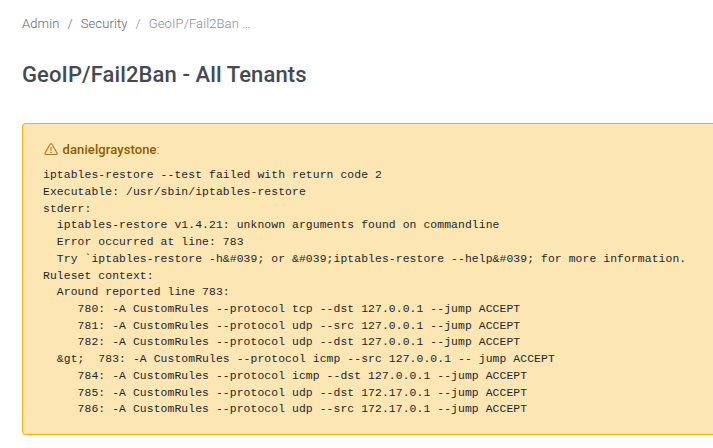
Main Fields
| Field or block | Purpose |
|---|---|
| GeoIP allowed countries | Review this value in relation to the object being configured and the tenant or system scope where it is used. |
| Locate IP Address | Review this value in relation to the object being configured and the tenant or system scope where it is used. |
| Enable VoIP Fail2Ban | Review this value in relation to the object being configured and the tenant or system scope where it is used. |
| Enable web interface Fail2Ban | Review this value in relation to the object being configured and the tenant or system scope where it is used. |
| Fail2Ban max attempts | Review this value in relation to the object being configured and the tenant or system scope where it is used. |
| Notify ban activity | Review this value in relation to the object being configured and the tenant or system scope where it is used. |
| Notify address | Review this value in relation to the object being configured and the tenant or system scope where it is used. |
| Notify sender address | Review this value in relation to the object being configured and the tenant or system scope where it is used. |
| Whitelisted IPs | Review this value in relation to the object being configured and the tenant or system scope where it is used. |
| Autowhitelist from Tenants IP Restrictions | Review this value in relation to the object being configured and the tenant or system scope where it is used. |
| Autowhitelist from Tenants IP Registration | Review this value in relation to the object being configured and the tenant or system scope where it is used. |
| Allow SIP connections from only Allowed IP | Review this value in relation to the object being configured and the tenant or system scope where it is used. |
| Block known SIP scanners - Edit | Review this value in relation to the object being configured and the tenant or system scope where it is used. |
| SIP Scanners | Review this value in relation to the object being configured and the tenant or system scope where it is used. |
| Blocked IPs | Review this value in relation to the object being configured and the tenant or system scope where it is used. |
Raw Traffic
Inspect raw SIP or network traffic records for security and troubleshooting.
Use Admin > Raw Traffic to manage raw traffic.
This page is a starting point for administrators: review existing records, add only the objects needed by the deployment, and keep names consistent across tenants, routing, and provisioning.
Typical Workflow
Documentation Example
For documentation and testing, use names prefixed with Docs Demo. Existing PBX nodes should be reused as examples; do not create additional nodes unless the deployment actually requires them.
Register Attempts
Review registration attempts and authentication patterns.
Use Admin > Register Attempts to manage register attempts.
This page is a starting point for administrators: review existing records, add only the objects needed by the deployment, and keep names consistent across tenants, routing, and provisioning.
Typical Workflow
Documentation Example
For documentation and testing, use names prefixed with Docs Demo. Existing PBX nodes should be reused as examples; do not create additional nodes unless the deployment actually requires them.
Admin Stats
Admin Stats administration tasks.
Call Stats
Review global call statistics.
Use Admin > Call Stats to manage call stats.
This page is a starting point for administrators: review existing records, add only the objects needed by the deployment, and keep names consistent across tenants, routing, and provisioning.
Typical Workflow
Documentation Example
For documentation and testing, use names prefixed with Docs Demo. Existing PBX nodes should be reused as examples; do not create additional nodes unless the deployment actually requires them.
Admin Reports
Create and run global reports.
Use Admin > Admin Reports to manage admin reports.
This page is a starting point for administrators: review existing records, add only the objects needed by the deployment, and keep names consistent across tenants, routing, and provisioning. The source form exposes these main blocks or fields: Date start, Date end.
Typical Workflow
Documentation Example
For documentation and testing, use names prefixed with Docs Demo. Existing PBX nodes should be reused as examples; do not create additional nodes unless the deployment actually requires them.
Main Fields
| Field or block | Purpose |
|---|---|
| Date start | Review this value in relation to the object being configured and the tenant or system scope where it is used. |
| Date end | Review this value in relation to the object being configured and the tenant or system scope where it is used. |
Call Performance
Analyze call performance and related metrics.
Use Admin > Call Performance to manage call performance.
This page is a starting point for administrators: review existing records, add only the objects needed by the deployment, and keep names consistent across tenants, routing, and provisioning.
Typical Workflow
Documentation Example
For documentation and testing, use names prefixed with Docs Demo. Existing PBX nodes should be reused as examples; do not create additional nodes unless the deployment actually requires them.
Peer Status
Review peer status across the system.
Use Admin > Peer Status to manage peer status.
This page is a starting point for administrators: review existing records, add only the objects needed by the deployment, and keep names consistent across tenants, routing, and provisioning.
Typical Workflow
Documentation Example
For documentation and testing, use names prefixed with Docs Demo. Existing PBX nodes should be reused as examples; do not create additional nodes unless the deployment actually requires them.
Transcripts Status
Review transcript processing state.
Use Admin > Transcripts Status to manage transcripts status.
This page is a starting point for administrators: review existing records, add only the objects needed by the deployment, and keep names consistent across tenants, routing, and provisioning.
Typical Workflow
Documentation Example
For documentation and testing, use names prefixed with Docs Demo. Existing PBX nodes should be reused as examples; do not create additional nodes unless the deployment actually requires them.
Translations
Translations administration tasks.
Overview
Maintain translation strings used by the interface.
Use Admin > Overview to manage overview.
This page is a starting point for administrators: review existing records, add only the objects needed by the deployment, and keep names consistent across tenants, routing, and provisioning.
Typical Workflow
Documentation Example
For documentation and testing, use names prefixed with Docs Demo. Existing PBX nodes should be reused as examples; do not create additional nodes unless the deployment actually requires them.
Themes
Themes administration tasks.
Overview
The Themes page in Admin > Themes controls host-name based branding for the MiRTA PBX web interface. A theme can change the selected UI package, Smartadmin layout behavior, logos, login-page text, menu additions, custom templates, and switchboard access behavior.
Each theme is selected by matching the requested web host against Server Name Regex. Keep the most specific host patterns for branded domains and use a broad expression only for the default theme.

Working with themes
| Action | Explanation |
|---|---|
| Create | Use New Theme from the Themes list, complete the host pattern and branding fields, then save. |
| Edit | Select a theme from the list by clicking the server-name regex, theme name, or title. |
| Duplicate | Use the duplicate action when a new branded domain should start from an existing theme. |
| Delete | Delete only unused themes. Removing the active catch-all theme can leave the login page without the expected branding. |
| Validate host matching | Test each branded hostname after saving. Regex patterns are powerful, so a broad expression can unintentionally match more hostnames than expected. |
Theme editor
The editor is split into sections. The screenshots use fictional documentation values and should not be saved directly on a production system.


Field reference
| Field | Description |
|---|---|
| Server Name Regex | Matches the HTTP host name that should use this theme. Use a precise expression for a branded domain, or a broad expression only for a catch-all default theme. |
| Theme | Selects the installed UI theme package. The standard value is smartadmin. |
| Fixed header | Keeps the page header visible while scrolling. |
| Fixed navigation | Keeps the navigation panel fixed while page content scrolls. |
| Menu on top | Moves the main navigation from the side panel to a horizontal top menu. |
| Push content | Pushes page content when the mobile navigation is opened. |
| Force RTL (Right to Left) | Forces right-to-left layout for languages or deployments that require it. |
| Boxed layout | Constrains the page width instead of using the full browser width. |
| Hidden Menu | Collapses the navigation until the user hovers over the visible navigation area. |
| Minify Menu | Shows a compact icon-oriented navigation menu. |
| Bigger Font | Increases the interface font size. |
| Skin | Chooses the Smartadmin skin, such as light, default, or dark. |
| Color | Applies one of the predefined Smartadmin color themes or a custom color file. |
| Other Body Classes | Adds extra Smartadmin body classes for advanced layout customization. |
| Provisioning host name | Overrides the host name shown in provisioning-related pages and generated provisioning links. Leave empty to inherit the configured host. |
| Title | Sets the browser tab title. Enable Smart to append page-specific information. |
| Top Title | Sets the title shown in the top application area. HTML can be used for custom branding when needed. |
| Bottom message | Sets the footer or bottom message shown in the interface. |
| Additional menu | Adds custom menu entries. The field can use variables such as tenant code, selected tenant, tenant name, and username. |
| Additional Configuration item menu | Adds custom entries under the Configuration menu. |
| Additional Status item menu | Adds custom entries under the Status menu. |
| Additional Status/Stats item menu | Adds custom entries under the Status/Stats menu grouping. |
| Additional Admin item menu | Adds custom entries under the Admin menu. |
| Additional Bread item | Adds custom breadcrumb content. |
| Additional Head entries | Adds custom HTML entries to the page head. Use only trusted markup. |
| Logo Path | Path or URL for the logo image used by the theme. |
| Favicon Path | Path or URL for the browser favicon. |
| Custom CSS | Path to an extra CSS file loaded by the theme. |
| Custom Javascript | Path to an extra JavaScript file loaded by the theme. |
| Custom Login tpl | Template file used to override the login page for this theme. |
| Do not apply CSP | When enabled, the login page for this theme does not receive the Content Security Policy header. This is useful for legacy custom login templates while they are being updated. Leave it disabled when the custom login page is CSP-compatible. |
| Custom topmenu tpl | Template file used to override the top menu. |
| Custom dashboard tpl | Template file used to override the dashboard. |
| Custom Webphone URL | Alternative webphone URL. Use %%NAME%% to substitute the extension username. |
| Custom Wallboard ProxyAPI URL | Alternative Proxy API base URL used by wallboard integrations. |
| Max number of menu items | Controls how many Configuration menu items are displayed before the interface condenses them. This is applied at login time. |
| Max number of destination items shown | Limits the number of items displayed inside destination selectors. |
| Max number of Data Table items shown | Controls when larger lists switch to a grid-style view. |
| Default number of Data Table items show | Default page length for DataTable lists. |
| No menu items | Hides the main menu for this theme. |
| No header | Hides the page header for this theme. |
| Language | Forces a language for this theme, or leaves it on automatic browser detection. |
| Company | Company name shown on the login page. |
| Company Message | Main message shown on the login page. |
| Company Sub Message | Secondary login-page message. |
| Multiple clusters portal | Adds the cluster portal link for deployments that expose several clusters. |
| Switchboard login | Controls whether the login page shows a switchboard button, redirects to switchboard login, or shows no switchboard link. |
| Switchboard Favicon Path | Path or URL for the favicon used only by the switchboard page. Leave empty to keep the browser default behavior for the switchboard. |
CSP and custom login templates
The Do not apply CSP option is intentionally theme-specific. It allows old or highly customized login templates to keep working while they are being made compatible with the login-page Content Security Policy. For a hardened login page, leave this option disabled and update the custom login template so all scripts, images, frames, and styles comply with the CSP rules.
Operational notes
- Theme changes are evaluated at login and page-render time, so test both an authenticated page and the login page for each branded hostname.
- Custom CSS, JavaScript, template, and head-entry fields should point only to trusted files maintained by the PBX administrator.
- When using custom menus, keep links stable and avoid exposing tenant-specific administration links to users who should not access them.
- When Let's Encrypt or virtual-host creation is enabled in Admin Settings, the Themes list can also be used to review certificate and web-server configuration status.
New Items Defaults
New Items Defaults administration tasks.
Overview
Define defaults applied to newly created objects.
Use Admin > Overview to manage overview.
This page is a starting point for administrators: review existing records, add only the objects needed by the deployment, and keep names consistent across tenants, routing, and provisioning.
Typical Workflow
Documentation Example
For documentation and testing, use names prefixed with Docs Demo. Existing PBX nodes should be reused as examples; do not create additional nodes unless the deployment actually requires them.
Settings
Settings administration tasks.
Overview
Use Admin > Settings to manage global MiRTA PBX behavior. These settings are system-wide, so changes can affect multiple tenants, integrations, storage backends, and background jobs.
Working with Admin Settings
| Action | Description |
|---|---|
| Open | Open Admin > Settings from the Global Administration menu. |
| Review | Work section by section. Global changes should be checked against tenants, nodes, storage services, and integrations that depend on them. |
| Save | Use Save at the bottom of the form to apply changes. Some changes, such as upgrade, housekeeping, media-file, or test actions, run their own action from the relevant section. |
| Custom extension usernames | Enable Allow extensions with custom usernames in the Security section when SIP extensions must use usernames that do not follow the generated tenant-code format. |
Version

Use this section to check the installed software version, database schema status, available upgrades, and maintenance actions.
| Field or option | Purpose |
|---|---|
| Software in use | Sets the Software in use value for Version. |
| Database schema | Sets the Database schema value for Version. |
| Database upgrade (Select) | Selects the Database upgrade behavior for Version. |
Internationalization

Use this section for global locale defaults such as the system currency.
| Field or option | Purpose |
|---|---|
| Currency | Sets the Currency value for Internationalization. |
Dialing

Use this section for global dialing defaults, caller ID handling, DID matching, and feature-code restrictions.
| Field or option | Purpose |
|---|---|
| International prefix | Sets the International prefix value for Dialing. |
| Trunk prefix | Sets the Trunk prefix value for Dialing. |
| Country code | Country Code: You can specify the country code, like 39, so any call using the international prefix, but the country code, will not be treated as international |
| Voice messages language (Select) | Language: This option controls the selection of the language in Asterisk embedded message playback |
| Inbound CallerID Modifications (Select) | Selects the Inbound CallerID Modifications behavior for Dialing. |
| Allowed Outbound Digits | Sets the Allowed Outbound Digits value for Dialing. |
| DID matching (Select) | Allow DID matching for number only: When a DID is searched in the system, at least a match for areacode + number is required, when a provider sends only the number part. |
| Always route calls to provider (Checkbox) | Always route calls to provider: Even if the number dialed is defined on the PBX, route it to the provider. |
| Force selection of Caller ID (Checkbox) | Force selection of Caller ID: Force selection of a numeric Caller ID number, hide selection of ANONYMOUS and WITHHELD from extensions Caller ID selection |
| Force selection of Emergency Caller ID (Checkbox) | Force selection of Emergency Caller ID: Force selection of an emergency Caller ID. You can set it at tenant or extension level |
| Force feature codes to start by # or * (Checkbox) | Force feature codes to start either by # or *: By enabling this, a feature code must start by * or # otherwise you can use anything as feature code |
| Replace + with the international prefix (outbound) (Checkbox) | Replace + with the international prefix (outbound): By enabling this, when dialing out, it replaces the + with the international prefix |
| Allow Regex in DID number (Checkbox) | Allow Regex in DID number: Allow to use a regex for the number in the DID page. Be warned, a wrong regex can stop all calls |
License

Use this section to store the system license key.
| Field or option | Purpose |
|---|---|
| License key | Sets the License key value for License. |
API Interface

Use this section to manage global API credentials and API-side Asterisk result caching.
| Field or option | Purpose |
|---|---|
| General API Key | Sets the General API Key value for API Interface. |
| General Read Only API Key | Sets the General Read Only API Key value for API Interface. |
| Cache Asterisk results (seconds) | Cache Asterisk results (seconds): API calls can put heavy load on Asterisk, so you can specify a time in seconds to retain results and use as cache |
DB Data Retention

Use this section to define how long operational data remains in the database before cleanup. Recording metadata can have its own retention period, or it can follow the recording retention value when left empty.
| Field or option | Purpose |
|---|---|
| Advanced Call Detail info days | Advanced Call Detail info days: Sets the retention period for the Voipmonitor CDR data. You can access them from the call history, using the disposition link |
| Advanced Call Detail media (pcap and graphs) days | Advanced Call Detail media (pcap and graphs) days: Sets the retention period from the Voipmonitor pcap and graphs |
| Call history days | Call history days: Sets the retention days for call history, both Simple Call History and Complete Call History |
| SMS history days | SMS history days: Sets the retention days for SMS History |
| SMS retention days | SMS retention days: Sets the number of days to keep trying to send an SMS |
| Call Steps (CEL) history days | Call Steps (CEL) history days: Sets the retention days for the Call Steps data and CEL table |
| Queue history days | Queue history days: Sets the retention days for the queue history logs |
| Queue history days (informative data) | Queue history days (informative data): Sets the retention days for the informative events of the queue history, like NO FREE AGENTS and NOT THE RIGHT TIME |
| Provisioning and event history days | Sets the Provisioning and event history days value for DB Data Retention. |
| Provisioning feedback days | Sets the Provisioning feedback days value for DB Data Retention. |
| Activity log history days | Sets the Activity log history days value for DB Data Retention. |
| Recording holding days | Sets the Recording holding days value for DB Data Retention. |
| Recording metadata holding days | Sets how many days recording metadata such as transcripts, summaries, sentiment analysis, and AI analysis details remain in rm_recordingmetadatas. Leave empty to follow Recording holding days. |
| Voicemail message holding days | Sets the Voicemail message holding days value for DB Data Retention. |
| Fax holding days | Sets the Fax holding days value for DB Data Retention. |
| IVR log holding days | Sets the IVR log holding days value for DB Data Retention. |
| Conference log holding days | Sets the Conference log holding days value for DB Data Retention. |
| Process log holding days | Sets the Process log holding days value for DB Data Retention. |
| Reports default holding days | Sets the Reports default holding days value for DB Data Retention. |
Recording

Use this section for global call-recording storage, naming, conversion, upload, and post-processing behavior.
| Field or option | Purpose |
|---|---|
| Storage type (Select) | Storage type: Sets the storage backend for call recordings. Data retention limits are applied only to Database backend (for now). |
| JSON Service Account key (Text area) | Sets the JSON Service Account key value for Recording. |
| Host (Select) | Host: If your FTP server is not using the standard port 21, you can configure the desired port using a host:port syntax. |
| User | Sets the User value for Recording. |
| Password | Sets the Password value for Recording. |
| Directory | Sets the Directory value for Recording. |
| Recording name (Select) | Recording name: You can choose the name of the recording. When using a file based recording storage, it is important to add the Random prefix to avoid multiple legs recording to be overwritten |
| Recording format (Select) | Recording format: Sets the recording format using while capturing the audio during the call. There were multiple reports about audio corruption when using MS GSM audio |
| Recording conversion (Select) | Recording conversion: After the recording has been capturing and before uploading to the choosen storage, convert to a different format. |
| Process recording at call end (Select) | Process recording at call end: Sets if to process recording at call end. When using process at call end, the recording is available immediately after the call ends, but system load average is higher, higher database connection slots are used and the call duration recorded is slightly longer) When doing only batch process, there is a low impact on system load, lower database connection slots are used, but recordings are available after the scheduled time |
| Batch recording processing (Select) | Batch recording process: Sets when to process recording left on the system. If configured, the system tries to process/upload the call recording when call ends, but in case of transfers, the process/upload of the recording can be delayed and it is processed/uploaded in batch |
| Batch recording dynamic scaling (Select) | Batch recording dynamic scaling: Starts additional upload processes if there are lots of files to be uploaded |
| Batch recording matching (Select) | Batch recording matching: A call can be split in several legs and several recordings. Normal matching will upload only recordings belonging to the primary leg. Aggressive matching will upload recording from any leg. It is possible it will be uploaded also recording that has been stopped with a feature code. |
| Unmatched recording (Select) | Unmatched recording: What has to do with recordings not matching any call unique ID. Usually they are additional recordings generated when call are transfered and can be thrown away because they are duplicates. |
| Multi channel recording (Select) | Multi channel recording: You can record each party audio in a different file |
| Stereo recording (Select) | Stereo recording: The recording will be a stereo media file with each party in a different audio stream |
| Early recording (Select) | Early recording: The recording will include any audio before the call is bridged. |
| Process all recording legs (Select) | Process all recording legs: When enabled, all the recording legs are processed regarding email, transcript, summary and sentimental analysis. |
| Remove recordings on database expiration (Checkbox) | Remove recordings on database expiration: When the recording metadata is removed from the database, the corresponding recording file is deleted. It doesn't work retroactively. |
Media Files

Use this section to configure where shared media files are stored.
| Field or option | Purpose |
|---|---|
| Storage type (Select) | Storage type: Sets the storage backend for media files |
| Host (Select) | Host: If your FTP server is not using the standard port 21, you can configure the desired port using a host:port syntax. |
| User | Sets the User value for Media Files. |
| Password | Sets the Password value for Media Files. |
| Directory | Sets the Directory value for Media Files. |
Faxes

Use this section for fax storage and fax file retention behavior.
| Field or option | Purpose |
|---|---|
| Storage type (Select) | Storage type: Sets the storage backend for faxes |
| Host (Select) | Host: If your FTP server is not using the standard port 21, you can configure the desired port using a host:port syntax. |
| User | Sets the User value for Faxes. |
| Password | Sets the Password value for Faxes. |
| Directory | Sets the Directory value for Faxes. |
| Remove faxes on database expiration (Checkbox) | Remove faxes on database expiration: When the fax metadata is removed from the database, the corresponding fax file is deleted. It doesn't work retroactively. |
Billing

Use this section for billing dashboard visibility and billing alert delivery.
| Field or option | Purpose |
|---|---|
| Dashboard show (Select) | Selects the Dashboard show behavior for Billing. |
| Alert email | Sets the Alert email value for Billing. |
Voice Synthesizer

Use this section to configure the text-to-speech engine, voice, service endpoint, and credentials.
| Field or option | Purpose |
|---|---|
| Engine (Select) | Selects the Engine behavior for Voice Synthesizer. |
| Voice (Select) | Selects the Voice behavior for Voice Synthesizer. |
| Region (Select) | Selects the Region behavior for Voice Synthesizer. |
| Full Endpoint URL | Full endpoint URL with instance id like https://api.us-east.speech-to-text.watson.cloud.ibm.com/instances/82baccdd-45ee-46ff-ba1a-3cd23425b3c1/v1/synthesize |
| Voice Engine API username | Sets the Voice Engine API username value for Voice Synthesizer. |
| Rate/Pitch | Rate/Pitch parameters: You can control the rate and pitch of the voice to be created by entering them separated by a /, like -11/-70 |
| Voice Engine API password | Sets the Voice Engine API password value for Voice Synthesizer. |
Speech to Text
The Speech to Text section in Admin > Settings configures the global speech-recognition engine and the background jobs that process recorded calls. Tenant-level settings can override some values, but the global configuration is the fallback used by the PBX when a tenant does not define its own engine or credentials.
The screenshots below use fictional values and were captured from the global Admin Settings form without saving changes.
IBM Watson TTS

| Field | Meaning |
|---|---|
| Engine | Selects IBM Watson as the global Speech to Text provider. The historical label includes TTS, but this panel is used for recognition. |
| Full Endpoint URL | Watson recognition endpoint, including the service instance and recognize path supplied by IBM. |
| Language | Watson language and model. Choose the model that matches the spoken language and expected audio bandwidth. |
| Download Languages | Downloads or refreshes the available Watson language list after the endpoint and credentials are configured. |
| Speech To Text Engine API username | Watson credential username. Many IBM deployments use apikey as the username. |
| Speech To Text Engine API password | Watson API key or password. |
| Transcribe phone call recordings | Schedules batch transcription of recorded calls and selects the node that runs the transcript job. |
| Transcribe when recording is uploaded | Starts transcript processing immediately after a recording is uploaded, in addition to any scheduled batch processing. |
| Minimum call time for transcript | Skips recordings shorter than the configured number of seconds. |
| Test speech recognition | Uploads a WAV file and sends it to the selected engine to verify the global configuration. |
Nexiwave

| Field | Meaning |
|---|---|
| Engine | Selects Nexiwave as the global Speech to Text provider. |
| Language | Language sent to Nexiwave for recognition. |
| Speech To Text Engine API username | Nexiwave account username. |
| Speech To Text Engine API password | Nexiwave password or API secret. |
| Transcribe when recording is uploaded | When available for the selected engine, starts transcript processing immediately after recording upload. |
| Minimum call time for transcript | Skips recordings shorter than this duration. |
| Test speech recognition | Uploads a WAV file and validates the Nexiwave settings. |
Google Cloud Speech to Text

| Field | Meaning |
|---|---|
| Engine | Selects Google Cloud Speech to Text as the global recognition provider. |
| Language | Google recognition language code. Select the primary language expected in recorded calls. |
| Speech To Text Engine API password | Google API key used when audio is submitted directly without a storage bucket workflow. |
| JSON Service Account key | Service account JSON used when audio is staged in Google Cloud Storage. The service account must have access to the configured bucket. |
| Bucket Name | Google Cloud Storage bucket used to store audio before transcription. The bucket must already exist. |
| Profanity filter | Controls whether Google attempts to mask profanity in returned transcripts. |
| Transcribe phone call recordings | Schedules transcript processing for recorded calls and selects the processing node. |
| Transcribe when recording is uploaded | Starts processing immediately after recording upload. |
| Minimum call time for transcript | Prevents very short recordings from being submitted to Google. |
| Test speech recognition | Uploads a WAV file to test the Google credentials, language, and bucket/API-key configuration. |
AssemblyAI

| Field | Meaning |
|---|---|
| Engine | Selects AssemblyAI as the global Speech to Text provider. |
| Endpoint server | AssemblyAI API host. Leave empty for the default host, or set a host such as api.assemblyai.com. |
| Model | AssemblyAI model used for transcript requests. Choose the model according to accuracy and fallback requirements. |
| Keyterms Prompt | One key term per line. Use it for tenant names, product names, department names, and PBX terms that should be recognized accurately. |
| Custom Spelling | One correction per line in the form heard term:correct spelling. Use it for brand names and technical words. |
| Language | AssemblyAI language selection. Automatic detection can be used when calls are multilingual or language is not predictable. |
| Speech To Text Engine API password | AssemblyAI API token. |
| Transcribe phone call recordings | Schedules transcript processing for recorded calls and selects the processing node. |
| Transcribe when recording is uploaded | Starts processing immediately after recording upload. |
| Minimum call time for transcript | Prevents short calls from being sent to AssemblyAI. |
| Test speech recognition | Uploads a WAV file to test the AssemblyAI endpoint, model, token, and language settings. |
GeminiAI

| Field | Meaning |
|---|---|
| Engine | Selects GeminiAI for speech recognition through a generative AI model. |
| Model | Gemini model used for transcription. Choose the model according to the desired balance of speed, cost, and accuracy. |
| Model command | Instruction sent to the model for the transcription task. Leave it empty to use the default instruction, or provide global guidance such as speaker separation and PBX terminology handling. |
| Voicemail model command | Instruction sent to GeminiAI when transcribing voicemail messages. Leave it empty to use the regular model command, then the default instruction. |
| Language | Recognition language option for the GeminiAI request. |
| Speech To Text Engine API password | Gemini API key. |
| Transcribe phone call recordings | Schedules transcript processing for recorded calls and selects the processing node. |
| Transcribe when recording is uploaded | Starts processing immediately after recording upload. |
| Minimum call time for transcript | Prevents short recordings from being submitted to GeminiAI. |
| Test speech recognition | Uploads a WAV file and verifies the GeminiAI model, command, key, and language settings. |
Operational Notes
- Configure provider credentials and run a test upload before enabling automatic transcription jobs.
- Use the existing transcript processing node for scheduled jobs. Do not add a node only for documentation examples.
- External transcription services can process sensitive call audio. Review privacy, retention, billing, and data-processing requirements before enabling them globally.
- Tenant-level Speech to Text settings can override global engine, language, and credentials when a tenant requires different behavior.
Generative Artificial Intelligent chat models

Use this section to configure AI chat-model access used by summary and analysis features.
| Field or option | Purpose |
|---|---|
| Engine (Select) | Selects the Engine behavior for Generative Artificial Intelligent chat models. |
| API key | API Key to use |
| Model | Model: The model for the ChatGPT |
| Temperature | Temperature: Controls the randomness or creativity of the AI model output. Leave empty to use the provider default. |
| System content (Text area) | System content: Initialize the system content |
| Summarize user content (Text area) | Summarize user content: Provide the user content to summarize, use ${TRANSCRIPT} for the transcript |
| Voicemail summarize user content (Text area) | Voicemail summarize user content: Provide the user content to summarize voicemail messages, use ${TRANSCRIPT} for the transcript. If empty, the summarize user content is used. |
| Summarize transcribed phone call recordings (Select) | Summarize transcribed phone call recordings: Schedule the summarize for transcribed phone calls |
| Summarize when recording is transcribed (Checkbox) | Summarize when recording is transcribed: By enabling this, the summarize process will start immediately after the recording is transcribed |
| Sentimental analysis user content (Text area) | Sentimental analysis user content: Provide the user content to perform sentimental analysis, use ${TRANSCRIPT} for the transcript |
| Sentimental analyze transcribed phone call recordings (Select) | Sentimental analyze transcribed phone call recordings: Schedule the sentimental analysis for transcribed phone calls |
| Sentimental analysis when recording is transcribed (Checkbox) | Sentimental analysis when recording is transcribed: By enabling this, the sentimental analysis process will start immediately after the recording is transcribed |
| Recording processing email notifications (Select) | Controls whether every requested processing email is sent or only the highest requested result for each recipient. |
Recording processing email notifications
This global setting controls which emails are sent when transcript, summary, and sentimental analysis processing is requested for the same call. Tenants using System Default inherit this value.
| Option | Behavior |
|---|---|
| Always send the notification | Sends every requested transcript, summary, and sentimental analysis notification. This is used when no value has previously been configured. |
| Send the notification only for the last process | For each email recipient, sends only the highest requested processing result. |
Last-process mode uses this priority: sentimental analysis > summary > transcript. A higher process suppresses a lower email only when email notification was requested for the same recipient. Email matching is case-insensitive, so recipients requested only for a lower process continue to receive that lower-process notification.
For example, if transcript notification is requested for A and B, summary for B and C, and sentimental analysis for C and D, A receives the transcript, B receives the summary, and C and D receive the sentimental analysis.
Suppression is based on the requested processing stage. If a higher process later fails, MiRTA PBX does not send a lower-stage fallback notification.
Fax Protocol

Use this section for modem protocol, speed, and ECM defaults used by fax processing.
| Field or option | Purpose |
|---|---|
| Modem Type | Sets the Modem Type value for Fax Protocol. |
| Minimum Speed | Sets the Minimum Speed value for Fax Protocol. |
| Maximum Speed | Sets the Maximum Speed value for Fax Protocol. |
| Error Correction Mode (ECM) (Select) | Selects the Error Correction Mode (ECM) behavior for Fax Protocol. |
Outbound Fax Service

Use this section to control outbound fax retry behavior, protocol choices, DID filtering, and page format defaults.
| Field or option | Purpose |
|---|---|
| Rescheduling delay (minutes) | Sets the Rescheduling delay (minutes) value for Outbound Fax Service. |
| Max number of attempts | Sets the Max number of attempts value for Outbound Fax Service. |
| Force codec | Force codec: When dialing out a fax, request only the entered codec |
| Fax Protocol (Select) | Selects the Fax Protocol behavior for Outbound Fax Service. |
| Show only Fax DIDs (Select) | Selects the Show only Fax DIDs behavior for Outbound Fax Service. |
| Fast OnNet Fax processing (Select) | Fast OnNet Fax processing: When a fax is directed to an onnet number, just copy the fax to the destination, without really sending it |
| Default page format (Select) | Default page format: When a fax is sent and no page format is selected, this one is used |
Inbound Fax Service

Use this section for inbound fax sender identity, detection timing, and generated fax file names.
| Field or option | Purpose |
|---|---|
| Sender Email name | Sender Email name: If no template is defined for the inbound fax service email, this sender email name will be used |
| Sender Email address | Sender Email address: If no template is defined for the inbound fax service email, this sender email address will be used |
| Automatic fax detection time | Number of seconds to wait for remote fax tone when DID set to autodetect faxes. It adds a delay in reception of calls when DID set to autodetect faxes. |
| Fax file name format (Select) | When delivering the fax by email, a different file name format can be used |
Mail to Fax Service

Use this section for network timeout and automatic disable behavior for mail-to-fax processing.
| Field or option | Purpose |
|---|---|
| Network activity timeout | Network activity timeout: Mailboxes are checked serially, this will set the amount of time to wait for any network I/O operation, in seconds |
| Automatic disable after X failures | Automatic disable after X failures: After configured failures, automatic disable the mailbox, use 0 to disable the feature |
Mail to Call Service

Use this section for network timeout and automatic disable behavior for mail-to-call processing.
| Field or option | Purpose |
|---|---|
| Network activity timeout | Network activity timeout: Mailboxes are checked serially, this will set the amount of time to wait for any network I/O operation, in seconds |
| Automatic disable after X failures | Automatic disable after X failures: After configured failures, automatic disable the mailbox, use 0 to disable the feature |
User Authentication - LDAP

Use this section to configure LDAP binding and test credentials for external authentication.
| Field or option | Purpose |
|---|---|
| Base DN | Base DN: The base DN, like ou=users,dc=company,dc=local |
| Account Suffix | Account Suffix: Like ou=sysops |
| Account Prefix | Account Prefix: Like cn= |
| Domain Controllers | Domain Controlles: List the domain controllers including the protocol, like ldap://dc1.company.com,ldap://dc2.company.com |
| Test Username | Test Username: The username will be joined in a string like {Account Prefix}{Username},{Account Suffix},{Base DN} |
| Test Password | Sets the Test Password value for User Authentication - LDAP. |
Conferencing

Use this section for conference email sender defaults.
| Field or option | Purpose |
|---|---|
| Sender Email name | Sets the Sender Email name value for Conferencing. |
| Sender Email address | Sets the Sender Email address value for Conferencing. |
Voicemail

Use this section for voicemail audio format visibility and defaults.
| Field or option | Purpose |
|---|---|
| Audio format configured (Select) | Audio format configured: Set to the audio format chosen in /etc/asterisk/voicemail.conf. This is not for choosing the voicemail audio format, but to make the web interface use the same audio format chosen in the voicemail configuration file. |
Voicemail backup

Use this section to configure backup storage for voicemail messages.
| Field or option | Purpose |
|---|---|
| Storage type (Select) | Storage type: Sets the storage backend for voicemail backup. There is no data retention limit. |
| Host (Select) | Host: If your FTP server is not using the standard port 21, you can configure the desired port using a host:port syntax. |
| User | Sets the User value for Voicemail backup. |
| Password | Sets the Password value for Voicemail backup. |
| Directory | Sets the Directory value for Voicemail backup. |
| Voicemail recording name (Select) | Voicemail recording name: You can choose the name of the recording. |
Provisioning

Use this section for provisioning host, blocked provisioning files, and fast-provisioning QR code format.
| Field or option | Purpose |
|---|---|
| Provisioning host name | Provisioning host name: Set the provisioning host name reported in the Configuration/Provisioning/Phones page. If left blank will automatically use the one defined in the theme selected, in the tenant or the host name used to access the web interface. |
| Blacklisted autoprovisioning files (Text area) | Blacklisted autoprovisioning files: If a file matches one of these regex, then the usual MAC matching is disabled and only a custom file can be served, if available |
| Fast provisioning QR Code | Fast provisioning QR Code: If enabled in the tenant, create a QR Code in the Configuration/Extensions page to provision the extension on supporting softphones. You can use the following variables: $username, $secret, $macaddress, $password, $http_user and $http_password |
Inbound Unassigned DIDs

Use this section for alerting and media playback when an inbound DID is not assigned.
| Field or option | Purpose |
|---|---|
| Alert Email address | Sets the Alert Email address value for Inbound Unassigned DIDs. |
| Media file to play | Sets the Media file to play value for Inbound Unassigned DIDs. |
Disabled Tenants

Use this section for the media played when disabled tenants receive or place calls.
| Field or option | Purpose |
|---|---|
| Inbound calls file to play | Sets the Inbound calls file to play value for Disabled Tenants. |
| Outbound calls file to play | Sets the Outbound calls file to play value for Disabled Tenants. |
CSV Exports

Use this section for CSV delimiter, enclosure, escape, and BOM defaults.
| Field or option | Purpose |
|---|---|
| Delimiter | Sets the Delimiter value for CSV Exports. |
| Enclosure | Sets the Enclosure value for CSV Exports. |
| Escape char | Sets the Escape char value for CSV Exports. |
| BOM sequence (Select) | Selects the BOM sequence behavior for CSV Exports. |
Inbound calls

Use this section for inbound privacy defaults.
| Field or option | Purpose |
|---|---|
| Privacy (Select) | Selects the Privacy behavior for Inbound calls. |
Outbound calls

Use this section for busy or blocked-call media, minimum call time, and failed-call reporting.
| Field or option | Purpose |
|---|---|
| On Busy - media file to play | Sets the On Busy - media file to play value for Outbound calls. |
| On Do Not Call list - media file to play | Sets the On Do Not Call list - media file to play value for Outbound calls. |
| Minimum call time in seconds | Minimum call time in second: Enter the minimum call time, in seconds, otherwise the call will be not even started |
| Failed call reported as (Select) | Failed call reported as: When a call is unroutable or all providers fail to connect, report as |
CNAM service

Use this section to configure caller-name lookup, caching, and UTF-8 handling.
| Field or option | Purpose |
|---|---|
| URL/custom AGI script | URL: Enter the CNAM URL using %%NUM%% as placeholder for the number of phone. Or the name of an agi script returning the CNAM value As example for OpenCNAM: https://api.opencnam.com/v2/phone/%%NUM%%?format=pbx&account_sid=ACCOUNT_SID&auth_token=AUTH_TOKEN replacing ACCOUNT_SID and AUTH_TOKEN with the one provided by OpenCNAM |
| Request only when CallerID name is empty (Checkbox) | Enables or disables Request only when CallerID name is empty. |
| Allow UTF-8 characters and symbols (Checkbox) | Enables or disables Allow UTF-8 characters and symbols. |
| Caching (Checkbox) | Enables or disables Caching. |
| Cache retention (days) | Sets the Cache retention (days) value for CNAM service. |
| Manage CNAM Cache (Action) | Opens or runs the related administration action. |
Switchboard

Use this section for switchboard websocket connection defaults.
| Field or option | Purpose |
|---|---|
| Websocket hostname:port to connect | Websocket hostname:port to connect: This is the fully qualified domain name of server running the AMI Router |
| SSL Usage (Select) | SSL usage: Here you define if the client javascript application will talk to the host using SSL or not. |
WebRTC

Use this section for WebRTC SIP servers, realms, websocket proxies, and softphone user-agent settings.
| Field or option | Purpose |
|---|---|
| Chan_sip WebRTC SIP server | Chan_sip WebRTC server: When authenticating with a chan_sip account, this server will be used for the WebRTC SIP phone. |
| PJSIP WebRTC SIP server | PJSIP WebRTC server: When authenticating with a PJSIP account, this server will be used for the WebRTC SIP phone. |
| Chan_sip realm for registration | Chan_sip realm for registration: Server realm to be used by the switchboard extensions to register using chan_sip. |
| PJSIP realm for registration | PJSIP realm for registration: Server realm to be used by the switchboard extensions to register using PJSIP. |
| Websocket proxy URL for chan_sip | Websocket proxy URL for chan_sip: This is the websocket proxy URL to use for switchboard extensions to register when using chan_sip. |
| Websocket proxy URL for PJSIP | Websocket proxy URL for PJSIP: This is the websocket proxy URL to use for switchboard extensions to register when using PJSIP. |
| Softphone user agent | Softphone user agent: The user agent to report to the system. |
SMS

Use this section for SMS DID filtering and SMS length limits.
| Field or option | Purpose |
|---|---|
| Show CallerID DIDs for SMS (Select) | Show CallerID DIDs for SMS: Permit to Show only DIDs configured to receive SMS |
| Max SMS length | Max SMS length: Enter the max number of character accepted for an SMS in the portal |
Security

Use this section for password visibility, password policy, reCAPTCHA, two-factor authentication, custom extension usernames, web username uniqueness, and session-cookie hardening.
| Field or option | Purpose |
|---|---|
| Hide Password in main screens (Checkbox) | Enables or disables Hide Password in main screens. |
| Allow to show hidden Password in main screens (Checkbox) | Enables or disables Allow to show hidden Password in main screens. |
| Use split cost limits (domestic/international) (Checkbox) | Enables or disables Use split cost limits (domestic/international). |
| WebRTC SSL path | WebRTC SSL path: Enter the full path, usually /etc/asterisk/certificates/yourdomain.pem to allow WebRTC clients. You need to reload the sip module or prune the clients when this is updated |
| Change password enforcement regex | Change password enforcement regex: Enter the regex to use for passwords entered by the user in the Login/Change Password |
| Change password enforcement message | Change password enforcement message: Enter the message to use when the passwords entered by the user in the Login/Change Password doesn't meet the required regex |
| Special characters in auto generated passwords | Special characters in auto generated passwords: List of special characters used in the auto generation of passwords. Some softphones or provisioning templates can't use any character |
| System password expiration days | System password expiration days: Request a password change for system users after defined days since last change. Leave blank to disable password expiration. |
| Disable inactive users after days | Automatically disables system users and extension web users when their last successful login is older than the configured number of days. Use 0 to disable future automatic inactivity checks. |
| Use Google reCAPTCHA (Select) | SSL usage: Use Google reCAPTCHA |
| reCAPTCHA site key | reCAPTCHA site key: You need to register on google.com and obtain a reCAPTCHA API key for your list of domains |
| reCAPTCHA secret key | reCAPTCHA secret key: You need to register on google.com and obtain a reCAPTCHA API key for your list of domains |
| 2FA tenant for SMS sending (Select) | Selects the 2FA tenant for SMS sending behavior for Security. |
| 2FA SMS message | 2FA SMS message: This is the message delivering the code for 2FA authentication, use %%CODE%% for replace the actual code |
| 2FA SMS callerid | 2FA SMS callerid: This is the callerid to use when delivering the code for 2FA authentication |
| Allow extensions with custom usernames (Checkbox) | Allow extensions with custom usernames: Allow to create extensions with custom usernames. |
| Requires unique Web usernames (Checkbox) | Require unique Web usernames: Requires extension web usernames to be unique among all the tenants. |
| Increased Session Cookies security (Checkbox) | Increased Session Cookies security: Activate several restriction on the session cookie usage to increase security. |
Inactive-user disablement
Daily housekeeping applies this policy only when Disable inactive users after days is greater than 0. Accounts with no successful login history are ignored, and the built-in admin system user is exempt.
A successful portal login updates the system-user or extension-user timestamp after password, IP filter, two-factor authentication, and password-expiration checks complete. An authorized switchboard login also updates the extension-user timestamp. SIP registration and WebRTC credential requests are not affected and do not update the timestamp.
Changing the setting to 0 stops future automatic disablement but does not restore accounts already disabled. Open the system user or extension, select Re-enable on save, and save. The historical last-login timestamp is retained and the account receives one configured inactivity period of grace.
Logging

Use this section for extension event logging, provisioning activity logging, device-state logging, latency logging, and PHP error reporting.
| Field or option | Purpose |
|---|---|
| Log Extension Events (Checkbox) | Log Extension Events: Log any change in the extension state, you can review these logs from Status/Peers |
| Log Provision Activities (Checkbox) | Log Provision Activities: Log any provision request from phones |
| Device state pedantic commit (Checkbox) | Device state pedantic commit: Rewrite the state of extension at every registration, even if the state has not changed |
| Device state logging (Checkbox) | Device state logging: Log any devstate activity using syslog |
| Monitor DID for BLF (Checkbox) | Monitor DID for BLF: Monitor any DID state for BLF |
| PHP Error reporting (Checkbox) | PHP Error reporting: Show all the bad PHP coding, warnings and errors. You don't need it. |
Music On Hold

Use this section for default music-on-hold selection and streaming mode.
| Field or option | Purpose |
|---|---|
| Default Music On Hold (Select) | Selects the Default Music On Hold behavior for Music On Hold. |
| Default Music On Hold streaming engine (Select) | Selects the Default Music On Hold streaming engine behavior for Music On Hold. |
| Music On Hold mode (Select) | Selects the Music On Hold mode behavior for Music On Hold. |
Stats

Use this section for statistics calculation behavior.
| Field or option | Purpose |
|---|---|
| Count transfer as answered (Select) | Agent Activity: Count transferred calls, even parked, as answered calls. |
MS Teams integration

Use this section for Microsoft Teams integration and OpenSIPS connectivity.
| Field or option | Purpose |
|---|---|
| MS Teams integration (Select) | MS Teams integration: Enable the MS Teams integration. You need to define the MS Teams address in the Admin/Tenant |
| OpenSIPS socket | OpenSIPS socket: Something like tls:__ip_address__:5067 where the OpenSIPS is listening |
| OpenSIPS server connection (Select) | OpenSIPS server connection: The server who has the connection to the OpenSIPS server |
QueueMetrics API

Use this section for QueueMetrics integration behavior.
| Field or option | Purpose |
|---|---|
| QueueMetrics API (Select) | QueueMetrics API: Enable the QueueMetrics API by sending to QueueMetrics the logs from the selected queues |
| QueueMetrics delay | QueueMetrics delay: How many milliseconds to wait between two API calls to QueueMetrics |
Theming

Use this section for theme-related certificate and virtual-host defaults.
| Field or option | Purpose |
|---|---|
| Let's Encrypt certificates creation from Admin/Themes page (Checkbox) | Let's Encrypt certificates creation from Admin/Themes page: Allow the system to automatically generate and optionally renew Let's Encrypt certificates |
| Virtual Host directory | Virtual Host directory: Allow the system to automatically generate virtual host configurations. Usually it is /etc/httpd/conf.d |
| Virtualhost Template (Text area) | Sets the Virtualhost Template value for Theming. |
Queue History Theming

Use this section for queue-history filtering behavior.
| Field or option | Purpose |
|---|---|
| Queue History easy filters (Select) | Queue History easy filters: In Status/Queue History show easy filters like in Status/Stats. |
Dashboard Theming

Use this section for dashboard chart defaults.
| Field or option | Purpose |
|---|---|
| Call quantity most recent day (Select) | Call quantity most recent day: Most recent day to show in the Call Quantity tab. |
Call History Theming

Use this section for call-history display, filtering, row loading, and preprocessing behavior.
| Field or option | Purpose |
|---|---|
| Call History view (Select) | Call History view: In Status/Call History controls if to show all legs or try to show compact by grouping them. |
| Call History easy filters (Select) | Call History easy filters: In Status/Call History show easy filters like in Status/Stats. |
| Call History mobile view (Select) | Call History mobile view: In Status/Call History show a mobile phone optimized view when using a smartphone |
| Call History destination view (Select) | Call History destination view: In Status/Call History controls how to display the destination number dialed. |
| Call History row count (Select) | Call History row count: Counting every row in the Call History is slow and most of the time, useless. Using this option you can speed up the counting of rows |
| Call History number of rows preloaded | Call History number of rows preloaded: Specifies how many rows to preload when loading the Call History |
| Call History wherelanded preprocessing (Select) | Call history wherelanded preprocessing: Accessing the call history can be slow because the system needs to compute each call real destination. You can schedule a preprocessing to speed up access to Call history |
Advanced Customization

Use this section for advanced UI, DID format, tenant visibility, SIP Diversion header host handling, SIP stack, cron server, language, and low-level routing defaults.
| Field or option | Purpose |
|---|---|
| Show status of extension in Configuration/Extensions page (Checkbox) | Enables or disables Show status of extension in Configuration/Extensions page. |
| Show status of extension in Status/Peers page (Checkbox) | Enables or disables Show status of extension in Status/Peers page. |
| DID Format (Select) | Selects the DID Format behavior for Advanced Customization. |
| National form in DID select (Checkbox) | Enables or disables National form in DID select. |
| National form with no trunk in DID select (Checkbox) | Enables or disables National form with no trunk in DID select. |
| E.164 form in DID select (Checkbox) | Enables or disables E.164 form in DID select. |
| E.164 with plus in DID select (Checkbox) | Enables or disables E.164 with plus in DID select. |
| E.164 with international prefix in DID select (Checkbox) | Enables or disables E.164 with international prefix in DID select. |
| Show + in DID numbers (Checkbox) | Enables or disables Show + in DID numbers. |
| Ignores digits after # or ; (Checkbox) | Enables or disables Ignores digits after # or ;. |
| Admins see all tenants (Checkbox) | Enables or disables Admins see all tenants. |
| Use advanced filters (Checkbox) | Enables or disables Use advanced filters. |
| Use filter toolbar (Checkbox) | Enables or disables Use filter toolbar. |
| Use DIDs storage (Checkbox) | Enables or disables Use DIDs storage. |
| Use translations (Checkbox) | Enables or disables Use translations. |
| Use branches and departments (Checkbox) | Enables or disables Use branches and departments. |
| Alert on NAT IP/port duplicate (Checkbox) | Enables or disables Alert on NAT IP/port duplicate. |
| Permit HTTP usage (Checkbox) | Enables or disables Permit HTTP usage. |
| Kill MOH process after 60 minutes (Checkbox) | Enables or disables Kill MOH process after 60 minutes. |
| SIP Trunk Module (Select) | SIP Trunk Module: Use the defined asterisk module when passing the call from one server to the other |
| Diversion Host | Diversion Host: Host to use in SIP Diversion headers. Leave empty to use the system name. |
| Session duration | Session duration is read from php.ini, but it can be set here (in seconds). 1 hour are 3600 seconds. |
| Lock facilities (queue, parking lots and conference rooms) to the assigned server (Checkbox) | Lock facilityies: When defining a queue, a conference room or a parking lot, you need to assign them to one of your servers. If left to be assigned automatically, they will be run from the first server trying to use it. They will be moved to another server when the server where they are assigned will stop answering. You can lock them to one server, so they will not be reassigned to another server if the server running them will be temporarily not answering. |
| Queue Stats Reset (Select) | Queue Stats Reset: Reset the Asterisk mantained stats like SLA and SLA2 at midnight. |
| jqGrid tenant selection (Select) | Selects the jqGrid tenant selection behavior for Advanced Customization. |
| SIP stack available (Select) | Selects the SIP stack available behavior for Advanced Customization. |
| Preferred SIP stack (Select) | Selects the Preferred SIP stack behavior for Advanced Customization. |
| First day in date and time picker (Select) | Selects the First day in date and time picker behavior for Advanced Customization. |
| LCR Prefix for expansion | Sets the LCR Prefix for expansion value for Advanced Customization. |
| MAX TTL for calls | MAX TTL for calls: A call can trigger several destinations, each destination can trigger several other destinations. To avoid loops or infinite running calls, a maximal number of steps can be set for any call. By default it is 100. |
| MAX TTL alert Email | MAX TTL alert Email: When a TTL expires it can be due to a loop. A loop is dangerous because it uses lots of CPU power. You can be noticed when it happens. |
| Tenant Selector Format (Select) | Selects the Tenant Selector Format behavior for Advanced Customization. |
| Default cronjob server (Select) | Selects the Default cronjob server behavior for Advanced Customization. |
| Default campaign server (Select) | Selects the Default campaign server behavior for Advanced Customization. |
| Default SMS server (Select) | Selects the Default SMS server behavior for Advanced Customization. |
| Campaign "fast start" delay | Campaign fast start delay: Campaigns to be started are checked every minute. This means, when starting a campaign using a feature code, it can take up to 60 seconds before it really starts. You can configure here a delay in seconds, activating a more fine check for campaign start. Setting to empty, will stop the fast start feature. |
| Default fax server (Select) | Selects the Default fax server behavior for Advanced Customization. |
| Available Languages | Sets the Available Languages value for Advanced Customization. |
| Custom peer status page query | Custom peer status page query: You can provide a query to be executed for each of the peers in peer status, returning a list of fields. Use %%PEERNAME%% for the peer name, like select mailbox as Mailbox,allow as Allow from sipfriends where data-inputname= |
| Save, Save (Action) | Opens or runs the related administration action. |
Administration Links

Use this side panel to open related global administration tools.
| Field or option | Purpose |
|---|---|
| Languages (Action) | Opens the related global administration page. |
| Codecs (Action) | Opens the related global administration page. |
| Date and time formats (Action) | Opens the related global administration page. |
| Ring tones (Action) | Opens the related global administration page. |
| Regions (Action) | Opens the related global administration page. |
| Backups (Action) | Opens the related global administration page. |
| Auto Answers (Action) | Opens the related global administration page. |
| Digital Faxes (Action) | Opens the related global administration page. |
| Default Quick shortcuts (Action) | Opens the related global administration page. |
| Push Notifications (Action) | Opens the related global administration page. |
| System Messages (Action) | Opens the related global administration page. |
| SIP Cause Codes (Action) | Opens the related global administration page. |
Upgrade and Version
Use this area to check the installed software version, available versions, database schema version, and controlled upgrade or reinstall actions.
Dialing and Internationalization
Configure currency, international prefix, trunk prefix, country code, language, DID matching, caller ID enforcement, and outbound digit restrictions.
Security and Access
Configure global access, API behavior, password rules, tenant visibility, SIP scanner protection, and security-related defaults.
Backups
Use Admin > Settings > Backups to create and maintain system backup schedules. These are global schedules, not tenant schedules. A backup can export system configuration, call history, recording metadata, reports data, custom configuration files, or a combination of these sources.
This page documents the dedicated Backups administration screen. It is separate from the Voicemail backup storage setting inside Admin Settings, which only controls voicemail-message backup storage.
Open the Backups Page
| Step | Action |
|---|---|
| 1 | Open Admin > Settings from the Global Administration menu. |
| 2 | In the Administration Links panel, choose Backups. |
| 3 | Use the Backups list to review existing schedules, run a backup manually, or open the Backup form. |

Backups List
The Backups list is the operational view for existing backup schedules. It supports sorting, search, pagination, selecting rows for deletion, opening a schedule by clicking its linked fields, and queuing a manual run from the Action column.
| Column or control | Description |
|---|---|
| New Backup | Opens a blank Backup form for creating a new global backup schedule. |
| Delete Selected | Deletes the selected backup schedules after confirmation. Each deleted schedule also removes the linked background cron definition. |
| Selection checkbox | Selects one or more backup schedules for bulk deletion. |
| Name | Schedule name. A red disabled icon beside the name indicates an inactive schedule. |
| Node | Node that runs the backup job. Use this to keep database dumps and file operations on the intended PBX node. |
| Scheduled | Human-readable schedule built from month, weekday, day, hour, and minute settings. |
| Last executed | Shows the last start and end timestamps for the background job. |
| Directory | Local filesystem directory where backup files are written before optional FTP transfer. |
| FTP Server | Remote FTP host and directory when FTP storage is configured. |
| Run backup | Queues the selected schedule for immediate execution. The application displays that the backup has been scheduled and should start within about one minute. |
Backup Information
The Information section defines the schedule identity, whether it is active, what data the backup contains, and which node runs the job.

| Field | Description |
|---|---|
| Name | Required schedule name shown in the Backups list and background job history. |
| Active | Controls whether the scheduled job can run automatically. Inactive schedules remain saved but are not executed by schedule. |
| Type | Selects the backup content. Available choices include system configuration, call history, recordings metadata, reports data, combined system and call history backups, combined system, call history, and recordings backups, combined system, call history, recordings, and reports data backups, and custom configuration files. |
| Run from node | Selects the PBX node that executes the backup. Choose a node that has access to the database, local backup directory, and any custom files being archived. |
Backup Content Types
| Backup content | What is created |
|---|---|
| System configuration | Creates a system configuration database dump named like asterisk-YYYY-MM-DD_HH-MM-SS.sql. The recording metadata and reports data tables are excluded from this dump and handled by their own backup choices. |
| Call history | Creates a call-history database dump named like asteriskcdrdb-YYYY-MM-DD_HH-MM-SS.sql. |
| Recordings | Creates a recording metadata database dump named like asteriskrecordings-YYYY-MM-DD_HH-MM-SS.sql. This backs up the recordings database table; it does not replace the configured storage backup for the actual audio files. |
| Reports data | Creates a reports data database dump named like asteriskreportsdata-YYYY-MM-DD_HH-MM-SS.sql. |
| System configuration then call history | Runs the system configuration dump and then the call-history dump in the same backup job. |
| System configuration then call history then recordings | Runs the system configuration, call-history, and recording-metadata dumps in the same backup job. |
| System configuration then call history then recordings and reports data | Runs the combined database backup including system configuration, call history, recording metadata, and reports data. |
| Custom configuration files | Creates a compressed archive named like customfiles-YYYY-MM-DD_HH-MM-SS.tar.gz containing the custom system and PBX configuration paths handled by the backup runner. |
Schedule
The Schedule section controls when the background job runs. Month, weekday, day, and hour support multiple selections; minute is selected as a single value.

| Field | Description |
|---|---|
| Month | Select Every month or one or more specific months. |
| Weekday | Select Any weekday or one or more weekdays. This is evaluated together with the other schedule fields. |
| Day | Select Every day or one or more day numbers from 1 through 31. |
| Hour | Select Every hour or one or more hours from 0 through 23. |
| Minute | Select Every minute or one minute from 00 through 59. For production backups, prefer a specific low-traffic minute instead of every minute. |
Database Access
The backup job uses these credentials when creating database dumps. Store credentials for an account that can read the required MiRTA PBX databases and run from the selected node.

| Field | Description |
|---|---|
| Host | Database host reachable from the selected node. Use the local database address when the backup runs on the database node. |
| User | Database user used by the dump command. |
| Password | Database password for the backup user. Treat it as a secret and avoid exposing it in screenshots or support tickets. |
Filesystem Backup Storage
Filesystem storage is always the first backup target. The backup runner creates files in the configured local directory and applies local retention by backup type.

| Field | Description |
|---|---|
| Directory | Required local directory where backup files are written. The selected node must be able to create the directory if needed and write files into it. |
| System configuration #files | Required number of local system configuration dump files to keep. |
| Call history #files | Required number of local call-history dump files to keep. |
| Recordings #files | Required number of local recording metadata dump files to keep. |
| Reports data #files | Required number of local reports data dump files to keep. |
| Custom configuration #files | Required number of local custom configuration archives to keep. |
FTP Backup Storage
FTP storage is optional. When an FTP host is configured, the backup runner uploads the generated local backup files to the remote FTP directory and applies the configured remote retention values.

| Field | Description |
|---|---|
| Host | FTP server hostname or address. Leave empty to keep backups only in the local filesystem directory. |
| User | FTP username. |
| Password | FTP password. Treat it as a secret. |
| Max data rate | Optional upload limit. Use suffixes such as K, M, or G, for example 10M. |
| Directory | Remote FTP directory where backup files are uploaded. |
| Use passive FTP | Keeps passive FTP enabled when checked. Clear it only for FTP servers that require non-passive mode. |
| System configuration #files | Optional number of remote system configuration dump files to keep. |
| Call history #files | Optional number of remote call-history dump files to keep. |
| Recordings #files | Optional number of remote recording metadata dump files to keep. |
| Reports data #files | Optional number of remote reports data dump files to keep. |
| Custom configuration #files | Optional number of remote custom configuration archives to keep. |
| Save | Creates or updates the backup schedule and returns to the Backups list. |
| Delete | Deletes the current backup schedule after confirmation. |
| Back | Returns to the Backups list without saving changes. |
More Panel
The More panel provides a second entry point for creating a new backup schedule and, when schedules already exist, quick links to open the other saved backup schedules.

Validation and Troubleshooting
| Check | What to verify |
|---|---|
| Manual run | After saving a schedule, use the Run backup action from the Backups list and wait at least one minute for the background runner to pick it up. |
| Local files | Confirm that new backup files are created in the configured local directory and that old files are pruned according to the retention counts. |
| Database permissions | If database dumps fail, verify host reachability, username, password, and read permissions on the selected backup content databases. |
| Filesystem permissions | If no files are created, verify that the selected node can create and write to the configured directory. |
| FTP transfer | If local files are created but remote transfer fails, verify FTP host, directory, credentials, passive mode, transfer rate, and that the selected node has the FTP client dependency installed. |
| Background output | For low-level failure details, check the backup runner output log at /tmp/mirtapbxbackup.out and, when a post-backup hook is installed, /tmp/mirtapbx-post-backup.log. |