
Backups
Use Admin > Settings > Backups to create and maintain system backup schedules. These are global schedules, not tenant schedules. A backup can export system configuration, call history, recording metadata, reports data, custom configuration files, or a combination of these sources.
This page documents the dedicated Backups administration screen. It is separate from the Voicemail backup storage setting inside Admin Settings, which only controls voicemail-message backup storage.
Open the Backups Page
| Step | Action |
|---|---|
| 1 | Open Admin > Settings from the Global Administration menu. |
| 2 | In the Administration Links panel, choose Backups. |
| 3 | Use the Backups list to review existing schedules, run a backup manually, or open the Backup form. |
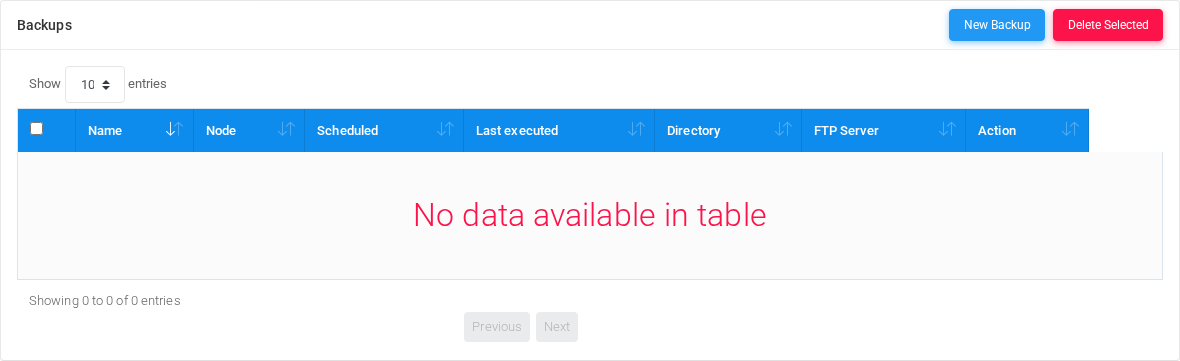
Backups List
The Backups list is the operational view for existing backup schedules. It supports sorting, search, pagination, selecting rows for deletion, opening a schedule by clicking its linked fields, and queuing a manual run from the Action column.
| Column or control | Description |
|---|---|
| New Backup | Opens a blank Backup form for creating a new global backup schedule. |
| Delete Selected | Deletes the selected backup schedules after confirmation. Each deleted schedule also removes the linked background cron definition. |
| Selection checkbox | Selects one or more backup schedules for bulk deletion. |
| Name | Schedule name. A red disabled icon beside the name indicates an inactive schedule. |
| Node | Node that runs the backup job. Use this to keep database dumps and file operations on the intended PBX node. |
| Scheduled | Human-readable schedule built from month, weekday, day, hour, and minute settings. |
| Last executed | Shows the last start and end timestamps for the background job. |
| Directory | Local filesystem directory where backup files are written before optional FTP transfer. |
| FTP Server | Remote FTP host and directory when FTP storage is configured. |
| Run backup | Queues the selected schedule for immediate execution. The application displays that the backup has been scheduled and should start within about one minute. |
Backup Information
The Information section defines the schedule identity, whether it is active, what data the backup contains, and which node runs the job.
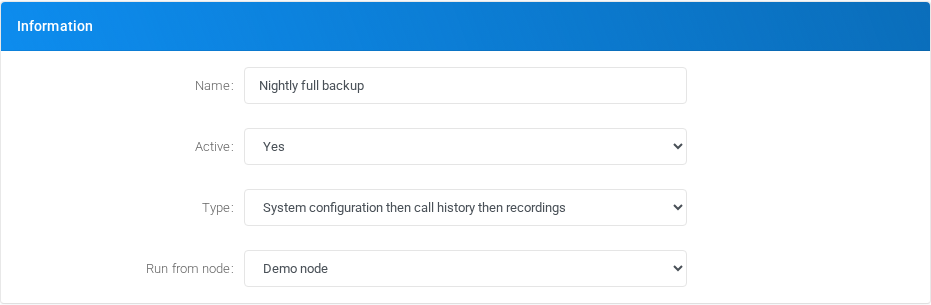
| Field | Description |
|---|---|
| Name | Required schedule name shown in the Backups list and background job history. |
| Active | Controls whether the scheduled job can run automatically. Inactive schedules remain saved but are not executed by schedule. |
| Type | Selects the backup content. Available choices include system configuration, call history, recordings metadata, reports data, combined system and call history backups, combined system, call history, and recordings backups, combined system, call history, recordings, and reports data backups, and custom configuration files. |
| Run from node | Selects the PBX node that executes the backup. Choose a node that has access to the database, local backup directory, and any custom files being archived. |
Backup Content Types
| Backup content | What is created |
|---|---|
| System configuration | Creates a system configuration database dump named like asterisk-YYYY-MM-DD_HH-MM-SS.sql. The recording metadata and reports data tables are excluded from this dump and handled by their own backup choices. |
| Call history | Creates a call-history database dump named like asteriskcdrdb-YYYY-MM-DD_HH-MM-SS.sql. |
| Recordings | Creates a recording metadata database dump named like asteriskrecordings-YYYY-MM-DD_HH-MM-SS.sql. This backs up the recordings database table; it does not replace the configured storage backup for the actual audio files. |
| Reports data | Creates a reports data database dump named like asteriskreportsdata-YYYY-MM-DD_HH-MM-SS.sql. |
| System configuration then call history | Runs the system configuration dump and then the call-history dump in the same backup job. |
| System configuration then call history then recordings | Runs the system configuration, call-history, and recording-metadata dumps in the same backup job. |
| System configuration then call history then recordings and reports data | Runs the combined database backup including system configuration, call history, recording metadata, and reports data. |
| Custom configuration files | Creates a compressed archive named like customfiles-YYYY-MM-DD_HH-MM-SS.tar.gz containing the custom system and PBX configuration paths handled by the backup runner. |
Schedule
The Schedule section controls when the background job runs. Month, weekday, day, and hour support multiple selections; minute is selected as a single value.
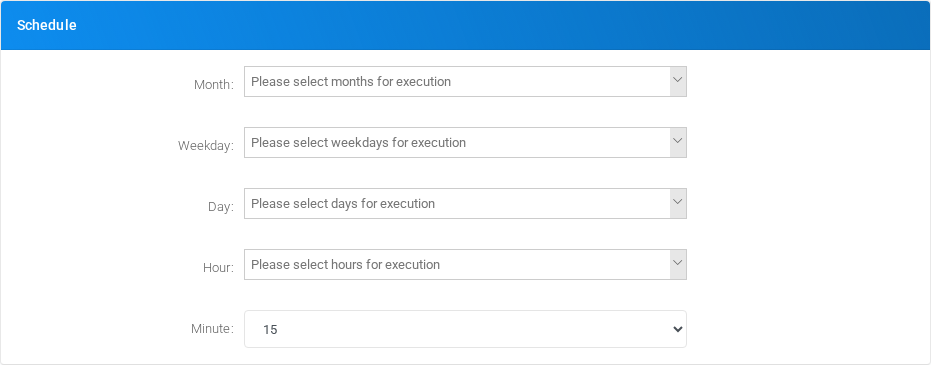
| Field | Description |
|---|---|
| Month | Select Every month or one or more specific months. |
| Weekday | Select Any weekday or one or more weekdays. This is evaluated together with the other schedule fields. |
| Day | Select Every day or one or more day numbers from 1 through 31. |
| Hour | Select Every hour or one or more hours from 0 through 23. |
| Minute | Select Every minute or one minute from 00 through 59. For production backups, prefer a specific low-traffic minute instead of every minute. |
Database Access
The backup job uses these credentials when creating database dumps. Store credentials for an account that can read the required MiRTA PBX databases and run from the selected node.
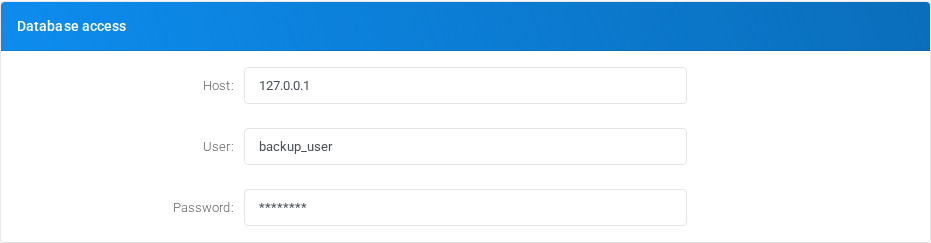
| Field | Description |
|---|---|
| Host | Database host reachable from the selected node. Use the local database address when the backup runs on the database node. |
| User | Database user used by the dump command. |
| Password | Database password for the backup user. Treat it as a secret and avoid exposing it in screenshots or support tickets. |
Filesystem Backup Storage
Filesystem storage is always the first backup target. The backup runner creates files in the configured local directory and applies local retention by backup type.
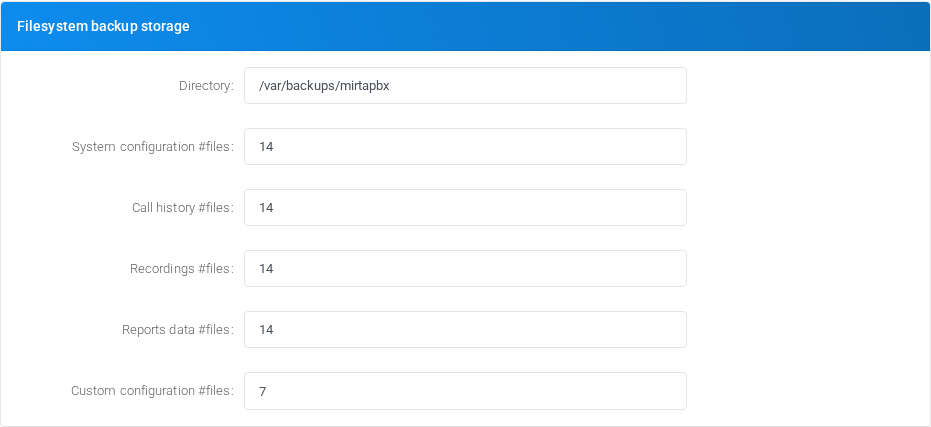
| Field | Description |
|---|---|
| Directory | Required local directory where backup files are written. The selected node must be able to create the directory if needed and write files into it. |
| System configuration #files | Required number of local system configuration dump files to keep. |
| Call history #files | Required number of local call-history dump files to keep. |
| Recordings #files | Required number of local recording metadata dump files to keep. |
| Reports data #files | Required number of local reports data dump files to keep. |
| Custom configuration #files | Required number of local custom configuration archives to keep. |
FTP Backup Storage
FTP storage is optional. When an FTP host is configured, the backup runner uploads the generated local backup files to the remote FTP directory and applies the configured remote retention values.
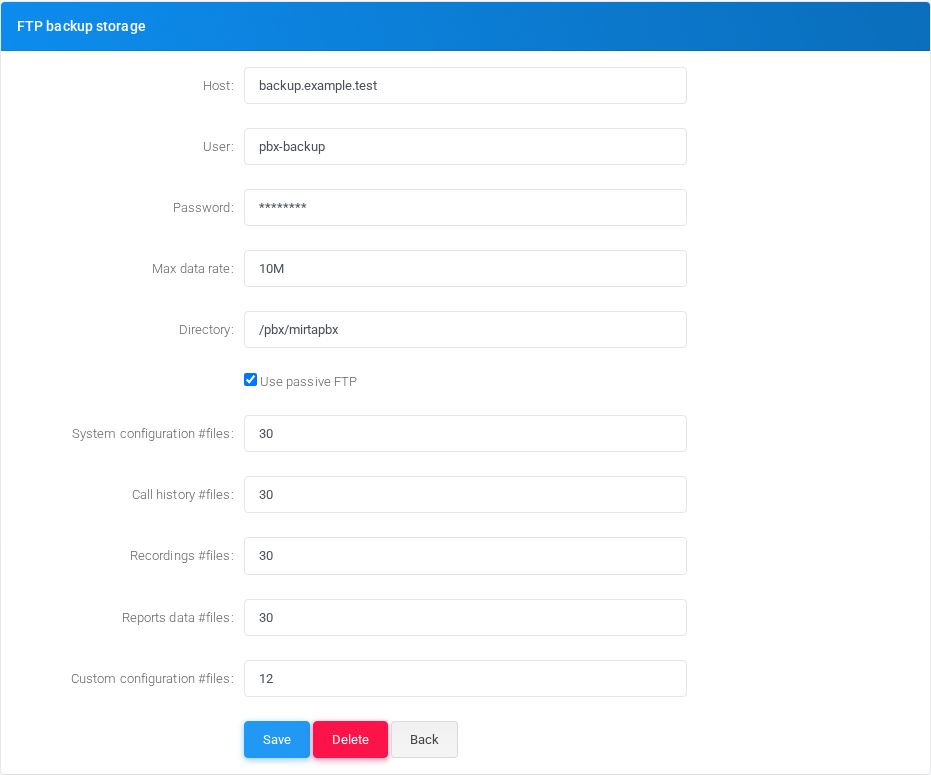
| Field | Description |
|---|---|
| Host | FTP server hostname or address. Leave empty to keep backups only in the local filesystem directory. |
| User | FTP username. |
| Password | FTP password. Treat it as a secret. |
| Max data rate | Optional upload limit. Use suffixes such as K, M, or G, for example 10M. |
| Directory | Remote FTP directory where backup files are uploaded. |
| Use passive FTP | Keeps passive FTP enabled when checked. Clear it only for FTP servers that require non-passive mode. |
| System configuration #files | Optional number of remote system configuration dump files to keep. |
| Call history #files | Optional number of remote call-history dump files to keep. |
| Recordings #files | Optional number of remote recording metadata dump files to keep. |
| Reports data #files | Optional number of remote reports data dump files to keep. |
| Custom configuration #files | Optional number of remote custom configuration archives to keep. |
| Save | Creates or updates the backup schedule and returns to the Backups list. |
| Delete | Deletes the current backup schedule after confirmation. |
| Back | Returns to the Backups list without saving changes. |
More Panel
The More panel provides a second entry point for creating a new backup schedule and, when schedules already exist, quick links to open the other saved backup schedules.

Validation and Troubleshooting
| Check | What to verify |
|---|---|
| Manual run | After saving a schedule, use the Run backup action from the Backups list and wait at least one minute for the background runner to pick it up. |
| Local files | Confirm that new backup files are created in the configured local directory and that old files are pruned according to the retention counts. |
| Database permissions | If database dumps fail, verify host reachability, username, password, and read permissions on the selected backup content databases. |
| Filesystem permissions | If no files are created, verify that the selected node can create and write to the configured directory. |
| FTP transfer | If local files are created but remote transfer fails, verify FTP host, directory, credentials, passive mode, transfer rate, and that the selected node has the FTP client dependency installed. |
| Background output | For low-level failure details, check the backup runner output log at /tmp/mirtapbxbackup.out and, when a post-backup hook is installed, /tmp/mirtapbx-post-backup.log. |