The Define Tenant form is rendered by /var/www/html/mirtapbx/templates/tenant.tpl and handled by /var/www/html/mirtapbx/tenant.php. Some fields can be hidden, locked, or unavailable depending on default-field rules and the administrator's permissions.
Each block below follows the sections shown in the tenant form. Use the screenshot to locate the block in the interface, then review the field descriptions for that block.
Information
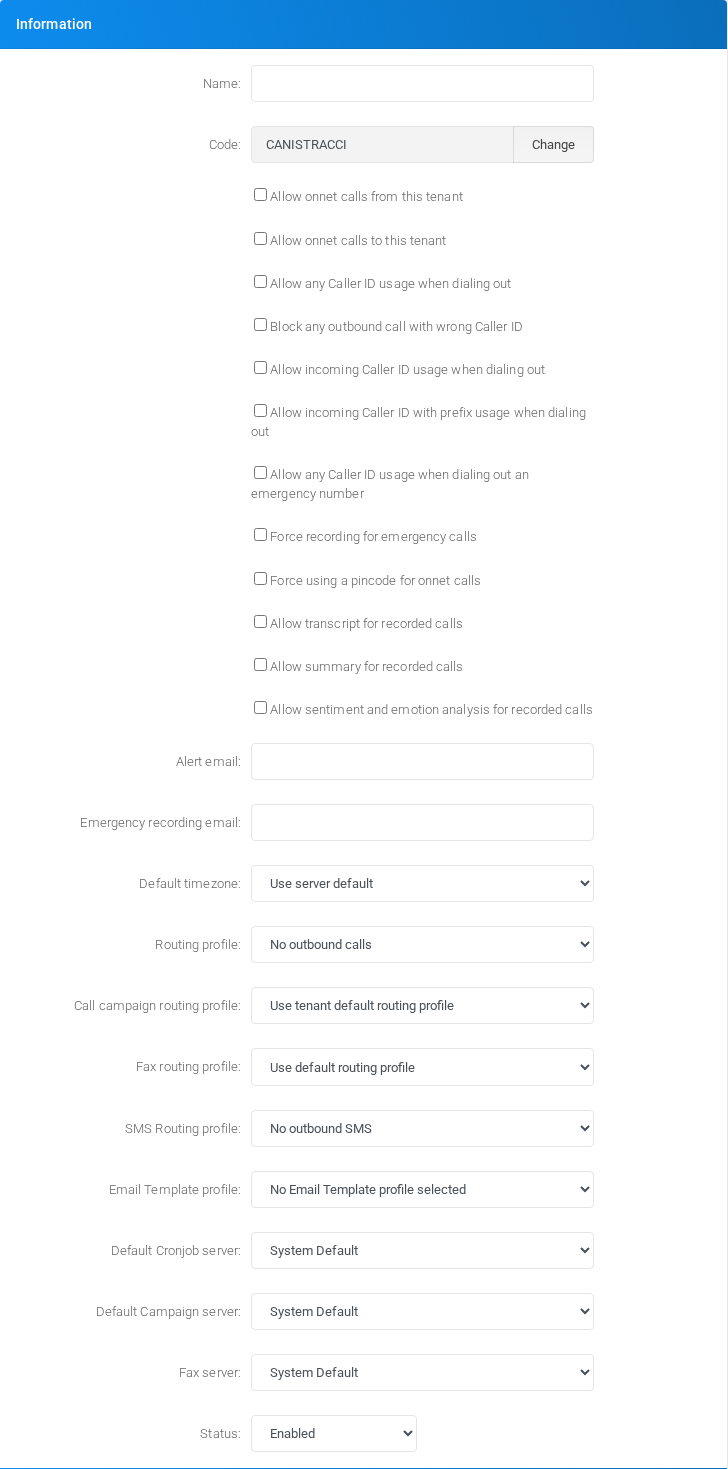
Information section of the Define Tenant form.
Use the Information block to set the tenant identity, caller ID permissions, recording-related feature flags, default routing profiles, processing servers, and tenant status.
Field
Description
Name
Tenant display name. It is used internally and can be any descriptive string.
Code
Unique tenant identifier. It is used when building extension usernames. Prefer letters only; avoid numbers, spaces, hyphens, and underscores.
Allow onnet calls from this tenant
Allows extensions in this tenant to place on-net calls.
Allow onnet calls to this tenant
Allows other tenants or on-net routes to call this tenant.
Allow any Caller ID usage when dialing out
Allows outbound calls to use caller IDs outside the normal tenant assignment.
Block any outbound call with wrong Caller ID
Rejects outbound calls when the caller ID is not valid for the tenant rules.
Allow incoming Caller ID usage when dialing out
Allows caller IDs received on inbound calls to be reused for outbound calls.
Allow incoming Caller ID with prefix usage when dialing out
Allows prefixed incoming caller IDs to be reused for outbound calls.
Allow any Caller ID usage when dialing out an emergency number
Relaxes caller ID restrictions for emergency calls.
Force recording for emergency calls
Forces recording on emergency calls.
Force using a pincode for onnet calls
Requires PIN-code authentication for on-net calls.
Allow transcript for recorded calls
Enables transcription options for recordings. Disabling it clears pending transcription requests and tenant-level transcript settings.
Allow summary for recorded calls
Enables AI summary options for recordings. Disabling it clears pending summary requests and tenant-level summary settings.
Allow sentiment and emotion analysis for recorded calls
Enables AI sentiment and emotion analysis for recordings. Disabling it clears pending sentiment requests and tenant-level sentiment settings.
Alert email
Email address used for tenant alerts.
Emergency recording email
Email address used for emergency-call recording notifications.
Default timezone
Tenant timezone. When blank, the server default is used.
Routing profile
Default outbound voice routing profile. If blank, outbound voice calls are not allowed by default.
Call campaign routing profile
Routing profile used by call campaigns. It can inherit the tenant default.
Fax routing profile
Routing profile used for fax traffic. It can inherit the default routing profile.
SMS Routing profile
Routing profile used for outbound SMS. If blank, outbound SMS is not allowed.
Email Template profile
Email template profile assigned to tenant-generated emails.
Default Cronjob server
Node used by tenant cron jobs. System Default uses the global default.
Default Campaign server
Node used by tenant campaigns. System Default uses the global default.
Fax server
Node used for tenant fax processing. System Default uses the global default.
Status
Enables the tenant, disables it, or disables it after an expiration date.
Expiration date
Date used when status is set to Expiration date.
Server affinity
Server affinity section of the Define Tenant form.
Use the Server affinity block to prefer specific nodes for services that can be hosted on different servers.
Field
Description
Preferred Parking Lot server
Preferred node for tenant parking lots. Empty means system default.
Preferred Queue server
Preferred node for tenant queues. Empty means system default.
Parking lots
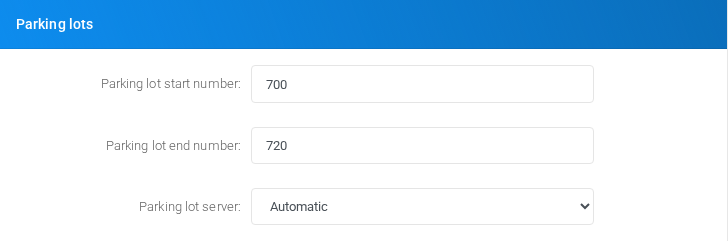
Parking lots section of the Define Tenant form.
Use the Parking lots block to define the call parking range and the node that hosts the tenant parking lot.
Field
Description
Parking lot start number
First parking slot number. After changes, the parking module may need reload or Asterisk may need restart.
Parking lot end number
Last parking slot number. After changes, the parking module may need reload or Asterisk may need restart.
Parking lot server
Specific node hosting the parking lot, or Automatic.
Recording Storage
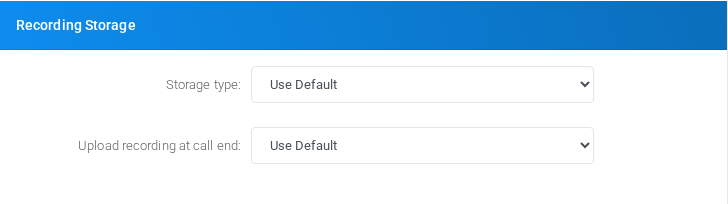
Recording Storage section of the Define Tenant form.
Use the Recording Storage block to choose where call recordings are stored and which upload credentials or directories are used. Some fields appear only for the selected storage backend.
Field
Description
Storage type
Recording backend: default, database, filesystem, FTP, SFTP, SSL-FTP, no storage, AWS S3, or Google Drive. Database retention applies only to database storage.
JSON Service Account key
Google Drive service account key, shown when Google Drive storage is selected.
Host / Region
FTP/SFTP host, optionally with port, or AWS region when AWS S3 is selected.
User / Key
FTP/SFTP username or AWS access key.
Password / Secret
FTP/SFTP password or AWS secret.
Use passive FTP
Enables passive FTP mode for FTP/SSL-FTP storage.
Directory / Bucket name / Shared directory ID
Filesystem or FTP directory, AWS bucket, or Google Drive shared directory ID.
Upload recording at call end
Controls whether recordings are uploaded immediately at call end or only by batch processing.
Remove recordings on database expiration
Deletes the recording file when recording metadata expires from the database. It is not retroactive.
Billing
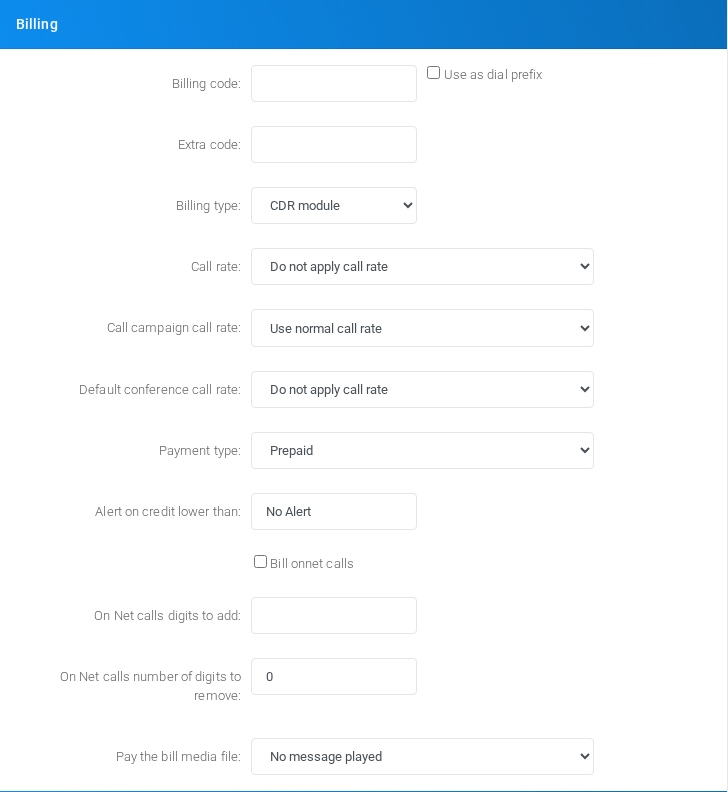
Billing section of the Define Tenant form.
Use the Billing block to define billing identifiers, call rating, payment mode, credit alerts, and on-net call billing behavior.
Field
Description
Billing code
Code available to templates and integrations as ${BILLINGCODE}.
Use as dial prefix
Uses the billing code as a dial prefix.
Extra code
Additional code available as ${EXTRACODE}.
Billing type
Choose CDR billing, experimental CEL billing, or skip the billing module.
Call rate
Default call rate applied to the tenant, or no call rate.
Call campaign call rate
Call rate used by campaigns, or the normal call rate.
Default conference call rate
Default rate profile for conference room calls.
Payment type
Prepaid or post-paid billing mode.
Alert on credit lower than
Credit threshold that triggers alerts. Non-numeric values are treated as no alert.
Bill onnet calls
Controls whether on-net calls are billed.
On Net calls digits to add
Digits added to on-net numbers for normalization or billing.
On Net calls number of digits to remove
Digits removed from on-net numbers before normalization or billing.
Pay the bill media file
Audio message played when outbound dialing is blocked for payment reasons.
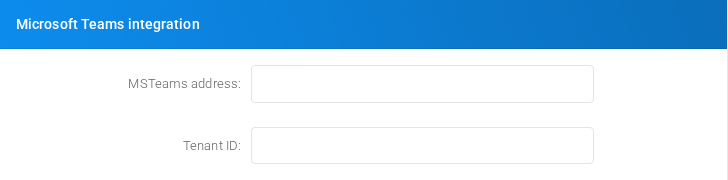
Microsoft Teams integration
Microsoft Teams integration section of the Define Tenant form.
Use the Microsoft Teams integration block when the tenant is connected to Microsoft Teams services.
Field
Description
MSTeams address
Gateway address used for Microsoft Teams integration.
Tenant ID
Microsoft Teams tenant ID used for extension status integration.
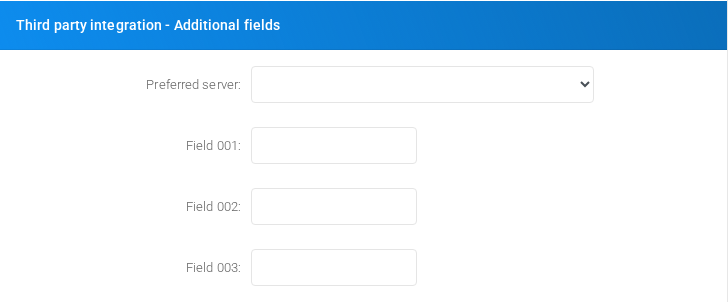
Third party integration - Additional fields
Third party integration additional fields section of the Define Tenant form.
Use the Third party integration - Additional fields block to store tenant-specific values consumed by external integrations.
Field
Description
Preferred server
Preferred node used by third-party integration fields.
Field 001
Custom integration value available as ${EXTRAFIELD001}.
Field 002
Custom integration value available as ${EXTRAFIELD002}.
Field 003
Custom integration value available as ${EXTRAFIELD003}.
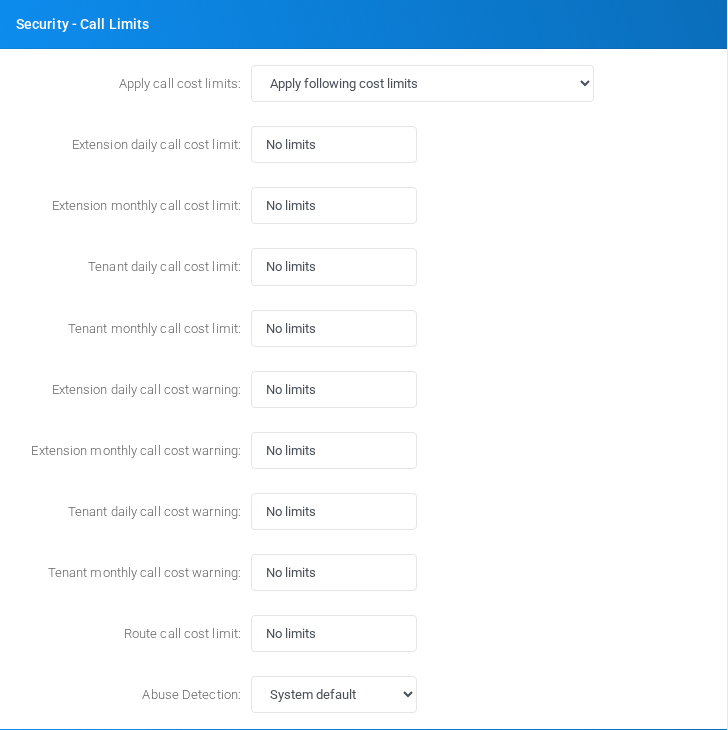
Security - Call Limits
Security - Call Limits section of the Define Tenant form.
Use the Security - Call Limits block to configure spend limits, warning thresholds, route cost limits, and abuse detection behavior.
Field
Description
Apply call cost limits
Use system default, apply the limits below, or allow unlimited calling.
Extension daily/monthly call cost limit
Maximum daily or monthly spend per extension. When reached, outbound calls are blocked.
Tenant daily/monthly call cost limit
Maximum daily or monthly spend for the whole tenant. When reached, outbound calls are blocked.
Extension daily/monthly call cost warning
Spend threshold per extension that sends alert email before the hard limit is reached.
Tenant daily/monthly call cost warning
Spend threshold for the whole tenant that sends alert email before the hard limit is reached.
Domestic / International values
When split cost limits are enabled, separate domestic and international limits or warnings are shown.
Route call cost limit
Maximum allowed cost for a call route. More expensive routes are refused.
Abuse Detection
Locks an extension when suspicious calling activity is detected. Options include system default, off, or after 5, 10, 15, or 50 calls.
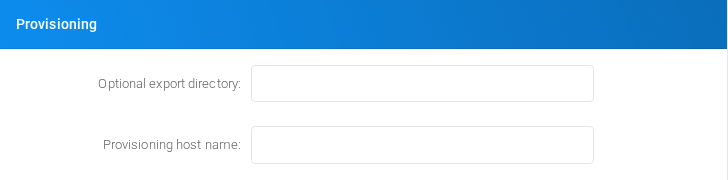
Provisioning
Provisioning section of the Define Tenant form.
Use the Provisioning block to control phone provisioning export behavior and the host name shown to provisioning clients.
Field
Description
Optional export directory
Filesystem directory where phone provisioning files are exported.
Provisioning host name
Hostname shown in Configuration > Provisioning > Phones. If blank, MiRTA PBX uses the admin setting, theme, or current web host.
Custom
Custom section of the Define Tenant form.
Use the Custom block for tenant-specific custom dashboard behavior.
Field
Description
Custom dashboard PHP file
Tenant-specific dashboard PHP file.
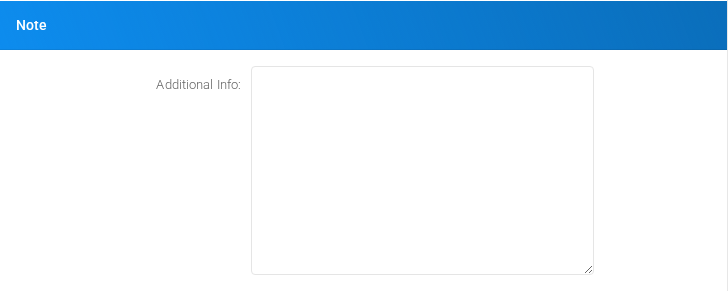
Note
Note section of the Define Tenant form.
Use the Note block for internal tenant notes.
Field
Description
Additional Info
Free-form internal note stored on the tenant.
Restrictions
Restrictions section of the Define Tenant form.
Use the Restrictions block to decide whether custom destination types are enabled by default or disabled by default for the tenant.
Field
Description
Custom Destinations
Sets whether custom destinations are enabled by default or disabled by default, with an exception list selected in the multi-select control.
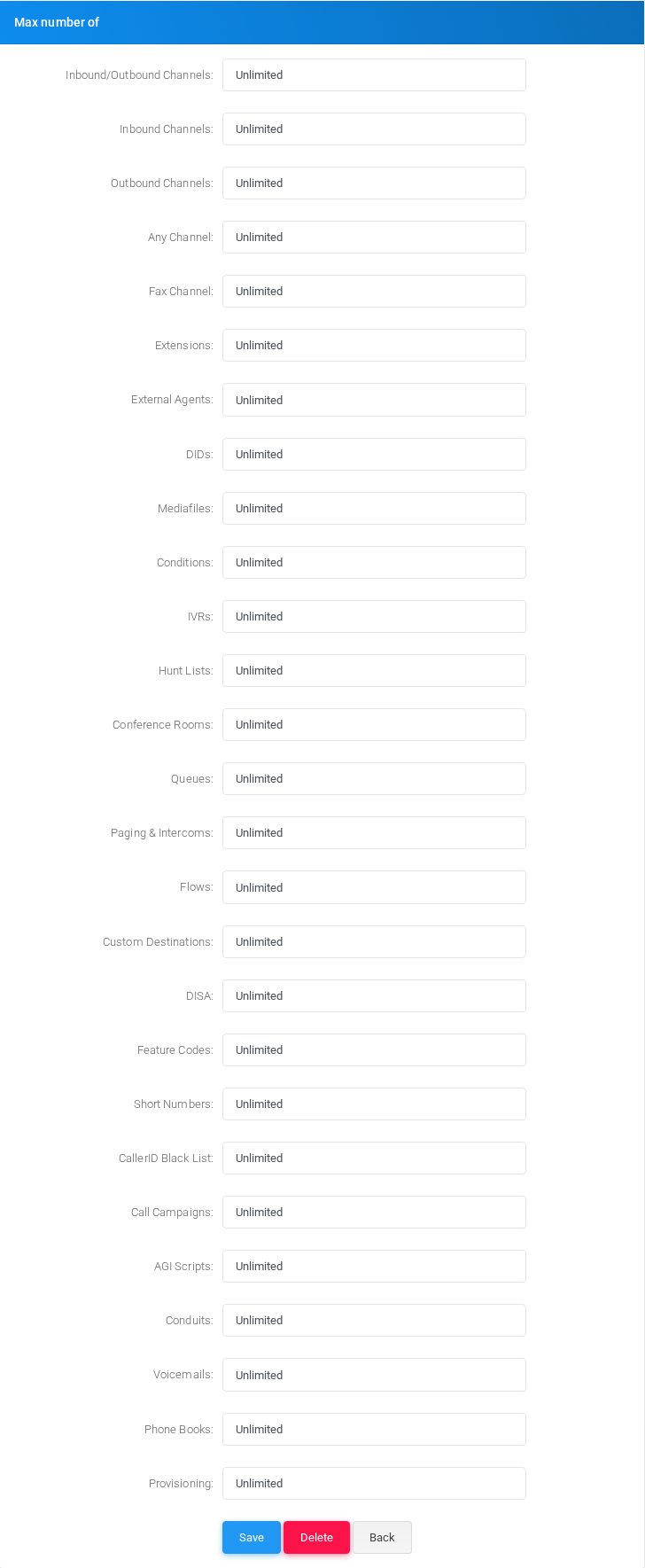
Max number of
Max number of section of the Define Tenant form.
Use the Max number of block to set tenant capacity limits. A blank or non-numeric value is saved as unlimited in tenant.php.
Field
Description
Inbound/Outbound Channels
Maximum total external inbound plus outbound channels.
Inbound Channels
Maximum inbound external channels.
Outbound Channels
Maximum outbound external channels.
Any Channel
Maximum total channels regardless of source or destination. A normal call uses two channels.
Fax Channel
Maximum channels used for fax sending.
Extensions
Maximum extensions.
External Agents
Maximum external agents.
DIDs
Maximum DIDs.
Mediafiles
Maximum media files.
Conditions
Maximum conditions.
IVRs
Maximum IVRs.
Hunt Lists
Maximum hunt lists.
Conference Rooms
Maximum conference rooms.
Queues
Maximum queues.
Paging & Intercoms
Maximum paging and intercom groups.
Flows
Maximum flows.
Custom Destinations
Maximum custom destinations.
DISA
Maximum DISA entries.
Feature Codes
Maximum feature codes.
Short Numbers
Maximum short numbers.
CallerID Black List
Maximum caller ID blacklist entries.
Call Campaigns
Maximum call campaigns.
AGI Scripts
Maximum AGI scripts.
Conduits
Maximum conduits.
Voicemails
Maximum voicemail boxes.
Phone Books
Maximum phone books.
Provisioning
Maximum provisioning entries.
Actions
The action buttons are shown at the bottom of the form.
Action
Description
Save
Saves the tenant. When creating a tenant, MiRTA PBX also creates default settings, a parking lot, and assigns the creating user to the tenant.
Delete
Deletes the tenant and related tenant objects when the administrator has delete permission. The UI asks for confirmation.
Back
Returns to the tenant list without saving the current form.