Use this page when creating a new custom destination or editing an existing custom destination from Configuration > Custom Destinations.
The form screenshots below are separated by block where the application exposes separate sections. Complete the required values, review routing or destination references, and save the record.
Add and edit form
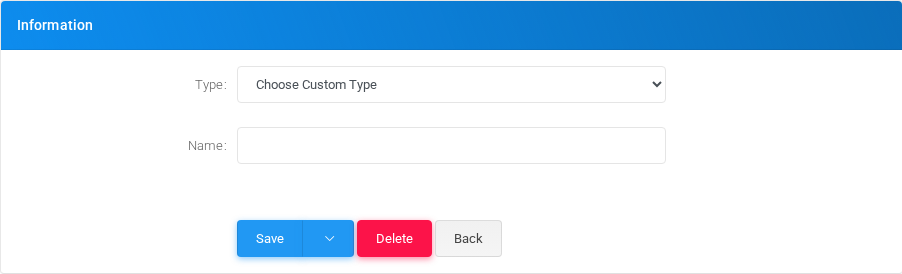
Custom Destinations add/edit form.
Main fields
Field
Description
Type:
Mode selector that changes the behavior of the object.
Name:
Display name used in lists and references.
Queue timeout:Timeout in seconds to use for the next Queue destination only. Leave the custom destination out of the flow when the queue should use its configured timeout.
Phone number:Dialed value, identifier, or matching value used by the PBX.
Dial timeout:Timing value used by the service.
CallerID Number:Dialed value, identifier, or matching value used by the PBX.
CallerID Name:Display name used in lists and references.
Add diversion header:Object setting shown by the form.
Diversion header CallerID Number:Dialed value, identifier, or matching value used by the PBX.
Min silence time (ms):Object setting shown by the form.
Silence threshold:Object setting shown by the form.
Caller buddy language:Caller ID or caller matching value.
Called buddy language:Language or voice selection used for prompts, transcription, or speech synthesis.
Generative Artificial Intelligence:Object setting shown by the form.
API key:Object setting shown by the form.
Model:Object setting shown by the form.
System Content:Object setting shown by the form.
User Content:Object setting shown by the form.
Assistant Content:Object setting shown by the form.
Functions:Object setting shown by the form.
Greeting Message:Object setting shown by the form.
Temperature:Object setting shown by the form.
Max Tokens:Object setting shown by the form.
Realtime Voice:Language or voice selection used for prompts, transcription, or speech synthesis.
Turn Detection:Object setting shown by the form.
Semantic VAD eagerness:Object setting shown by the form.
Server VAD threshold:Server, host, or node selection used by the object.
Prefix padding (ms):Dialed value, identifier, or matching value used by the PBX.
Silence duration (ms):Object setting shown by the form.
Set Queue Timeout
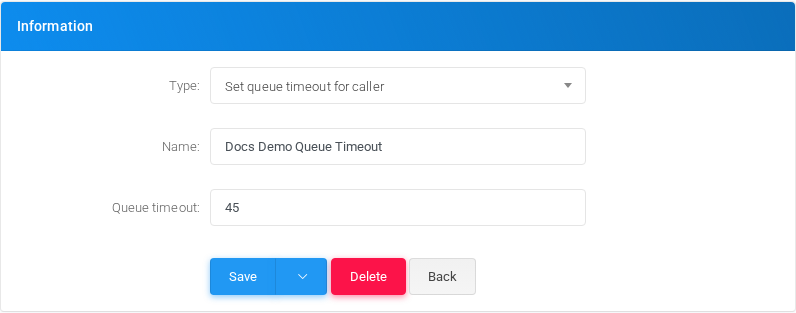
Select Set queue timeout for caller to set the timeout used by the next Queue destination reached by the call. The value is stored in seconds and is consumed once; after that, later queues use their normal configured timeout.
Custom destination form for setting the next queue timeout.
Field
Description
Queue timeout
Seconds to pass to the next Queue application instead of the selected queue’s stored timeout.
Saving and deleting
Task
How to do it
Create
Select the new action from the Custom Destinations list, fill the required fields, and select Save.
Edit
Open the existing custom destination, update the needed fields, and select Save.
Delete
Before deleting a custom destination, check call-flow, destination, schedule, report, provisioning, or integration references. Use the row delete action or the form delete action when available, then confirm.