
DIDs
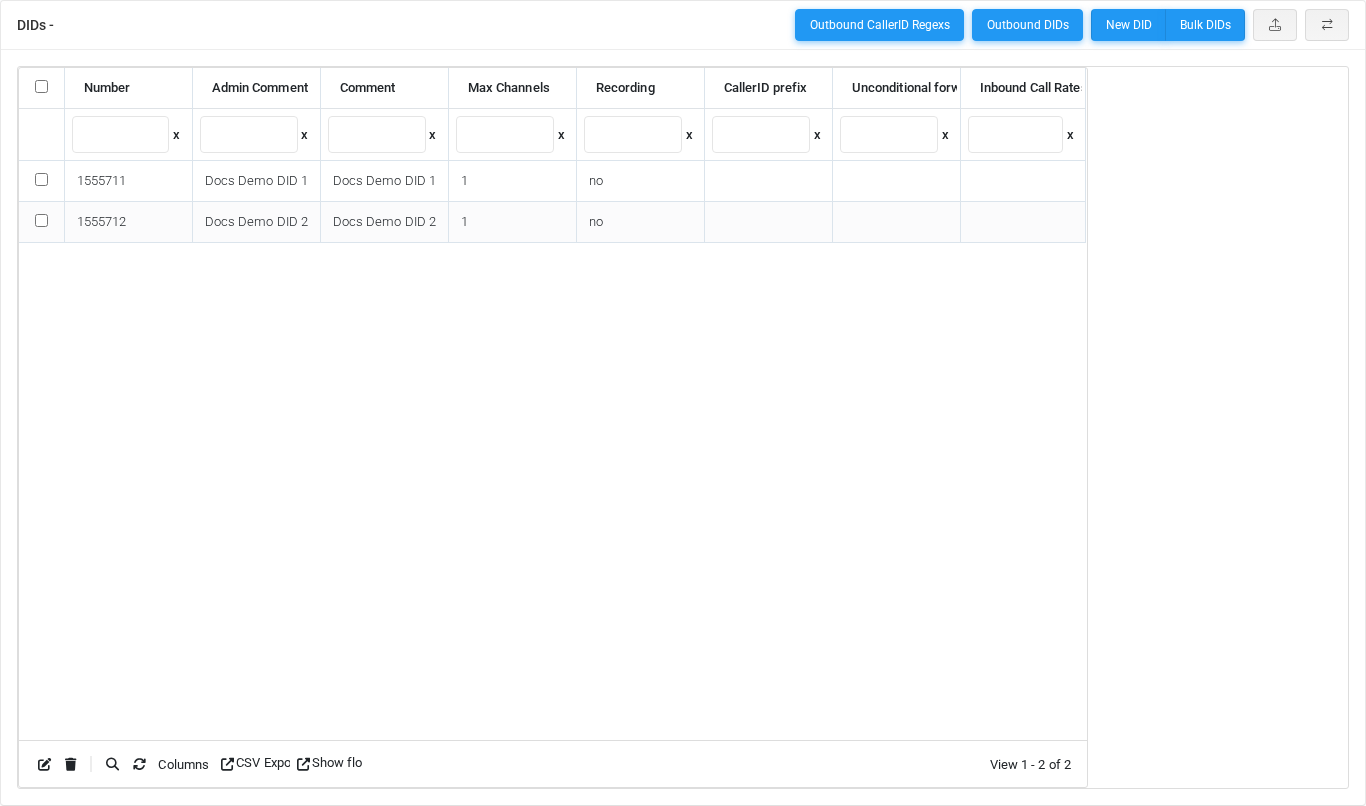
The DIDs page manages inbound telephone numbers assigned to the selected tenant, including voice, fax, SMS, privacy, and recording behavior. Open it from Configuration > DIDs.
The page works against the tenant currently selected in the top bar. The screenshots and demo rows were captured in the Canistracci OIL tenant.
Working with objects
| Task | How to do it |
|---|---|
| Add | Select the New DID action, complete the form, and select Save. |
| Edit | Open the DID from the list by selecting its name, number, or row action. Change the form and select Save. |
| Delete | Select the row checkbox and use Delete Selected, or open the DID and select Delete, then confirm. |
Page functions
| Action | Description |
|---|---|
| Outbound CallerID Regexs | Runs the Outbound CallerID Regexs action. |
| Outbound DIDs | Runs the Outbound DIDs action. |
| New DID | Opens the creation form for a new did. |
| Bulk DIDs | Runs the Bulk DIDs action. |
| Delete Selected | Deletes the selected rows after confirmation. |
| CSV/XLS Upload | Opens import or upload tools for bulk data. |
| Enable jqGrid | Switches the table display mode for advanced grid controls. |
| Divert | Runs the Divert action. |
List columns
| Column | Description |
|---|---|
| Number | Dialed value, identifier, or matching value used by the PBX. |
| Admin Comment | Administrative note shown in lists and reports. |
| Comment | Administrative note shown in lists and reports. |
| Max Channels | Object setting shown by the form. |
| Recording | Recording behavior or recording delivery setting. |
| CallerID Prefix | Dialed value, identifier, or matching value used by the PBX. |
| Unconditional forward | Object setting shown by the form. |
| Inbound Call Rates | Object setting shown by the form. |
| Action | Object setting shown by the form. |
Form sections
| Section | Description |
|---|---|
| Information | Core identity and routing fields for the object. |
| Voice | Voice calling behavior, caller handling, recording, and voice-specific limits. |
| Fax | Fax handling, quality, storage, delivery, and fax-specific transport settings. |
| SMS | SMS protocol, message handling, and field mapping settings. |
| Third party integration - Additional fields | Settings shown in the Third party integration - Additional fields block. |
Information
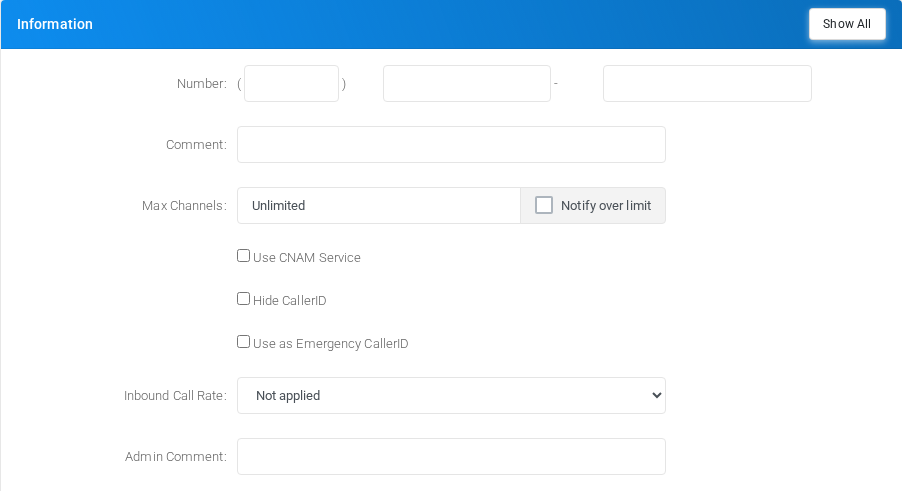
Core identity and routing fields for the object.
Voice
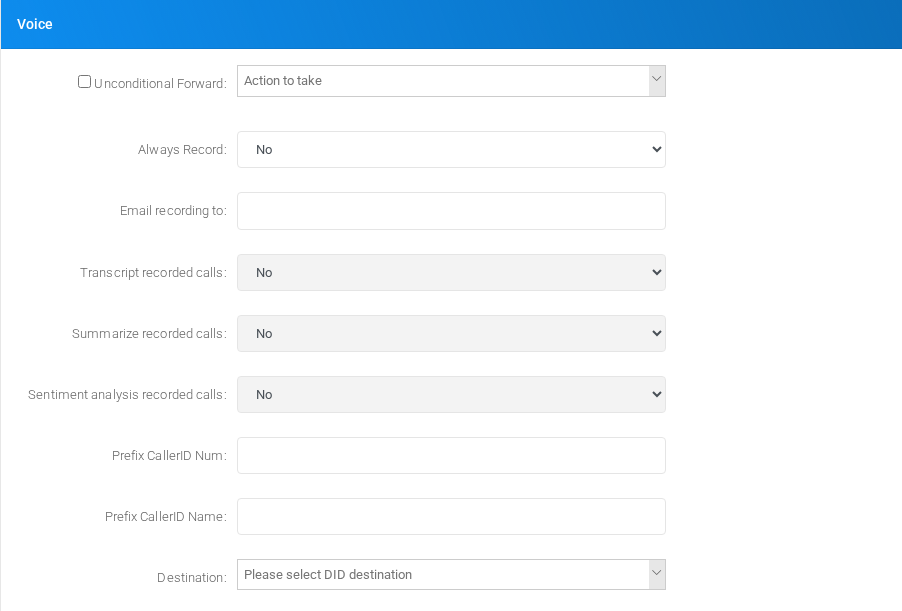
Voice calling behavior, caller handling, recording, and voice-specific limits.
Fax
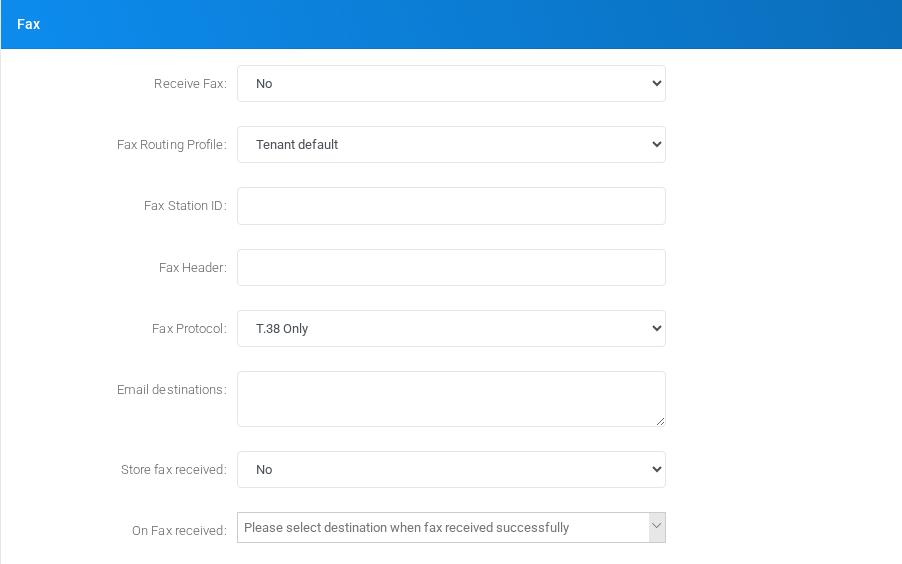
Fax handling, quality, storage, delivery, and fax-specific transport settings.
SMS
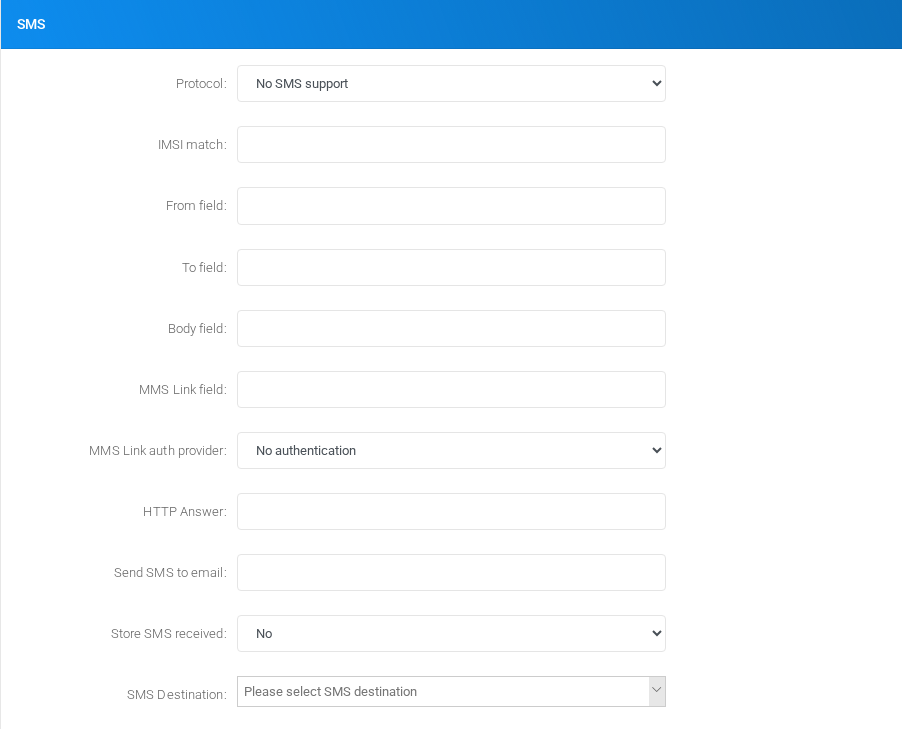
SMS protocol, message handling, and field mapping settings.
Third party integration - Additional fields
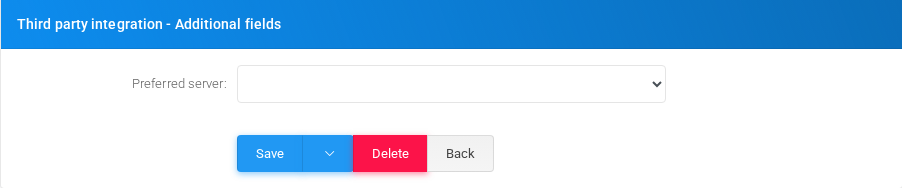
Settings shown in the Third party integration - Additional fields block.
Main fields
| Field | Description |
|---|---|
| Number: | Dialed value, identifier, or matching value used by the PBX. |
| Comment: | Administrative note shown in lists and reports. |
| Max Channels: | Object setting shown by the form. |
| Notify over limit | Object setting shown by the form. |
| cnam | Object setting shown by the form. |
| fullprivacy | Object setting shown by the form. |
| allowemergency | Object setting shown by the form. |
| Emergency Notes: | Administrative note shown in lists and reports. |
| Inbound Call Rate: | Object setting shown by the form. |
| DID Provider: | Object setting shown by the form. |
| Admin Comment: | Administrative note shown in lists and reports. |
| Unconditional Forward: | Object setting shown by the form. |
| Always Record: | Recording behavior or recording delivery setting. |
| Email recording to: | Email address used for notifications, delivery, or mailbox access. |
| Minimum Size (bytes): | Object setting shown by the form. |
| Transcript recorded calls: | Recording behavior or recording delivery setting. |
| Summarize recorded calls: | Recording behavior or recording delivery setting. |
| Sentiment analysis recorded calls: | Recording behavior or recording delivery setting. |
| Prefix CallerID Num: | Dialed value, identifier, or matching value used by the PBX. |
| Prefix CallerID Name: | Display name used in lists and references. |
| Receive Fax: | Object setting shown by the form. |
| Fax Routing Profile: | Target or routing selection used when the object sends a call or message onward. |
| Forward to number: | Dialed value, identifier, or matching value used by the PBX. |
| Printer URL/FTP Storage: | Object setting shown by the form. |
| Printer URL/FTP Fax format: | Object setting shown by the form. |
| Fax Station ID: | Object setting shown by the form. |
| Fax Header: | Object setting shown by the form. |
| Fax Protocol: | Mode selector that changes the behavior of the object. |
Demo records
The tenant contains 2 documentation demo records for this page: Docs Demo DID 1 and Docs Demo DID 2.
Deleting records
Before deleting a DID, check references from call flows, destinations, schedules, reports, or provisioning objects. MiRTA PBX asks for confirmation before the delete is submitted.