
Overview
The Music on Hold page defines music-on-hold classes, playback format, streaming source, order, and default behavior. Open it from Configuration > More Configuration > Music On Hold.
The page works against the tenant currently selected in the top bar. The screenshots and demo rows were captured in the Canistracci OIL tenant.


Working with objects
| Task | How to do it |
|---|---|
| Add | Select the New music on hold class action, complete the form, and select Save. |
| Edit | Open the music on hold class from the list by selecting its name, number, or row action. Change the form and select Save. |
| Delete | Select the row checkbox and use Delete Selected, or open the music on hold class and select Delete, then confirm. |
Page functions
| Action | Description |
|---|---|
| Download | Downloads or exports the currently available data. |
| New Music On Hold | Opens the creation form for a new music on hold. |
| Delete Selected | Deletes the selected rows after confirmation. |
List columns
| Column | Description |
|---|---|
| Name | Display name used in lists and references. |
| Media Files | File upload or file name used by the object. |
| Custom | Object setting shown by the form. |
| Randomize order | Object setting shown by the form. |
| Default | Object setting shown by the form. |
Form sections
Information
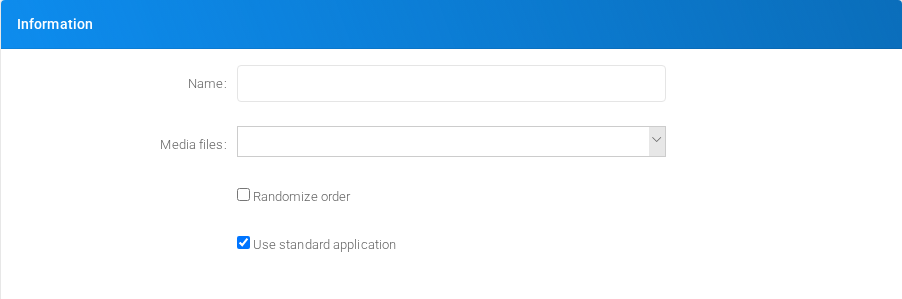
Core identity and routing fields for the object.
Streaming source
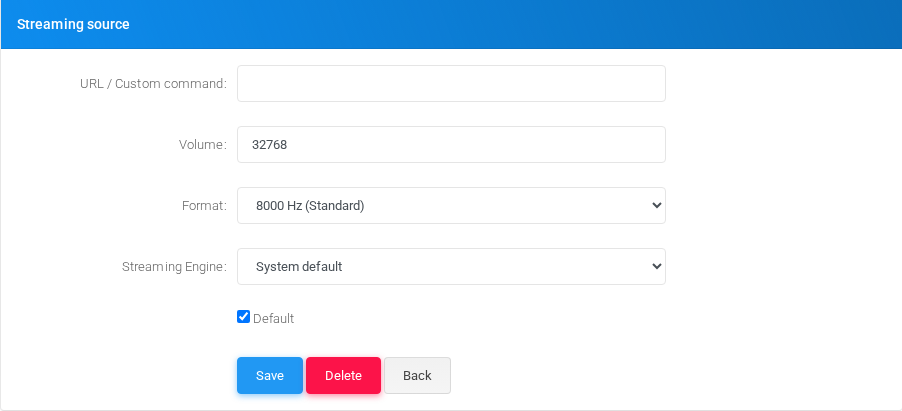
Settings shown in the Streaming source block.
Main fields
Demo records
The tenant contains 1 documentation demo record for this page: Docs Demo MOH 1.
Deleting records
Before deleting a music on hold class, check references from call flows, destinations, schedules, reports, or provisioning objects. MiRTA PBX asks for confirmation before the delete is submitted.