
Hunt Lists
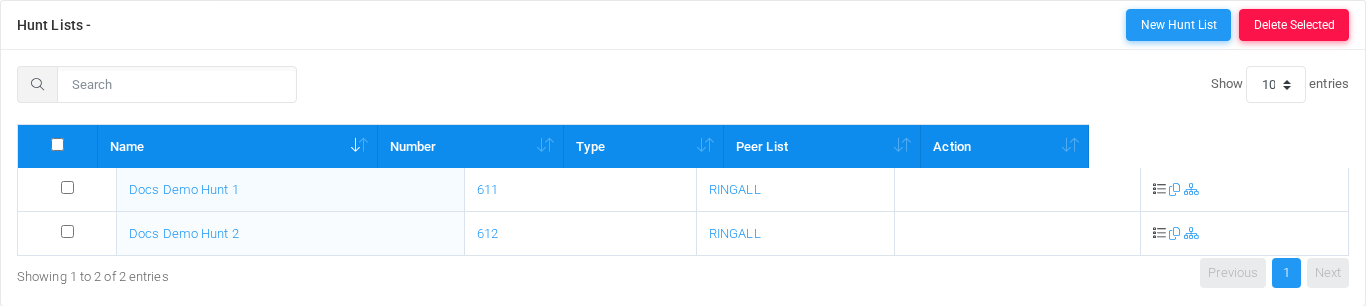
The Hunt Lists page routes a call across multiple destinations using ring-all, sequence, cycle, or loop behavior. Open it from Configuration > Hunt Lists.
The page works against the tenant currently selected in the top bar. The screenshots and demo rows were captured in the Canistracci OIL tenant.
Working with objects
| Task | How to do it |
|---|---|
| Add | Select the New hunt list action, complete the form, and select Save. |
| Edit | Open the hunt list from the list by selecting its name, number, or row action. Change the form and select Save. |
| Delete | Select the row checkbox and use Delete Selected, or open the hunt list and select Delete, then confirm. |
Page functions
| Action | Description |
|---|---|
| New Hunt List | Opens the creation form for a new hunt list. |
| Delete Selected | Deletes the selected rows after confirmation. |
List columns
| Column | Description |
|---|---|
| Name | Display name used in lists and references. |
| Number | Dialed value, identifier, or matching value used by the PBX. |
| Type | Mode selector that changes the behavior of the object. |
| Peer List | Object setting shown by the form. |
| Action | Object setting shown by the form. |
Add and edit form
Main fields
| Field | Description |
|---|---|
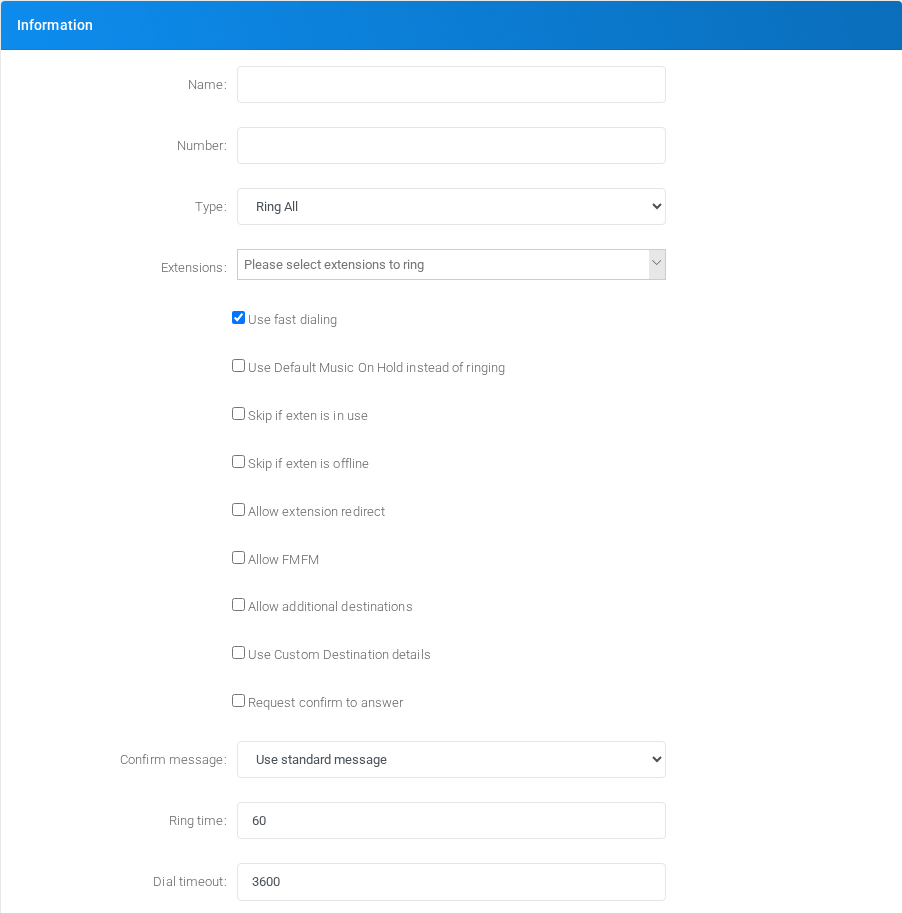
| Name: | Display name used in lists and references. |
| Number: | Dialed value, identifier, or matching value used by the PBX. |
| Type: | Mode selector that changes the behavior of the object. |
| Use fast dialing | Object setting shown by the form. |
| Use Default Music On Hold instead of ringing | Object setting shown by the form. |
| Skip if exten is in use | Object setting shown by the form. |
| Skip if exten is offline | Object setting shown by the form. |
| Allow extension redirect | Target or routing selection used when the object sends a call or message onward. |
| Allow FMFM | Object setting shown by the form. |
| Allow additional destinations | Target or routing selection used when the object sends a call or message onward. |
| Use Custom Destination details | Target or routing selection used when the object sends a call or message onward. |
| Request confirm to answer | Object setting shown by the form. |
| Confirm message: | Object setting shown by the form. |
| Ring time: | Object setting shown by the form. |
| Dial timeout: | Timing value used by the service. |
Demo records
The tenant contains 2 documentation demo records for this page: Docs Demo Hunt 1 and Docs Demo Hunt 2.
Deleting records
Before deleting a hunt list, check references from call flows, destinations, schedules, reports, or provisioning objects. MiRTA PBX asks for confirmation before the delete is submitted.