
Overview
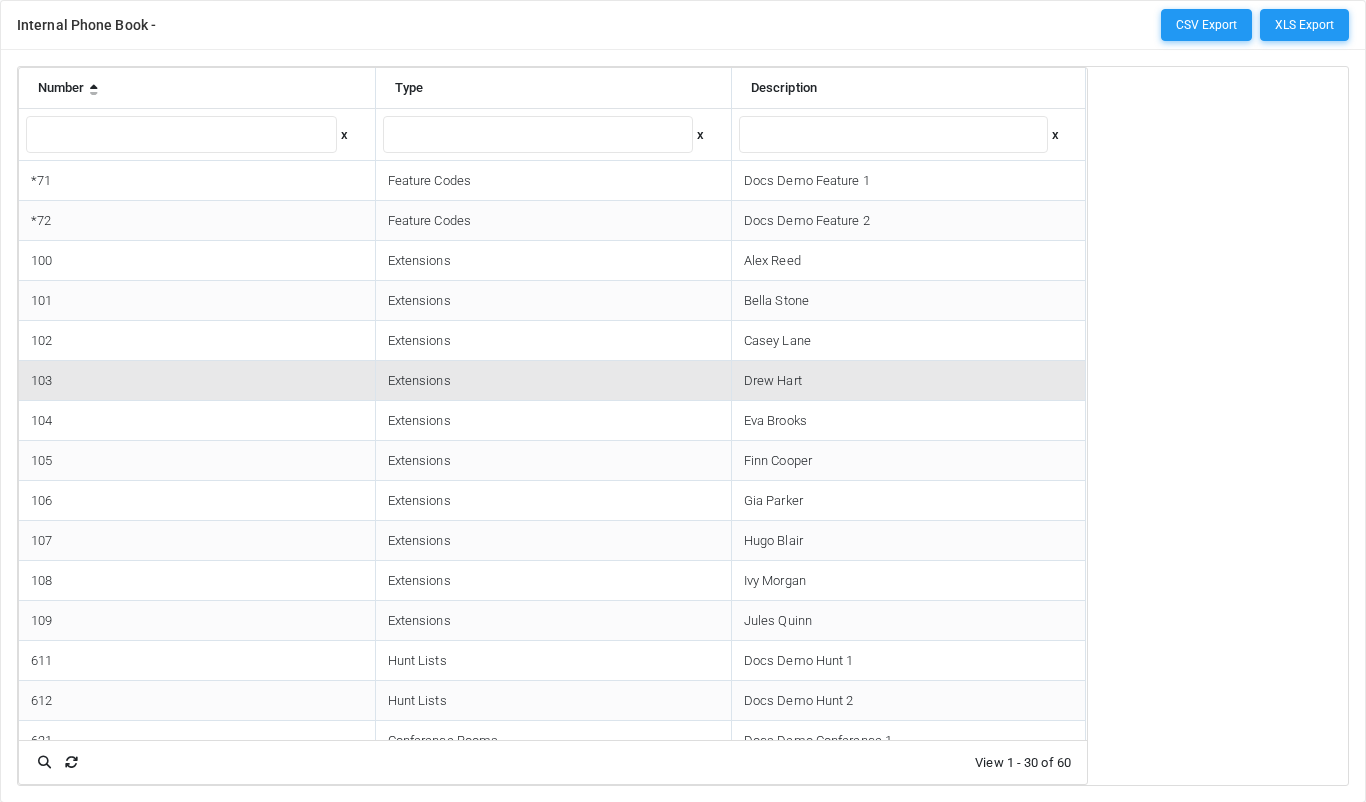
The Internal Phone Book page shows the generated internal phone book built from extensions, short numbers, DIDs, and related tenant objects. Open it from Configuration > Settings > Internal Phone Book.
The page works against the tenant currently selected in the top bar. The screenshots and demo rows were captured in the Canistracci OIL tenant.
Working with objects
| Task | How to do it |
|---|---|
| View | Use search, sorting, and filtering to inspect records generated from other tenant objects. |
| Add/Edit/Delete | This page is generated from related configuration, so records are changed on their source pages. |
Page functions
| Action | Description |
|---|---|
| CSV Export | Opens import or upload tools for bulk data. |
| XLS Export | Opens import or upload tools for bulk data. |
List columns
| Column | Description |
|---|---|
| Number | Dialed value, identifier, or matching value used by the PBX. |
| Type | Mode selector that changes the behavior of the object. |
| Description | Administrative note shown in lists and reports. |
Demo records
The tenant contains 2 documentation demo records for this page: Extensions 100-109 and Docs Demo Short 1.