
Configure a Provider
A provider represents a trunk or external service used by MiRTA PBX for outbound calls, inbound call handling, SMS delivery, or other carrier-side functions. The screenshots on this page use fictional values and should be replaced with the values supplied by the carrier or service provider.
CreateOpen the Provider List
Open Admin > Providers.
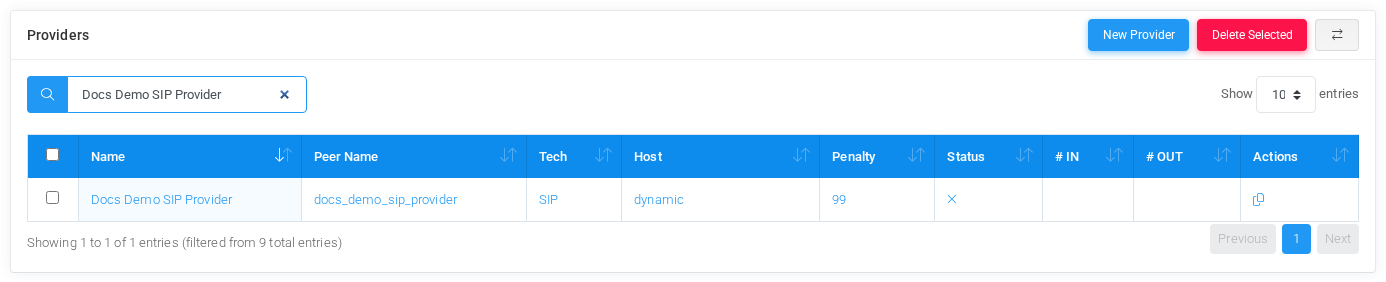
Select New Provider to create a carrier trunk or SMS gateway. Existing providers can be opened from the provider name or peer name links.
Information
Start with the provider identity. Use a descriptive providerName name,that suchoperators asrecognize, and use a stable DocsPeer DemoName that matches the SIP Provider.
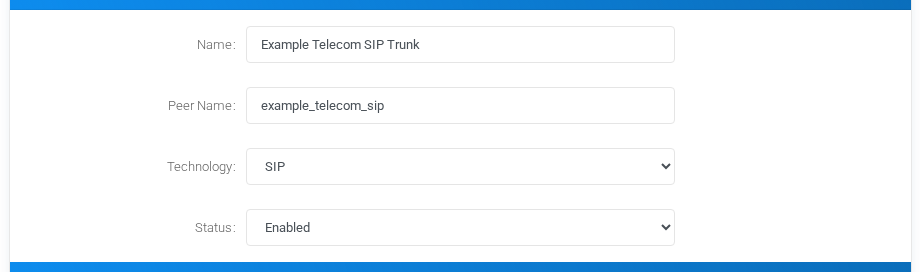
- Enabled allows inbound and outbound use.
- Disabled
Keepkeeps the providerenabledconfiguredunlessbutitunavailable.- Only Inbound hides outbound routing options and is
beingusefulcreatedwhen the carrier should onlyasdeliverancallsinboundintoreferencetheor documentation example.PBX.
Outbound OptionsCalls
Use outbound optionssettings to normalize dialed numberscalls before sending callsthem to the carrier.provider. Additional headers can be sent to SIP, PJSIP, IAX2, or SMS providers. Digits to add and digits to remove are applied during provideroutbound selection.routing. Caller ID presentationpresentation, caller ID modification, and caller ID modification settingsregex control howwhich caller identity isthe sent.provider receives.
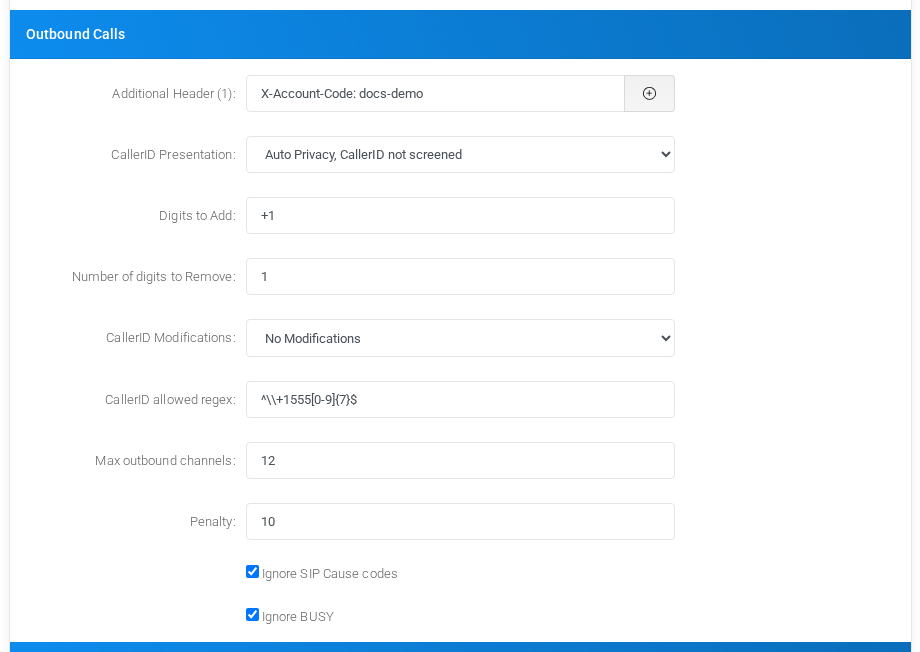
Use the maxMax outbound channels fieldlimits toconcurrent protectoutbound a trunk from overuse. When the limit is reached, MiRTA PBX skips the provider and continues routingcalls through the nextprovider. availablePenalty route.is used by routing decisions and round-robin selection. The ignore options let routing continue to another provider when the current provider returns SIP cause codes or a BUSY status that should not stop the route search.
Inbound OptionsCalls
Inbound digitoptions manipulationnormalize appliesnumbers before DID matching. Use itthese fields only when the carrier sends numbersthe destination number in a format that does not match the DIDs configured in the tenants.
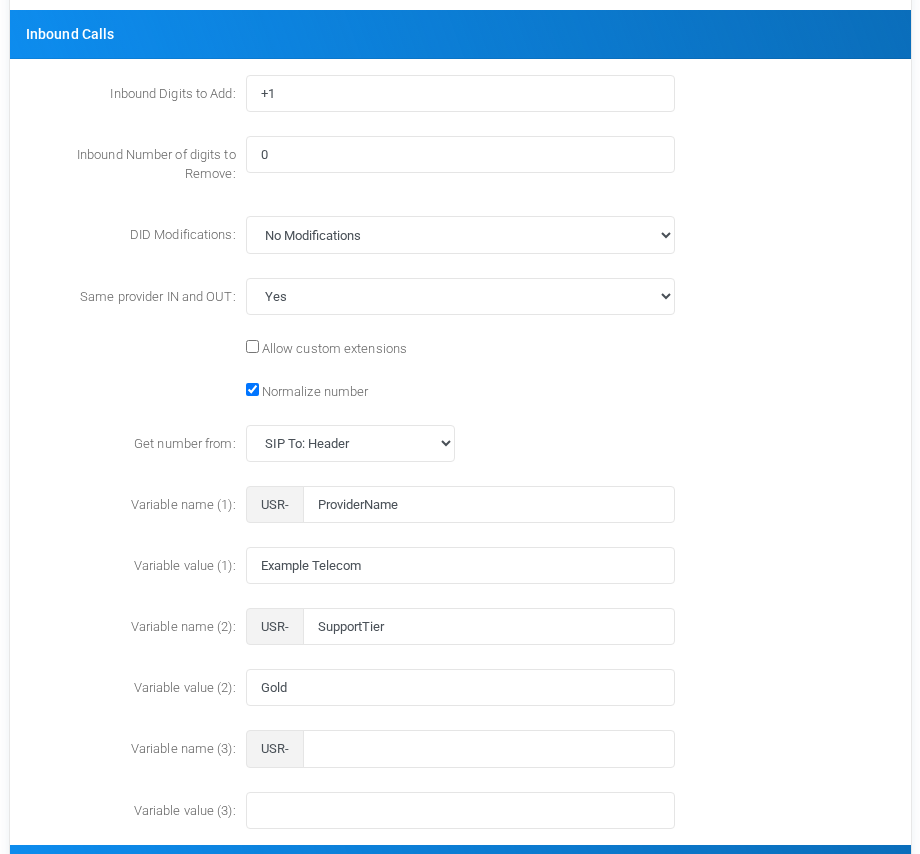
DID Modifications can rewrite inbound numbers before matching. Same provider IN and OUT controls whether a call that arrived from this provider may also leave through the same provider. The variable fields create user variables prefixed with USR-, which can later be used by routing logic and dialplan actions.
Realtime Account
For SIP, PJSIP, and IAX2 providers, enable Use Realtime Account when the provider should be represented by realtime Asterisk configuration. The fictional example below uses documentation IP and domain values.
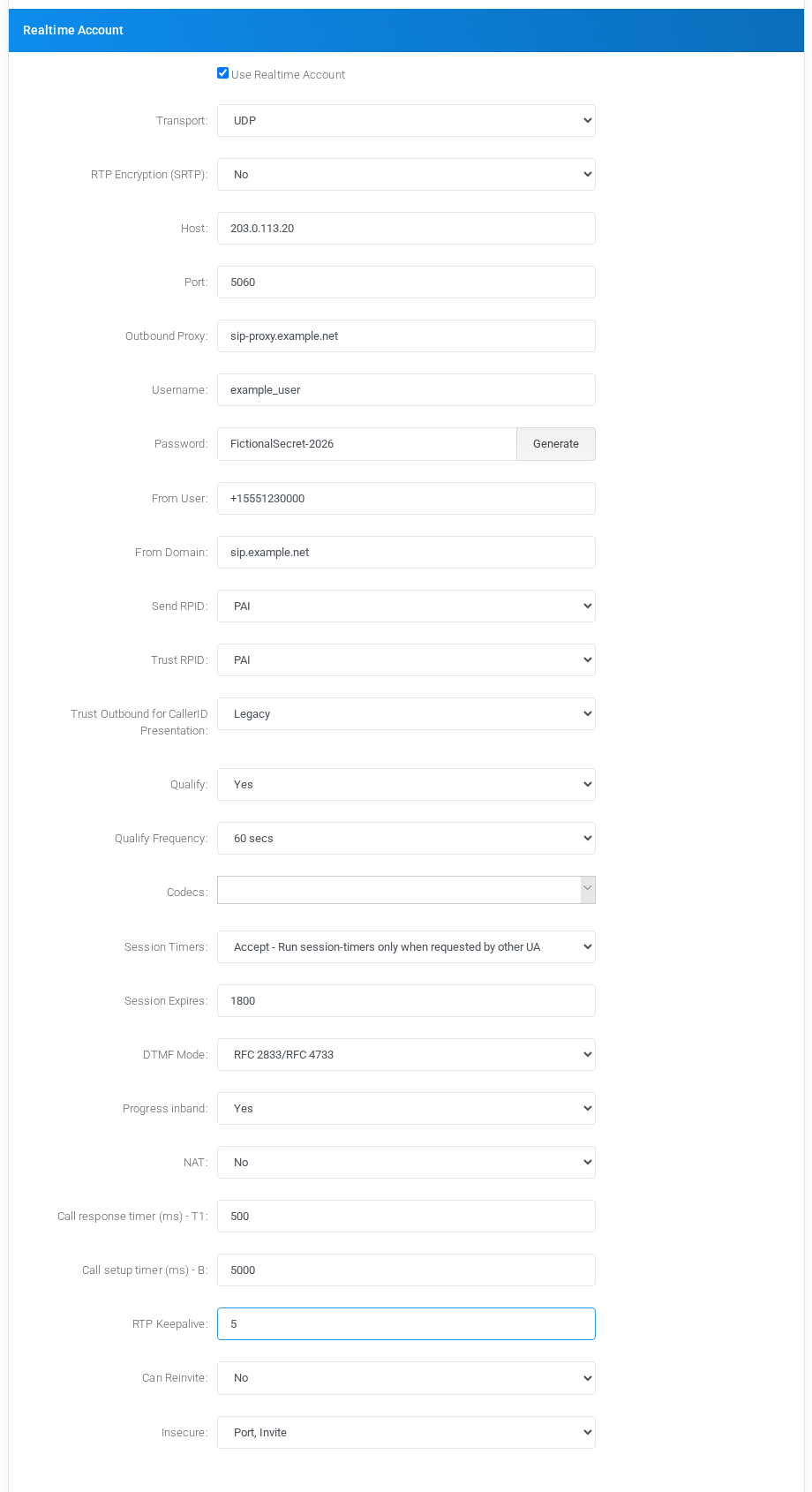
Use Host and Port for the provider address. For inbound calls, an IP address is preferred because Asterisk realtime matching cannot always rely on a hostname. Username, password, From User, From Domain, RPID/PAI handling, qualify settings, codecs, DTMF mode, NAT, timers, and RTP keepalive should match the carrier interconnection requirements.
SMS Provider Options
When the provider technology is SMS,SMS, selectthe outbound section changes to SMS delivery settings. Choose the SMS protocol and complete the protocol-specific fields suchrequired asby URL,the provider. The JSON body,Web SOAPURL action,example AGIshows script,a SIPfictional MESSAGEREST provider,endpoint authenticationand user,a orJSON password.body built from MiRTA PBX SMS variables.

Common SMS variables include ${SMSTEXT}, ${SMSDESTNUM}, ${SMSSOURCENUM}, and ${SMSNAME}. For JSON payloads, dot notation in the field name creates nested JSON objects.