
Configure a Provider
A provider represents a trunk or external service used by MiRTA PBX for outbound calls, inbound call handling, SMS delivery, or other carrier-side functions. The screenshots on this page use fictional values and should be replaced with the values supplied by the carrier or service provider.
Open the Provider List
Open Admin > Providers. The list shows each configured provider, its peer name, technology, host, penalty, status, current inbound and outbound channel counters, and available actions.
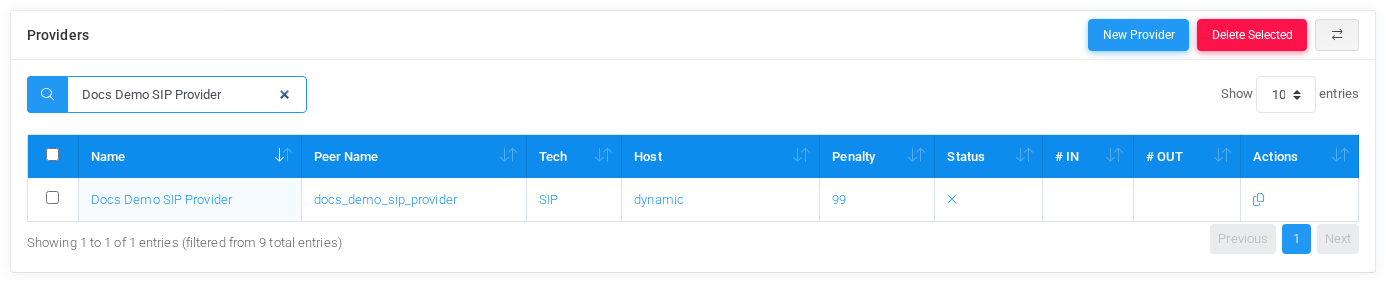
Select New Provider to create a carrier trunk or SMS gateway. Existing providers can be opened from the provider name or peer name links.
Information
Start with the provider identity. Use a descriptive Name that operators recognize, and use a stable Peer Name that matches the SIP peer, PJSIP endpoint, IAX peer, local route, or SMS gateway identifier used by the system. Choose the technology and set the status.
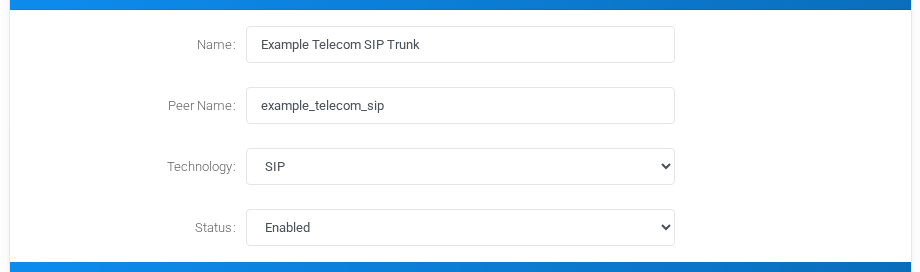
- Enabled allows inbound and outbound use.
- Disabled keeps the provider configured but unavailable.
- Only Inbound hides outbound routing options and is useful when the carrier should only deliver calls into the PBX.
Outbound Calls
Use outbound settings to normalize calls before sending them to the provider. Additional headers can be sent to SIP, PJSIP, IAX2, or SMS providers. Digits to add and digits to remove are applied during outbound routing. Caller ID presentation, caller ID modification, and caller ID regex control which caller identity the provider receives.
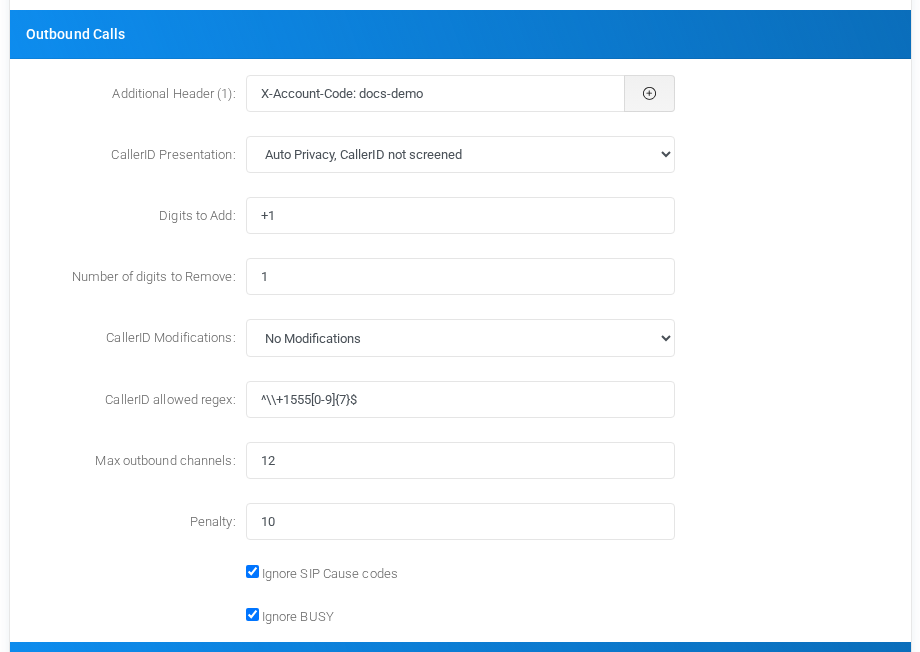
CallerID and CallerID Name force the caller identity for every call using the provider. Leave them blank when the caller ID should come from the extension and normal caller ID rules.
Max outbound channels limits concurrent outbound calls through the provider. Penalty is used by routing decisions and round-robin selection. The ignore options let routing continue to another provider when the current provider returns SIP cause codes or a BUSY status that should not stop the route search.
Inbound Calls
Inbound options normalize numbers before DID matching. Use these fields only when the carrier sends the destination number in a format that does not match the DIDs configured in the tenants.
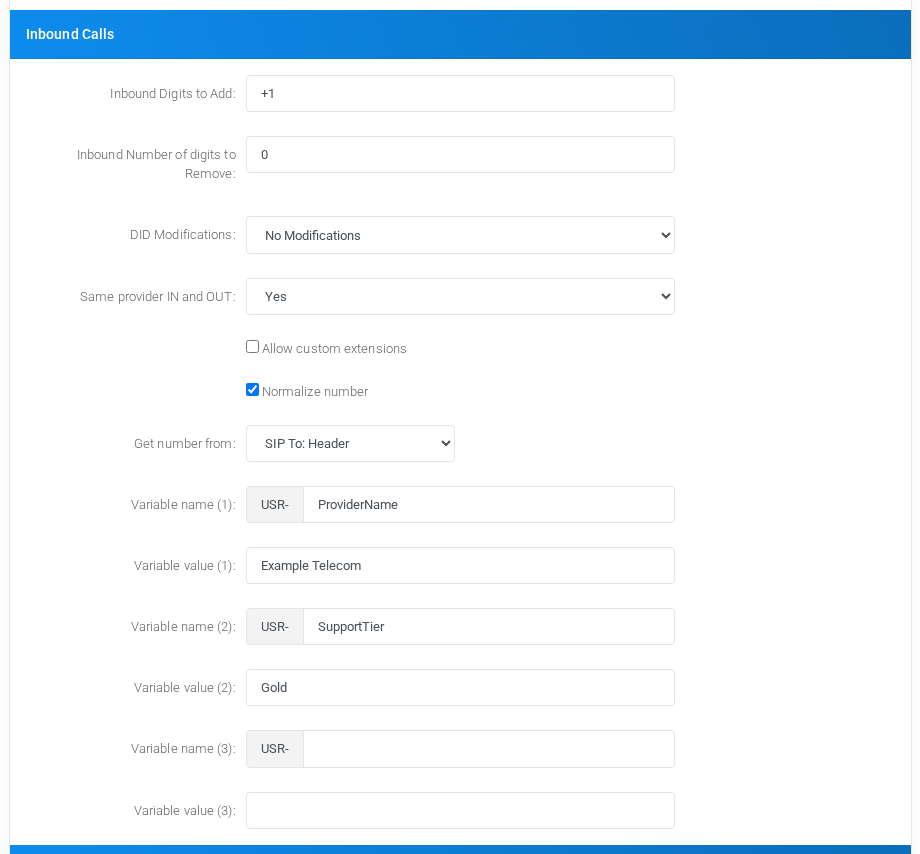
DID Modifications can rewrite inbound numbers before matching. Same provider IN and OUT controls whether a call that arrived from this provider may also leave through the same provider. The variable fields create user variables prefixed with USR-, which can later be used by routing logic and dialplan actions.
Realtime Account
For SIP, PJSIP, and IAX2 providers, enable Use Realtime Account when the provider should be represented by realtime Asterisk configuration. The fictional example below uses documentation IP and domain values.
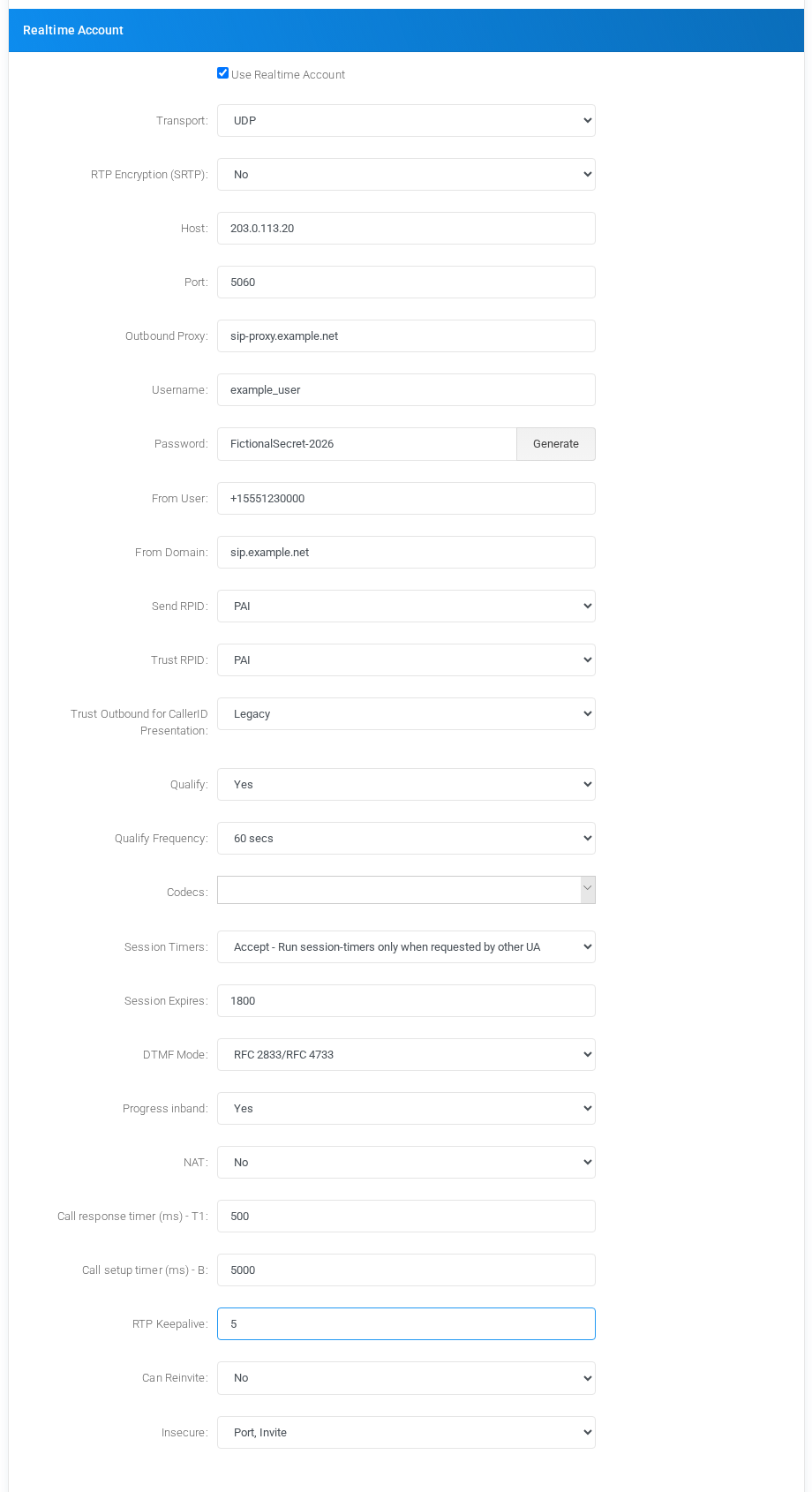
Use Host and Port for the provider address. For inbound calls, an IP address is preferred because Asterisk realtime matching cannot always rely on a hostname. Username, password, From User, From Domain, RPID/PAI handling, qualify settings, codecs, DTMF mode, NAT, timers, and RTP keepalive should match the carrier interconnection requirements.
SMS Provider Options
When the technology is SMS, the outbound section changes to SMS delivery settings. Choose the SMS protocol and complete the fields required by the provider. The JSON Web URL example shows a fictional REST endpoint and a JSON body built from MiRTA PBX SMS variables.
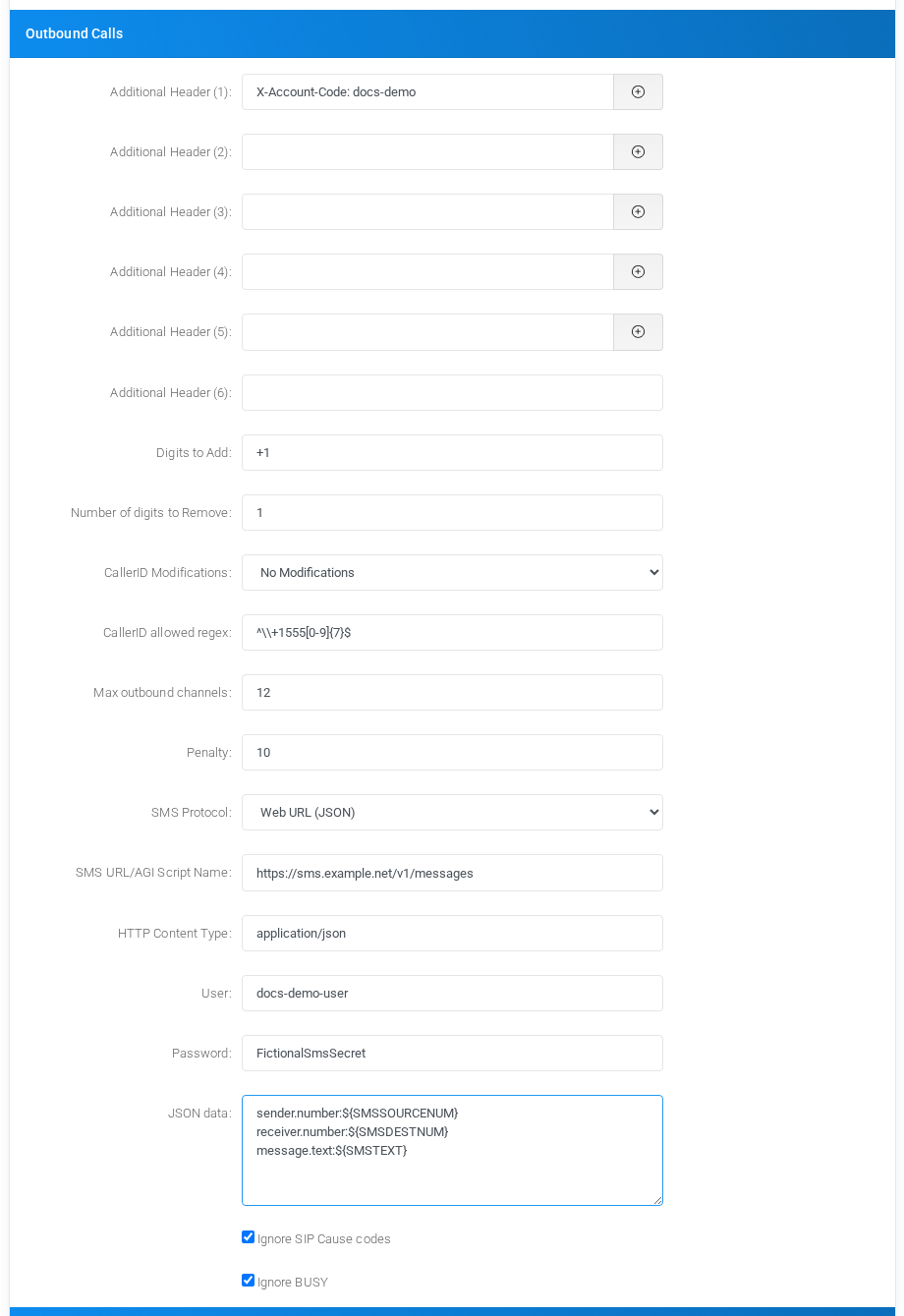
Common SMS variables include ${SMSTEXT}, ${SMSDESTNUM}, ${SMSSOURCENUM}, and ${SMSNAME}. For JSON payloads, dot notation in the field name creates nested JSON objects.
Save and Test
- Save the provider only after replacing the fictional values with production values from the carrier.
- Confirm the provider appears in the provider list.
- Create or update a routing profile so outbound calls can select the provider.
- Use provider status, channel counters, and call history to validate registration, dialing, inbound DID matching, and caller ID presentation.
No comments to display
No comments to display