
Configuring Zoiper to use chat
This page reorganizes the operational steps for Configuring Zoiper to use chat.
Unfortunately latest Zoiper version uses some additional SIP message formats breaking the compatibility with Asterisk
Zoiper is a common and stable SIP client available for multiple platform, including Windows. It has a nice chat feature using SIP SIMPLE protocol, supported by Asterisk and MiRTA PBX. Using the SIP SIMPLE protocol you can exchange messages with almost all kind of desktop and soft phones, like they were SMS. Configuring Zoiper to use that requires few extra steps.
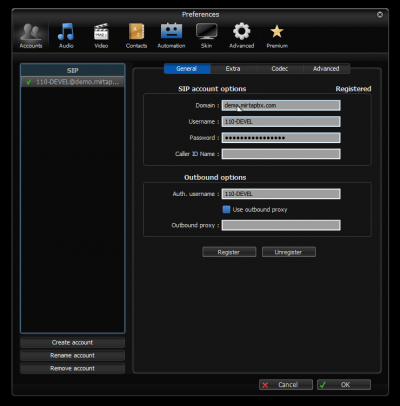
Start by configuring an account on Zoiper. All other options are default.
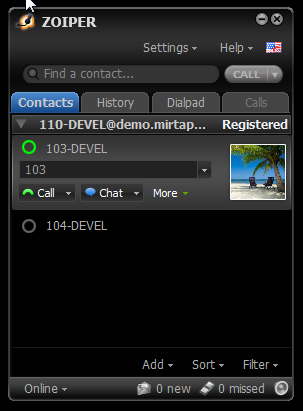
To be able to chat with an extension, this one needs to be configured in the contacts and available
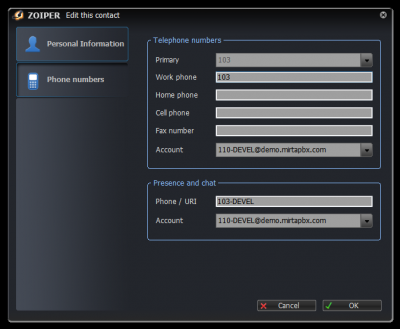
The extension needs to be configured for presence as following
Current Verification
After applying the change, verify the related MiRTA PBX page, the Asterisk logs, and the relevant Status menu entry. Recheck tenant selection before testing tenant-specific behavior.
No comments to display
No comments to display