Use this page to edit tenant-wide settings from Configuration > Settings. The settings are stored directly for the selected tenant, so review each block before saving.
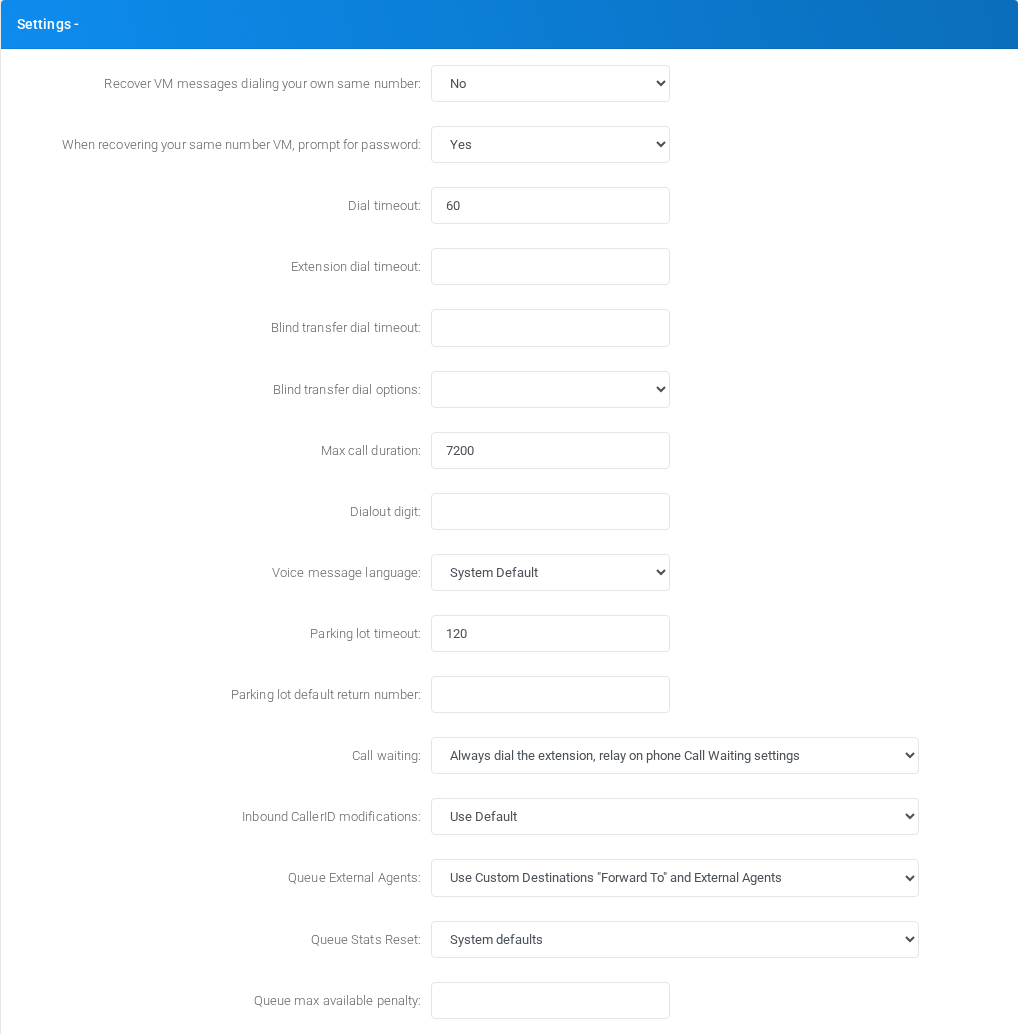
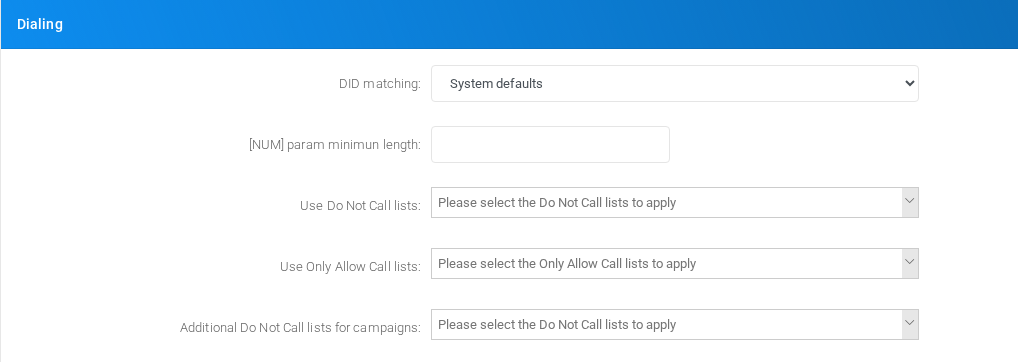
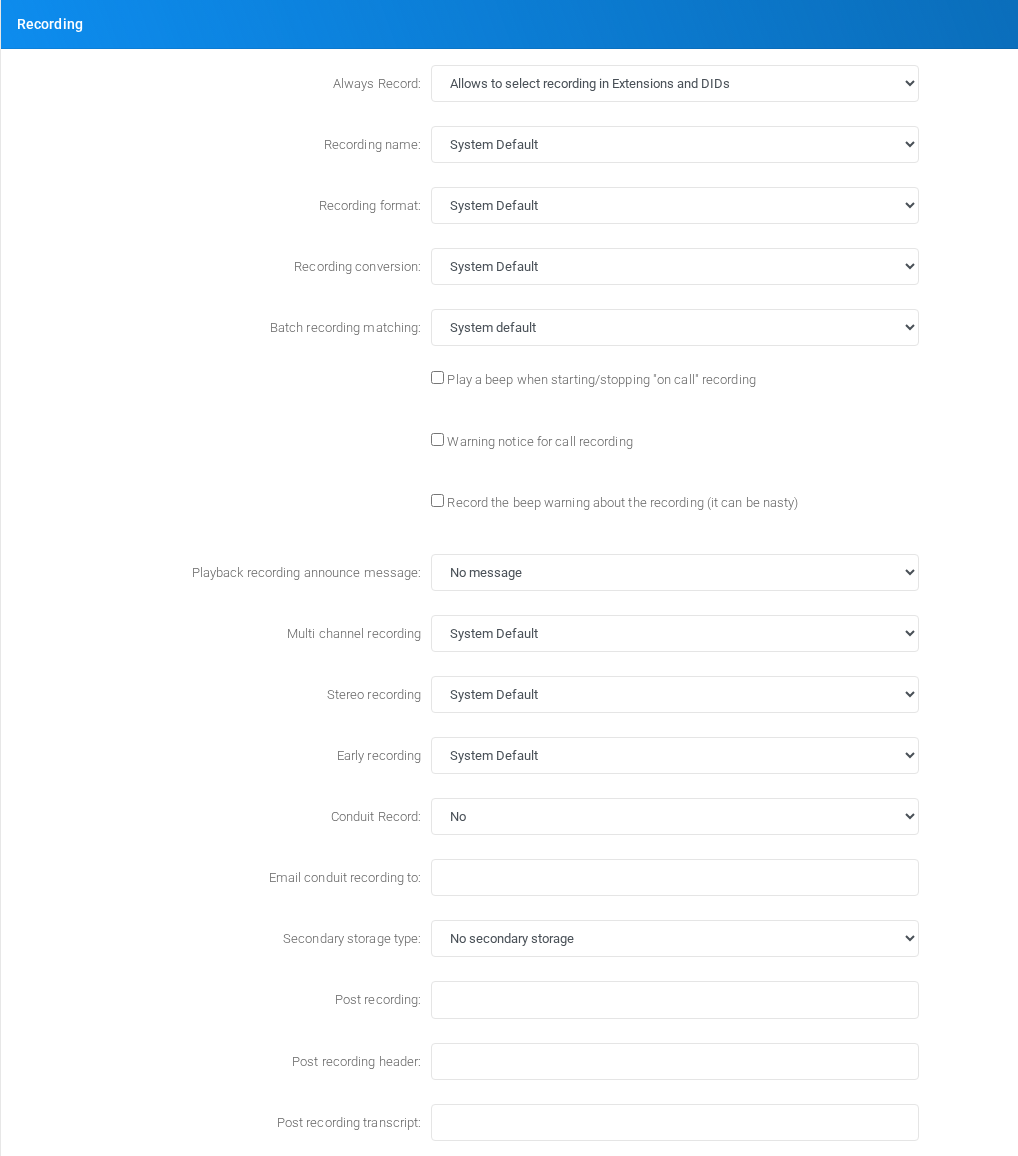
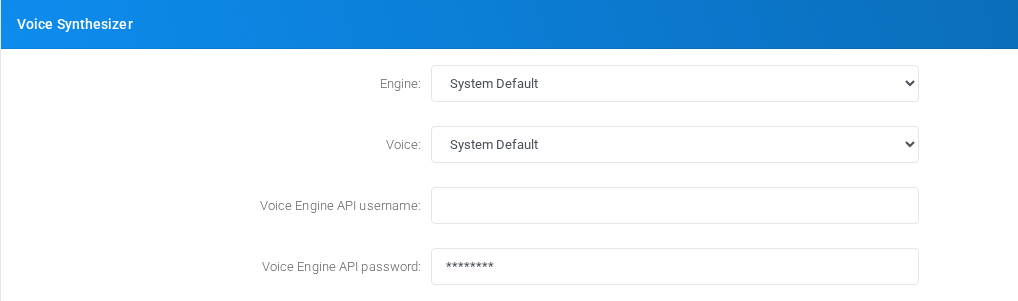
The screenshots below show the form block by block in the Canistracci OIL tenant.
Form sections
Section
Description
Settings
Object-specific settings that change runtime behavior.
Dialing
Settings shown in the Dialing block.
Diversion field for External Agents
Agent assignment and queue membership behavior.
Autocreated Custom Destination
Settings shown in the Autocreated Custom Destination block.
Recording
Recording storage and recording-related options.
Voice Synthesizer
Voice calling behavior, caller handling, recording, and voice-specific limits.
Speech to Text
Settings shown in the Speech to Text block.
Generative Artificial Intelligent chat models
Settings shown in the Generative Artificial Intelligent chat models block.
Dial By Name Directory
Settings shown in the Dial By Name Directory block.
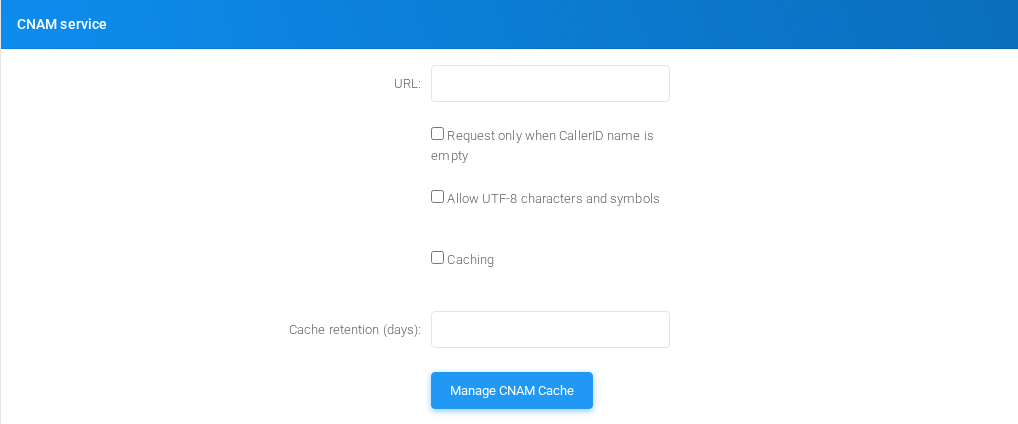
CNAM service
Settings shown in the CNAM service block.
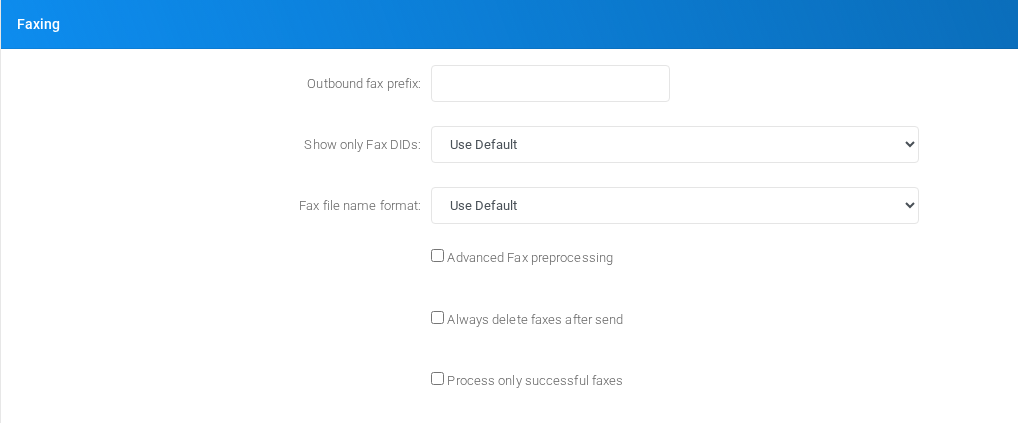
Faxing
Fax handling, quality, storage, delivery, and fax-specific transport settings.
MS Teams integration
Settings shown in the MS Teams integration block.
API Interface
API-related credentials, restrictions, and integration controls.
Default Music On Hold
Settings shown in the Default Music On Hold block.
Unassigned DID destination
Settings shown in the Unassigned DID destination block.
General DID destination
Settings shown in the General DID destination block.
General Outbound destination
Settings shown in the General Outbound destination block.
Emergency numbers notification
Settings shown in the Emergency numbers notification block.
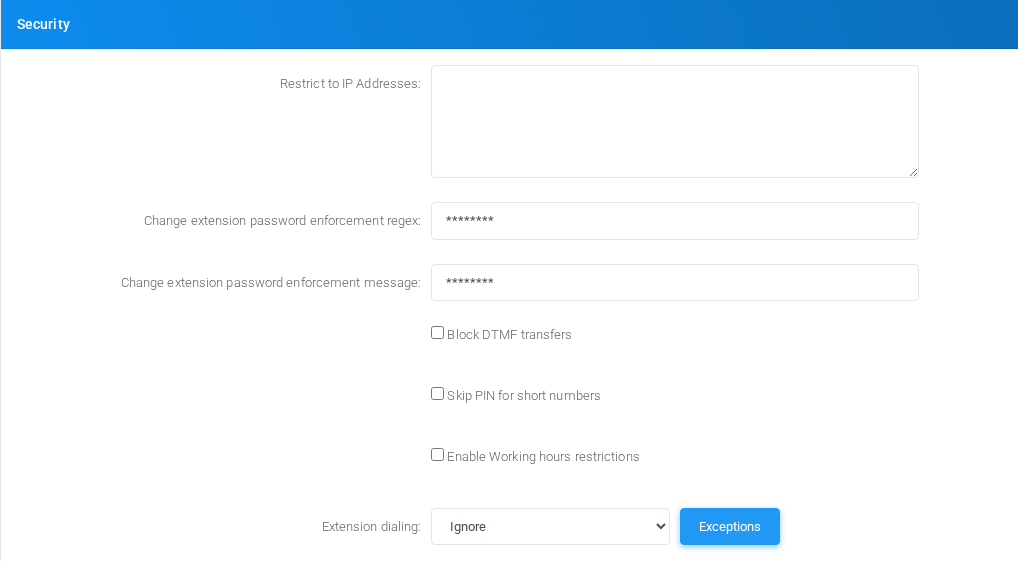
Security
Tenant security, limits, and access controls.
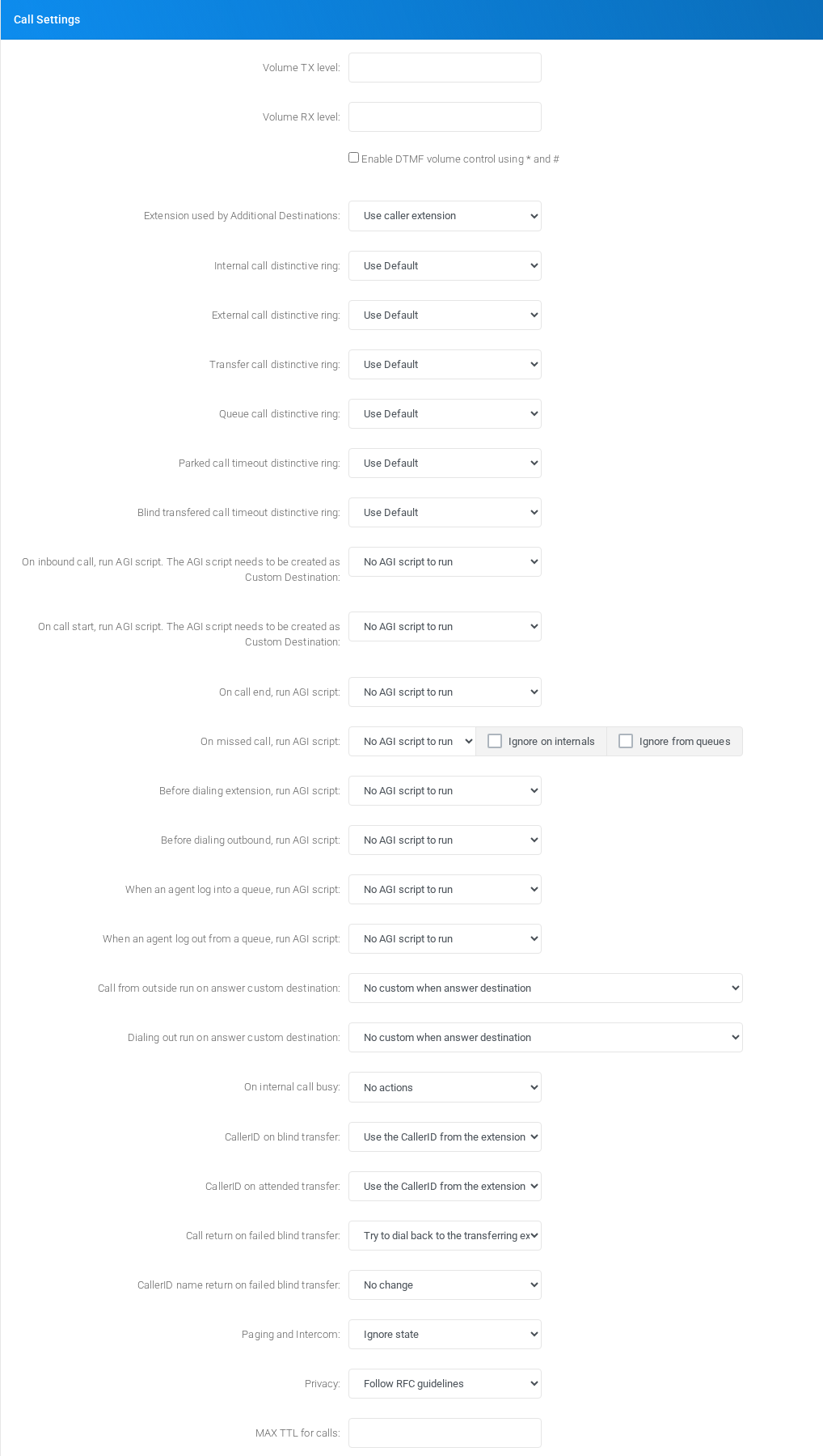
Call Settings
Object-specific settings that change runtime behavior.
Outbound Calls
Settings shown in the Outbound Calls block.
CSV Exports
Settings shown in the CSV Exports block.
Voicemail Settings
Voice calling behavior, caller handling, recording, and voice-specific limits.
Voicemail backup
Voice calling behavior, caller handling, recording, and voice-specific limits.
Settings
Settings section on the page.
Object-specific settings that change runtime behavior.
Dialing
Dialing section on the page.
Settings shown in the Dialing block.
Diversion field for External Agents
Diversion field for External Agents section on the page.
Agent assignment and queue membership behavior.
Autocreated Custom Destination
Autocreated Custom Destination section on the page.
Settings shown in the Autocreated Custom Destination block.
Recording
Recording section on the page.
Recording storage and recording-related options.
Voice Synthesizer
Voice Synthesizer section on the page.
Voice calling behavior, caller handling, recording, and voice-specific limits.
Speech to Text
The Speech to Text block configures the recognition engine used by the selected tenant. The screenshots use fictional values in the Canistracci Oil tenant. Do not save these values on a production system.
Choose System Default when the tenant should inherit the global engine and credentials. Choose a specific engine when this tenant needs its own language, endpoint, credentials, model, or provider-specific options.
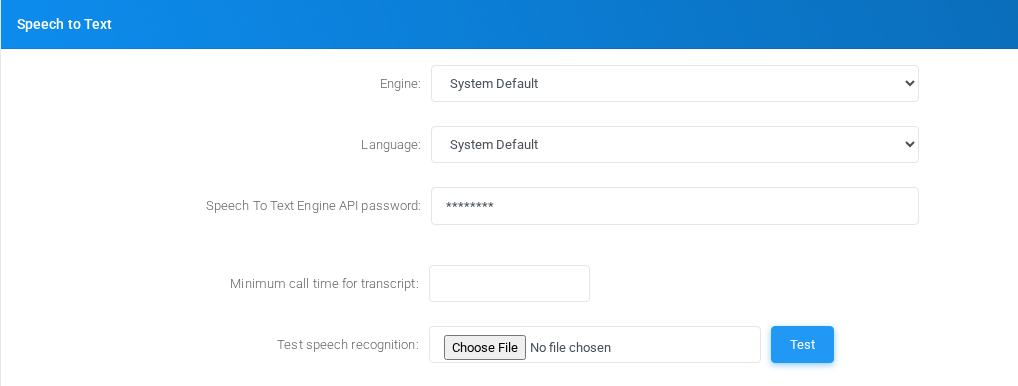
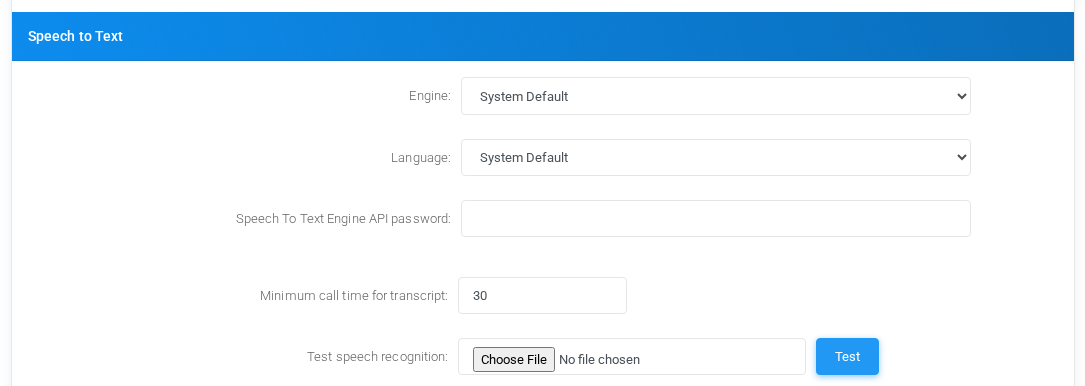
System Default
Speech to Text sectionsettings for System Default with fictional documentation values.
FieldMeaning
EngineUse System Default to inherit the global Speech to Text engine. This is the normal choice when all tenants share the same transcription provider.
LanguageLeave as System Default to inherit the global language selection. If a tenant override is available, select the language expected for that tenant audio.
Speech To Text Engine API passwordLeave empty to inherit the global secret. Fill it only when the tenant must override the credential used by the inherited engine.
Minimum call time for transcriptCalls shorter than this number of seconds are not sent for transcription. This avoids sending very short recordings to the external service.
Test speech recognitionUpload a WAV file and select Test to verify the currently selected engine configuration before relying on theit page.for call transcripts.
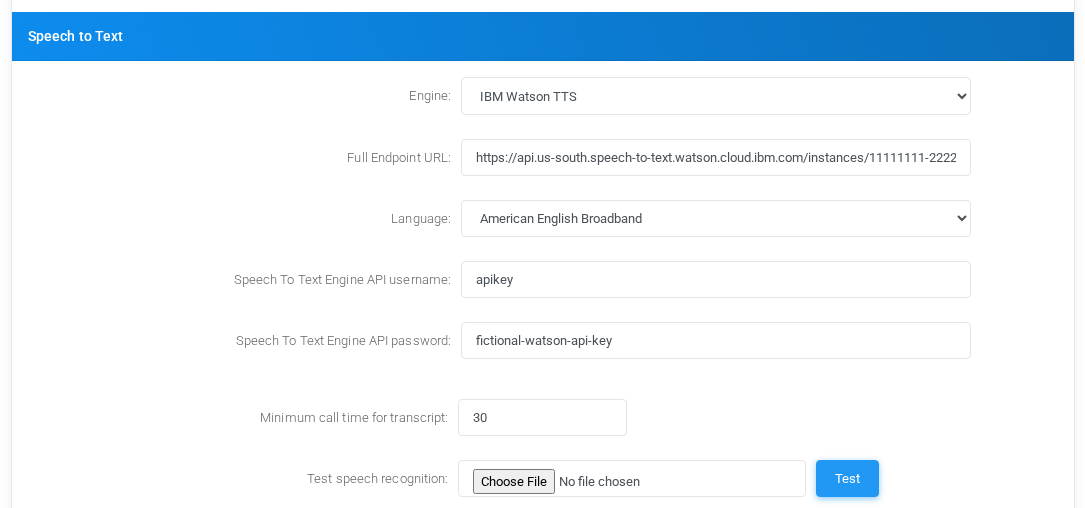
IBM Watson TTS
Speech to Text settings for IBM Watson TTS with fictional documentation values.
Settings
FieldMeaning
EngineSelects IBM Watson as the tenant Speech to Text provider. The historical engine name includes TTS, but this block is used for speech recognition.
Full Endpoint URLWatson recognition endpoint, including the service instance path. Use the recognize endpoint supplied by IBM for the tenant account or service instance.
LanguageRecognition model used by Watson, such as an American English broadband model. Choose the model that matches the audio language and expected bandwidth.
Speech To Text Engine API usernameWatson credential username. Many IBM deployments use apikey as the username when authenticating with an API key.
Speech To Text Engine API passwordWatson API key or password. The screenshot uses a fictional value.
Minimum call time for transcriptMinimum recording duration, in seconds, before MiRTA PBX attempts transcription.
Test speech recognitionRuns a test upload through the configured Watson settings.
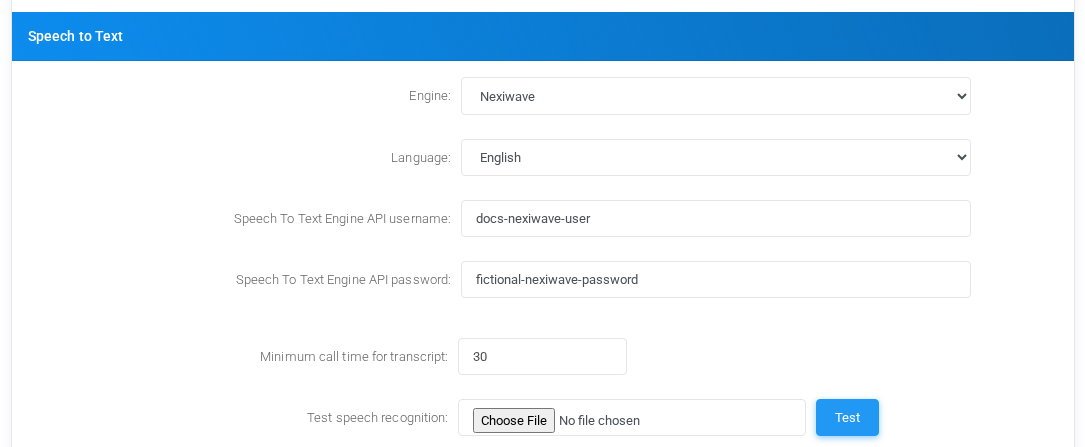
Nexiwave
Speech to Text settings for Nexiwave with fictional documentation values.
FieldMeaning
EngineSelects Nexiwave as the tenant Speech to Text provider.
LanguageLanguage sent to Nexiwave for recognition. The installed option shown in the example is English.
Speech To Text Engine API usernameNexiwave account username for the tenant-specific integration.
Speech To Text Engine API passwordNexiwave password or API secret. The screenshot uses a fictional value.
Minimum call time for transcriptMinimum recording duration before the call is eligible for transcription.
Test speech recognitionUploads a WAV file to test the configured Nexiwave credentials and language.
Google Cloud Speech to Text
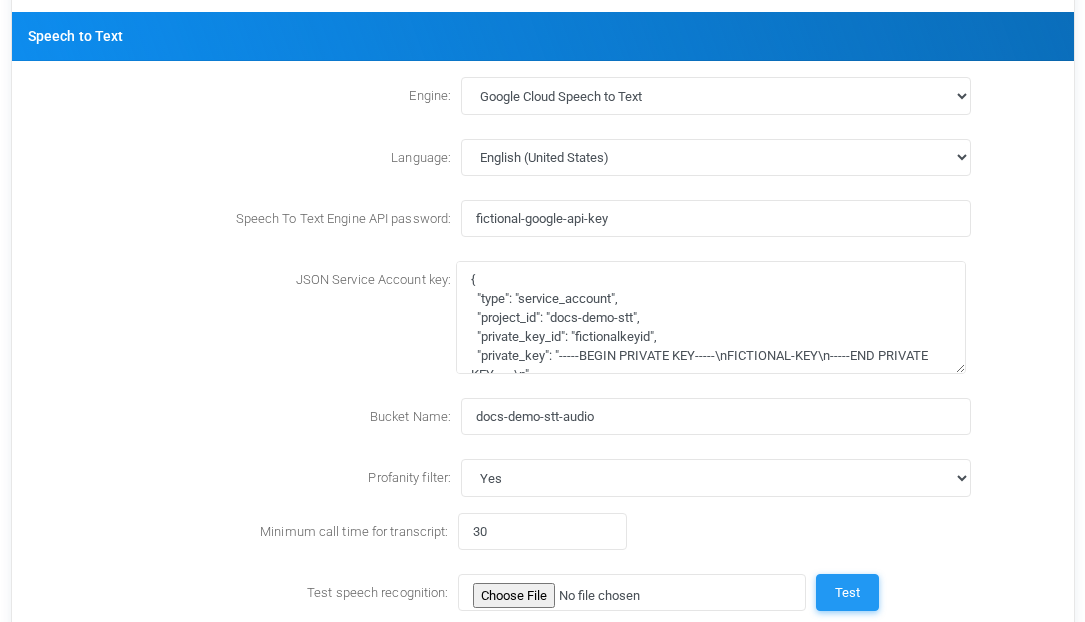
Speech to Text block.settings for Google Cloud Speech to Text with fictional documentation values.
FieldMeaning
EngineSelects Google Cloud Speech to Text for tenant transcription.
LanguageGoogle recognition language code. Choose the language that best matches the callers; the example uses English (United States).
Speech To Text Engine API passwordGoogle API key used when audio is submitted directly without a storage bucket. Leave empty only when the deployment inherits the value elsewhere.
JSON Service Account keyService account JSON used when audio is uploaded to Google Cloud Storage before transcription. The account must have access to the bucket.
Bucket NameGoogle Cloud Storage bucket used to stage audio for transcription. The bucket must already exist and be accessible by the service account.
Profanity filterControls whether Google should attempt to mask profanity in returned transcripts. Use System Default to inherit the global behavior, or force Yes or No for this tenant.
Minimum call time for transcriptMinimum recording duration before MiRTA PBX sends the call to Google.
Test speech recognitionUploads a WAV file and validates the Google configuration.
AssemblyAI
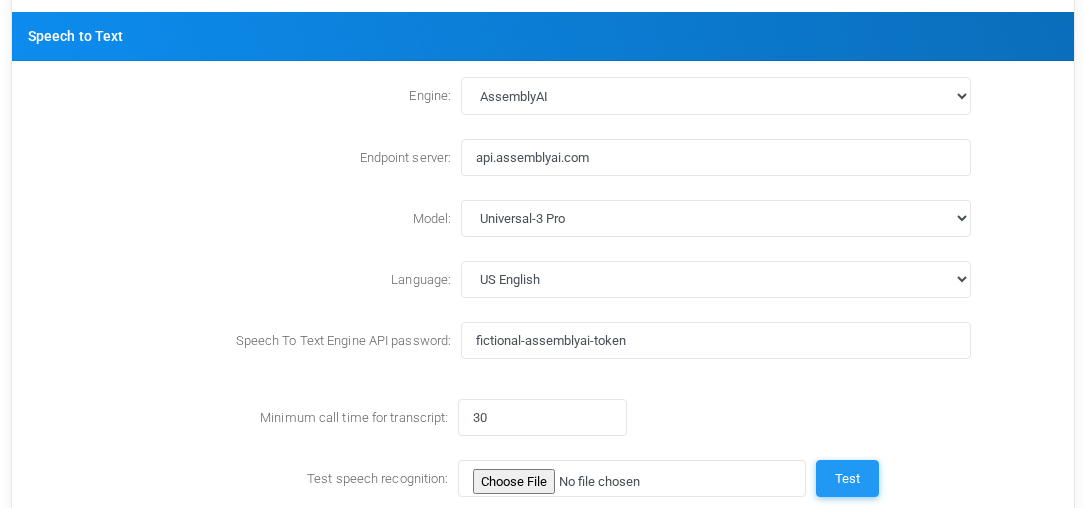
Speech to Text settings for AssemblyAI with fictional documentation values.
FieldMeaning
EngineSelects AssemblyAI as the tenant Speech to Text provider.
Endpoint serverAssemblyAI API host. Leave empty for the platform default, or set a host such as api.assemblyai.com when documenting or overriding the endpoint.
ModelAssemblyAI model used for the transcript request. Use the stronger model when accuracy matters, or a fallback combination when availability is more important.
Keyterms PromptOne key term per line. These terms bias recognition toward tenant names, product names, department names, or PBX terminology.
Custom SpellingOne replacement per line in the form heard term:correct spelling. Use it for brand names and technical terms that are often transcribed incorrectly.
LanguageLanguage sent to AssemblyAI. Automatic lets AssemblyAI detect the language, while a specific language restricts recognition to that language.
Speech To Text Engine API passwordAssemblyAI API token. The screenshot uses a fictional value.
Minimum call time for transcriptMinimum recording duration before the call is eligible for transcription.
Test speech recognitionUploads a WAV file to test the AssemblyAI endpoint, model, token, and language choices.
GeminiAI
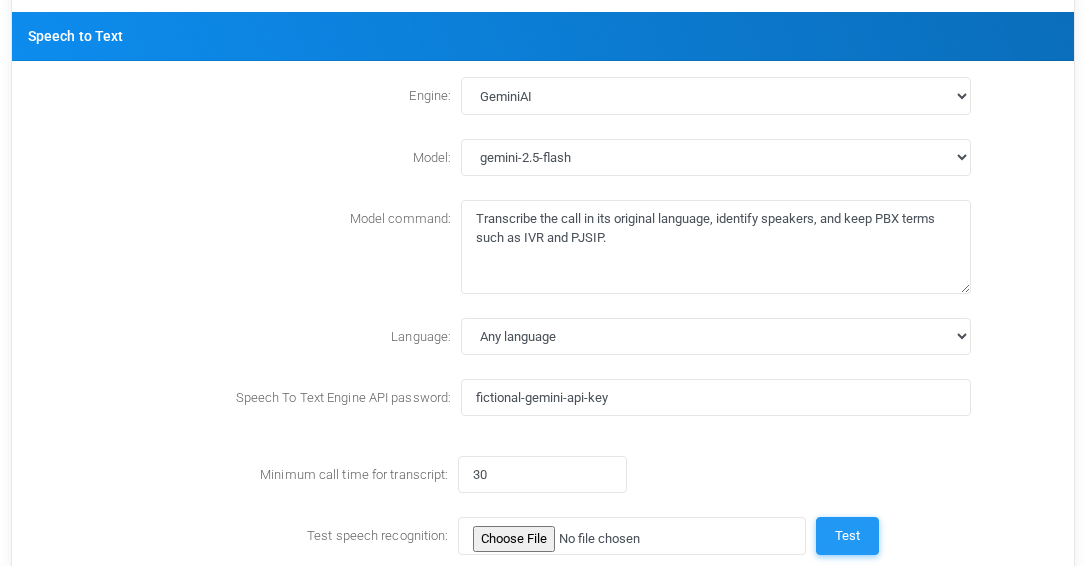
Speech to Text settings for GeminiAI with fictional documentation values.
FieldMeaning
EngineSelects GeminiAI for speech recognition through a generative AI model.
ModelGemini model used for transcription. Select the model according to the required balance of speed, cost, and accuracy.
Model commandInstruction sent to the model for the transcription task. Leave it empty to use the default command, or provide tenant-specific instructions such as speaker separation and terminology handling.
LanguageRecognition language. The GeminiAI language list can be left at the inherited value or set to an available language option such as any language.
Speech To Text Engine API passwordGemini API key. The screenshot uses a fictional value.
Minimum call time for transcriptMinimum recording duration before MiRTA PBX asks GeminiAI to transcribe the call.
Test speech recognitionUploads a WAV file and verifies the GeminiAI model, command, key, and language settings.
Operational Notes
Speech recognition is an external-service workflow. Confirm provider cost, privacy, retention, and data-processing requirements before enabling it for a tenant.
The selected engine, language, credentials, and provider-specific fields are read when a recording is submitted for transcription. Changing these settings affects future transcription attempts.
Use the test upload after changing credentials, language, endpoint, bucket, or model options. A successful test is the quickest confirmation that the tenant-level override is usable.
Generative Artificial Intelligent chat models
Generative Artificial Intelligent chat models section on the page.
Settings shown in the Generative Artificial Intelligent chat models block.
Dial By Name Directory
Dial By Name Directory section on the page.
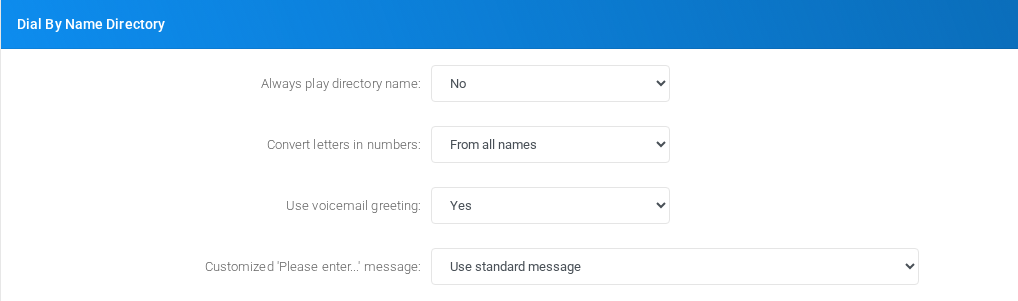
Settings shown in the Dial By Name Directory block.
CNAM service
CNAM service section on the page.
Settings shown in the CNAM service block.
Faxing
Faxing section on the page.
Fax handling, quality, storage, delivery, and fax-specific transport settings.
MS Teams integration
MS Teams integration section on the page.
Settings shown in the MS Teams integration block.
API Interface
API Interface section on the page.
API-related credentials, restrictions, and integration controls.
Default Music On Hold
Default Music On Hold section on the page.
Settings shown in the Default Music On Hold block.
Unassigned DID destination
Unassigned DID destination section on the page.
Settings shown in the Unassigned DID destination block.
General DID destination
General DID destination section on the page.
Settings shown in the General DID destination block.
General Outbound destination
General Outbound destination section on the page.
Settings shown in the General Outbound destination block.
Emergency numbers notification
Emergency numbers notification section on the page.
Settings shown in the Emergency numbers notification block.
Security
Security section on the page.
Tenant security, limits, and access controls.
Call Settings
Call Settings section on the page.
Object-specific settings that change runtime behavior.
Outbound Calls
Outbound Calls section on the page.
Settings shown in the Outbound Calls block.
CSV Exports
CSV Exports section on the page.
Settings shown in the CSV Exports block.
Voicemail Settings
Voicemail Settings section on the page.
Voice calling behavior, caller handling, recording, and voice-specific limits.
Voicemail backup
Voicemail backup section on the page.
Voice calling behavior, caller handling, recording, and voice-specific limits.
Saving changes
Task
How to do it
Edit
Change the required tenant settings in the relevant block, then select Save.
Linked pages
Use the buttons inside Settings to open related management pages such as CNAM cache, manager users, routing rules, and PIN codes.
Delete
Settings itself is not deleted. Delete actions are handled on the linked object pages.