
Edit Settings
Use this page to edit tenant-wide settings from Configuration > Settings. The settings are stored directly for the selected tenant, so review each block before saving.
The screenshots below show the form block by block in the Canistracci OIL tenant.
Form sections
| Section | Description |
|---|---|
| Settings - Canistracci Oil | Object-specific settings that change runtime behavior. |
| Dialing | Settings shown in the Dialing block. |
| Diversion field for External Agents | Agent assignment and queue membership behavior. |
| Autocreated Custom Destination | Settings shown in the Autocreated Custom Destination block. |
| Recording | Recording storage and recording-related options. |
| Voice Synthesizer | Voice calling behavior, caller handling, recording, and voice-specific limits. |
| Speech to Text | Settings shown in the Speech to Text block. |
| Generative Artificial Intelligent chat models | Settings shown in the Generative Artificial Intelligent chat models block. |
| Dial By Name Directory | Settings shown in the Dial By Name Directory block. |
| CNAM service | Settings shown in the CNAM service block. |
| Faxing | Fax handling, quality, storage, delivery, and fax-specific transport settings. |
| MS Teams integration | Settings shown in the MS Teams integration block. |
| API Interface | API-related credentials, restrictions, and integration controls. |
| Default Music On Hold | Settings shown in the Default Music On Hold block. |
| Unassigned DID destination | Settings shown in the Unassigned DID destination block. |
| General DID destination | Settings shown in the General DID destination block. |
| General Outbound destination | Settings shown in the General Outbound destination block. |
| Emergency numbers notification | Settings shown in the Emergency numbers notification block. |
| Security | Tenant security, limits, and access controls. |
| Call Settings | Object-specific settings that change runtime behavior. |
| Outbound Calls | Settings shown in the Outbound Calls block. |
| CSV Exports | Settings shown in the CSV Exports block. |
| Voicemail Settings | Voice calling behavior, caller handling, recording, and voice-specific limits. |
| Voicemail backup | Voice calling behavior, caller handling, recording, and voice-specific limits. |
Settings - Canistracci Oil
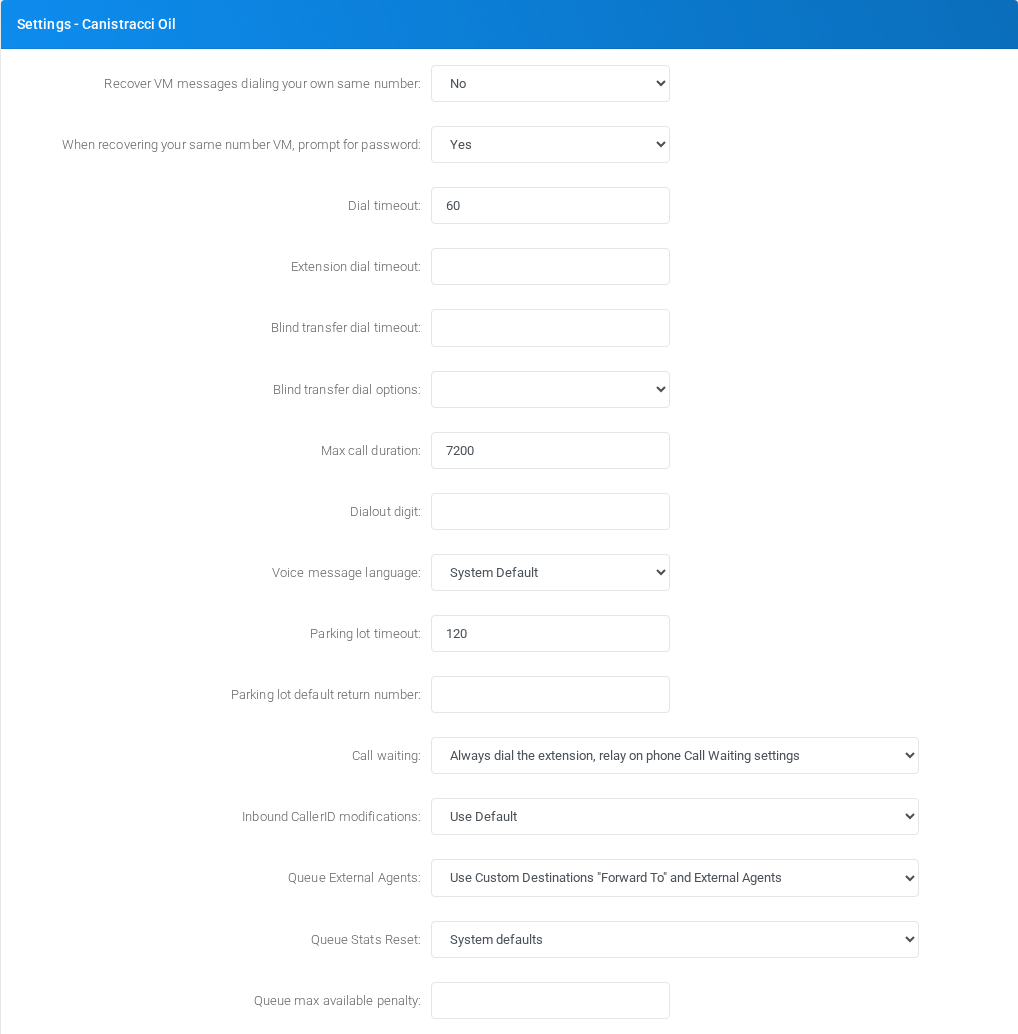
Object-specific settings that change runtime behavior.
Dialing
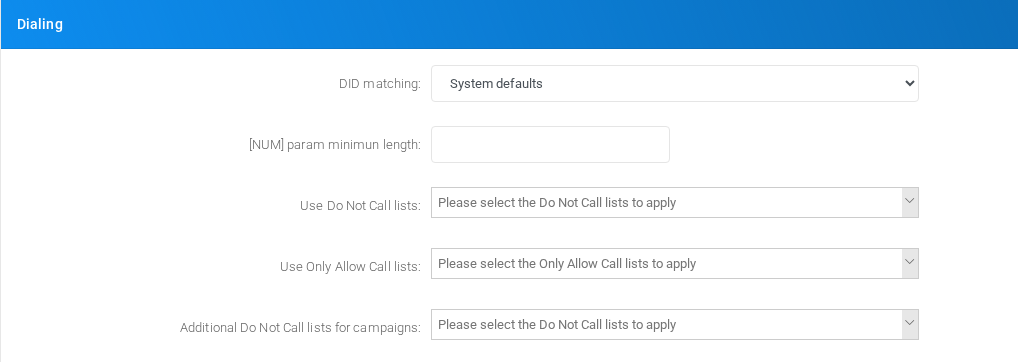
Settings shown in the Dialing block.
Diversion field for External Agents

Agent assignment and queue membership behavior.
Autocreated Custom Destination
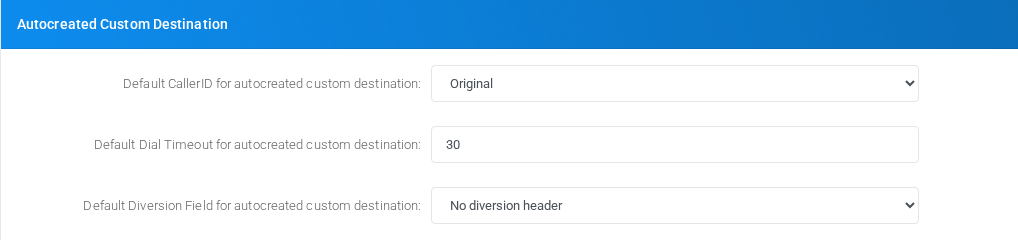
Settings shown in the Autocreated Custom Destination block.
Recording
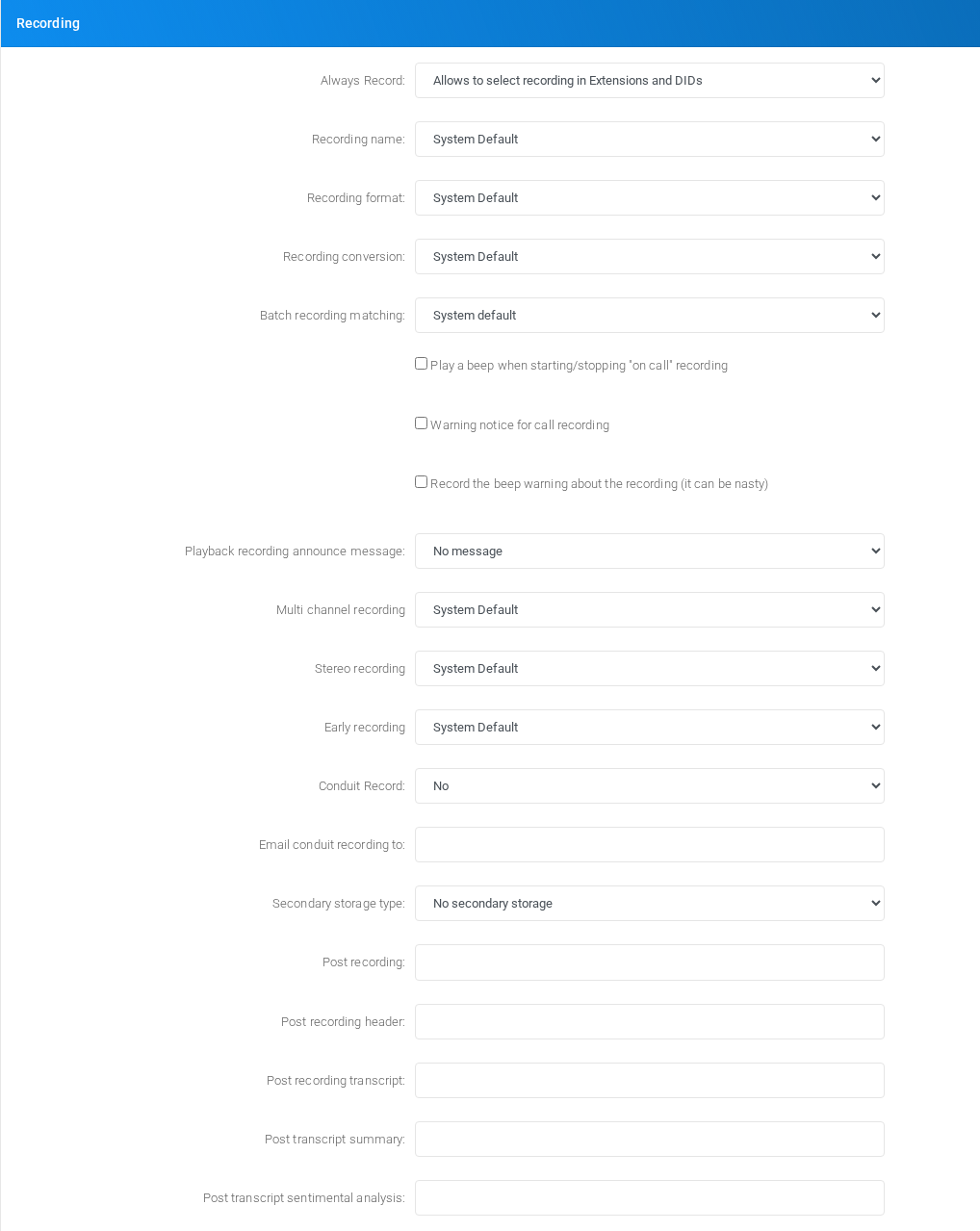
Recording storage and recording-related options.
Post recording payload format
Use Post recording to send each completed call recording to an external HTTP endpoint after MiRTA PBX has processed the recording file. The URL can contain %%TENANTID%% and %%UNIQUEID%%; MiRTA PBX replaces them before making the HTTP request. Treat the unique id replacement as an opaque value because the current server value can include surrounding single quotes.
The request is an HTTP POST using multipart/form-data. It contains these form fields:
| Field | Content |
|---|---|
data | A JSON string with recording and call metadata. |
file | The recording file uploaded as application/octet-stream. The upload filename is the base name of the recording file. |
If Post recording header is configured, MiRTA PBX sends it as one raw HTTP header with the request, for example Authorization: Bearer token-value. Leave it empty when the receiving endpoint does not require a custom header.
The data form field contains JSON in this format:
{
  "filename": "/var/spool/asterisk/monitor/example.wav",
  "format": "'wav'",
  "uniqueid": "'srv01-1710000000.123'",
  "tenant": "tenant-code",
  "tenantid": "1",
  "start": "2026-06-08 12:34:56",
  "emailrecording": "recordings@example.com",
  "src": "100",
  "realsrc": "100",
  "firstdst": "200",
  "lastdst": "200",
  "disposition": "ANSWERED",
  "clid": "\"Caller Name\" <100>",
  "size": 123456,
  "wherelanded": "200",
  "whereladedcidname": "Agent Name"
}| JSON key | Description |
|---|---|
filename | Full local path of the processed recording file on the PBX server at the time of the POST. |
format | Recording format after conversion, such as wav, mp3, or ogg. The current payload can include surrounding single quotes. |
uniqueid | Asterisk/MiRTA PBX recording unique id. The current payload can include surrounding single quotes, so parse it as an opaque string. |
tenant | Tenant code. |
tenantid | Numeric tenant id. |
start | Recording or call start date/time received by the upload process. |
emailrecording | Email recipients configured for recording delivery, including any recipients added while the recording was running. |
src | Original source caller or extension value. |
realsrc | Resolved real source value used by the call flow. |
firstdst | First destination dialed for the call. |
lastdst | Final destination reached by the call. |
disposition | Final call disposition, such as answered, busy, failed, or no answer. |
clid | Caller ID string associated with the call. |
size | Processed recording file size in bytes. |
wherelanded | Destination or extension where the call landed, when available. |
whereladedcidname | Caller ID name for the landing destination, when available. The key is currently spelled whereladedcidname; keep this spelling when parsing the payload. |
Voice Synthesizer
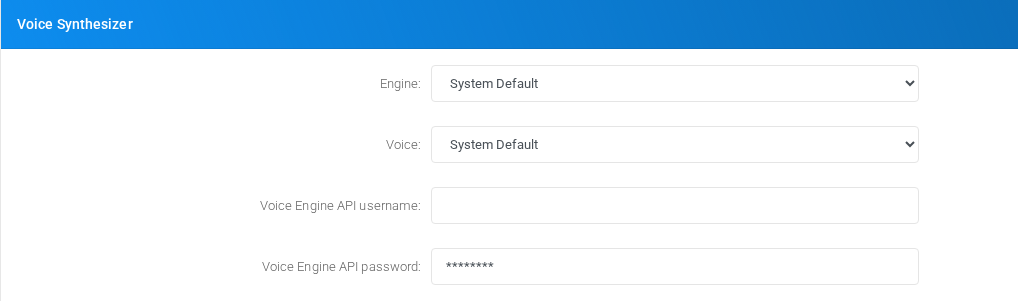
Voice calling behavior, caller handling, recording, and voice-specific limits.
Speech to Text
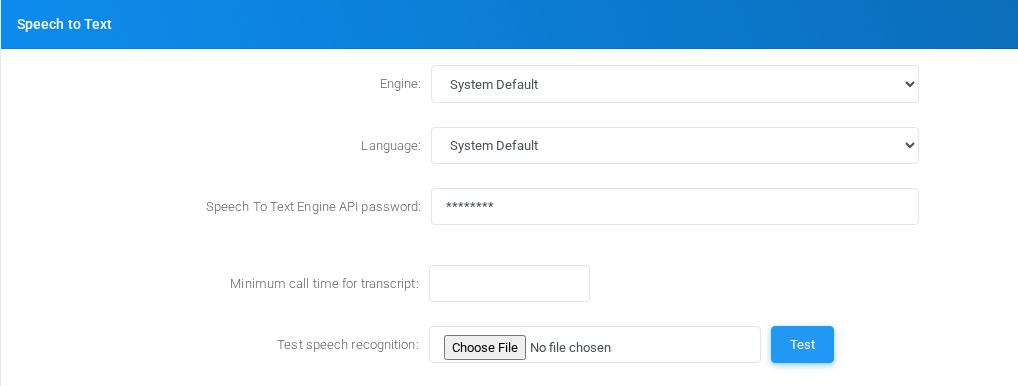
Settings shown in the Speech to Text block.
Generative Artificial Intelligent chat models

Settings shown in the Generative Artificial Intelligent chat models block.
Recording processing email notifications
Recording processing email notifications controls which emails are sent when transcript, summary, and sentimental analysis processing is requested for the same call.
| Option | Behavior |
|---|---|
| System Default | Uses the value configured in Admin > Settings. |
| Always send the notification | Sends every requested transcript, summary, and sentimental analysis notification. This is the compatibility default. |
| Send the notification only for the last process | For each email recipient, sends only the highest requested processing result. |
Last-process mode uses this priority: sentimental analysis > summary > transcript. A higher process suppresses a lower email only when email notification was requested for the same recipient. Email matching is case-insensitive, and recipients requested only for a lower process still receive that lower-process notification.
For example, if transcript notification is requested for A and B, summary for B and C, and sentimental analysis for C and D, A receives the transcript, B receives the summary, and C and D receive the sentimental analysis.
Suppression is based on the requested processing stage. If a higher process later fails, MiRTA PBX does not send a lower-stage fallback notification.
Dial By Name Directory
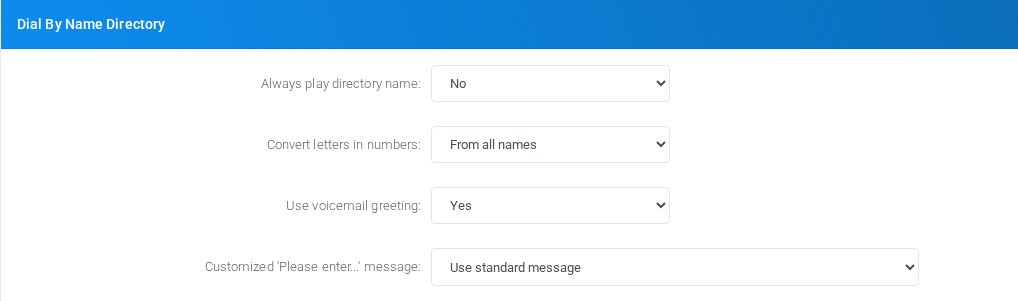
Settings shown in the Dial By Name Directory block.
CNAM service
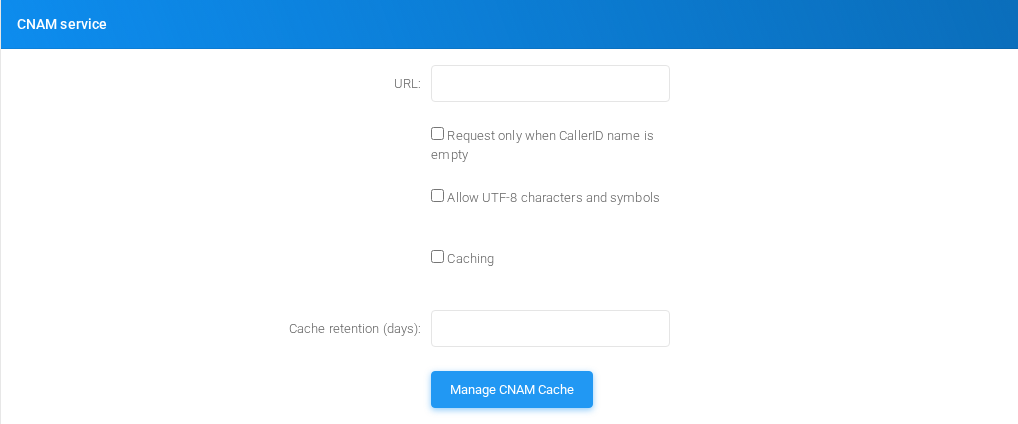
Settings shown in the CNAM service block.
Faxing
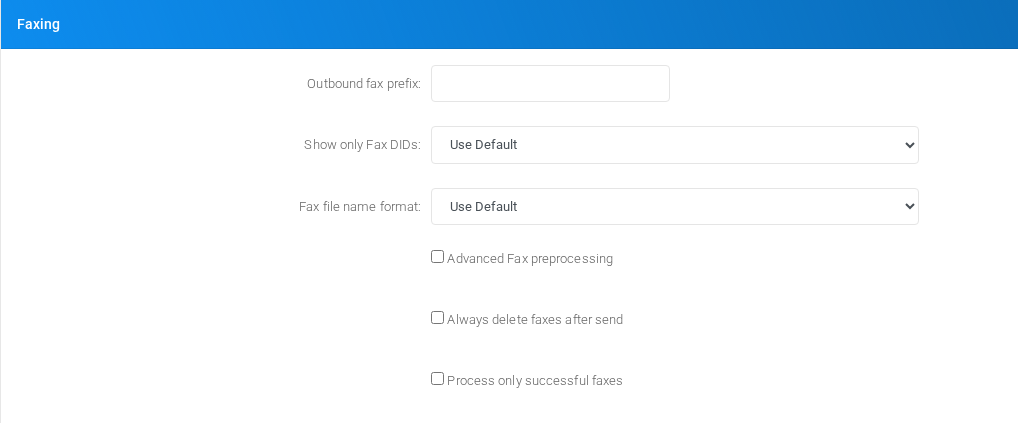
Fax handling, quality, storage, delivery, and fax-specific transport settings.
MS Teams integration

Settings shown in the MS Teams integration block.
API Interface

Default Music On Hold

Settings shown in the Default Music On Hold block.
Unassigned DID destination

Settings shown in the Unassigned DID destination block.
General DID destination

Settings shown in the General DID destination block.
General Outbound destination

Settings shown in the General Outbound destination block.
Emergency numbers notification

Settings shown in the Emergency numbers notification block.
Security

Tenant security, limits, and access controls.
Call Settings
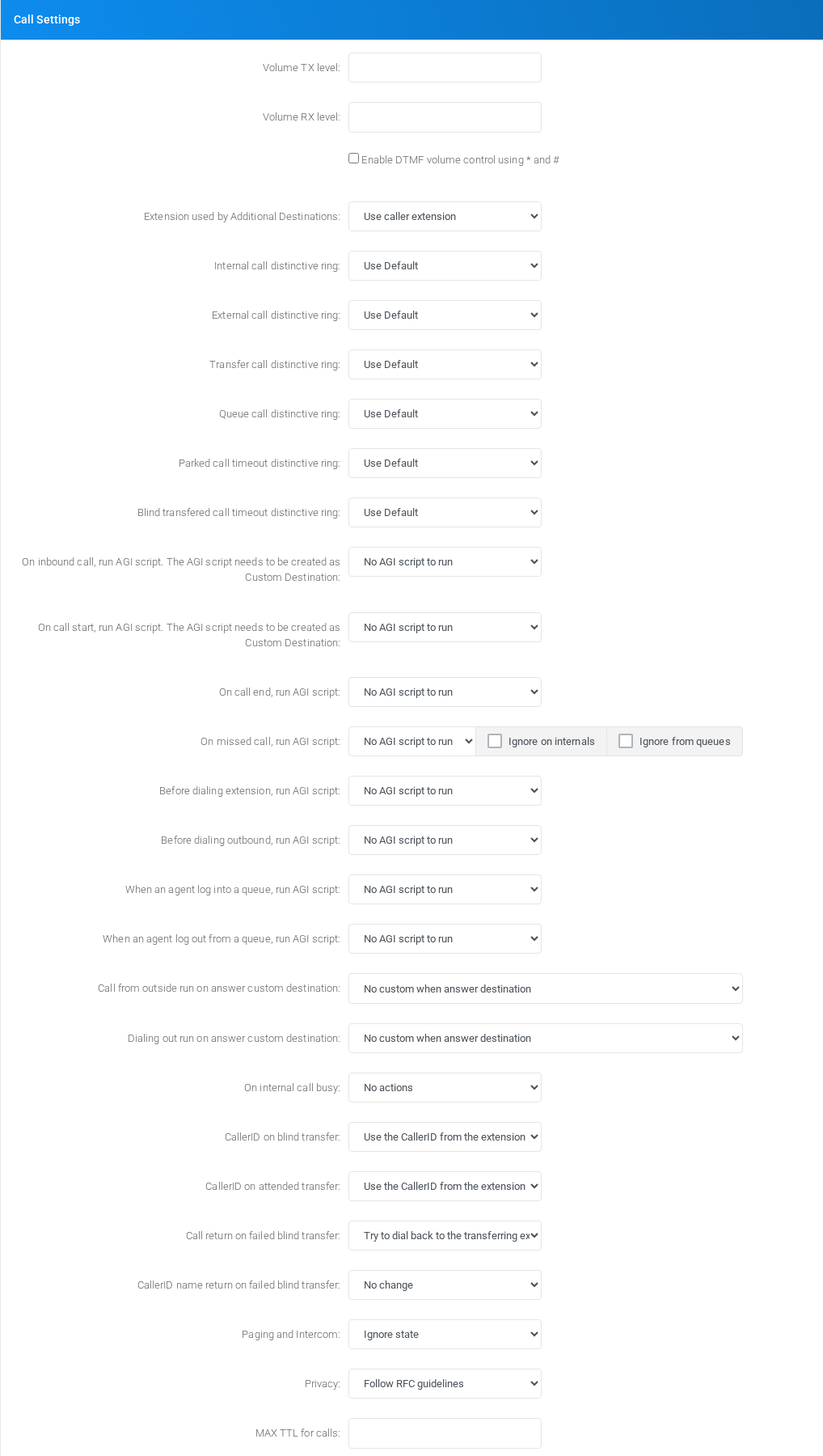
Object-specific settings that change runtime behavior.
Outbound Calls
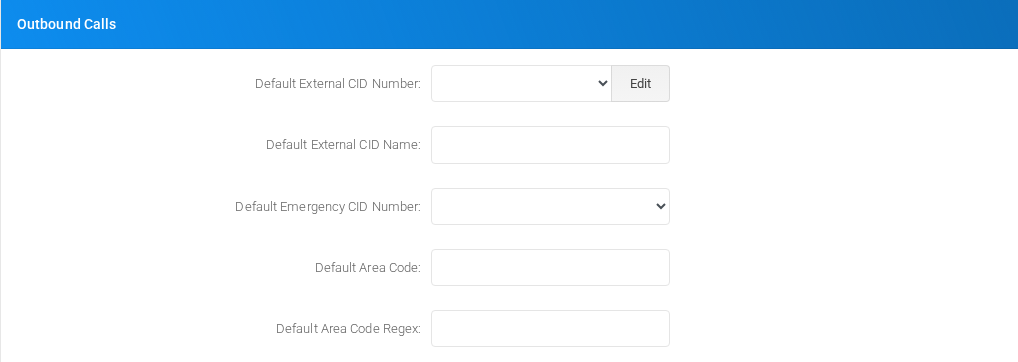
Settings shown in the Outbound Calls block.
CSV Exports

Settings shown in the CSV Exports block.
Voicemail Settings

Voice calling behavior, caller handling, recording, and voice-specific limits.
Voicemail backup

Voice calling behavior, caller handling, recording, and voice-specific limits.
Saving changes
| Task | How to do it |
|---|---|
| Edit | Change the required tenant settings in the relevant block, then select Save. |
| Linked pages | Use the buttons inside Settings to open related management pages such as CNAM cache, manager users, routing rules, and PIN codes. |
| Delete | Settings itself is not deleted. Delete actions are handled on the linked object pages. |
No comments to display
No comments to display