
Overview
The Queues page defines call queues, agent behavior, announcements, callbacks, and queue reporting settings. Open it from Configuration > Queues.
The page works against the tenant currently selected in the top bar. The screenshots and demo rows were captured in the Canistracci OIL tenant.

Working with objects
| Task | How to do it |
|---|---|
| Add | Select the New queue action, complete the form, and select Save. |
| Edit | Open the queue from the list by selecting its name, number, or row action. Change the form and select Save. |
| Delete | Select the row checkbox and use Delete Selected, or open the queue and select Delete, then confirm. |
Page functions
| Action | Description |
|---|---|
| New Queue | Opens the creation form for a new queue. |
| External Agents | Runs the External Agents action. |
| Queue rules | Runs the Queue rules action. |
| Delete Selected | Deletes the selected rows after confirmation. |
| Assign | Runs the Assign action. |
List columns
| Column | Description |
|---|---|
| Name | Display name used in lists and references. |
| Number | Dialed value, identifier, or matching value used by the PBX. |
| Strategy | Object setting shown by the form. |
| Always Record | Recording behavior or recording delivery setting. |
| # Agents | Object setting shown by the form. |
| # Callers | Caller ID or caller matching value. |
| Action | Object setting shown by the form. |
Form sections
| Section | Description |
|---|---|
| Information | Core identity and routing fields for the object. |
| Agents | Agent assignment and queue membership behavior. |
| Periodic Announce | Settings shown in the Periodic Announce block. |
| Queue exit key | Settings shown in the Queue exit key block. |
| Call Back service | Settings shown in the Call Back service block. |
| Abandoned Calls | Settings shown in the Abandoned Calls block. |
| Position/Time Announce | Settings shown in the Position/Time Announce block. |
| API Integrations | API-related credentials, restrictions, and integration controls. |
Information
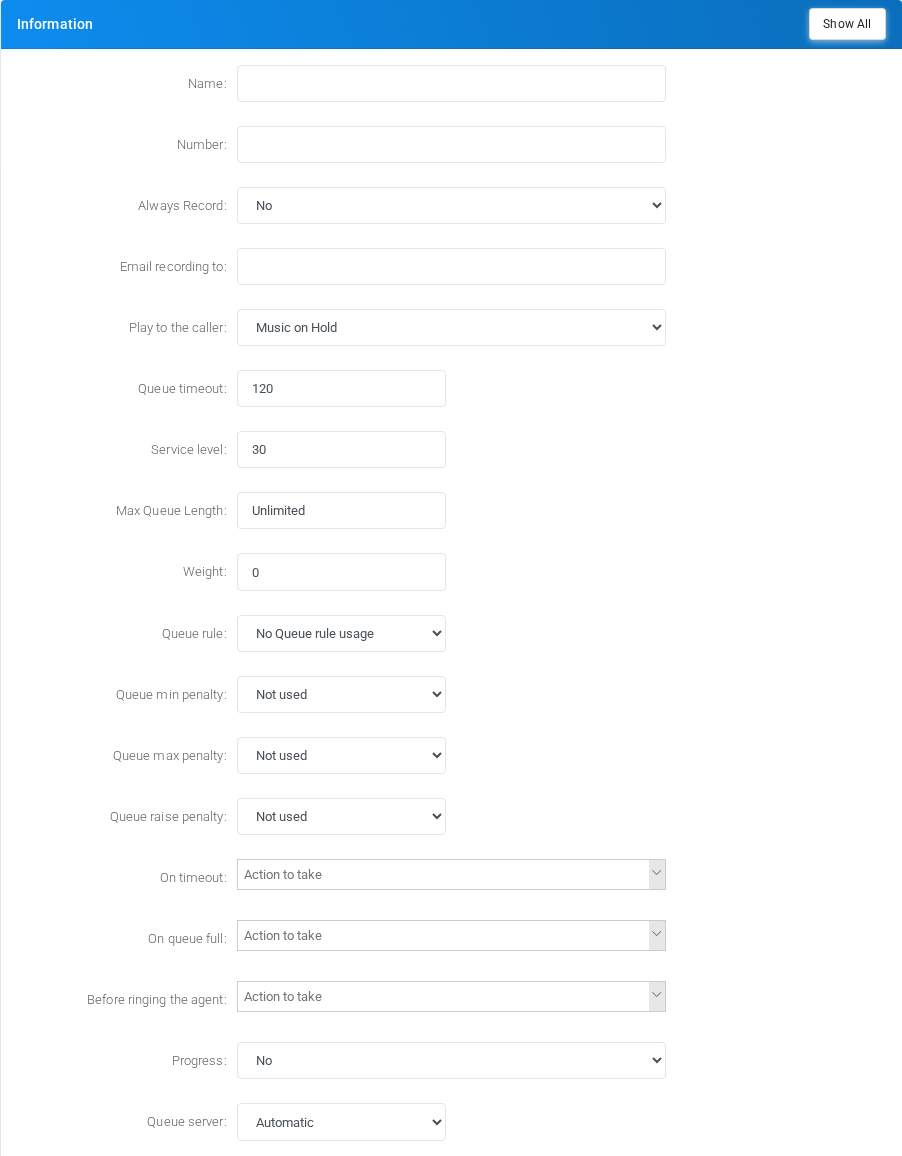
Core identity and routing fields for the object.
Agents
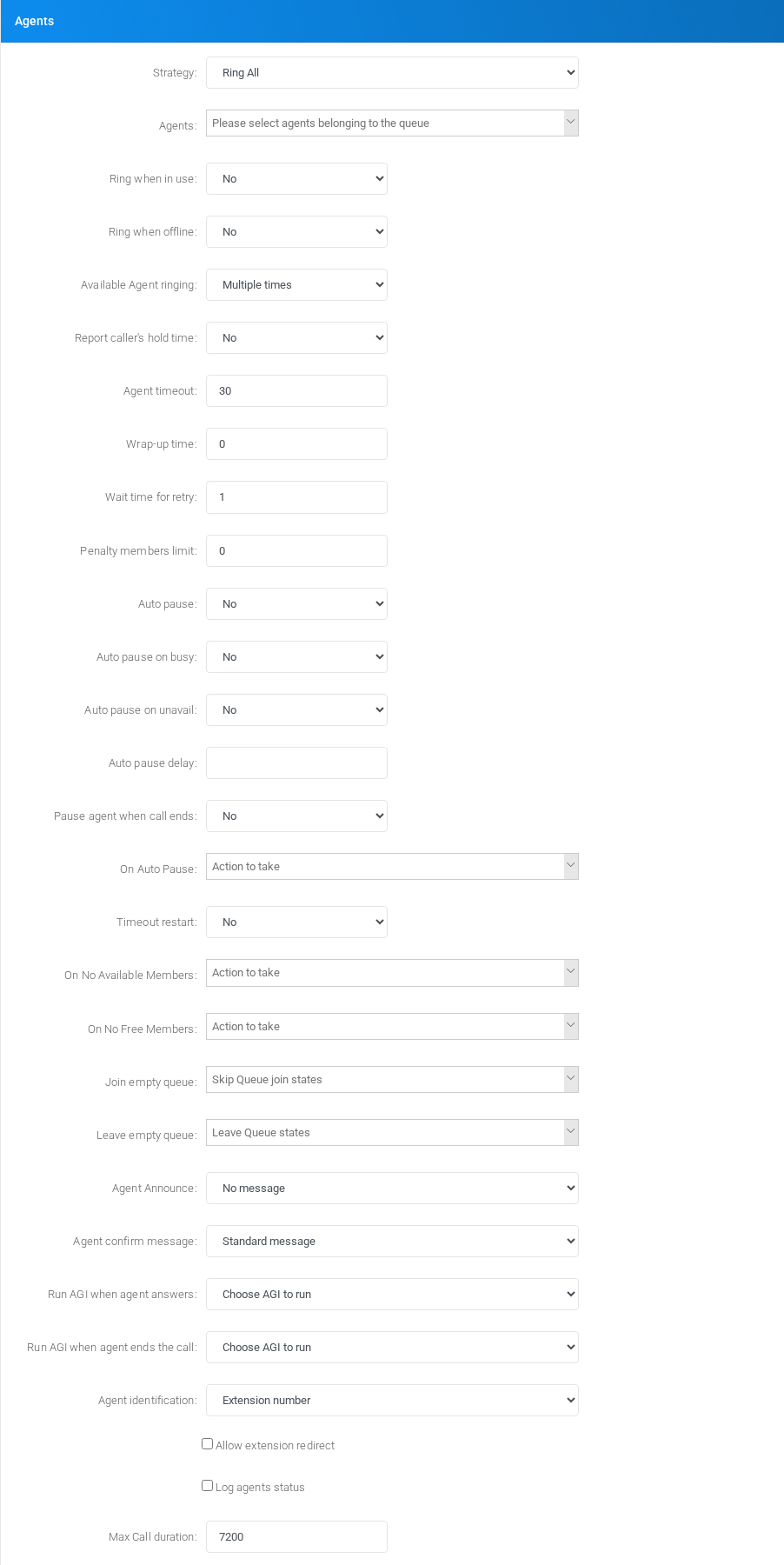
Agent assignment and queue membership behavior.
Periodic Announce
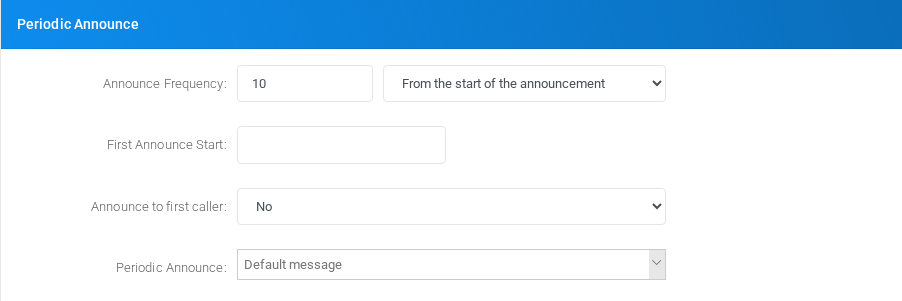
Settings shown in the Periodic Announce block.
Queue exit key

Settings shown in the Queue exit key block.
Call Back service
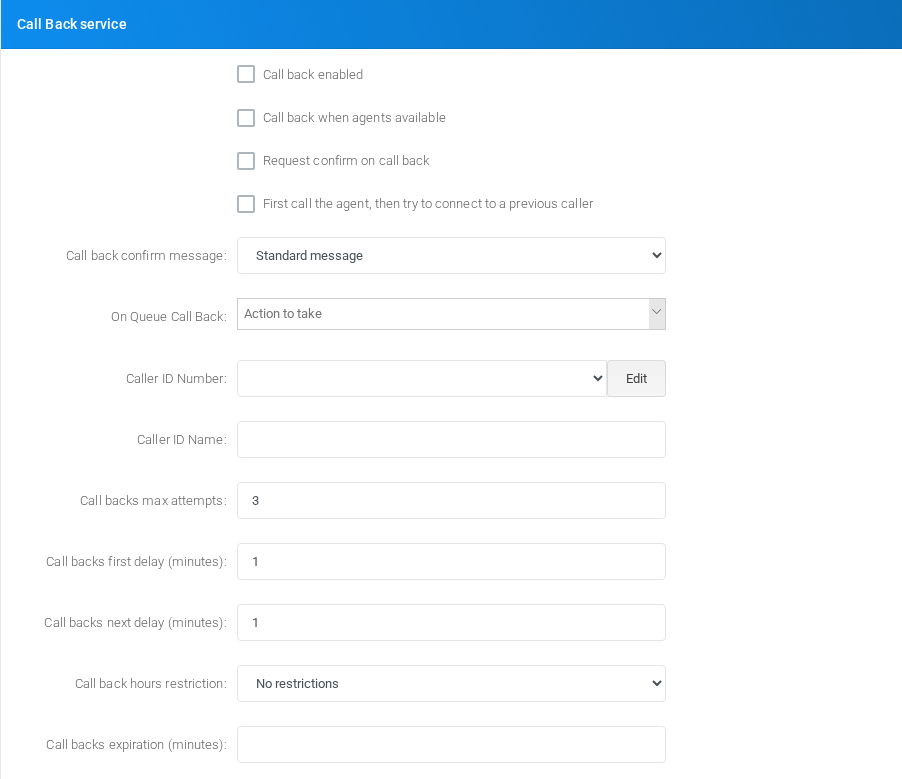
Settings shown in the Call Back service block.
Abandoned Calls
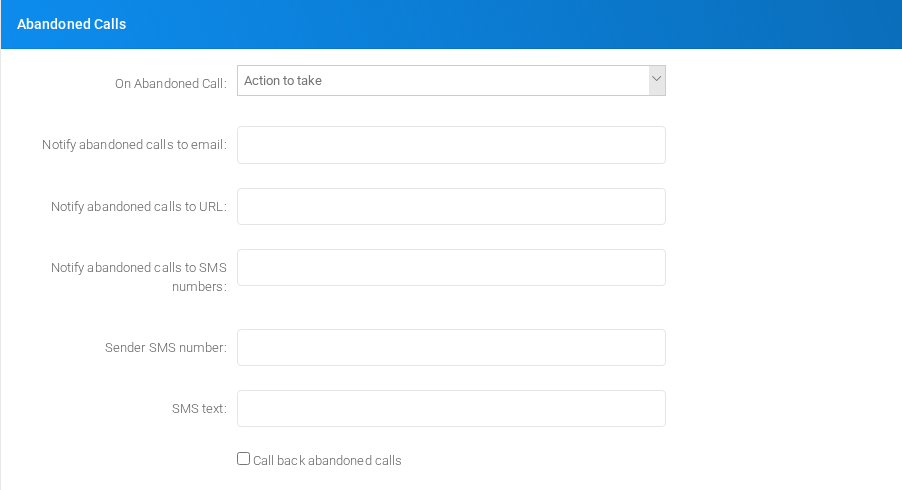
Settings shown in the Abandoned Calls block.
Position/Time Announce

Settings shown in the Position/Time Announce block.
API Integrations
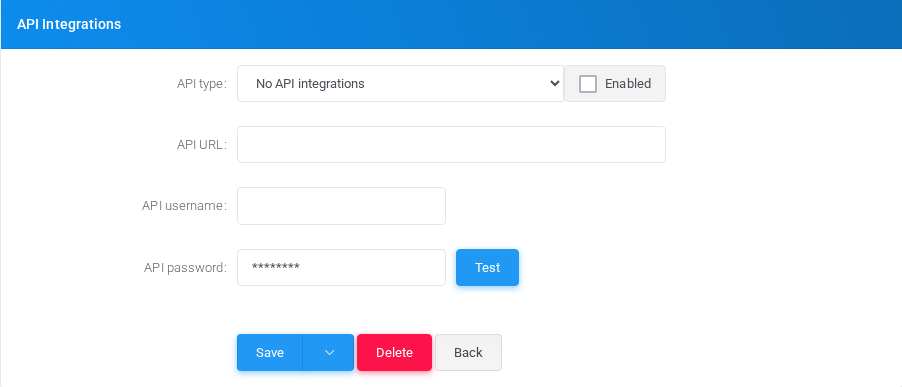
Main fields
| Field | Description |
|---|---|
| Name: | Display name used in lists and references. |
| Number: | Dialed value, identifier, or matching value used by the PBX. |
| Always Record: | Recording behavior or recording delivery setting. |
| Email recording to: | Email address used for notifications, delivery, or mailbox access. |
| Minimum Size (bytes): | Object setting shown by the form. |
| Play to the caller: | Caller ID or caller matching value. |
| Queue timeout: | Timing value used by the service. |
| Service level: | Object setting shown by the form. |
| Max Queue Length: | Object setting shown by the form. |
| Weight: | Object setting shown by the form. |
| Auto fill: | Object setting shown by the form. |
| Queue rule: | Object setting shown by the form. |
| Queue min penalty: | Object setting shown by the form. |
| Queue max penalty: | Object setting shown by the form. |
| Queue raise penalty: | Object setting shown by the form. |
| Progress: | Object setting shown by the form. |
| Queue server: | Server, host, or node selection used by the object. |
| Strategy: | Object setting shown by the form. |
| allowoptimization | Object setting shown by the form. |
| Ring when in use: | Object setting shown by the form. |
| Ring when offline: | Object setting shown by the form. |
| Available Agent ringing: | Object setting shown by the form. |
| Report caller's hold time: | Caller ID or caller matching value. |
| Agent timeout: | Timing value used by the service. |
| Wrap-up time: | Object setting shown by the form. |
| Wait time for retry: | Timing value used by the service. |
| Penalty members limit: | Object setting shown by the form. |
| Auto pause: | Object setting shown by the form. |
Demo records
The tenant contains 1 documentation demo record for this page: Docs Demo Queue 1.
Deleting records
Before deleting a queue, check references from call flows, destinations, schedules, reports, or provisioning objects. MiRTA PBX asks for confirmation before the delete is submitted.