
Overview
The Voicemails page manages voicemail boxes, message retention, greetings, notification, transcript, and escalation behavior. Open it from Configuration > Voicemails.
The page works against the tenant currently selected in the top bar. The screenshots and demo rows were captured in the Canistracci OIL tenant.
Display modes
The Voicemails page can be shown in DataTable mode or jqGrid mode. Use the display mode toggle in the toolbar to switch between them.
DataTable mode
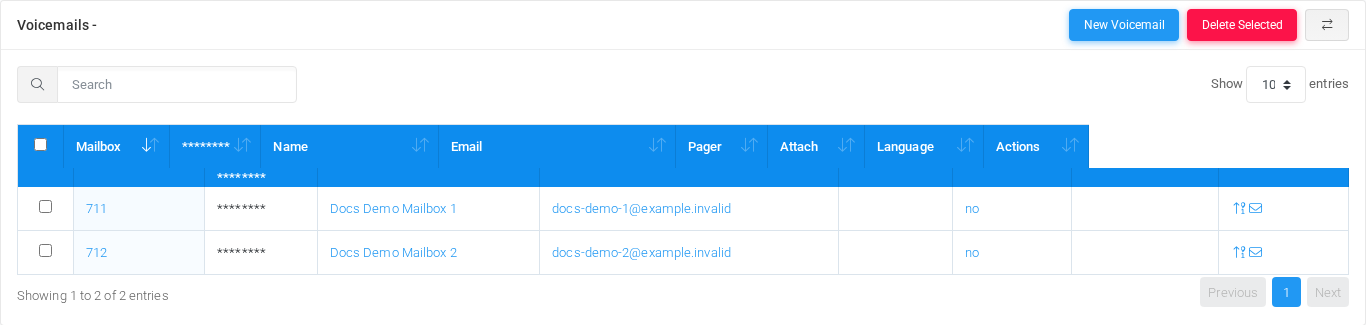
DataTable mode shows the standard table with search, sorting, page-size selection, row checkboxes, and bulk actions.
jqGrid mode
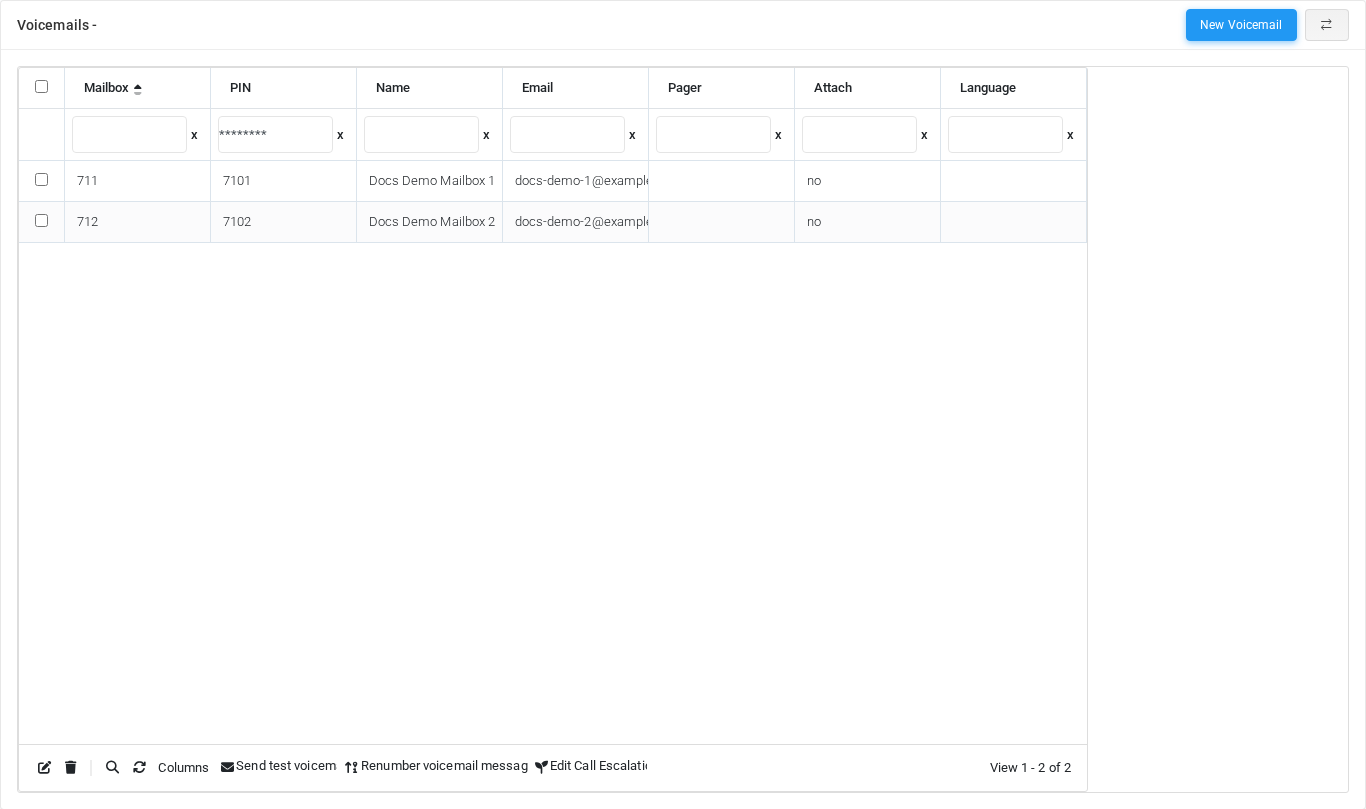
jqGrid mode shows the same voicemail records in an advanced grid with column filters and grid toolbar actions.
Working with objects
| Task | How to do it |
|---|---|
| Add | Select the New voicemail mailbox action, complete the form, and select Save. |
| Edit | Open the voicemail mailbox from the list by selecting its name, number, or row action. Change the form and select Save. |
| Delete | Select the row checkbox and use Delete Selected, or open the voicemail mailbox and select Delete, then confirm. |
Page functions
| Action | Description |
|---|---|
| New Voicemail | Opens the creation form for a new voicemail. |
| Delete Selected | Deletes the selected rows after confirmation. |
| Enable jqGrid | Switches the table display mode for advanced grid controls. |
List columns
| Column | Description |
|---|---|
| Mailbox | Object setting shown by the form. |
| PIN | Credential or PIN value. Treat it as sensitive. |
| Name | Display name used in lists and references. |
| Email address used for notifications, delivery, or mailbox access. | |
| Pager | Object setting shown by the form. |
| Attach | Object setting shown by the form. |
| Language | Language or voice selection used for prompts, transcription, or speech synthesis. |
| Actions | Object setting shown by the form. |
Form sections
| Section | Description |
|---|---|
| Information | Core identity and routing fields for the object. |
| Messages | Settings shown in the Messages block. |
| Operator/Extras | Settings shown in the Operator/Extras block. |
| Greetings | Settings shown in the Greetings block. |
Information
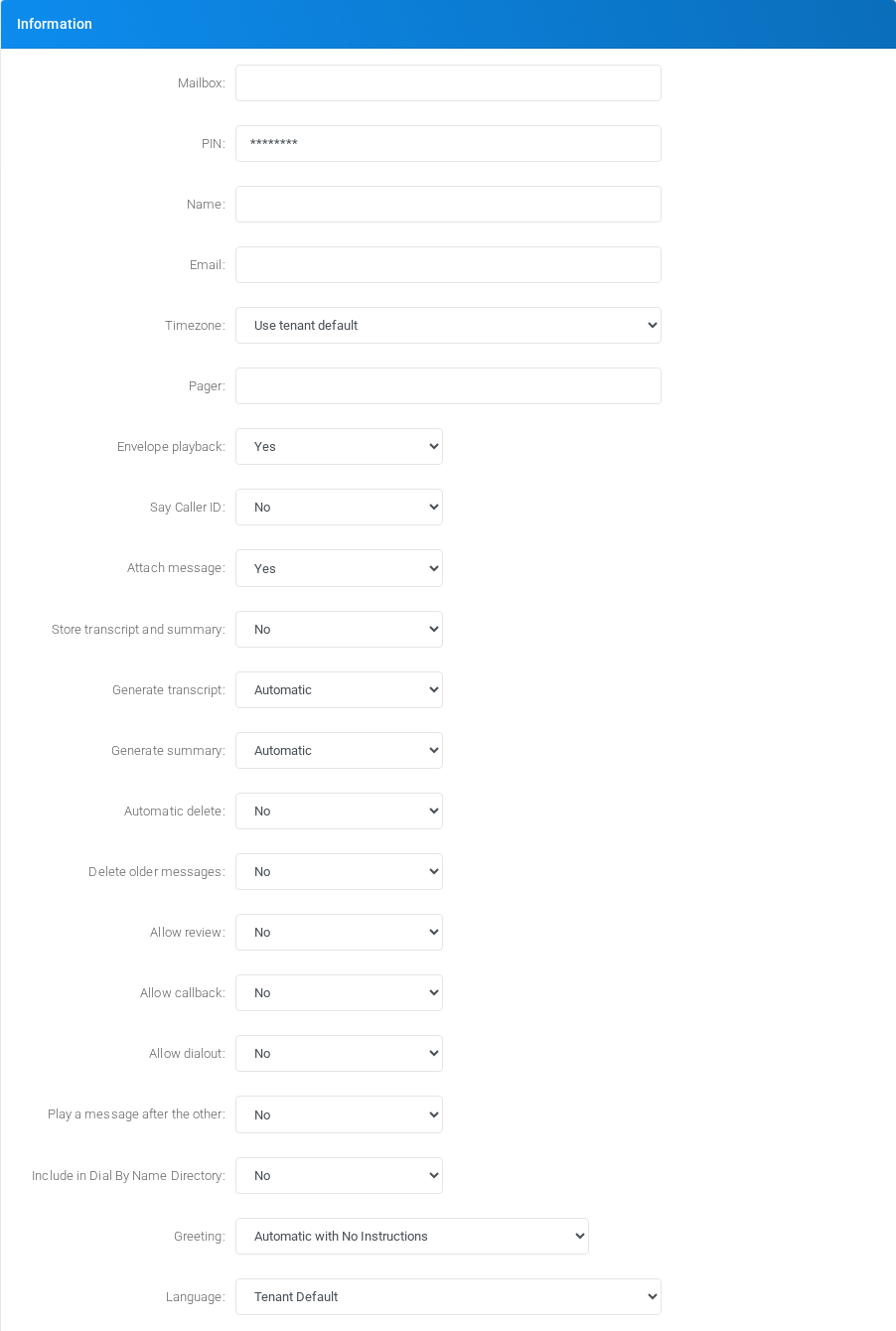
Core identity and routing fields for the object.
Messages
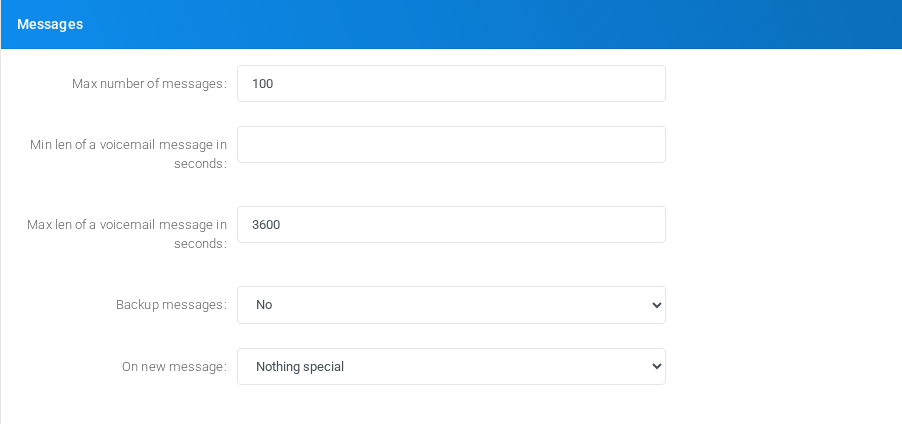
Settings shown in the Messages block.
Operator/Extras
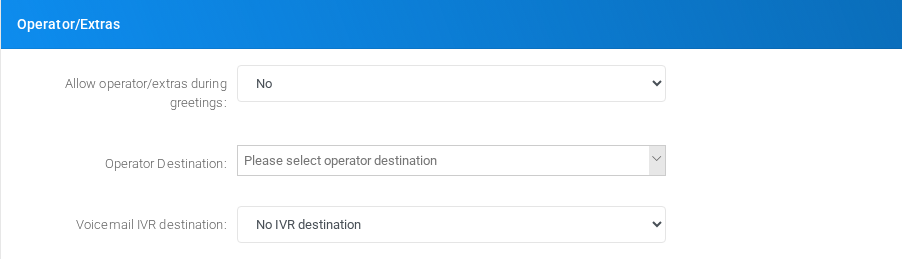
Settings shown in the Operator/Extras block.
Greetings
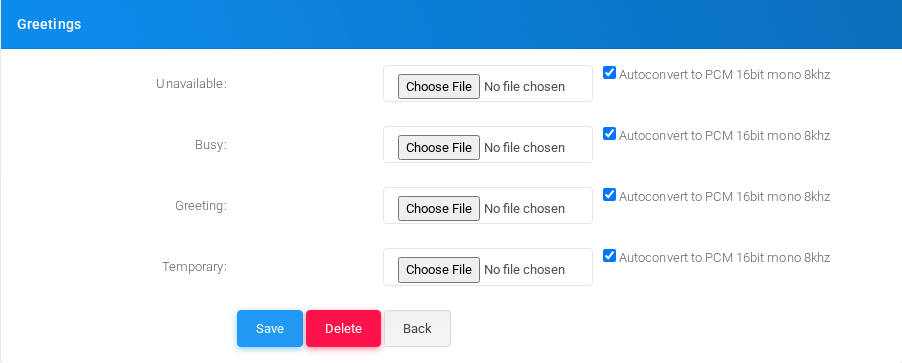
Settings shown in the Greetings block.
Main fields
| Field | Description |
|---|---|
| Mailbox: | Object setting shown by the form. |
| PIN: | Credential or PIN value. Treat it as sensitive. |
| Name: | Display name used in lists and references. |
| Email: | Email address used for notifications, delivery, or mailbox access. |
| Timezone: | Object setting shown by the form. |
| Pager: | Object setting shown by the form. |
| Envelope playback: | Object setting shown by the form. |
| Say Caller ID: | Caller ID or caller matching value. |
| Attach message: | Object setting shown by the form. |
| Store transcript and summary: | Object setting shown by the form. |
| Generate transcript: | Object setting shown by the form. |
| Generate summary: | Object setting shown by the form. |
| Automatic delete: | Object setting shown by the form. |
| Delete older messages: | Object setting shown by the form. |
| Allow review: | Object setting shown by the form. |
| Allow callback: | Object setting shown by the form. |
| Allow dialout: | Object setting shown by the form. |
| Play a message after the other: | Object setting shown by the form. |
| Include in Dial By Name Directory: | Display name used in lists and references. |
| Greeting: | Object setting shown by the form. |
| Language: | Language or voice selection used for prompts, transcription, or speech synthesis. |
| Max number of messages: | Dialed value, identifier, or matching value used by the PBX. |
| Min len of a voicemail message in seconds: | Email address used for notifications, delivery, or mailbox access. |
| Max len of a voicemail message in seconds: | Email address used for notifications, delivery, or mailbox access. |
| Backup messages: | Object setting shown by the form. |
| On new message: | Object setting shown by the form. |
| URL: | Object setting shown by the form. |
| POST data: | Object setting shown by the form. |
Demo records
The tenant contains 2 documentation demo records for this page: Docs Demo Mailbox 1 and Docs Demo Mailbox 2.
Deleting records
Before deleting a voicemail mailbox, check references from call flows, destinations, schedules, reports, or provisioning objects. MiRTA PBX asks for confirmation before the delete is submitted.