
Extensions
The Extensions page is the tenant-level list for creating, finding, editing, importing, exporting, and deleting extensions. Open it from Configuration > Extensions.
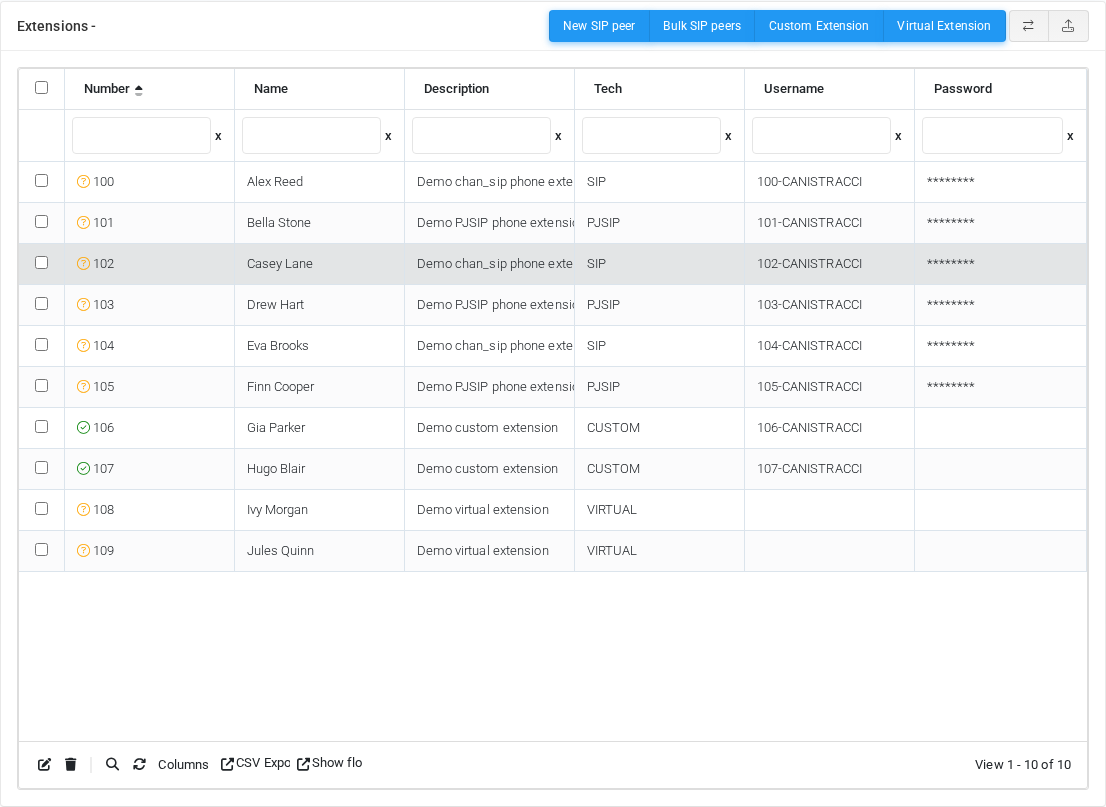
The page works against the tenant currently selected in the top bar. The screenshotscreenshots showsshow ten fake demo extensions, numbered 100 through 109, with a mix of chan_sip, PJSIP, custom, and virtual extension types. SIP and PJSIP usernames use the extension number followed by the tenant code, for example 100-CANISTRACCI. Password values are masked in the screenshot.screenshots.
Display modes
The Extensions page can be shown in DataTable mode or jqGrid mode. Use the display mode toggle in the toolbar to switch between them.
DataTable mode
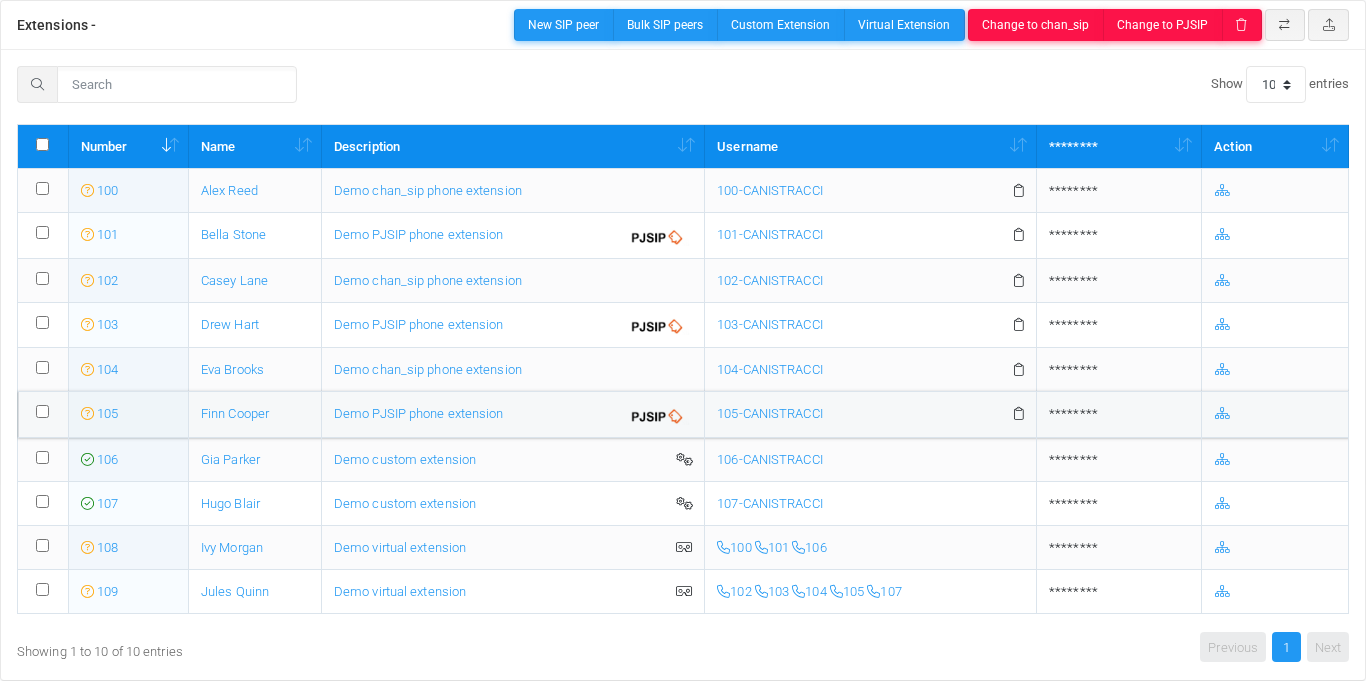
DataTable mode shows the standard table with search, page-size selection, sorting, row checkboxes, and action buttons above the table.
jqGrid mode
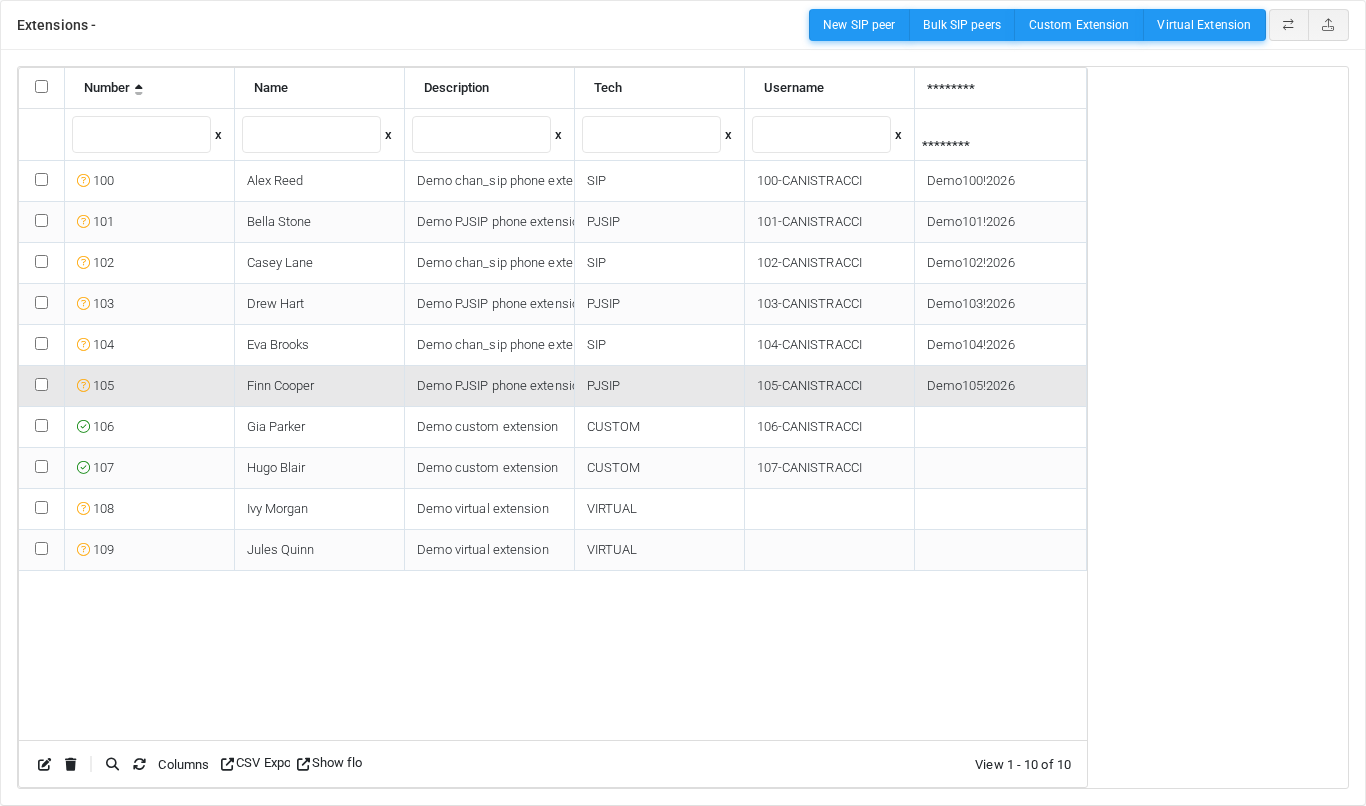
jqGrid mode shows the same extension records in the advanced grid with column filters and grid toolbar actions.
Toolbar actions


| Action | Description |
|---|---|
| New SIP peer / New PJSIP peer | Creates a standard phone extension. The visible label follows the tenant's preferred SIP stack. |
| Bulk SIP peers | Opens the bulk creation workflow for adding multiple SIP extensions at once. |
| Custom Extension | Creates an extension that routes to a custom dial string or custom endpoint logic. |
| Virtual Extension | Creates a virtual extension that can group or reference other extension destinations. |
| Change to chan_sip | Converts selected PJSIP extensions to chan_sip when the administrator has permission to switch phone technology. |
| Change to PJSIP | Converts selected chan_sip extensions to PJSIP when the administrator has permission to switch phone technology. |
| Delete Selected | Deletes the selected extensions after a confirmation prompt. This action is shown only when delete permission is available. |
| Display mode toggle | Switches the page between the standard |
| CSV/XLS Upload | Opens the import page for uploading extension records from a CSV or XLS file. |
Extension table
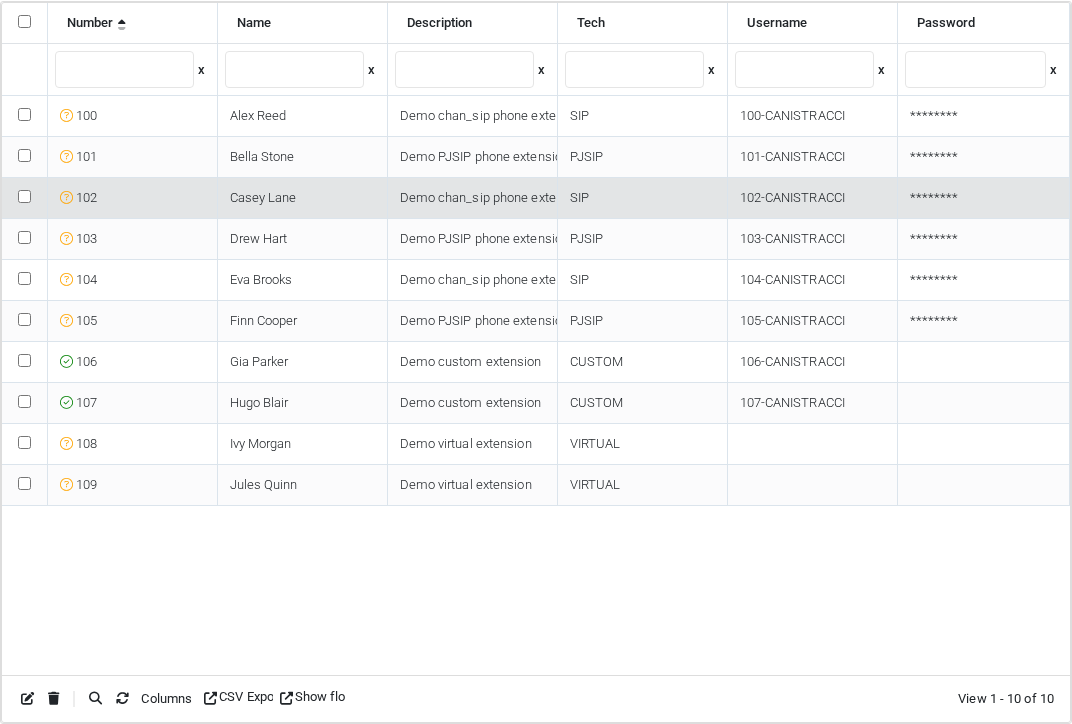
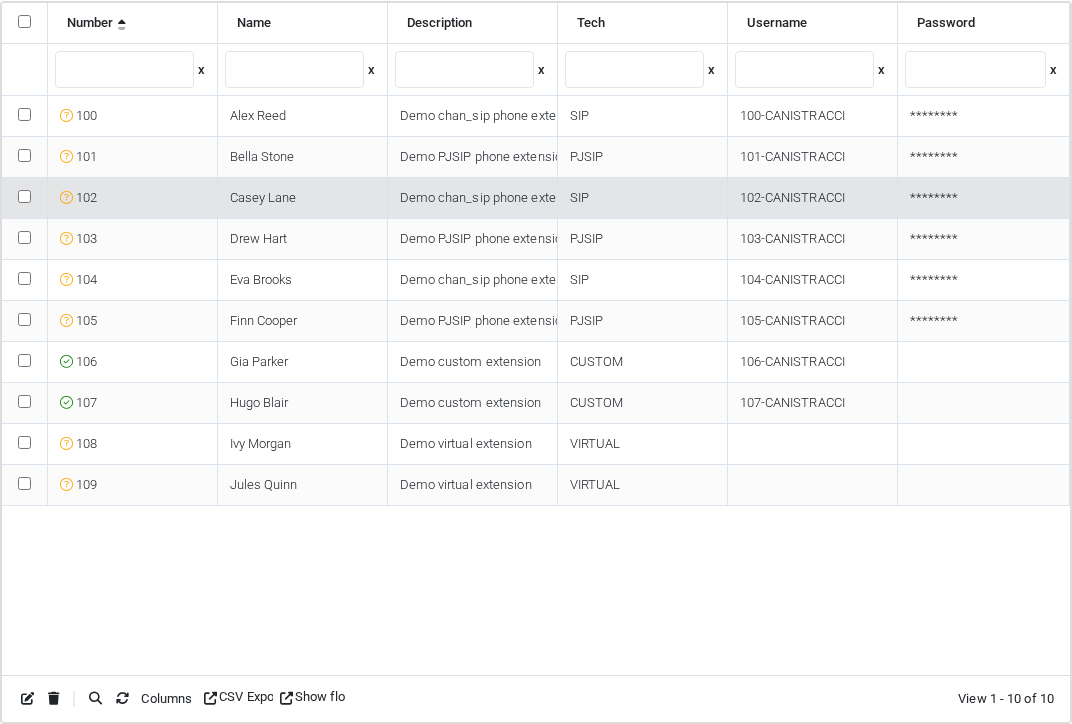
Use the table controls to filter, sort, select columns, export data, and move between pages. The checkbox column selects rows for bulk actions.
| Column | Description |
|---|---|
| Number | Extension number. When extension status is enabled, an icon indicates registration or device state. |
| Name | Extension display name. Icons can indicate call blocking/filtering, DND, unconditional forwarding, or PIN lock. |
| Description | Free-form extension description. Icons can identify PJSIP, custom, virtual, or recording-related behavior. |
| Tech | Extension technology. SIP entries are chan_sip peers, PJSIP entries are PJSIP endpoints, CUSTOM entries route to custom dial strings, and VIRTUAL entries group other extensions. |
| Username | SIP/PJSIP username used by the phone or endpoint. The default pattern is <extension number>-<tenant code>. Clipboard, SRTP, and TLS indicators can appear for phone extensions. |
| Password | Endpoint secret when password display is enabled. Depending on settings, the value can be hidden or revealed with an eye icon. |
| Action | Contains quick actions such as showing the extension call flow. Fast provisioning QR code access can also appear when enabled. |
Editing extensions
Select the extension number, name, description, username, or password cell to open the extension edit form. In jqGrid mode, select a row and use the grid edit action; the grid opens the same edit form.
jqGrid mode
The display mode toggle can enable jqGrid for the Extensions page. In jqGrid mode, the same extension records are loaded dynamically, and the grid adds toolbar actions for edit, delete, search, column selection, CSV export, and showing the selected extension flow.