
Create and Edit PJSIP Extensions
Use this page to create or edit a phone extension that registers as a PJSIP endpoint. The form works against the tenant currently selected in the top bar.
The screenshots use the Canistracci Oil demo extension 101 Bella Stone. Creating and editing use the same form: a new extension opens with tenant defaults, while an existing extension opens with saved values.
Creating and editing
| Action | Description |
|---|---|
| Create | Open Configuration > Extensions and select New PJSIP peer. Fill the required fields and select Save. |
| Edit | Open an existing extension from the Extensions list. Update the required fields and select Save. |
| Delete | When delete permission is available, open the extension and select Delete. Confirm only after checking routing, phones, queues, and other references. |
For PJSIP extensions, the endpoint username normally followsuses the extension numbernumber, plusa hyphen, and the tenant code, such as 101-CANISTRACCI. Press the swapped-arrow icon beside Username to switch the separator from a hyphen to an underscore, for example 101_CANISTRACCI. If custom usernames are enabled in Admin > Settings, you can enter a username that does not follow the generated tenant-code pattern. In the Canistracci Oil screenshots, extension 101 uses the Canistracci tenant code. The username pattern is <extension number>-<tenant code>.
Information
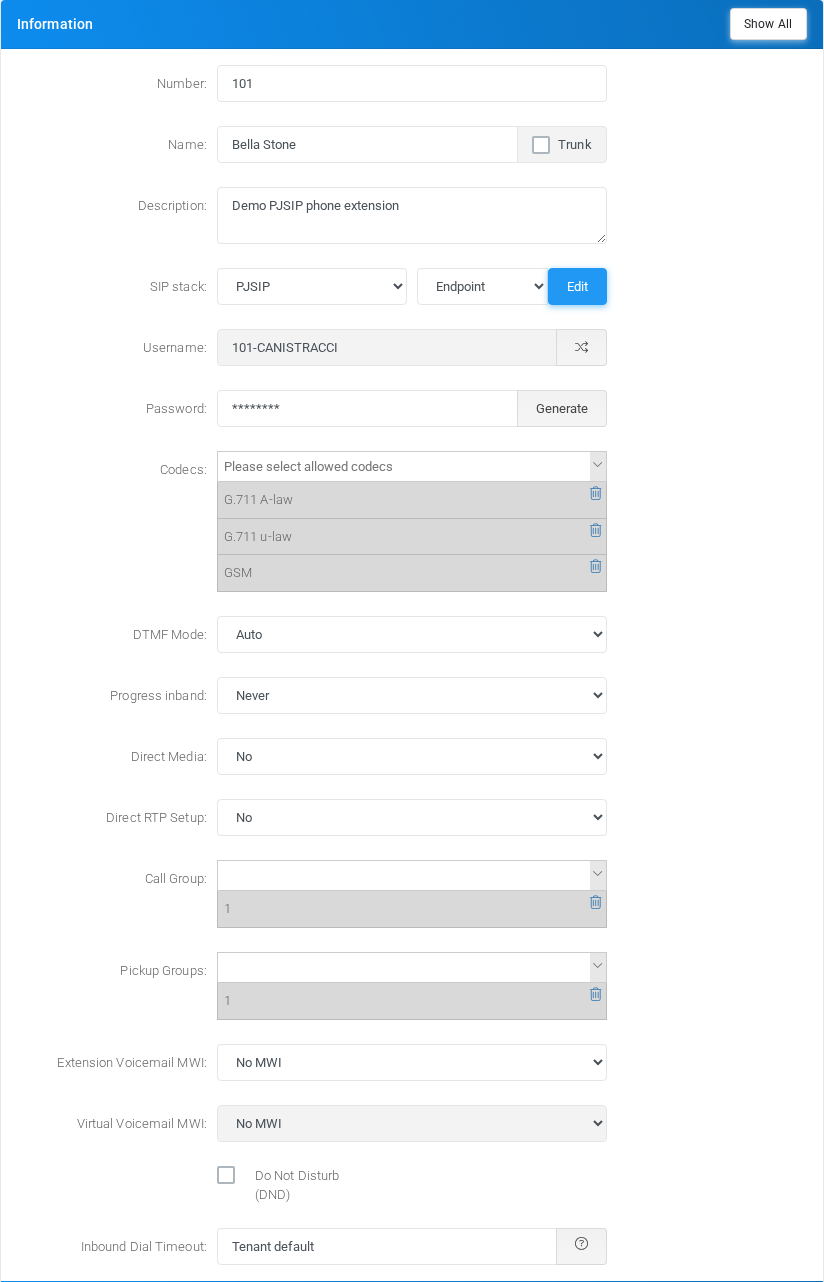
Use this section for the extension identity, endpoint credentials, media basics, groups, voicemail message-waiting indication, DND state, and inbound ring timeout.
| Block | Purpose |
|---|---|
| Number and name | Number is the internal extension number. Name is the display name used in lists, caller ID, and reports. |
| Description and emergency notes | Description is an administrator note. Emergency notes can be used by emergency routing and notification logic. |
| SIP stack | Shows whether the endpoint is using chan_sip or PJSIP. Users with switch permission can change the stack from this form or from the Extensions list. |
| Username and password | Endpoint credentials used by the phone or softphone. The default username pattern is the extension number followed by the tenant code. |
| Codecs and DTMF | Controls the allowed audio/video codecs and DTMF signaling mode used by the endpoint. |
| Media and groups | Direct media, call groups, pickup groups, spy groups, and message-waiting options control how the endpoint participates in calls and monitoring. |
| Voicemail, DND, and timeout | Voicemail MWI, DND, and inbound dial timeout control how incoming calls are presented and how long the extension rings. |
NAT Control
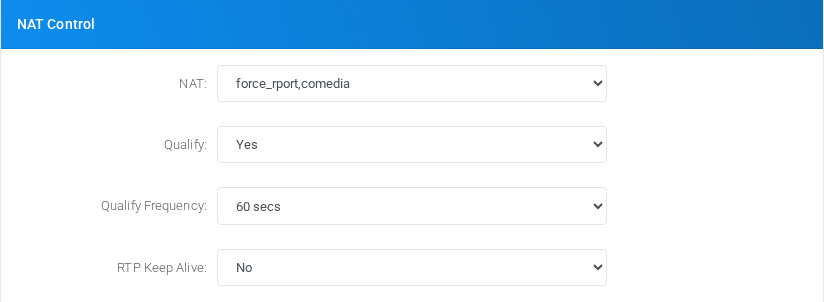
Use this section to control endpoint reachability and keepalive behavior for devices behind NAT or with changing network paths.
| Block | Purpose |
|---|---|
| NAT | Defines how MiRTA PBX treats NAT traversal for the endpoint. |
| Qualify and qualify frequency | Controls whether the PBX checks endpoint reachability and how often checks are sent. |
| Keep alive and RTP keep alive | Sends periodic traffic to keep network mappings open and detect unavailable devices. |
Call Settings
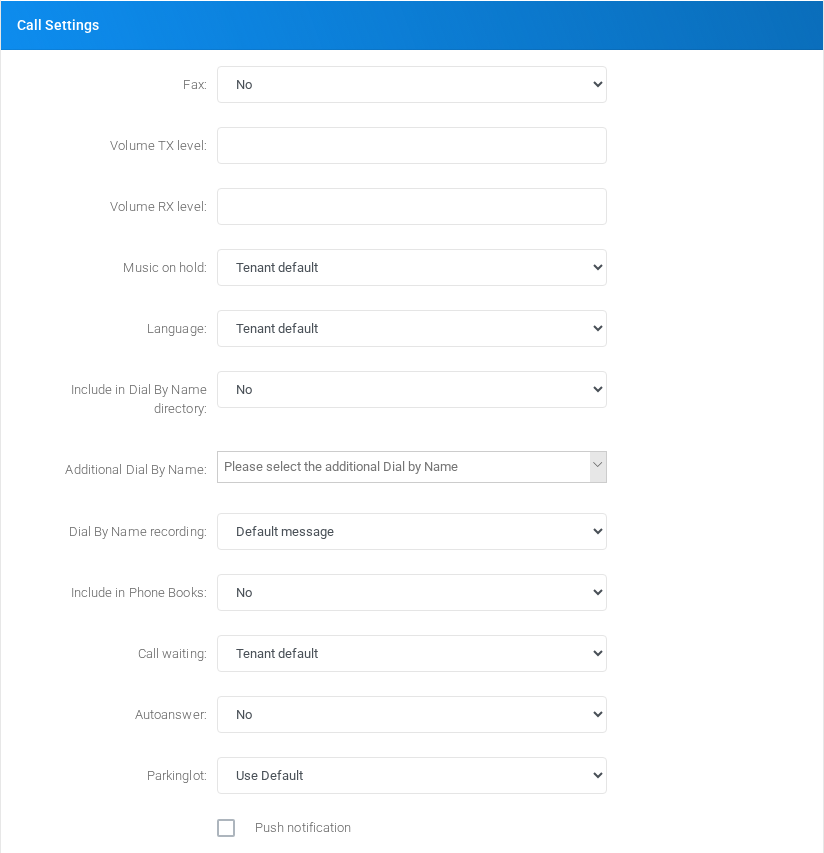
Use this section for call behavior that is not specific to inbound or outbound routing.
| Block | Purpose |
|---|---|
| Fax and volume | Controls T.38 fax behavior and transmit/receive volume adjustments. |
| Music on hold and language | Selects media behavior and the preferred language for prompts played to the extension. |
| Directories and phone books | Controls whether the extension appears in dial-by-name directories and phone book generated lists. |
| Call waiting and autoanswer | Controls second-call handling and optional automatic answer behavior for supported phones. |
Inbound Recording


Use this section for recording behavior applied to calls received by the extension.
| Block | Purpose |
|---|---|
| Inbound recording policy | Controls whether inbound calls are recorded and whether recording privacy behavior is enabled. |
| Recording notifications | When enabled, recordings can be mailed and processed according to tenant recording settings. |
Outbound Recording
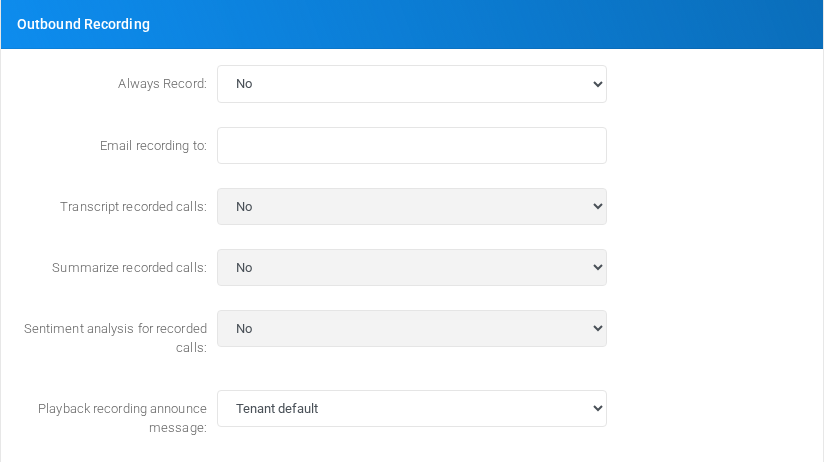

Use this section for recording and post-processing behavior applied to calls placed by the extension.
| Block | Purpose |
|---|---|
| Always record | Controls whether outbound calls from this extension are recorded, unless tenant-wide settings force recording. |
| Email recording to | Sends matching recordings to the configured address. Minimum size can suppress very small recordings. |
| Transcript, summary, sentiment | Enables transcript, summary, and sentiment processing when the tenant supports those services. |
Security
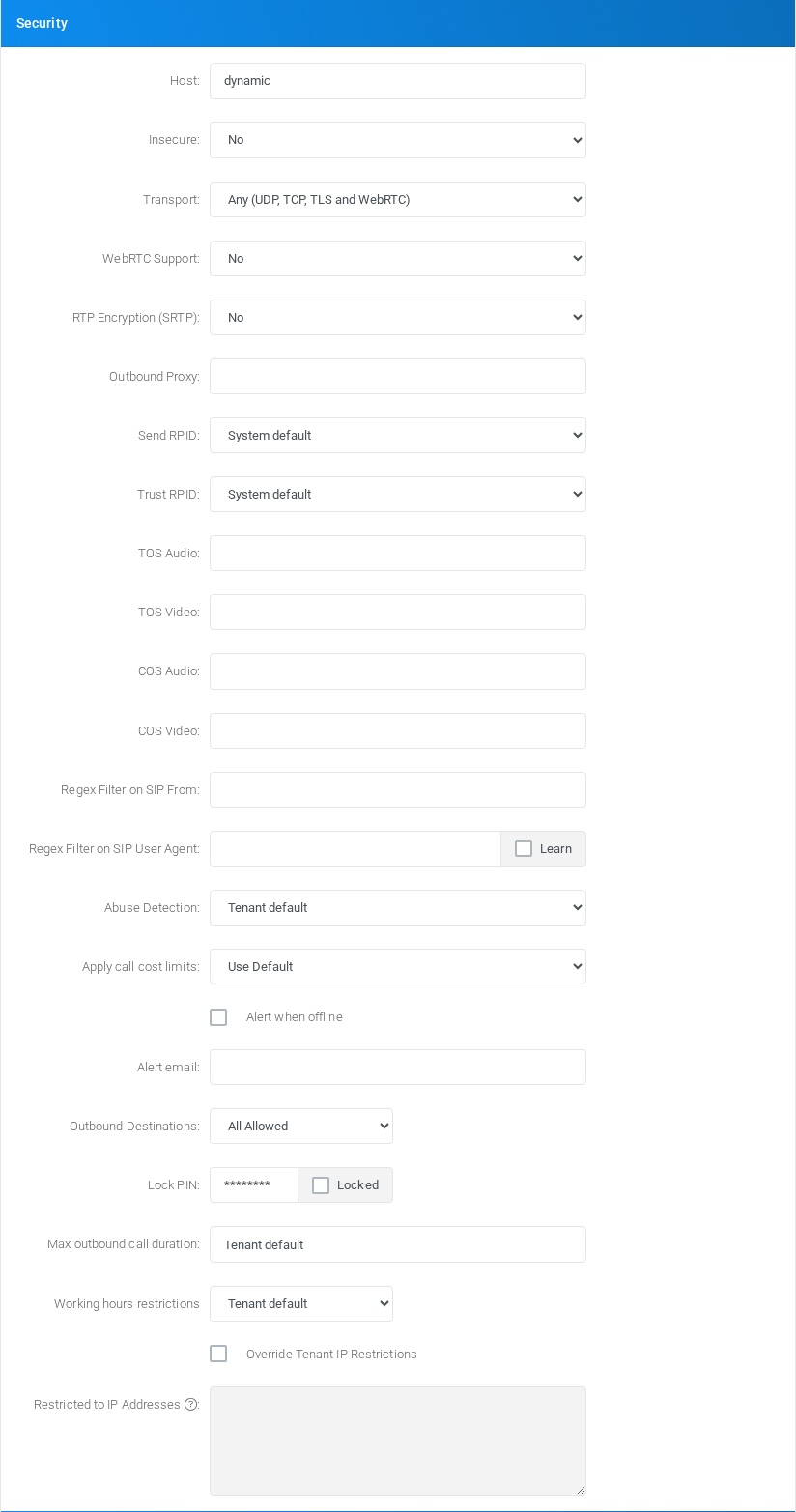
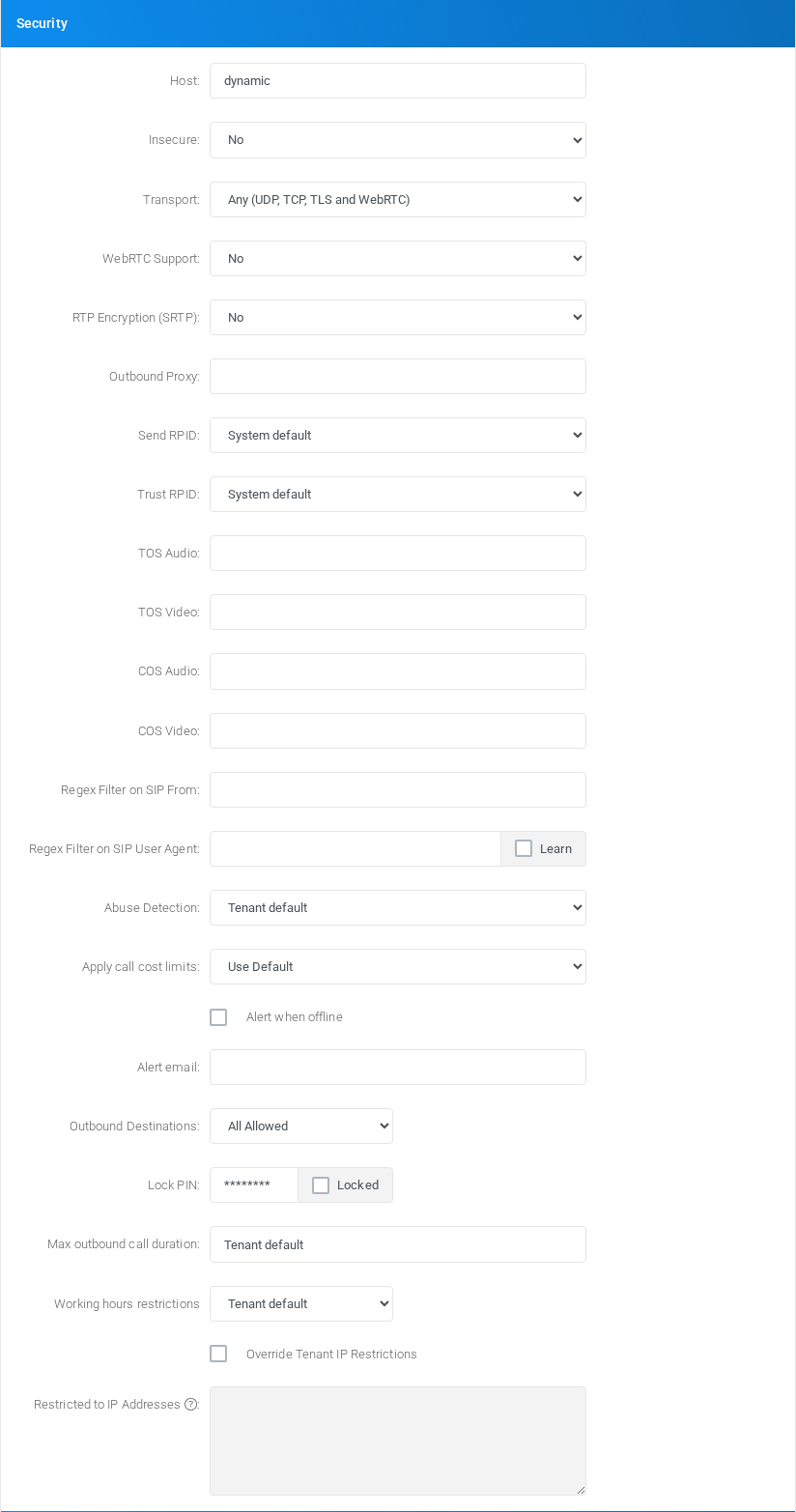
Use this section to restrict registration, authentication, abuse behavior, cost limits, and outbound availability.
| Block | Purpose |
|---|---|
| Authentication and network filters | Controls endpoint trust, allowed IPs, and authentication-related behavior. |
| Abuse detection and cost limits | Locks or warns on suspicious or excessive usage according to tenant policy. |
| Outbound destinations | Allows all calls, blocks calls, or applies a destination regex filter. |
| Lock PIN and max duration | Allows the extension to be locked and caps outbound call duration. |
| Working hours | Restricts outbound calling to the selected weekday condition. |
Web User Panel and Switchboard
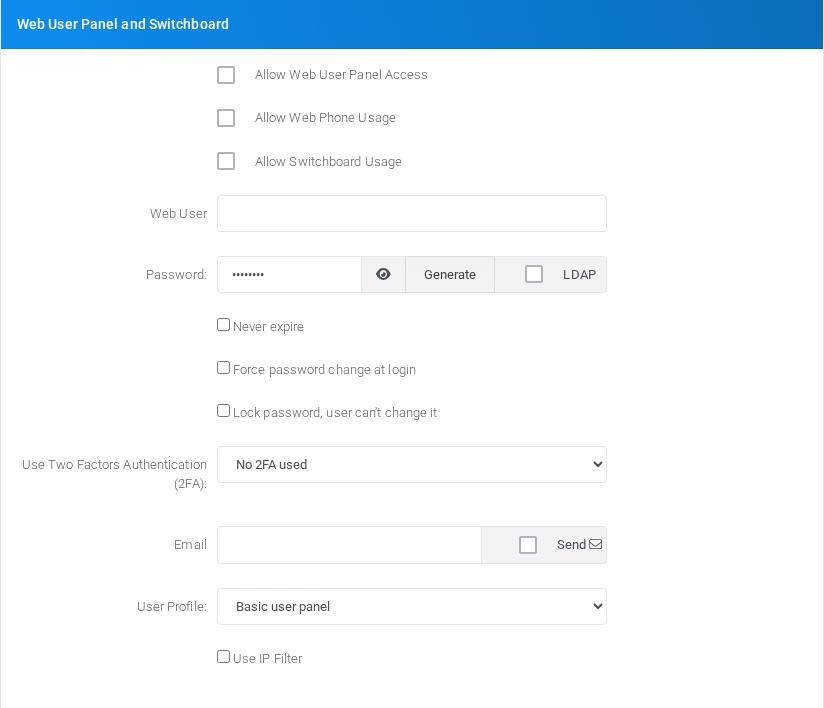
Use this section to enable user-facing web access and related application permissions for the extension.
| Block | Purpose |
|---|---|
| Access toggles | Enables the user panel, web phone, switchboard, and optional custom user application. |
| Web user and password | Sets the login identity and password. If no web user is specified, the endpoint username is used. |
| Password policy and 2FA | Controls expiry, forced change, lock state, LDAP use, and two-factor authentication. |
| Email, profile, and IP filter | Sets the user email, sends account information, assigns a user profile, and optionally restricts web access by IP. |
Outbound Calls
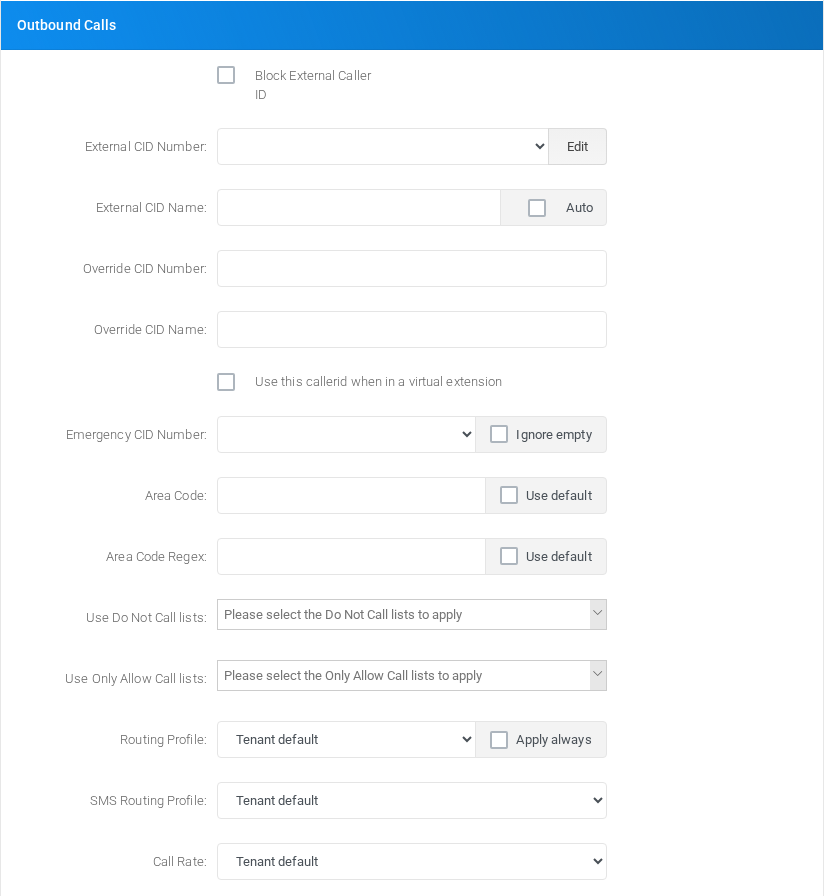
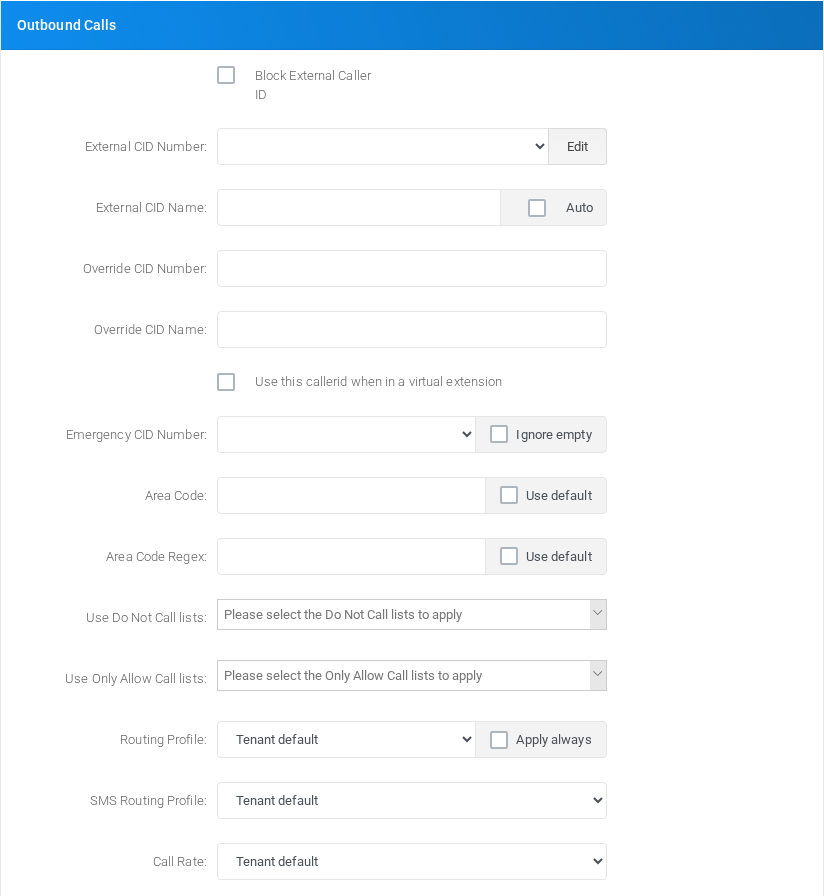
Use this section to control the caller ID, emergency caller ID, area-code handling, dialing filters, routing profile, and call rate used by outbound calls.
| Block | Purpose |
|---|---|
| External caller ID | Sets or hides the caller ID number and name sent on outbound calls. |
| SMS and override caller ID | Controls SMS caller ID and optional SIP header based caller ID overrides. |
| Emergency caller ID | Defines the emergency number identity and whether empty emergency caller ID warnings are ignored. |
| Area code and caller ID regex | Applies prefixes and caller ID rewrite rules before routing. |
| Do Not and Only Allow lists | Applies tenant call-list restrictions to this extension. |
| Routing profile and call rate | Selects the routing profile, SMS routing profile, and client rate used by calls. |
Inbound Calls


Use this section for inbound caller ID privacy controls.
| Block | Purpose |
|---|---|
| Block inbound caller ID number | Prevents the caller ID number from being shown to this extension. |
| Block inbound caller ID name | Prevents the caller ID name from being shown to this extension. |
Find me/Follow me Configuration
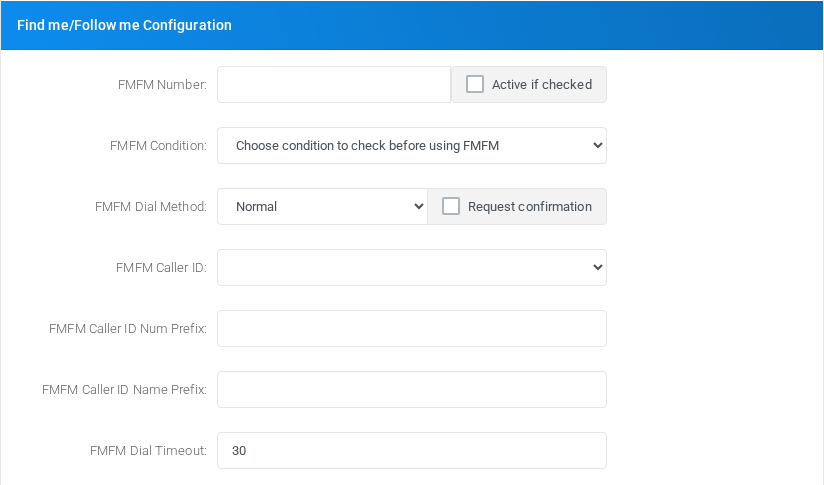
Use this section to forward calls to an alternate number when find-me/follow-me is enabled.
| Block | Purpose |
|---|---|
| FMFM number and status | Sets the external follow-me number and enables or disables the feature. |
| Condition and dial method | Limits follow-me behavior to a condition and selects how the alternate number is dialed. |
| Confirmation and messages | Requires answer confirmation and selects confirm/hold messages. |
| Caller ID and timing | Controls caller ID presentation, prefixes, delay, and dial timeout for the follow-me call. |
Additional Destinations - Active if checked
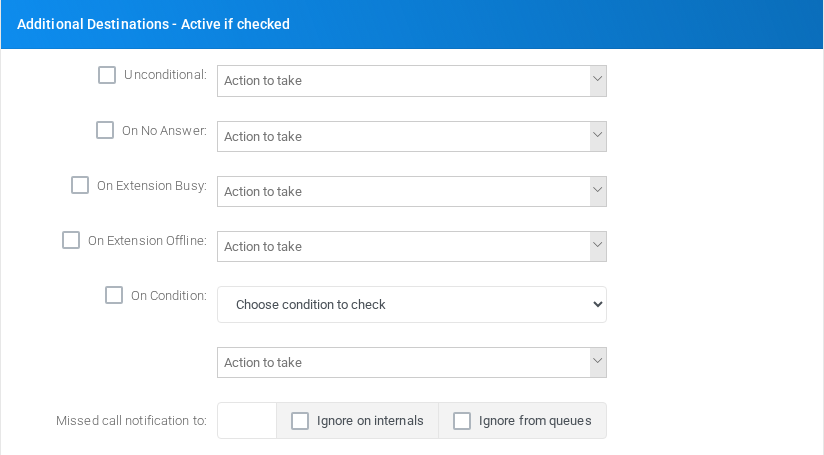
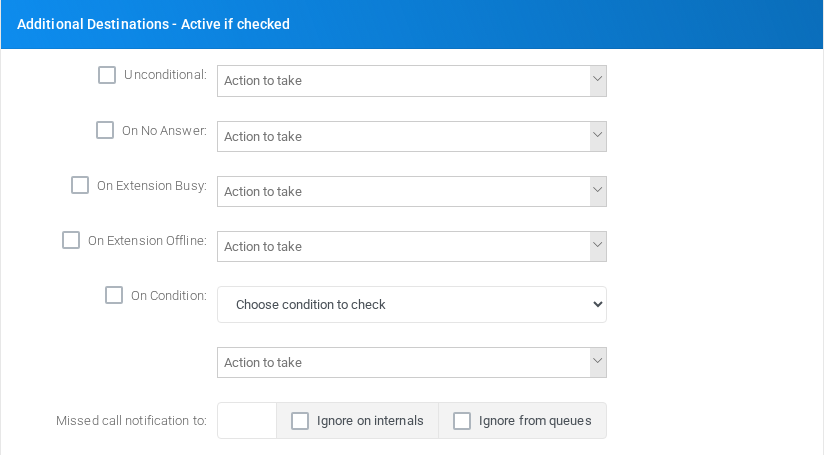
Use this section to define failover or conditional routing for calls that do not complete normally.
| Block | Purpose |
|---|---|
| Unconditional | Always routes calls to the selected destination when enabled. |
| On no answer, busy, or offline | Routes calls when the extension does not answer, is busy, or is offline. |
| On condition | Routes calls to a selected destination when the chosen condition matches. |
| Missed call notification | Sends email notifications for missed calls, with options to ignore internal or queue-originated calls. |
Note
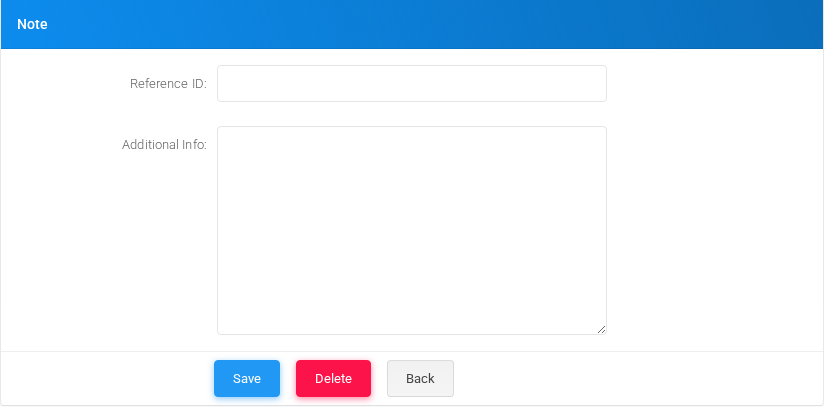
Use this section for administrative classification and free-form notes, then save or delete the extension.
| Block | Purpose |
|---|---|
| Branch and department | Classifies the extension for reporting and administration. |
| Reference ID and additional info | Stores external references and notes. |
| Save, delete, and back | Save applies changes, Delete removes the extension when allowed, and Back returns to the Extensions list. |