The Conditions page defines reusable conditionstests for schedules, caller IDidentity, matches,channel usage, queue state, variables, authentication, and other routing decisions. Open it from Configuration > Conditions.
The page works against the tenant currently selected in the top bar. The screenshots and demo rows were captured in the Canistracci OIL tenant.
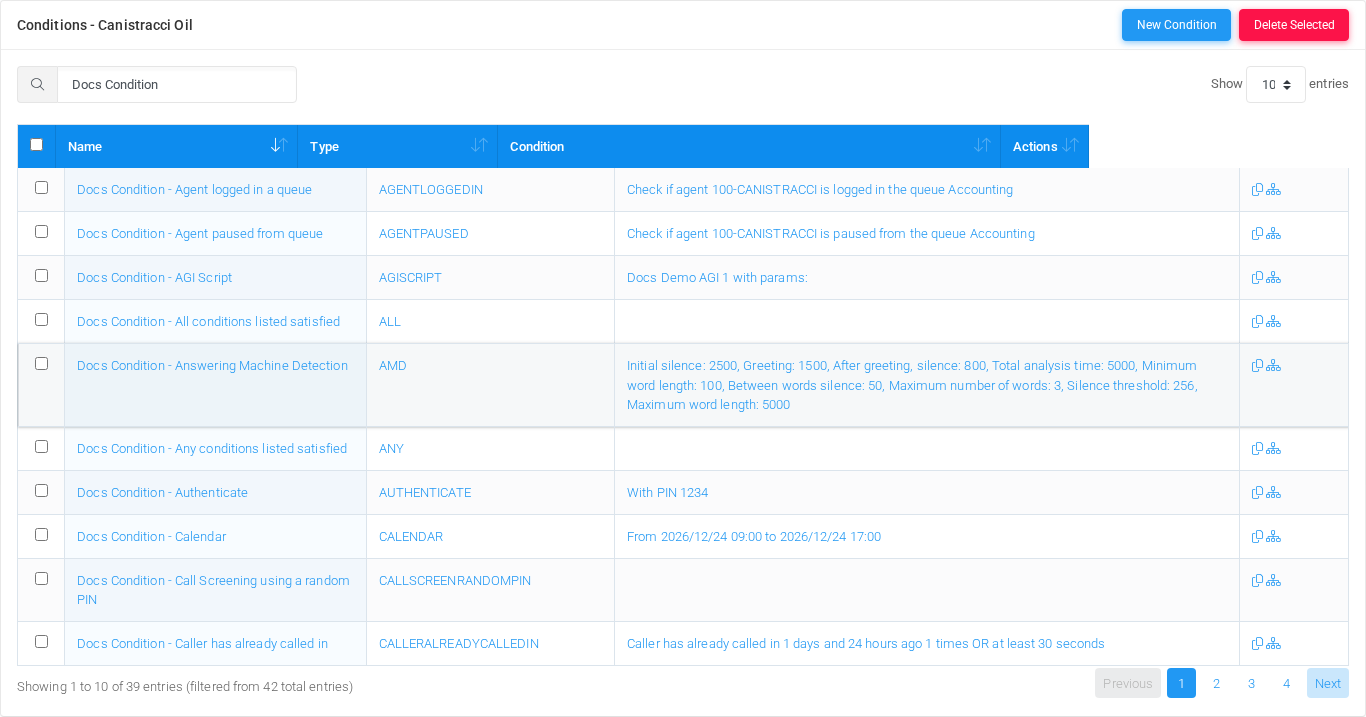
Conditions list page filtered to documentation examples in the Canistracci OIL tenant.
Working with objectsconditions
Task
How to do it
Add
Select New Condition, enter a name, choose the New condition action,type, complete the form,type-specific fields, and select Save.
Edit
Open thea condition from the list by selecting its name,name number, or row action. Changein the formlist, change the fields, and select Save.
Duplicate
Use the duplicate action in the Actions column to copy an existing condition before changing it.
DeleteSelect theone rowor checkboxmore rows and use Delete Selected, or open thea condition and selectdelete Delete,it thenafter confirm.checking references.
Show flowUse the flow action in the Actions column to inspect where the condition routes calls.
Page functions
Action
Description
New Condition
Opens the creation form for a new condition.
Delete Selected
Deletes selected conditions after confirmation.
SearchFilters the visible rows by name, type, condition summary, or action text.
SortSorts the list by the selected rowscolumn.
afterPage confirmation.sizeChanges how many conditions are shown per page.
List columns
Column
Description
Select
Selects a condition for bulk deletion.
NameDisplayCondition namedisplay usedname. inSelect listsit andto references.edit the condition.
TypeModeCondition selectortype thatcode changesused theby behaviorMiRTA of the object.PBX.
ConditionObjectHuman-readable settingsummary shown byof the form.configured match rule.
ActionsObjectDuplicate settingand shownflow-inspection byactions for the form.row.
AddCondition and edit form
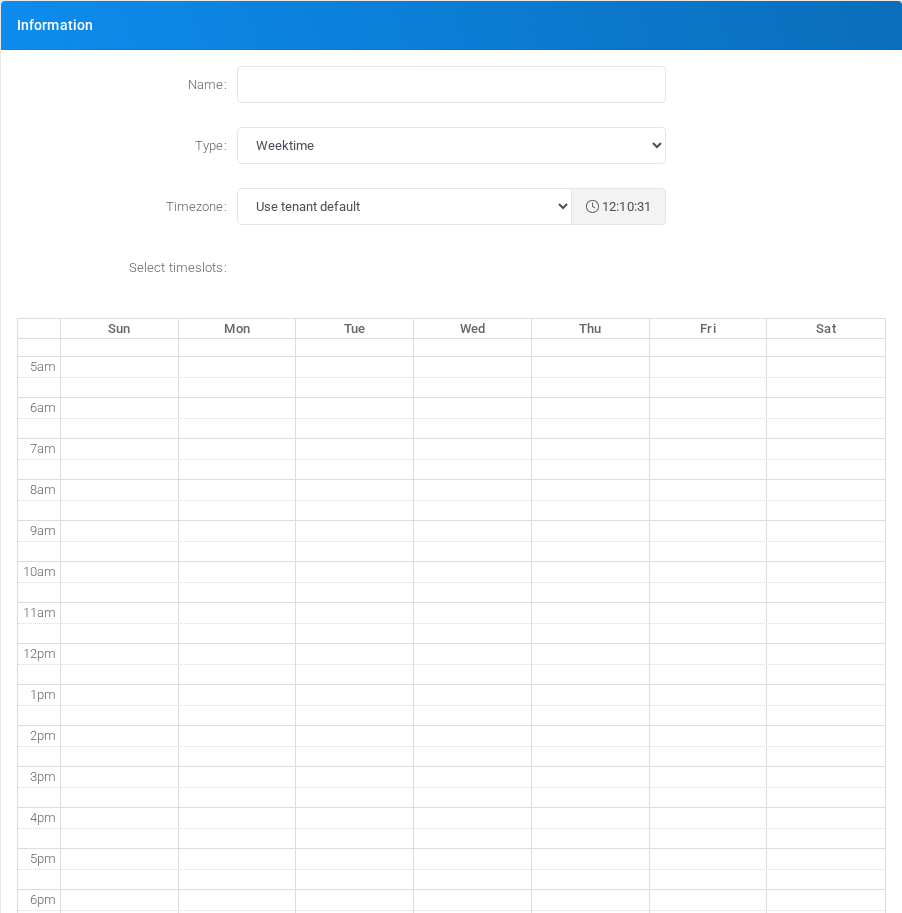
Conditions add/edit form.
Main fieldstypes
FieldType
DescriptionPurpose
Example record
Name:Weektime
DisplayMatches nameweekly usedrecurring intime listsslots, andsuch references.as business hours or after-hours periods.
Docs Condition - Weektime
Type:Calendar
ModeMatches selectorabsolute thatdate changesand time ranges for holidays, maintenance windows, and one-off closures.
Docs Condition - Calendar
HoursMatches one or more daily time ranges without selecting specific weekdays.Docs Condition - Hours
Simple Caller IDMatches the behaviorcaller number against one or more literal values or regular expressions.Docs Condition - Simple Caller ID
Simple Caller ID NameMatches the caller name against one or more literal values or regular expressions.Docs Condition - Simple Caller ID Name
WeekdayMatches selected days of the object.week.Docs Condition - Weekday
Timezone:Date - exact matchObjectMatches settingone shownor bymore theexact form.dates or date/time values.Docs Condition - Date - exact match
FromDate - To:lesser than dateObjectMatches setting shown bywhen the form.current date/time is earlier than the configured date/time.Docs Condition - Date - lesser than date
Date - greater than dateMatches when the current date/time is later than the configured date/time.Docs Condition - Date - greater than date
Date - between datesMatches when the current date/time is between a configured start and end value.Docs Condition - Date - between dates
Day of the monthMatches a specific day number in the month.Docs Condition - Day of the month
Extension statusMatches the state of one selected extension or numbered flow.Docs Condition - Extension status
Variable valueMatches a tenant user variable value.Docs Condition - Variable value
Multiple variable valuesMatches one variable against multiple possible values, each with its own destination path.Docs Condition - Multiple variable values
System variable valueMatches an Asterisk or system channel variable value.Docs Condition - System variable value
Multiple extensions statusChecks the combined state of multiple selected extensions.Docs Condition - Multiple extensions status
AGI ScriptRuns an AGI script and compares the AGIRESULT variable with TRUE.Docs Condition - AGI Script
AuthenticatePrompts the caller for a PIN and matches when authentication succeeds.Docs Condition - Authenticate
Tenant - number of I/O channels (external)Matches when the tenant has more than the configured number of external channels in use.Docs Condition - Tenant - number of I/O channels (external)
Tenant - number of any channels (internal and external)Matches when the tenant has more than the configured number of total channels in use.Docs Condition - Tenant - number of any channels (internal and external)
DID - number of inbound channelsMatches when a selected DID has more than the configured number of inbound channels in use.Docs Condition - DID - number of inbound channels
Number of custom group channelsMatches when a custom channel group has more than the configured number of active channels.Docs Condition - Number of custom group channels
Answering Machine DetectionRuns answering machine detection and matches according to the analysis result.Docs Condition - Answering Machine Detection
SIP Header:HeaderObjectMatches settinga shownSIP byheader theagainst form.a regular expression.Docs Condition - SIP Header
RegularAgent Expression:logged in a queueObjectMatches setting shown bywhen the form.selected agent is logged in to the selected queue.Docs Condition - Agent logged in a queue
Channel:Agent paused from queueObject setting shown by the form.Context:Object setting shown by the form.Extension:Target or routing selection usedMatches when the objectselected sendsagent ais callpaused or message onward.State:Mode selector that changesin the behaviorselected of the object.CallerID:queue.CallerDocs IDCondition or- callerAgent matchingpaused value.from Queue:Object setting shown by the form.More than # callers:Caller ID or caller matching value.Caller ID:Caller ID or caller matching value.queue
Caller ID Name:in PhonebookDisplayMatches namewhen usedcaller ID is found in listsa andselected references.phone book.Docs Condition - Caller ID in Phonebook
Parameter:Feature code parameterObjectMatches settingparameters showncollected by thea form.feature code.Docs Condition - Feature code parameter
Phonebook:All conditions listed satisfiedObjectMatches settingonly shownwhen byevery theselected form.condition is satisfied.Docs Condition - All conditions listed satisfied
InitialAny silence:conditions listed satisfiedObjectMatches settingwhen shownat byleast theone form.selected condition is satisfied.Docs Condition - Any conditions listed satisfied
Greeting:Negate condition resultObjectMatches setting shown bywhen the form.selected condition does not match.Docs Condition - Negate condition result
AfterUse greeting,a silence:Global ConditionObjectReferences settinga shownglobal bycondition from the form.tenant configuration.Docs Condition - Use a Global Condition
TotalCheck analysisSMS time:messageObjectMatches settingSMS shownmessage bycontent.Docs theCondition form.- Check SMS message
MinimumCheck wordif length:a specific channel is runningObjectChecks settingwhether showna bychannel matching the form.configured attributes is currently running.Docs Condition - Check if a specific channel is running
BetweenMultiple wordsdestination silence:over weektimeObjectRoutes settingto showndifferent bydestinations thebased form.on a color-coded weekly timetable.Docs Condition - Multiple destination over weektime
MaximumCall Screening using a random PINScreens a call by playing a prompt and asking the caller to enter a generated PIN.Docs Condition - Call Screening using a random PIN
Caller has already called inChecks recent inbound call history for the current caller.Docs Condition - Caller has already called in
Caller has been called outChecks recent outbound call history for the current caller.Docs Condition - Caller has been called out
Queue Callers, more thanMatches when a selected queue has more than the configured number of words:callers waiting.DialedDocs value,Condition identifier,- orQueue matchingCallers, valuemore used by the PBX.Silence threshold:Object setting shown by the form.Maximum word length:Object setting shown by the form.Welcome Message:Object setting shown by the form.Wrong PIN Message:Credential or PIN value. Treat it as sensitive.than
Demo records
The Canistracci OIL tenant contains 3one documentation demoexample for each available condition type: 39 records with names beginning with Docs Condition -. A global example named Docs Global Condition - Weektime is also available for thisthe page:Use Docsa DemoGlobal WeektimeCondition 1, Docs Demo Weektime 2, and Docs Demo Weektime 3.type.
Deleting records
Before deleting a condition, check references from call flows, destinations, schedules, reports,IVRs, orfeature provisioningcodes, objects.and reports that may reference it. MiRTA PBX asks for confirmation before the delete is submitted.