
Create a Tenant
Create a tenant before adding tenant-specific extensions, DIDs, routing, media, and user permissions. A tenant is the top-level container for a customer's PBX configuration.
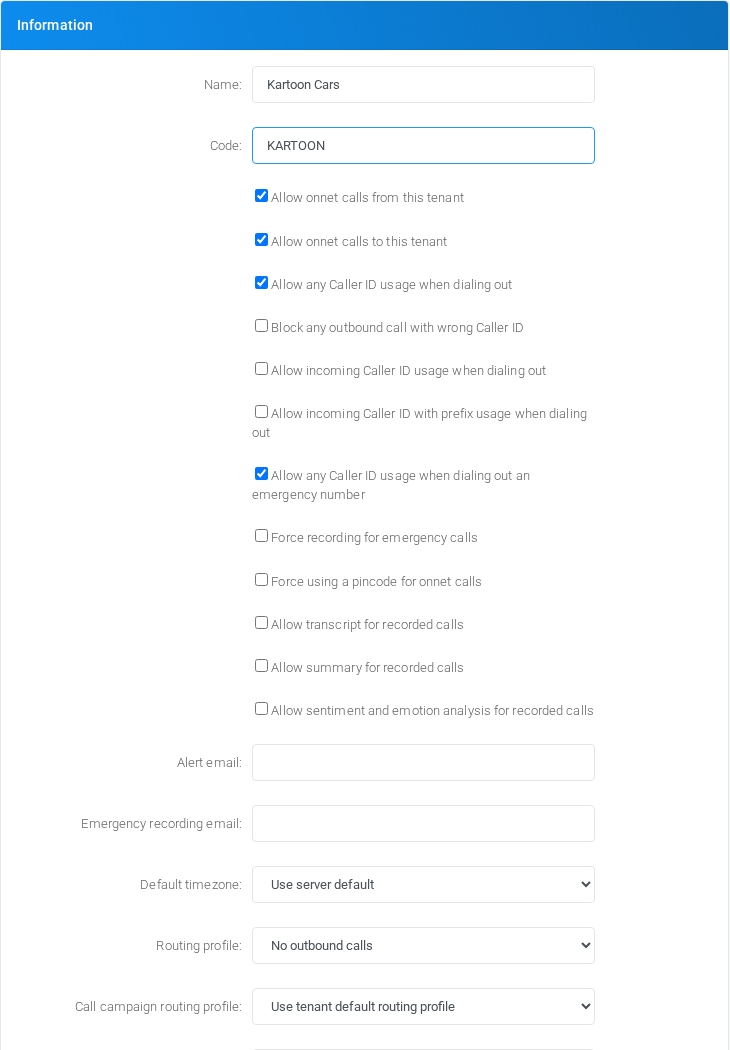
Open the tenant form
- Log in with an administrator account that can add tenants.
- Open Admin > Tenants.
- Select Add or New to open Define Tenant.
Enter name and code
- In Name, enter Kartoon Cars.
- In Code, enter KARTOON.
- Review the defaults for calling, routing, parking, billing, limits, and storage.
- Select Save.
The tenant code must be unique. Use an alphabetic code such as KARTOON. Avoid numbers, spaces, hyphens, and underscores unless your deployment has a specific reason to use them.
Why the code matters
MiRTA PBX uses the tenant code when creating extension usernames. The username format is:
<extension username>-<tenant code>For example, with tenant code KARTOON, an extension username 201 becomes 201-KARTOON. This keeps usernames unique across tenants even when two tenants use the same extension numbers.
After a tenant has been saved, the code field becomes read-only in the tenant form. Use the Change button beside the code only when you intentionally need to rename the tenant code, because extension usernames and related references depend on it.
No comments to display
No comments to display