
Create a Night/Day switch with automatic toggle
Let's focus on a common need. A BLF key to change from Night to Day mode, so it can be toggle anytime, but also to be automatic triggered at specified time.
The core of this feature is a Flow, so let's start creating a Flow containing the definition of a variable used to hold the status.
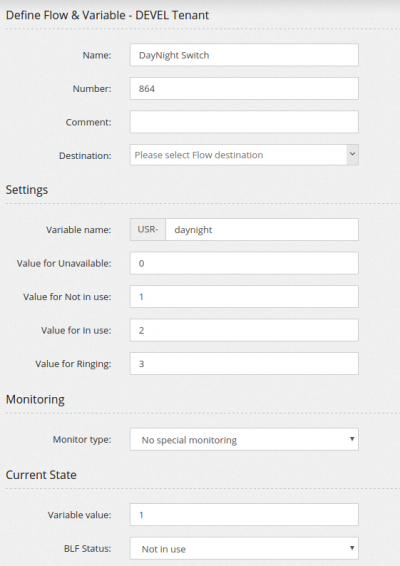
This Flow, assigned the number 864, can be monitored with the BLF 864-DEVEL (DEVEL is the tenant code for the tenant used)
As you may have noticed, there is no destination for this Flow. Let's create a Custom Destination to toggle its status
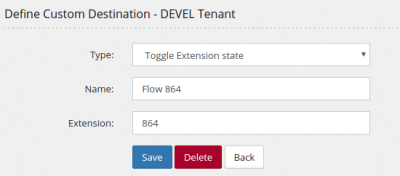
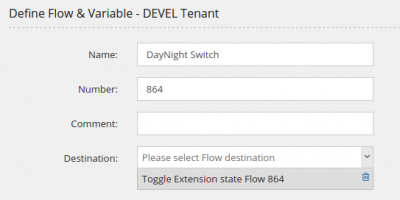
Now assign the Custom Destination above to the Flow, as action
You can use this Flow variable in a Condition
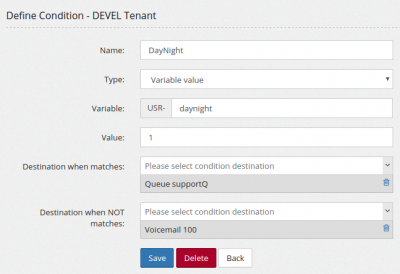
Now the customer can switch the day/night condition using the BLF key, but he may need to have it automatically switched also at certain times.
We start by creating two Custom Destination to set to Day mode (1/Not In Use) and to set to Night mode (2/In Use)

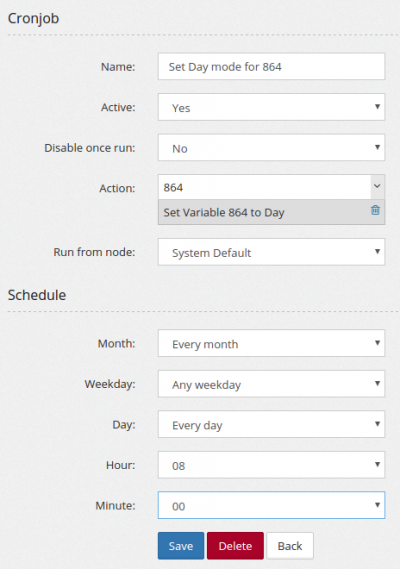
And then use those in two Cronjobs to activate the day at 8am and the night at 7pm
No comments to display
No comments to display