
Create a "press 1" campaign
This example is written for the Canistracci OIL tenant. Create the objects with a Docs Demo prefix, test them on non-production numbers, and then adapt the same structure for the production tenant.
With a "press 1" campaign I mean a campaign who will call a series of numbers and when one answers, it plays an advertisement message asking to press 1 to be connected with an operator.
We'll start by creating the advertisement message, using TTS and media file or you can just record it and upload.
400px
We can continue creating a queue for connecting the called numbers, if pressing 1
400px
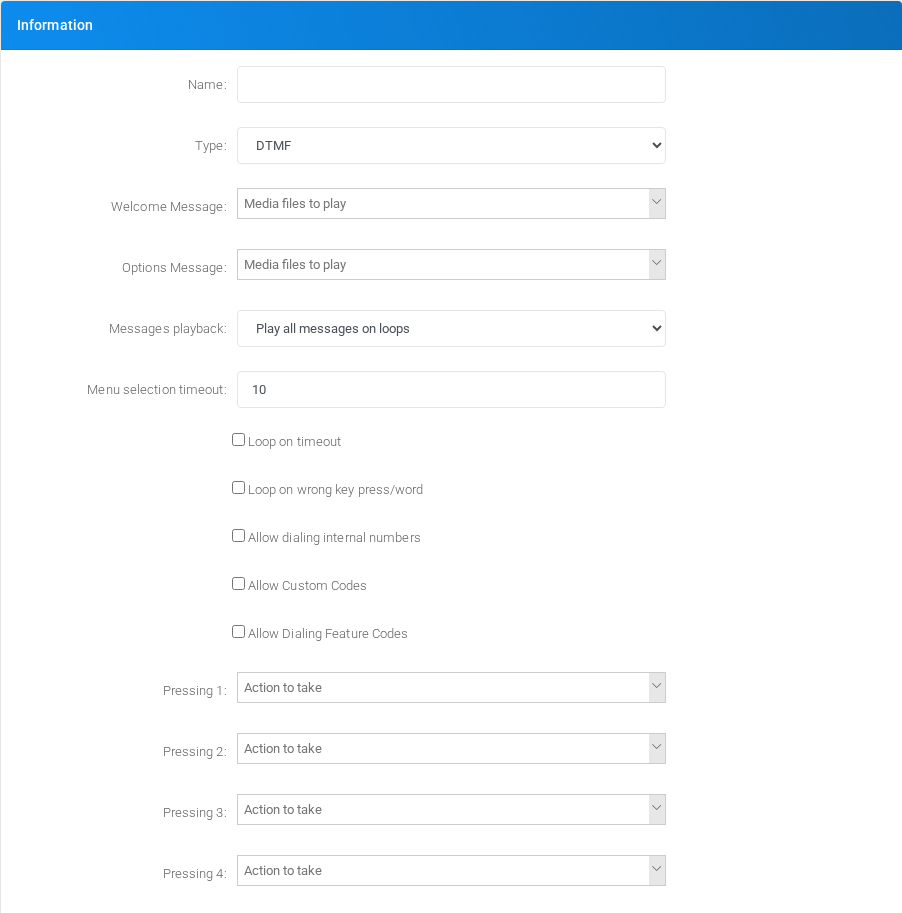
Now we can create the IVR that will ask for the "press 1", using the media file created and connecting to the queue.
400px
Finally we can proceed in creating the campaign. Please refer to the Call Campaigns for details regarding the parameters and the type of campaign
400px
Validation
- Confirm the tenant selected in the top bar is Canistracci OIL before creating the example.
- Verify the created objects appear in the expected Configuration menu page.
- Place a controlled test call or run the related status check.
- Remove or disable temporary test numbers when the example is no longer needed.
No comments to display
No comments to display