
Create and Edit Hunt Lists
Use this page when creating a new hunt list or editing an existing hunt list from Configuration > Hunt Lists.
The form screenshots below are separated by block where the application exposes separate sections. Complete the required values, review routing or destination references, and save the record.
Add and edit form
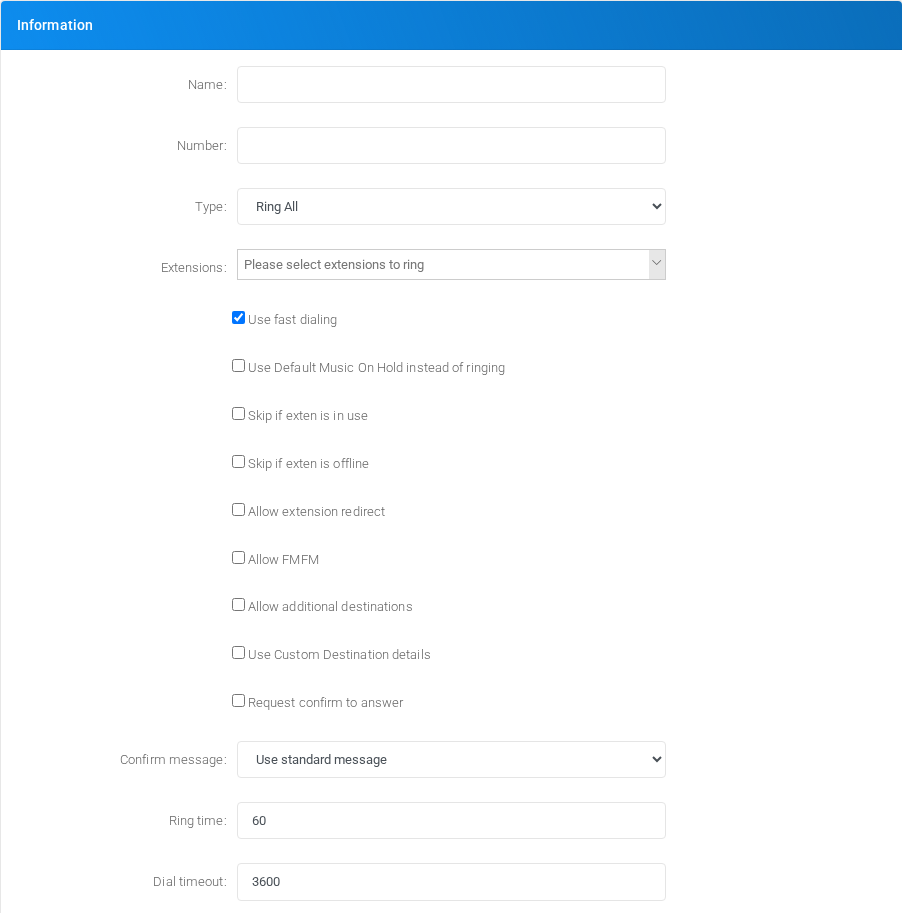
Main fields
| Field | Description |
|---|---|
| Name: | Display name used in lists and references. |
| Number: | Dialed value, identifier, or matching value used by the PBX. |
| Type: | Mode selector that changes the behavior of the object. |
| Use fast dialing | Dials eligible hunt-list members directly for simple hunt lists. This shortcut is used only when the hunt list is not also allowing FMFM or additional destinations. |
| Use Default Music On Hold instead of ringing | Object setting shown by the form. |
| Skip if exten is in use | Object setting shown by the form. |
| Skip if exten is offline | Object setting shown by the form. |
| Allow extension redirect | Target or routing selection used when the object sends a call or message onward. |
| Allow FMFM | Object setting shown by the form. |
| Allow additional destinations | Target or routing selection used when the object sends a call or message onward. |
| Use Custom Destination details | Target or routing selection used when the object sends a call or message onward. |
| Request confirm to answer | Object setting shown by the form. |
| Confirm message: | Object setting shown by the form. |
| Ring time: | Object setting shown by the form. |
| Dial timeout: | Timing value used by the service. |
Fast dialing
Enable Use fast dialing when the hunt list should call the selected destinations directly instead of sending each member through the full extension destination handling. This is useful for straightforward hunt lists where the goal is to ring the listed devices with less intermediate routing logic.
| Area | Behavior |
|---|---|
| When the shortcut is active | MiRTA PBX builds the dial string from the destination devices directly. chan_sip extensions are dialed as their SIP peer, PJSIP extensions are expanded to their registered contacts, custom extensions are dialed through their outbound target, and virtual extensions are expanded to their member devices. |
| Required options | Fast dialing is used only when Allow FMFM and Allow additional destinations are both disabled. If either option is enabled, the PBX routes the member through normal extension handling so those features can run. |
| Checks that still apply | The hunt list still honors Skip if exten is in use, Skip if exten is offline, device state checks, and Do Not Disturb checks where they apply. |
| Features bypassed | Member-level Find Me/Follow Me, additional destinations, and other behavior that depends on entering the full extension destination flow can be skipped because the device or endpoint is dialed directly. |
| Request confirm to answer | For Ring All and Ring All over Loop, enabling Request confirm to answer uses the confirmation path for the hunt list, so fast dialing is not the active route for those ring modes. |
| Clustered systems | If the selected extension is registered on another node, the call is sent through the inter-node SIP trunking path instead of a local endpoint contact. |
Saving and deleting
| Task | How to do it |
|---|---|
| Create | Select the new action from the Hunt Lists list, fill the required fields, and select Save. |
| Edit | Open the existing hunt list, update the needed fields, and select Save. |
| Delete | Before deleting a hunt list, check call-flow, destination, schedule, report, provisioning, or integration references. Use the row delete action or the form delete action when available, then confirm. |
No comments to display
No comments to display