
Create and Edit Queues
Use this page when creating a new queue or editing an existing queue from Configuration > Queues.
The form screenshots below are separated by block where the application exposes separate sections. Complete the required values, review routing or destination references, and save the record.
Form sections
| Section | Description |
|---|---|
| Information | Core identity and routing fields for the object. |
| Agents | Agent assignment and queue membership behavior. |
| Periodic Announce | Settings shown in the Periodic Announce block. |
| Queue exit key | Settings shown in the Queue exit key block. |
| Call Back service | Settings shown in the Call Back service block. |
| Abandoned Calls | Settings shown in the Abandoned Calls block. |
| Position/Time Announce | Settings shown in the Position/Time Announce block. |
| API Integrations | API-related credentials, restrictions, and integration controls. |
Information
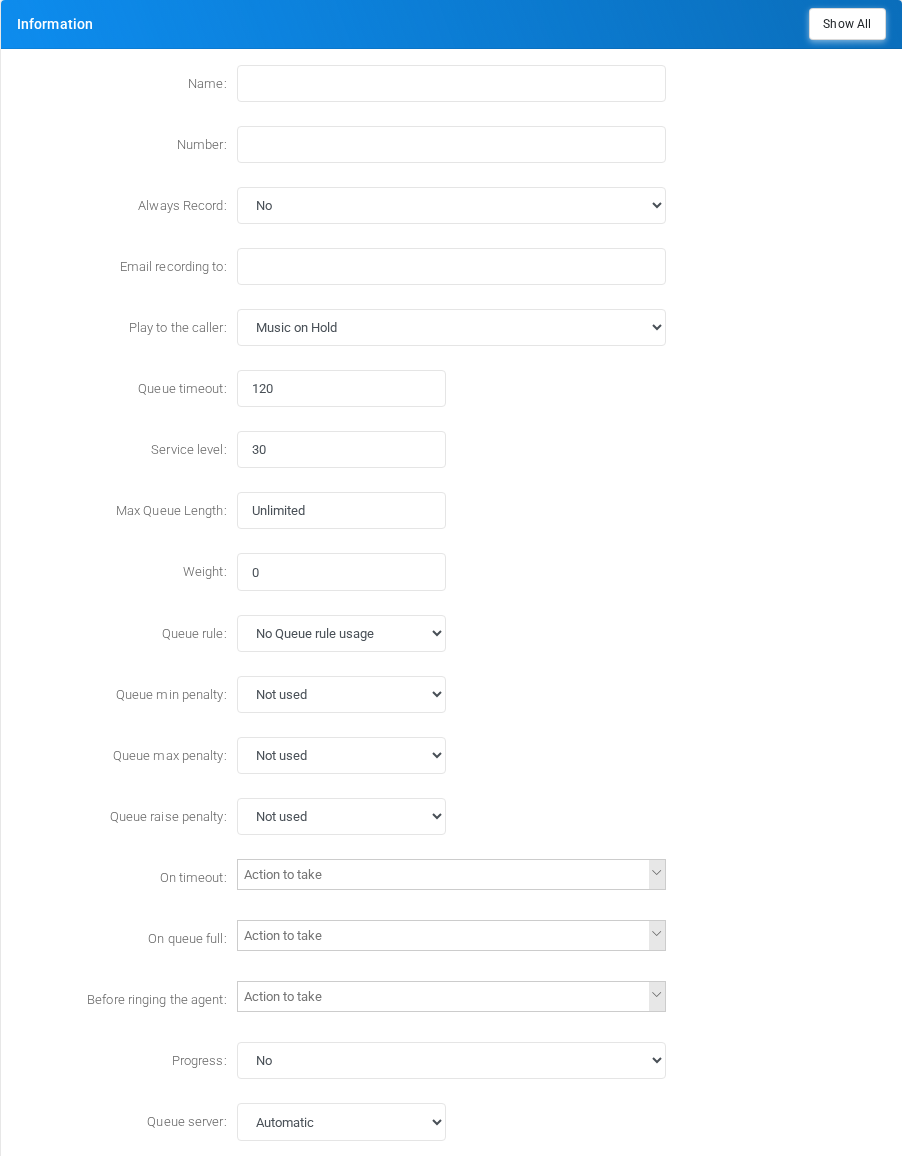
Core identity and routing fields for the object.
Agents
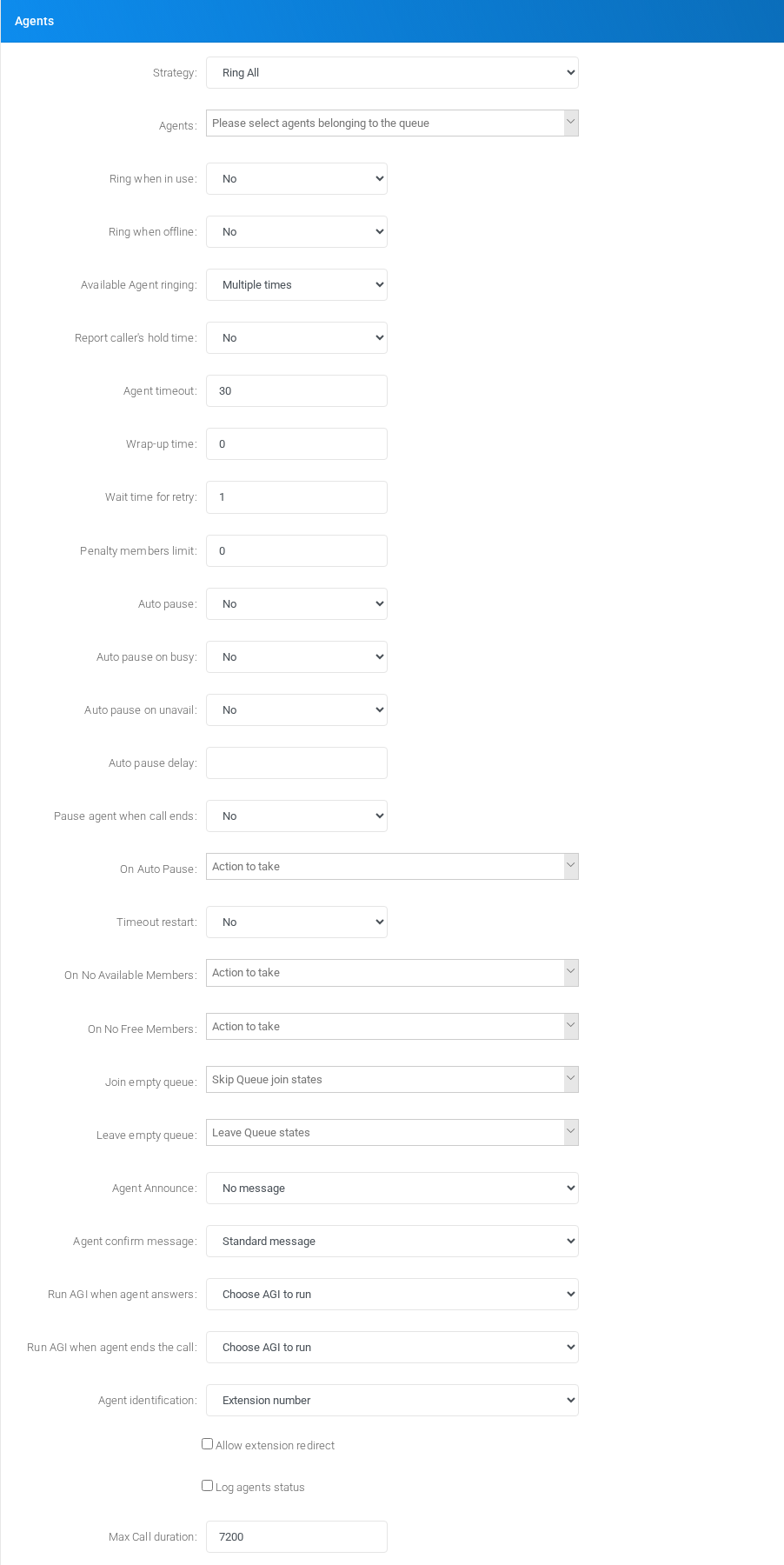
Agent assignment and queue membership behavior.
Periodic Announce
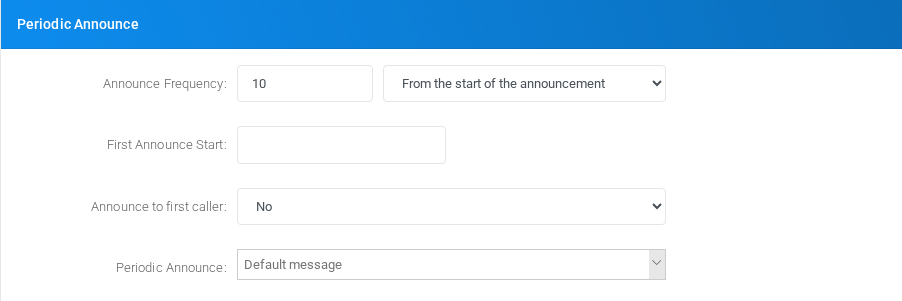
Settings shown in the Periodic Announce block.
Queue exit key

Settings shown in the Queue exit key block.
Call Back service
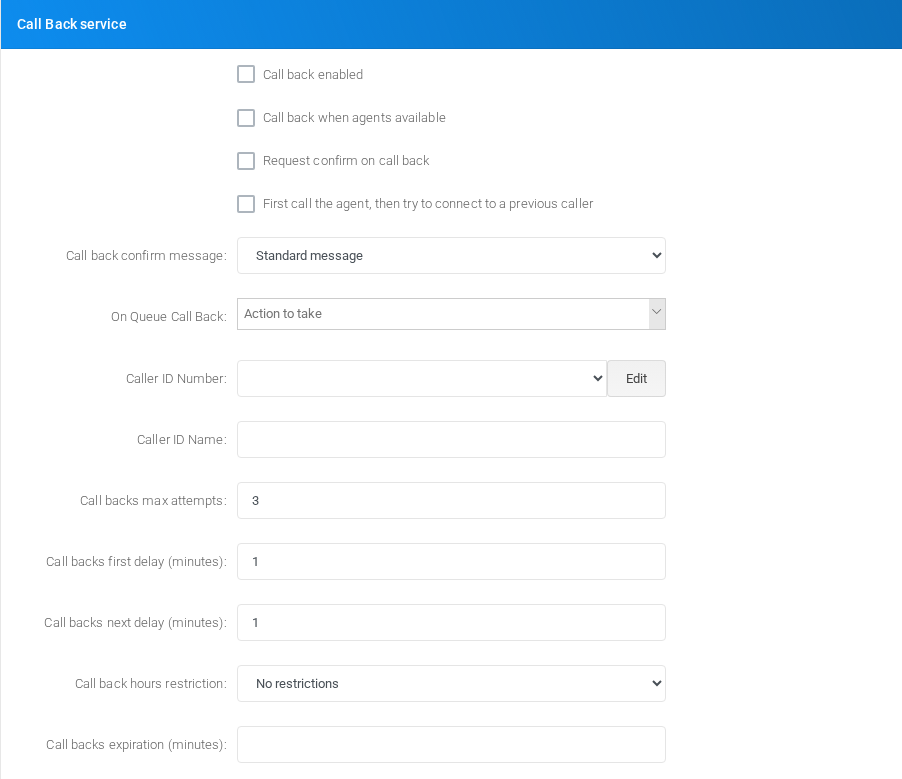
Settings shown in the Call Back service block.
Abandoned Calls
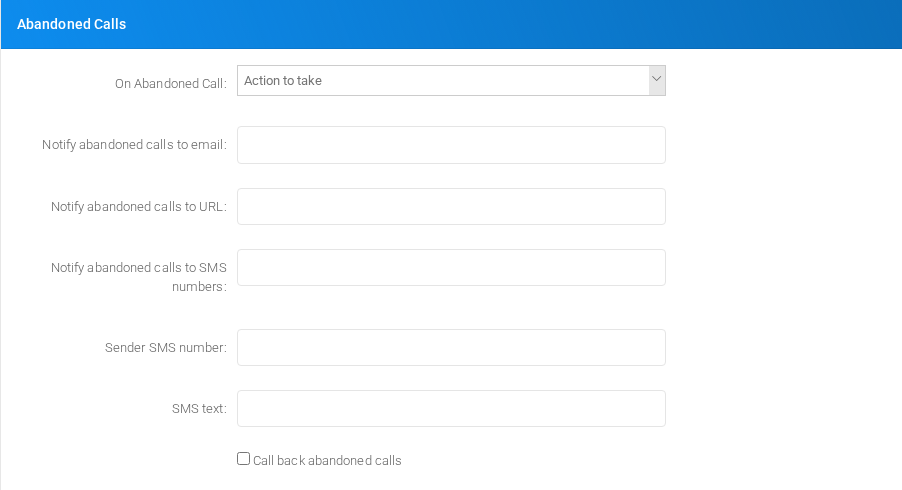
Settings shown in the Abandoned Calls block.
Position/Time Announce
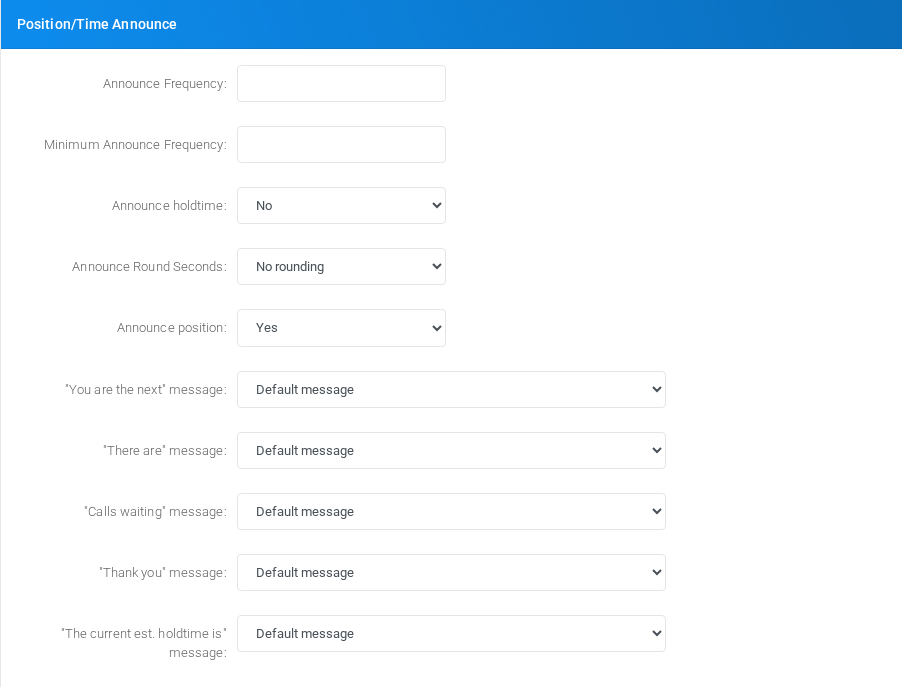
Settings shown in the Position/Time Announce block.
API Integrations
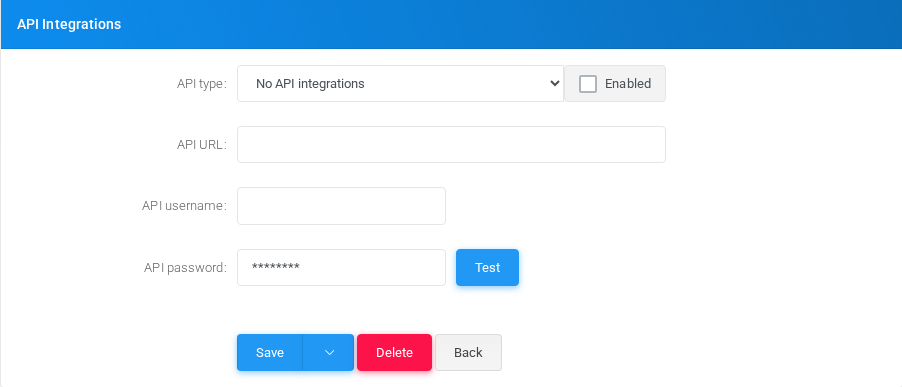
Main fields
| Field | Description |
|---|---|
| Name: | Display name used in lists and references. |
| Number: | Dialed value, identifier, or matching value used by the PBX. |
| Always Record: | Recording behavior or recording delivery setting. |
| Email recording to: | Email address used for notifications, delivery, or mailbox access. |
| Minimum Size (bytes): | Object setting shown by the form. |
| Play to the caller: | Caller ID or caller matching value. |
| Queue timeout: | Timing value used by the service. |
| Service level: | Object setting shown by the form. |
| Max Queue Length: | Object setting shown by the form. |
| Weight: | Object setting shown by the form. |
| Auto fill: | Object setting shown by the form. |
| Queue rule: | Object setting shown by the form. |
| Queue min penalty: | Object setting shown by the form. |
| Queue max penalty: | Object setting shown by the form. |
| Queue raise penalty: | Object setting shown by the form. |
| Progress: | Object setting shown by the form. |
| Queue server: | Server, host, or node selection used by the object. |
| Strategy: | Object setting shown by the form. |
| allowoptimization | Object setting shown by the form. |
| Ring when in use: | Object setting shown by the form. |
| Ring when offline: | Object setting shown by the form. |
| Available Agent ringing: | Object setting shown by the form. |
| Report caller's hold time: | Caller ID or caller matching value. |
| Agent timeout: | Timing value used by the service. |
| Wrap-up time: | Object setting shown by the form. |
| Wait time for retry: | Timing value used by the service. |
| Penalty members limit: | Object setting shown by the form. |
| Auto pause: | Object setting shown by the form. |
Queue rules and penalties
Use a Queue rule when a caller should stay in the same queue while the PBX changes which agent penalty levels are eligible as the caller waits. This keeps the caller's queue position instead of moving the caller to another queue or reinserting the caller with different penalty values.
Queue penalty fields
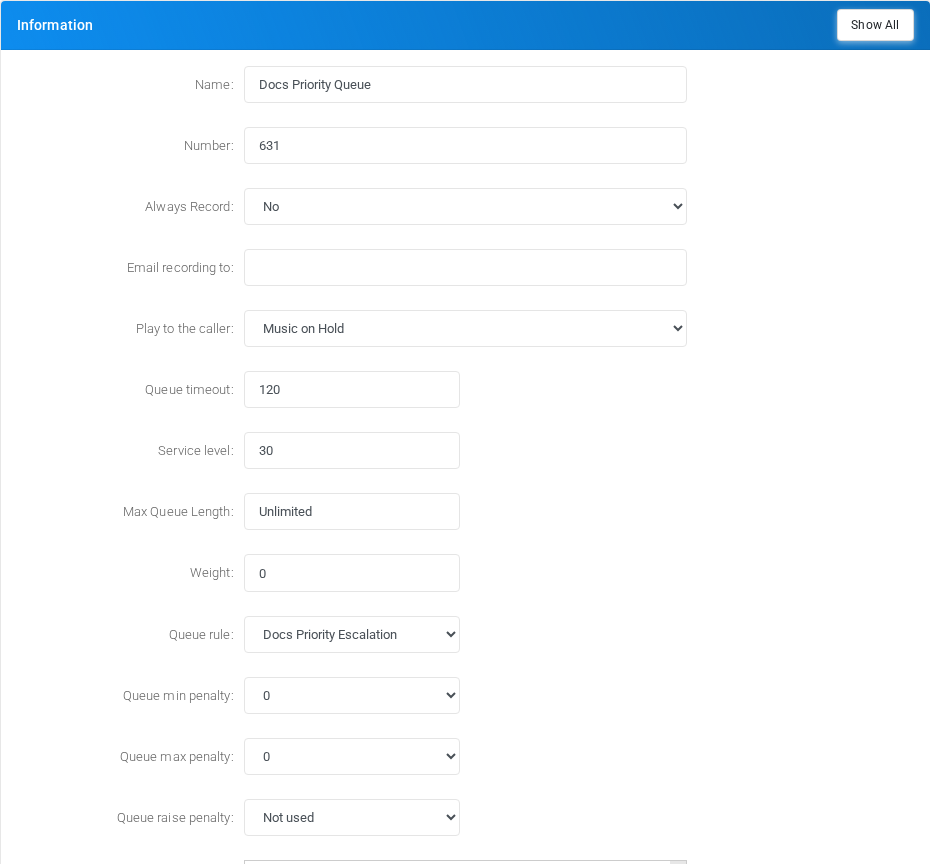
| Field | How it works |
|---|---|
| Queue rule | Selects the time-based rule used by the queue. The rule rows are maintained from the Queue rules screen linked from the Queues list. |
| Queue min penalty | Sets the starting lower penalty boundary for the caller. Agents with a lower penalty are not considered while this value is active. |
| Queue max penalty | Sets the starting upper penalty boundary for the caller. Agents with a higher penalty are not considered while this value is active. |
| Queue raise penalty | Treats agents below the selected raise value as if they had the raise value for this caller. This can remove the priority advantage of lower-penalty agents without changing the stored member penalty. |
| Penalty members limit | When this queue-level limit is greater than zero and the queue has that number of members or fewer, Asterisk can ignore penalty weighting for availability decisions. |
Queue rule pages
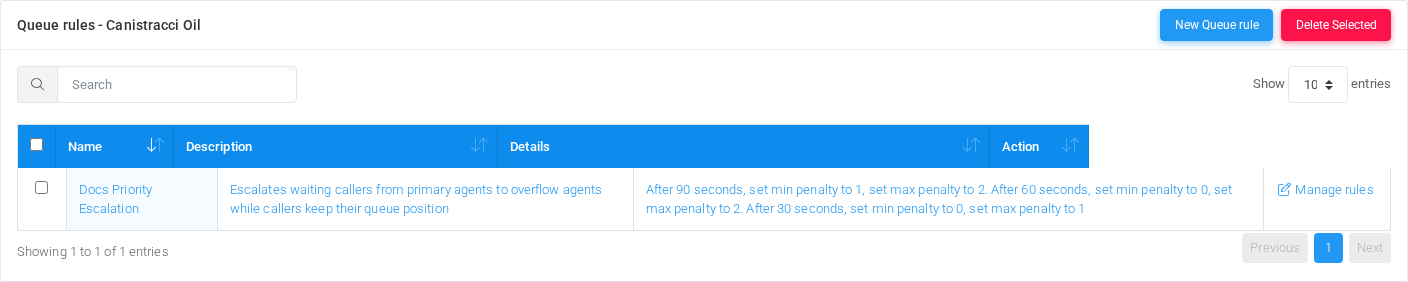
The Queue rules list shows each rule, its description, and a generated summary of the timed penalty changes. Open the rule name to edit the rule header, or select Manage rules to edit the timed rows.

The rule header contains only the rule name and description. Use a descriptive name that explains the escalation purpose, such as Docs Priority Escalation.
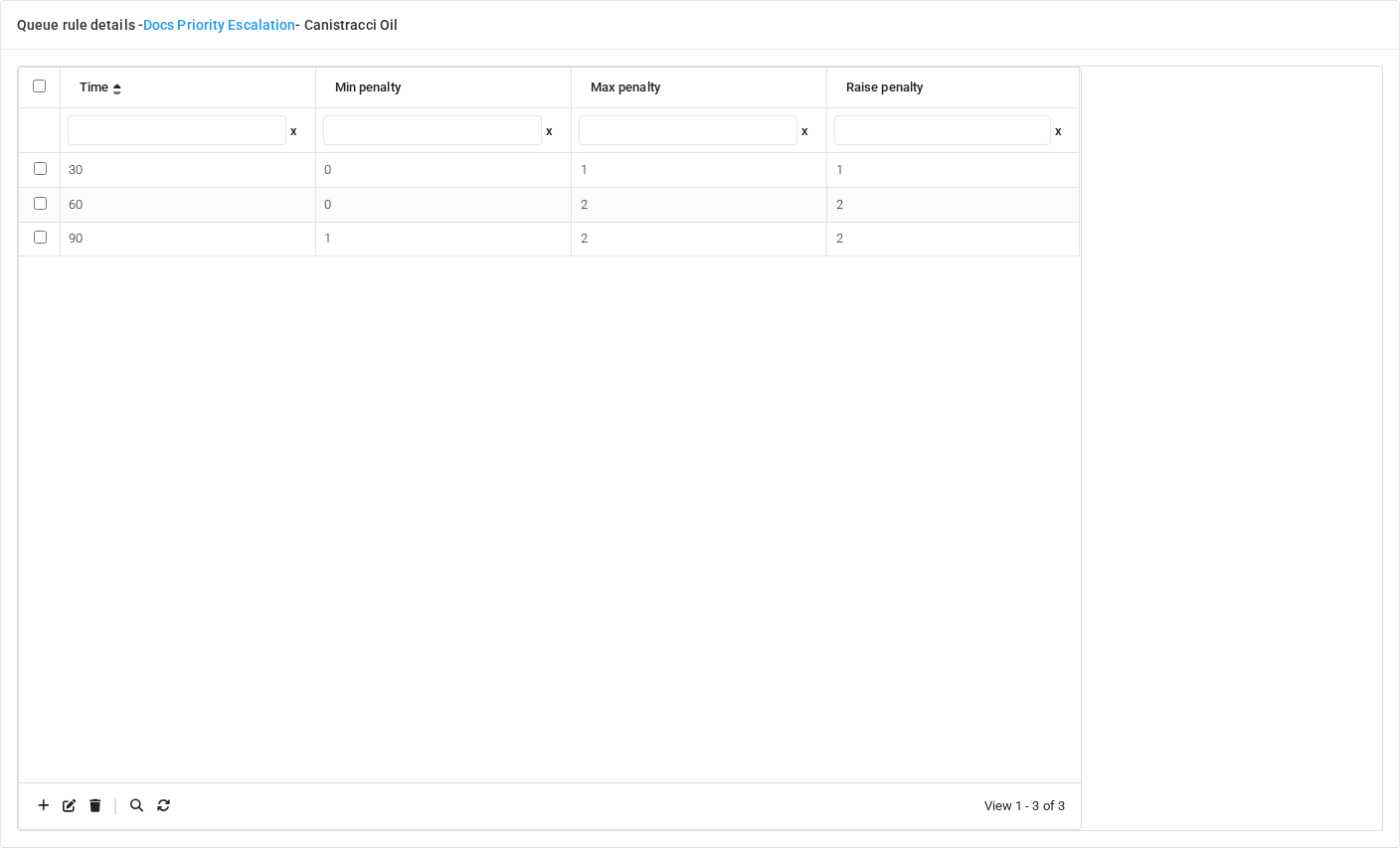
| Column | Meaning |
|---|---|
| Time | Seconds after the caller entered the queue. When this wait time is reached, the row values are applied to that caller. |
| Min penalty | New lower boundary for eligible agents. |
| Max penalty | New upper boundary for eligible agents. |
| Raise penalty | New raise value used to make lower-penalty agents behave as if they had the configured penalty for the current caller. |
Example escalation
| Wait time | Values | Result |
|---|---|---|
| Queue entry | Min 0, max 0, raise not used | Only primary agents with penalty 0 are considered. |
| After 30 seconds | Min 0, max 1, raise 1 | Agents with penalties 0 and 1 are eligible. Penalty 0 agents are treated as penalty 1, so the first overflow tier is considered evenly with the primary tier. |
| After 60 seconds | Min 0, max 2, raise 2 | Agents with penalties 0, 1, and 2 are eligible, and lower tiers are treated as penalty 2 for this caller. |
| After 90 seconds | Min 1, max 2, raise 2 | Penalty 0 agents are no longer considered. The caller continues with the overflow tiers only. |
Asterisk applies these values to the queue call variables for the caller currently waiting. Rule changes made after a caller has already entered the queue are not retroactively applied to that caller. For the Weighted Random strategy, member penalty is used as a weight for the selection metric, so the practical effect differs from the strict priority behavior used by the other queue strategies.
Saving and deleting
| Task | How to do it |
|---|---|
| Create | Select the new action from the Queues list, fill the required fields, and select Save. |
| Edit | Open the existing queue, update the needed fields, and select Save. |
| Delete | Before deleting a queue, check call-flow, destination, schedule, report, provisioning, or integration references. Use the row delete action or the form delete action when available, then confirm. |
No comments to display
No comments to display