
Create and Edit Cronjobs
Use this page when creating a new cronjob or editing an existing cronjob from Configuration > Cronjobs.
The form screenshots below are separated by block where the application exposes separate sections. Complete the required values, review routing or destination references, and save the record.
Form sections
| Section | Description |
|---|---|
| Cronjob | Scheduling controls for when the object runs. |
| Schedule | Scheduling controls for when the object runs. |
Cronjob
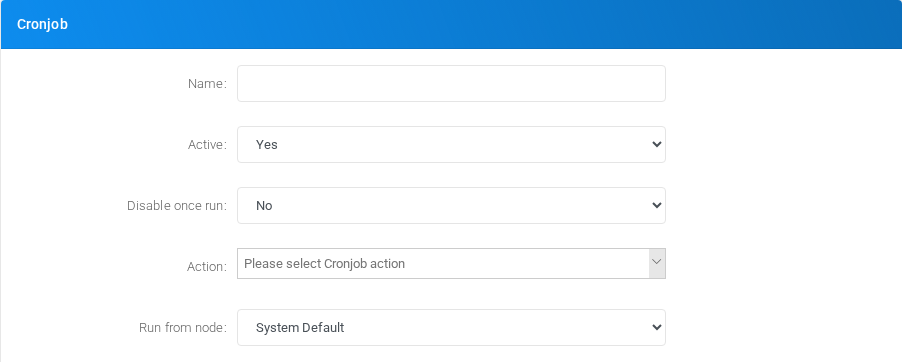
Scheduling controls for when the object runs.
Schedule
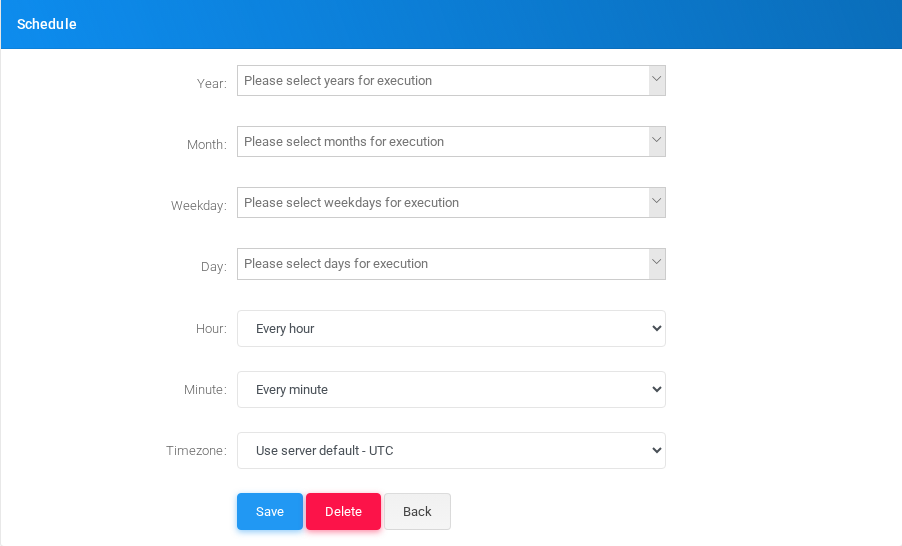
Scheduling controls for when the object runs.
Main fields
| Field | Description |
|---|---|
| Name: | Display name used in lists and references. |
| Active: | Object setting shown by the form. |
| Disable once run: | Object setting shown by the form. |
| Run from node: | Object setting shown by the form. |
| Hour: | Object setting shown by the form. |
| Minute: | Object setting shown by the form. |
| Timezone: | Object setting shown by the form. |
Saving and deleting
| Task | How to do it |
|---|---|
| Create | Select the new action from the Cronjobs list, fill the required fields, and select Save. |
| Edit | Open the existing cronjob, update the needed fields, and select Save. |
| Delete | Before deleting a cronjob, check call-flow, destination, schedule, report, provisioning, or integration references. Use the row delete action or the form delete action when available, then confirm. |
No comments to display
No comments to display