
Overview
The Manage CNAM Cache page stores manually entered or cached caller-name lookup results. Open it from Configuration > Settings > Manage CNAM Cache.
The page works against the tenant currently selected in the top bar. The screenshots and demo rows were captured in the Canistracci OIL tenant.
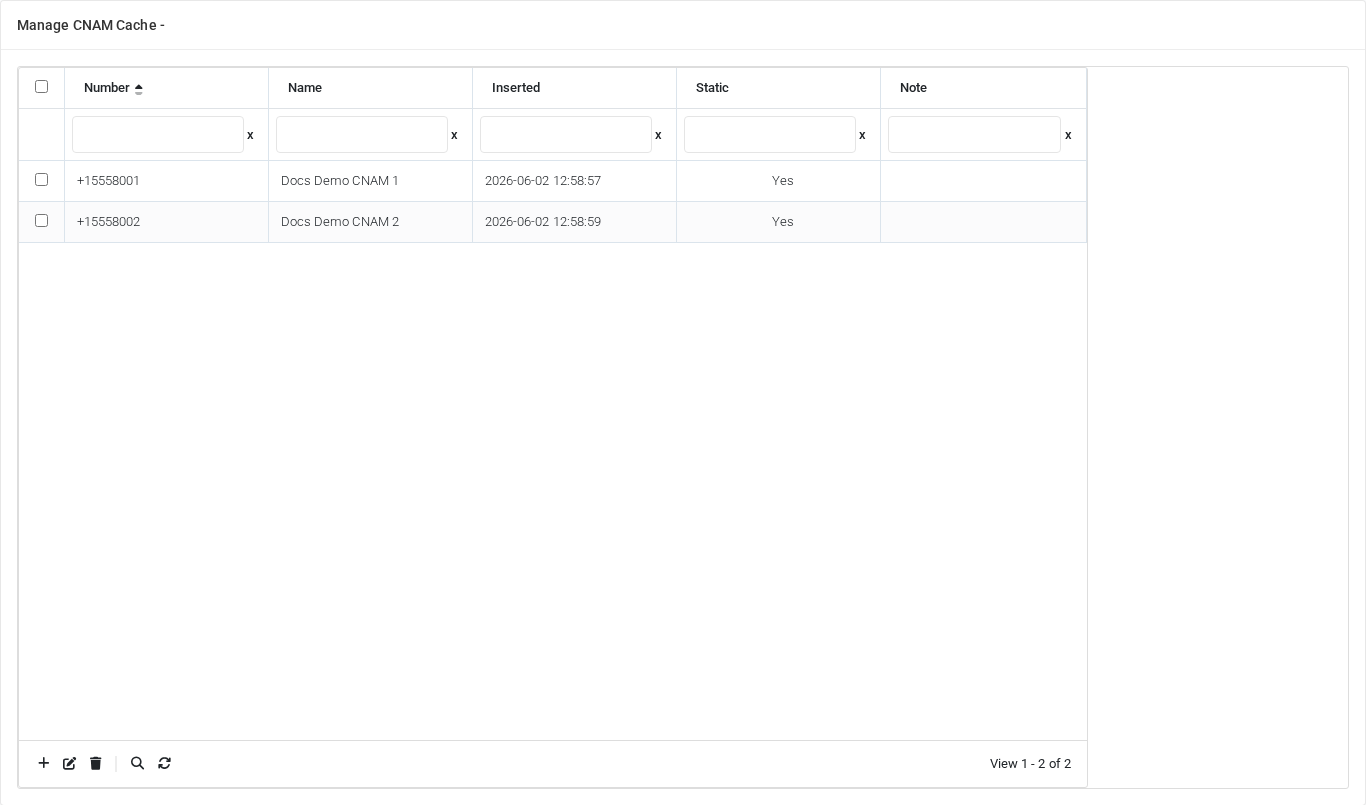
Working with objects
| Task | How to do it |
|---|---|
| Add | Use the grid add control to create a new CNAM cache entry. Fill the row editor and save it. |
| Edit | Select an existing CNAM cache entry row and use the grid edit control. Save the edited row. |
| Delete | Select one or more CNAM cache entry rows and use the grid delete control, then confirm. |
List columns
| Column | Description |
|---|---|
| Number | Dialed value, identifier, or matching value used by the PBX. |
| Name | Display name used in lists and references. |
| Inserted | Object setting shown by the form. |
| Static | Object setting shown by the form. |
| Note | Administrative note shown in lists and reports. |
Demo records
The tenant contains 2 documentation demo records for this page: Docs Demo CNAM 1 and Docs Demo CNAM 2.
Deleting records
Before deleting a CNAM cache entry, check references from call flows, destinations, schedules, reports, or provisioning objects. MiRTA PBX asks for confirmation before the delete is submitted.
No comments to display
No comments to display