
Create and Edit Voicemails
Use this page when creating a new voicemail mailbox or editing an existing voicemail mailbox from Configuration > Voicemails.
The form screenshots below are separated by block where the application exposes separate sections. Complete the required values, review routing or destination references, and save the record.
Form sections
| Section | Description |
|---|---|
| Information | Core identity and routing fields for the object. |
| Messages | Settings shown in the Messages block. |
| Operator/Extras | Settings shown in the Operator/Extras block. |
| Greetings | Settings shown in the Greetings block. |
Information
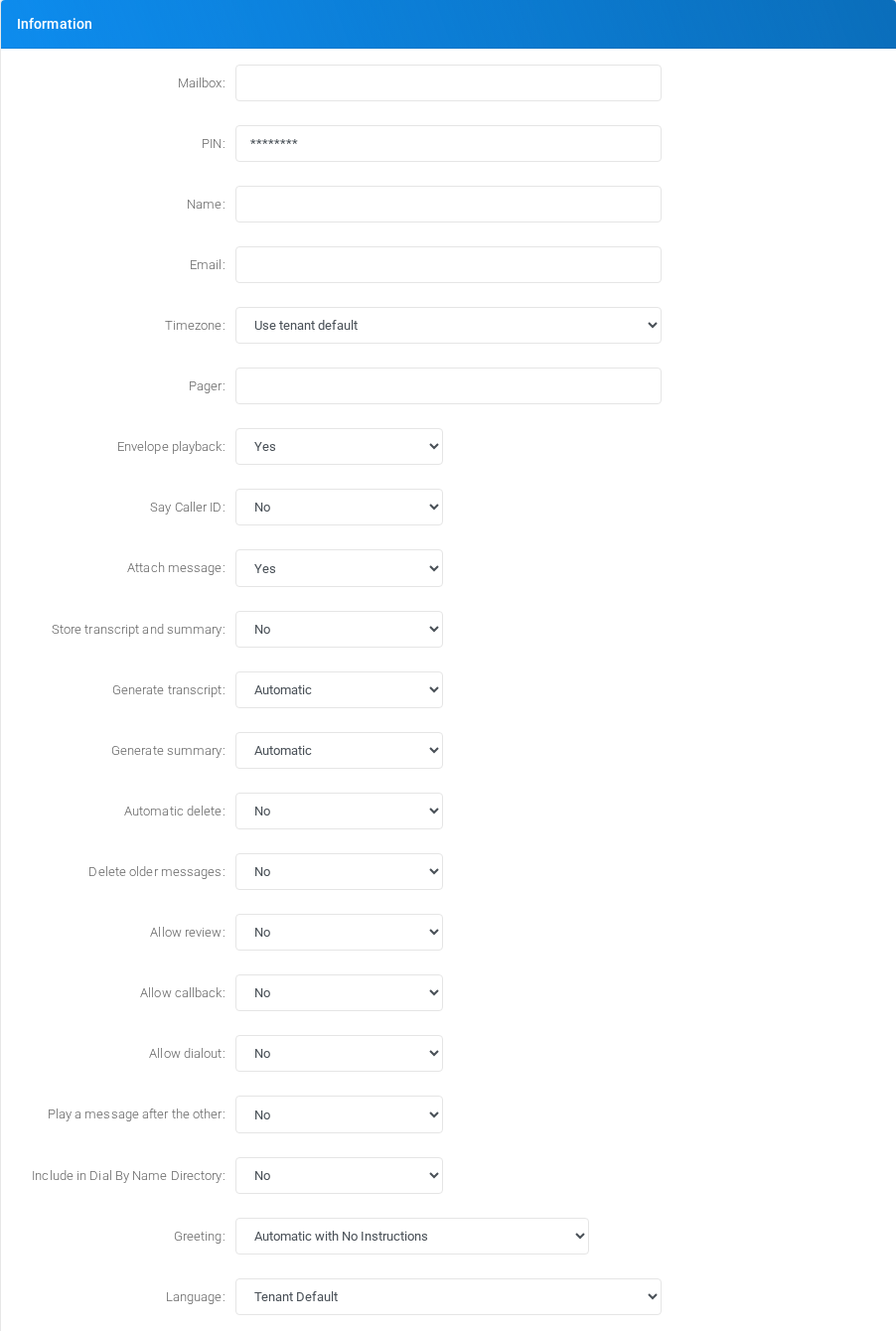
Core identity and routing fields for the object.
Messages

Settings shown in the Messages block.
Operator/Extras
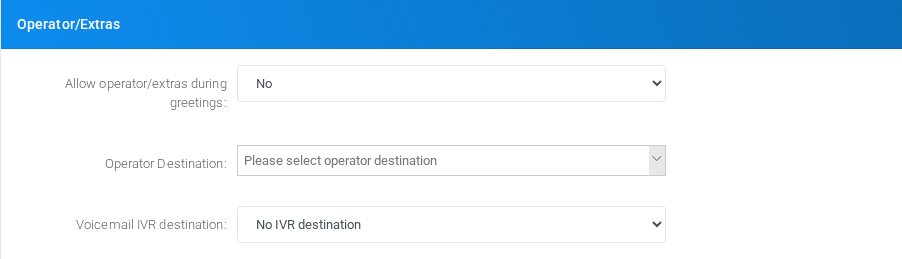
Settings shown in the Operator/Extras block.
Greetings
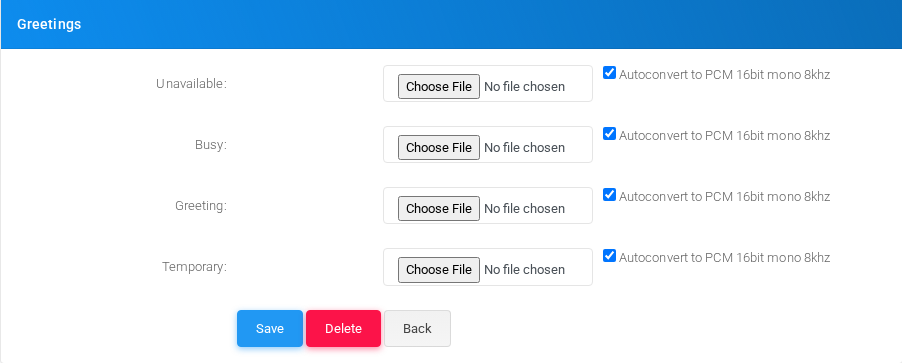
Settings shown in the Greetings block.
Main fields
| Field | Description |
|---|---|
| Mailbox: | Object setting shown by the form. |
| PIN: | Credential or PIN value. Treat it as sensitive. |
| Name: | Display name used in lists and references. |
| Email: | Email address used for notifications, delivery, or mailbox access. |
| Timezone: | Object setting shown by the form. |
| Pager: | Object setting shown by the form. |
| Envelope playback: | Object setting shown by the form. |
| Say Caller ID: | Caller ID or caller matching value. |
| Attach message: | Object setting shown by the form. |
| Store transcript and summary: | Object setting shown by the form. |
| Generate transcript: | Object setting shown by the form. |
| Generate summary: | Object setting shown by the form. |
| Automatic delete: | Object setting shown by the form. |
| Delete older messages: | Object setting shown by the form. |
| Allow review: | Object setting shown by the form. |
| Allow callback: | Object setting shown by the form. |
| Allow dialout: | Object setting shown by the form. |
| Play a message after the other: | Object setting shown by the form. |
| Include in Dial By Name Directory: | Display name used in lists and references. |
| Greeting: | Object setting shown by the form. |
| Language: | Language or voice selection used for prompts, transcription, or speech synthesis. |
| Max number of messages: | Dialed value, identifier, or matching value used by the PBX. |
| Min len of a voicemail message in seconds: | Email address used for notifications, delivery, or mailbox access. |
| Max len of a voicemail message in seconds: | Email address used for notifications, delivery, or mailbox access. |
| Backup messages: | Object setting shown by the form. |
| On new message: | Object setting shown by the form. |
| URL: | Object setting shown by the form. |
| POST data: | Object setting shown by the form. |
Saving and deleting
| Task | How to do it |
|---|---|
| Create | Select the new action from the Voicemails list, fill the required fields, and select Save. |
| Edit | Open the existing voicemail mailbox, update the needed fields, and select Save. |
| Delete | Before deleting a voicemail mailbox, check call-flow, destination, schedule, report, provisioning, or integration references. Use the row delete action or the form delete action when available, then confirm. |
No comments to display
No comments to display